
Power & battery
iPod keeps turning off
Shuts off randomly, by itself, or as soon as you unplug it? Pick what happens and your model to see the likely causes in order and what each fix costs.
What exactly happens?
Which iPod do you have?
Most common causes, by model
Also searched as shut off randomly · keeps turning off by itself · keeps shutting off · shuts off randomly · turns off by itself · turn off randomly
An iPod that keeps turning off most often has a failing hard drive; a worn-out battery or the logic board can do it too. On the 4th Gen and Photo, check the hard drive cable first, then the drive: our Hard Drive Repair Service is probably the best first option. On the other models, a drive failure is the ideal time for a flash upgrade.
Free checks first
- If it still shows up on a computer, copy your music off before anything else (copy the whole iPod_Control folder to keep more than the songs); if it clicks or drops off the computer while copying, stop and get it diagnosed.
- Plug it into power, then try again.
- On the 3rd Gen, charge from a FireWire charger or a 6-pin FireWire port on a computer that is on and awake: its USB cable syncs but never charges it.
- The iPod classic (6th/7th Gen, 2007-2009) turns itself off when it gets too hot: let it cool down before you use it again.
- Hold the iPod up to your ear: unusual clicking patterns are a strong sign that the hard drive is failing.
- Check the hard drive's health in Diagnostic Mode: on a healthy drive the reallocated sectors (reallocs) and pending sectors read zero or close to it. A high number, or numbers that rise each time you check, mean the drive is failing; pending sectors are the sharper warning.
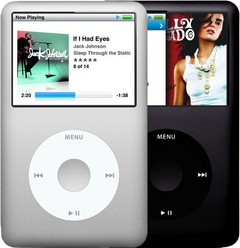
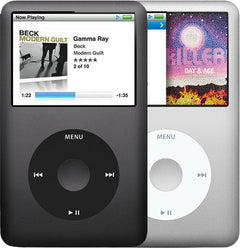
iPod Classic (A1238) keeps turning offiPod Classic 6th Gen (A1238) keeps turning offiPod Classic 7th Gen (A1238) keeps turning off
Most likely: Failing hard driveNext: Loose or damaged hard drive cable · 2 more causes
-
Most likely
Failing hard drive
Repeated clicking (the click of death: click, click, whir, or grinding) or the red X usually mean the hard drive is failing. A failed drive is the ideal time for a flash upgrade: flash storage has no heads, platters or motor, so the clicking, stalling and seizing that end an old hard drive can't happen. If your old drive still reads, add our music transfer ($149) and we copy everything on it onto the new flash storage.
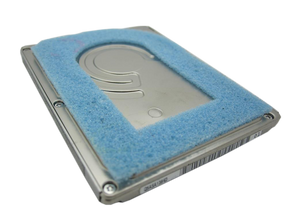
Replacement Hard Drive
For the iPod Classic 6th Gen
80GB · 120GB · 160GB
128GB Flash Mod Service (installed by iMods)
For the iPod Classic 6th Gen
Replaces the hard drive with flash memory: silent, no moving parts
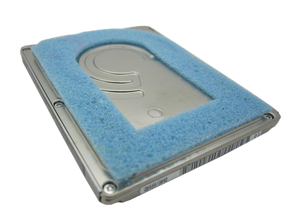
Replacement Hard Drive 160GB (Late 2009)
For the iPod Classic 7th Gen
Flash Mod Service (installed by iMods)
For the iPod Classic 7th Gen
Replaces the hard drive with flash memory: silent, no moving parts
Step-by-step guide iPod Classic 6th/7th Gen hard drive replacement (11 steps)
-
Next most likely
Loose or damaged hard drive cable
A loose or damaged hard drive cable can make the drive click, drop out or show the red X. Unless the problem started after a repair, the cable itself is rarely the fault on the 6th and 7th Gen: if the hard drive isn't to blame, the logic board is just as likely as the cable.
Free check first Push the cable back in first; replace it only if that does not help.
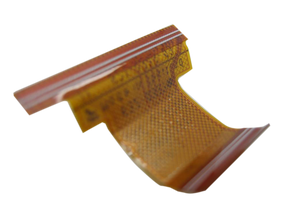
Hard Drive Cable
For the iPod Classic 6th Gen
Thin · Thick
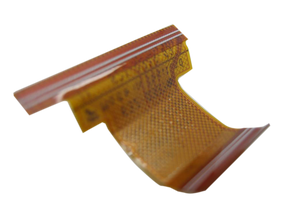
Hard Drive ZIF Ribbon Cable
For the iPod Classic 7th Gen
-
Also possible
Worn-out battery
An old battery wears out: it no longer takes or holds a full charge, empties fast, or dies as soon as you unplug it. A new battery is the usual fix.
Free check first Charge it fully, then unplug it: if it empties much faster than it used to, or dies as soon as it is unplugged, the battery is most likely worn out.
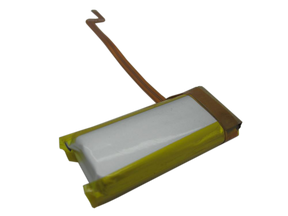
Replacement Battery
For the iPod Classic 6th Gen
Thin · Thick
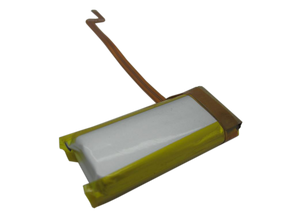
Replacement Battery (160GB)
For the iPod Classic 7th Gen
Step-by-step guide iPod Classic 6th/7th Gen battery replacement (13 steps)
-
Also possible
Logic board
If it keeps turning off even with a good battery and a drive that checks out, the logic board is the likely fault.
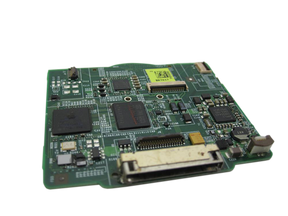
Replacement Logic Board
For the iPod Classic 6th Gen
2007 · Late 2008
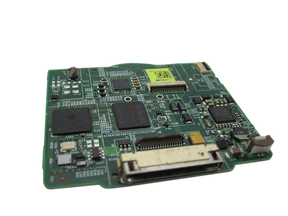
Replacement Logic Board
For the iPod Classic 7th Gen
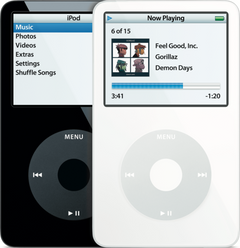
iPod Video (A1136) keeps turning offiPod Video 5th Gen (A1136) keeps turning off
Most likely: Failing hard driveNext: Loose or damaged hard drive cable · 2 more causes
-
Most likely
Failing hard drive
Repeated clicking (the click of death: click, click, whir, or grinding) or the sad iPod face usually mean the hard drive is failing. A failed drive is the ideal time for a flash upgrade: flash storage has no heads, platters or motor, so the clicking, stalling and seizing that end an old hard drive can't happen. If your old drive still reads, add our music transfer ($149) and we copy everything on it onto the new flash storage.
Flash Mod Service (installed by iMods)
Replaces the hard drive with flash memory: silent, no moving parts
Step-by-step guide iPod Video 5th Gen hard drive replacement (14 steps)
-
Next most likely
Loose or damaged hard drive cable
A loose or damaged hard drive cable can make the drive click, drop out or show the sad iPod face. Unless the problem started after a repair, the cable itself is rarely the fault on the iPod Video: if the hard drive isn't to blame, the logic board is just as likely as the cable.
Free check first Push the cable back in first; replace it only if that does not help.
-
Also possible
Worn-out battery
An old battery wears out: it no longer takes or holds a full charge, empties fast, or dies as soon as you unplug it. A new battery is the usual fix.
Free check first Charge it fully, then unplug it: if it empties much faster than it used to, or dies as soon as it is unplugged, the battery is most likely worn out.
Step-by-step guide iPod Video 5th Gen battery replacement (10 steps)
-
Also possible
Logic board
If it keeps turning off even with a good battery and a drive that checks out, the logic board is the likely fault.
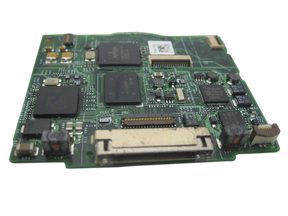
Replacement Logic Board
30GB 5G · 30GB 5.5G Enhanced · 60GB 5G · 80GB 5.5G Enhanced
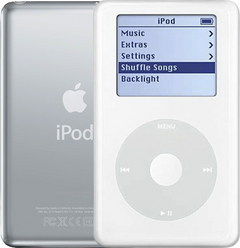
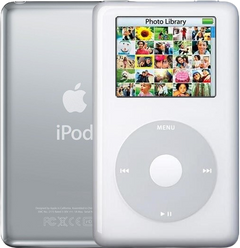
iPod 4th Gen or iPod Photo (A1059 and A1099) keeps turning offiPod 4th Gen (A1059) keeps turning offiPod Photo (A1099) keeps turning off
Most likely: Loose or damaged hard drive cableNext: Failing hard drive · 2 more causes
-
Most likely
Loose or damaged hard drive cable
On the 4th Gen and Photo, an iPod that seems too weak to spin up its hard drive often has a hard drive cable problem. A loose or damaged hard drive cable can make the drive click, drop out or show the sad iPod face. A cable fault sounds like click, whir; a failing drive sounds more like click, click, whir.
Free check first Clean the hard drive cable's contacts with 99% isopropyl alcohol (IPA) and re-seat it first; if that fails, it's likely a bad hard drive (our Hard Drive Repair Service is probably the best first option).
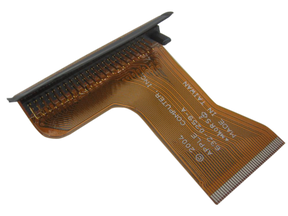
Hard Drive IDE Ribbon Cable
For the iPod Photo
-
Next most likely
Failing hard drive
Repeated clicking (the click of death: click, click, whir, or grinding) or the sad iPod face usually mean the hard drive is failing. Flash storage is the silent alternative to a new drive. On the 4th Gen and Photo we can often fix the hard drive without replacing it, and in most cases all songs are saved.
Hard Drive Repair Service
For the iPod 4th Gen
Mail it in: we repair your drive, and in most cases your songs are saved
Hard Drive Repair Service
For the iPod Photo
Mail it in: we repair your drive, and in most cases your songs are saved
Replacement Hard Drive
For the iPod 4th Gen
20GB · 40GB
Flash Mod Service (installed by iMods)
For the iPod 4th Gen
Replaces the hard drive with flash memory: silent, no moving parts
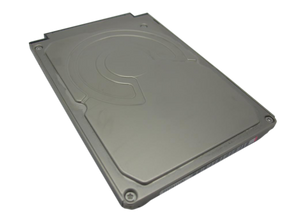
Replacement Hard Drive
For the iPod Photo
20GB · 30GB · 40GB · 60GB
Flash Mod Service (installed by iMods)
For the iPod Photo
Replaces the hard drive with flash memory: silent, no moving parts
Step-by-step guide iPod 4th Gen and iPod Photo hard drive replacement (12 steps)
-
Also possible
Worn-out battery
An old battery wears out: it no longer takes or holds a full charge, empties fast, or dies as soon as you unplug it. A new battery is the usual fix.
Free check first Charge it fully, then unplug it: if it empties much faster than it used to, or dies as soon as it is unplugged, the battery is most likely worn out.
Replacement Battery (All Capacities)
For the iPod 4th Gen
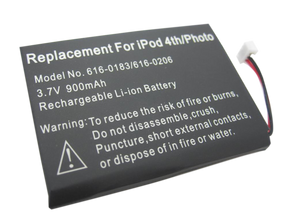
Replacement Battery
For the iPod Photo
Step-by-step guide iPod 4th Gen and iPod Photo battery replacement (13 steps)
-
Also possible
Logic board
If it keeps turning off even with a good battery and a drive that checks out, the logic board is the likely fault.
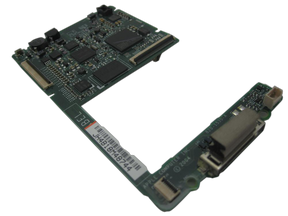
Replacement Logic Board
For the iPod 4th Gen
Replacement Logic Board
For the iPod Photo
Late 2004 to early 2005 · Mid-2005
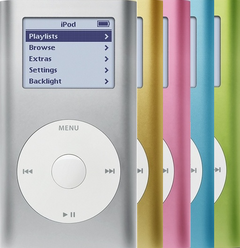
iPod Mini (A1051) keeps turning offiPod Mini 1st Gen (A1051) keeps turning offiPod Mini 2nd Gen (A1051) keeps turning off
Most likely: Failed microdrive (the Mini's hard drive)Next: Loose or damaged hard drive cable · 2 more causes
-
Most likely
Failed microdrive (the Mini's hard drive)
When the Mini's tiny hard drive (the microdrive) fails, it shows the sad iPod face or a folder icon, or makes clicking noises. Replace it with a used original microdrive, or upgrade to flash: a failed drive is the ideal time for it. Flash storage has no heads, platters or motor, so the clicking, stalling and seizing that end an old hard drive can't happen. If your old drive still reads, add our music transfer ($149) and we copy everything on it onto the new flash storage.
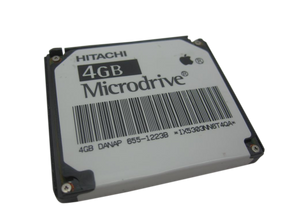
Replacement Microdrive (4GB)
For the iPod Mini 1st Gen
Flash Mod Service (installed by iMods)
For the iPod Mini 1st Gen
Replaces the hard drive with flash memory: silent, no moving parts
Replacement Microdrive
For the iPod Mini 2nd Gen
4GB · 6GB
Flash Mod Service (installed by iMods)
For the iPod Mini 2nd Gen
Replaces the hard drive with flash memory: silent, no moving parts
Step-by-step guide iPod Mini 1st/2nd Gen hard drive (Microdrive) replacement (13 steps)
-
Next most likely
Loose or damaged hard drive cable
A loose or damaged hard drive cable can make the drive click, drop out or show the sad iPod face. Unless the problem started after a repair, the cable itself is rarely the fault on the Mini: if the microdrive isn't to blame, the logic board is just as likely as the cable.
Free check first Push the cable back in first; replace it only if that does not help.
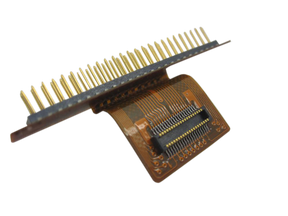
Hard Drive Cable
For the iPod Mini 1st Gen
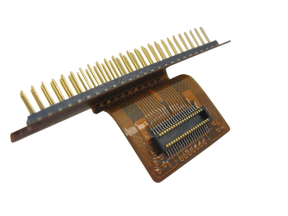
Hard Drive Ribbon Cable
For the iPod Mini 2nd Gen
-
Also possible
Worn-out battery
An old battery wears out: it no longer takes or holds a full charge, empties fast, or dies as soon as you unplug it. A new battery is the usual fix.
Free check first Charge it fully, then unplug it: if it empties much faster than it used to, or dies as soon as it is unplugged, the battery is most likely worn out.
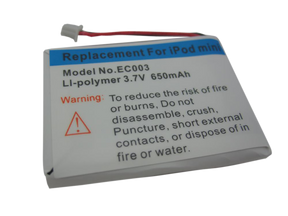
Replacement Battery
For the iPod Mini 1st Gen
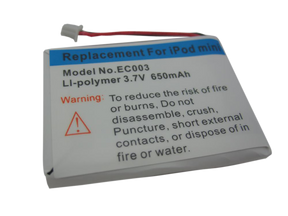
Replacement Battery
For the iPod Mini 2nd Gen
Step-by-step guide iPod Mini 1st/2nd Gen battery replacement (12 steps)
-
Also possible
Logic board
If it keeps turning off even with a good battery and a drive that checks out, the logic board is the likely fault.
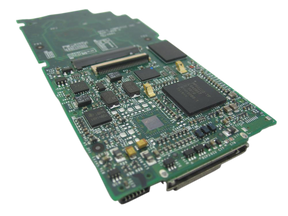
Replacement Logic Board
For the iPod Mini 1st Gen
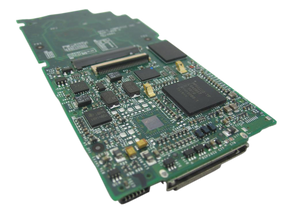
Replacement Logic Board
For the iPod Mini 2nd Gen
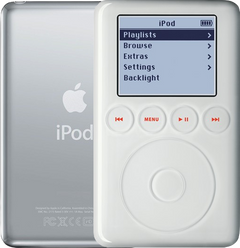
iPod 3rd Gen (A1040) keeps turning offiPod 3rd Gen (A1040) keeps turning off
Most likely: Failing hard driveNext: Loose or damaged hard drive cable · 2 more causes
-
Most likely
Failing hard drive
Repeated clicking (the click of death: click, click, whir, or grinding) or the sad iPod face usually mean the hard drive is failing. A failed drive is the ideal time for a flash upgrade: flash storage has no heads, platters or motor, so the clicking, stalling and seizing that end an old hard drive can't happen. If your old drive still reads, add our music transfer ($149) and we copy everything on it onto the new flash storage.
Replacement Hard Drive
10GB · 15GB · 20GB · 30GB · 40GB
Flash Mod Service (installed by iMods)
Replaces the hard drive with flash memory: silent, no moving parts
Step-by-step guide iPod 3rd Gen hard drive replacement (14 steps)
-
Next most likely
Loose or damaged hard drive cable
A loose or damaged hard drive cable can make the drive click, drop out or show the sad iPod face. Unless the problem started after a repair, the cable itself is rarely the fault on the 3rd Gen: if the hard drive isn't to blame, the logic board is just as likely as the cable.
Free check first Push the cable back in first; replace it only if that does not help.
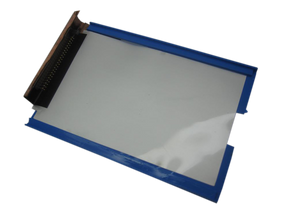
Hard Drive IDE Ribbon Cable
-
Also possible
Worn-out battery
An old battery wears out: it no longer takes or holds a full charge, empties fast, or dies as soon as you unplug it. A new battery is the usual fix.
Free check first Charge it fully from a FireWire charger or a 6-pin FireWire port on a computer that is on and awake: its USB cable syncs but never charges it. Then unplug it: if it empties much faster than it used to, or dies as soon as it is unplugged, the battery is most likely worn out.
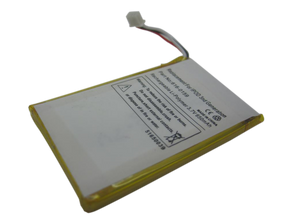
Replacement Battery (All Capacities)
Step-by-step guide iPod 3rd Gen battery replacement (14 steps)
-
Also possible
Logic board
If it keeps turning off even with a good battery and a drive that checks out, the logic board is the likely fault.
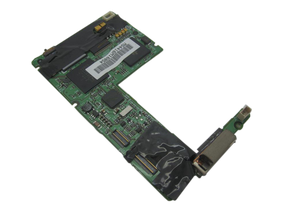
Replacement Logic Board
More causes on this page, depending on what happens
4 causes, listed by what happens to your iPod
- Battery cable disconnectedShuts off when unplugged · iPod Classic and iPod Video only
- Battery too weak to spin up the hard driveShows Apple logo then shuts off · not on the iPod 4th Gen or iPod Photo
- Damaged iPod softwareShows Apple logo then shuts off
- A connector not seated after the repairStarted after a repair or part swap
Shuts off when unplugged
It works on the charger but turns off as soon as you unplug it. Apple says an iPod that charges but turns off when you unplug it might need a new battery.
iPod Classic 6th and 7th GeniPod Classic 6th GeniPod Classic 7th Gen
Most likely: Worn-out batteryNext: Logic board · 1 more cause
-
Most likely
Worn-out battery
An old battery wears out: it no longer takes or holds a full charge, empties fast, or dies as soon as you unplug it. A new battery is the usual fix.
Free check first Charge it fully, then unplug it: if it empties much faster than it used to, or dies as soon as it is unplugged, the battery is most likely worn out.
Replacement Battery
For the iPod Classic 6th Gen
Thin · Thick
Replacement Battery (160GB)
For the iPod Classic 7th Gen
Step-by-step guide iPod Classic 6th/7th Gen battery replacement (13 steps)
-
Next most likely
Logic board
If it keeps turning off even with a good battery and a drive that checks out, the logic board is the likely fault.
Replacement Logic Board
For the iPod Classic 6th Gen
2007 · Late 2008
Replacement Logic Board
For the iPod Classic 7th Gen
-
Also possible
Battery cable disconnected
Shutting off as soon as it is unplugged can also be a disconnected battery cable.
Free check first Open it and check that the battery cable is connected to the logic board.
iPod Video 5th GeniPod Video 5th Gen
Most likely: Worn-out batteryNext: Logic board · 1 more cause
-
Most likely
Worn-out battery
An old battery wears out: it no longer takes or holds a full charge, empties fast, or dies as soon as you unplug it. A new battery is the usual fix.
Free check first Charge it fully, then unplug it: if it empties much faster than it used to, or dies as soon as it is unplugged, the battery is most likely worn out.
Step-by-step guide iPod Video 5th Gen battery replacement (10 steps)
-
Next most likely
Logic board
If it keeps turning off even with a good battery and a drive that checks out, the logic board is the likely fault.
Replacement Logic Board
30GB 5G · 30GB 5.5G Enhanced · 60GB 5G · 80GB 5.5G Enhanced
-
Also possible
Battery cable disconnected
Shutting off as soon as it is unplugged can also be a disconnected battery cable.
Free check first Open it and check that the battery cable is connected to the logic board.
iPod 4th Gen and iPod PhotoiPod 4th GeniPod Photo
Most likely: Worn-out batteryNext: Logic board
-
Most likely
Worn-out battery
An old battery wears out: it no longer takes or holds a full charge, empties fast, or dies as soon as you unplug it. A new battery is the usual fix.
Free check first Charge it fully, then unplug it: if it empties much faster than it used to, or dies as soon as it is unplugged, the battery is most likely worn out.
Replacement Battery (All Capacities)
For the iPod 4th Gen
Replacement Battery
For the iPod Photo
Step-by-step guide iPod 4th Gen and iPod Photo battery replacement (13 steps)
-
Next most likely
Logic board
If it keeps turning off even with a good battery and a drive that checks out, the logic board is the likely fault.
Replacement Logic Board
For the iPod 4th Gen
Replacement Logic Board
For the iPod Photo
Late 2004 to early 2005 · Mid-2005
iPod Mini 1st and 2nd GeniPod Mini 1st GeniPod Mini 2nd Gen
Most likely: Worn-out batteryNext: Logic board
-
Most likely
Worn-out battery
An old battery wears out: it no longer takes or holds a full charge, empties fast, or dies as soon as you unplug it. A new battery is the usual fix.
Free check first Charge it fully, then unplug it: if it empties much faster than it used to, or dies as soon as it is unplugged, the battery is most likely worn out.
Replacement Battery
For the iPod Mini 1st Gen
Replacement Battery
For the iPod Mini 2nd Gen
Step-by-step guide iPod Mini 1st/2nd Gen battery replacement (12 steps)
-
Next most likely
Logic board
If it keeps turning off even with a good battery and a drive that checks out, the logic board is the likely fault.
Replacement Logic Board
For the iPod Mini 1st Gen
Replacement Logic Board
For the iPod Mini 2nd Gen
iPod 3rd GeniPod 3rd Gen
Most likely: Worn-out batteryNext: Logic board
-
Most likely
Worn-out battery
An old battery wears out: it no longer takes or holds a full charge, empties fast, or dies as soon as you unplug it. A new battery is the usual fix.
Free check first Charge it fully from a FireWire charger or a 6-pin FireWire port on a computer that is on and awake: its USB cable syncs but never charges it. Then unplug it: if it empties much faster than it used to, or dies as soon as it is unplugged, the battery is most likely worn out.
Replacement Battery (All Capacities)
Step-by-step guide iPod 3rd Gen battery replacement (14 steps)
-
Next most likely
Logic board
If it keeps turning off even with a good battery and a drive that checks out, the logic board is the likely fault.
Replacement Logic Board
Shows Apple logo then shuts off
It shows the Apple logo, then turns off again.
See iPod stuck on the Apple logo
Free checks first
- Hold the iPod up to your ear: unusual clicking patterns are a strong sign that the hard drive is failing.
- Check the hard drive's health in Diagnostic Mode: on a healthy drive the reallocated sectors (reallocs) and pending sectors read zero or close to it. A high number, or numbers that rise each time you check, mean the drive is failing; pending sectors are the sharper warning.
iPod Classic 6th and 7th GeniPod Classic 6th GeniPod Classic 7th Gen
Most likely: Failing hard driveNext: Loose or damaged hard drive cable · 2 more causes
-
Most likely
Failing hard drive
Repeated clicking (the click of death: click, click, whir, or grinding) or the red X usually mean the hard drive is failing. A failed drive is the ideal time for a flash upgrade: flash storage has no heads, platters or motor, so the clicking, stalling and seizing that end an old hard drive can't happen. If your old drive still reads, add our music transfer ($149) and we copy everything on it onto the new flash storage.
Replacement Hard Drive
For the iPod Classic 6th Gen
80GB · 120GB · 160GB
128GB Flash Mod Service (installed by iMods)
For the iPod Classic 6th Gen
Replaces the hard drive with flash memory: silent, no moving parts
Replacement Hard Drive 160GB (Late 2009)
For the iPod Classic 7th Gen
Flash Mod Service (installed by iMods)
For the iPod Classic 7th Gen
Replaces the hard drive with flash memory: silent, no moving parts
Step-by-step guide iPod Classic 6th/7th Gen hard drive replacement (11 steps)
-
Next most likely
Loose or damaged hard drive cable
A loose or damaged hard drive cable can make the drive click, drop out or show the red X. Unless the problem started after a repair, the cable itself is rarely the fault on the 6th and 7th Gen: if the hard drive isn't to blame, the logic board is just as likely as the cable.
Free check first Push the cable back in first; replace it only if that does not help.
Hard Drive Cable
For the iPod Classic 6th Gen
Thin · Thick
Hard Drive ZIF Ribbon Cable
For the iPod Classic 7th Gen
-
Also possible
Battery too weak to spin up the hard drive
A worn battery cannot give the hard drive enough power to spin up, so the drive clicks and retries.
Free check first Connect it to a charger: that often tells whether the problem is the battery or something more serious.
Replacement Battery
For the iPod Classic 6th Gen
Thin · Thick
Replacement Battery (160GB)
For the iPod Classic 7th Gen
Step-by-step guide iPod Classic 6th/7th Gen battery replacement (13 steps)
-
Also possible
Damaged iPod software
The iPod's software is damaged, so it can't start properly or keeps freezing. Restoring it puts fresh software on it; a restore erases the songs on the iPod.
Free check first If it still shows up on a computer, copy your music off first, then restore it with iTunes (or Finder on a Mac with macOS Catalina or later). If the restore fails, or the problem comes back, the hard drive is the likely fault.
iPod Video 5th GeniPod Video 5th Gen
Most likely: Failing hard driveNext: Loose or damaged hard drive cable · 2 more causes
-
Most likely
Failing hard drive
Repeated clicking (the click of death: click, click, whir, or grinding) or the sad iPod face usually mean the hard drive is failing. A failed drive is the ideal time for a flash upgrade: flash storage has no heads, platters or motor, so the clicking, stalling and seizing that end an old hard drive can't happen. If your old drive still reads, add our music transfer ($149) and we copy everything on it onto the new flash storage.
Flash Mod Service (installed by iMods)
Replaces the hard drive with flash memory: silent, no moving parts
Step-by-step guide iPod Video 5th Gen hard drive replacement (14 steps)
-
Next most likely
Loose or damaged hard drive cable
A loose or damaged hard drive cable can make the drive click, drop out or show the sad iPod face. Unless the problem started after a repair, the cable itself is rarely the fault on the iPod Video: if the hard drive isn't to blame, the logic board is just as likely as the cable.
Free check first Push the cable back in first; replace it only if that does not help.
-
Also possible
Battery too weak to spin up the hard drive
A worn battery cannot give the hard drive enough power to spin up, so the drive clicks and retries.
Free check first Connect it to a charger: that often tells whether the problem is the battery or something more serious.
Step-by-step guide iPod Video 5th Gen battery replacement (10 steps)
-
Also possible
Damaged iPod software
The iPod's software is damaged, so it can't start properly or keeps freezing. Restoring it puts fresh software on it; a restore erases the songs on the iPod.
Free check first If it still shows up on a computer, copy your music off first, then restore it with iTunes (or Finder on a Mac with macOS Catalina or later). If the restore fails, or the problem comes back, the hard drive is the likely fault.
iPod 4th Gen and iPod PhotoiPod 4th GeniPod Photo
Most likely: Loose or damaged hard drive cableNext: Failing hard drive · 1 more cause
-
Most likely
Loose or damaged hard drive cable
On the 4th Gen and Photo, an iPod that seems too weak to spin up its hard drive often has a hard drive cable problem. A loose or damaged hard drive cable can make the drive click, drop out or show the sad iPod face. A cable fault sounds like click, whir; a failing drive sounds more like click, click, whir.
Free check first Clean the hard drive cable's contacts with 99% isopropyl alcohol (IPA) and re-seat it first; if that fails, it's likely a bad hard drive (our Hard Drive Repair Service is probably the best first option).
Hard Drive IDE Ribbon Cable
For the iPod Photo
-
Next most likely
Failing hard drive
Repeated clicking (the click of death: click, click, whir, or grinding) or the sad iPod face usually mean the hard drive is failing. Flash storage is the silent alternative to a new drive. On the 4th Gen and Photo we can often fix the hard drive without replacing it, and in most cases all songs are saved.
Hard Drive Repair Service
For the iPod 4th Gen
Mail it in: we repair your drive, and in most cases your songs are saved
Hard Drive Repair Service
For the iPod Photo
Mail it in: we repair your drive, and in most cases your songs are saved
Replacement Hard Drive
For the iPod 4th Gen
20GB · 40GB
Flash Mod Service (installed by iMods)
For the iPod 4th Gen
Replaces the hard drive with flash memory: silent, no moving parts
Replacement Hard Drive
For the iPod Photo
20GB · 30GB · 40GB · 60GB
Flash Mod Service (installed by iMods)
For the iPod Photo
Replaces the hard drive with flash memory: silent, no moving parts
Step-by-step guide iPod 4th Gen and iPod Photo hard drive replacement (12 steps)
-
Also possible
Damaged iPod software
The iPod's software is damaged, so it can't start properly or keeps freezing. Restoring it puts fresh software on it; a restore erases the songs on the iPod.
Free check first If it still shows up on a computer, copy your music off first, then restore it with iTunes (or Finder on a Mac with macOS Catalina or later). On the 4th Gen and iPod Photo the restore can stop at a picture of a plug: connect it to a wall charger to finish. Generic or incompatible wall chargers don't always give the iPod the right voltage: Apple's A1070 wall charger works with every model and is the ideal choice. If the restore fails, or the problem comes back, the hard drive cable, then the hard drive, is the likely fault (our Hard Drive Repair Service is probably the best first option).
iPod Mini 1st and 2nd GeniPod Mini 1st GeniPod Mini 2nd Gen
Most likely: Failed microdrive (the Mini's hard drive)Next: Loose or damaged hard drive cable · 2 more causes
-
Most likely
Failed microdrive (the Mini's hard drive)
When the Mini's tiny hard drive (the microdrive) fails, it shows the sad iPod face or a folder icon, or makes clicking noises. Replace it with a used original microdrive, or upgrade to flash: a failed drive is the ideal time for it. Flash storage has no heads, platters or motor, so the clicking, stalling and seizing that end an old hard drive can't happen. If your old drive still reads, add our music transfer ($149) and we copy everything on it onto the new flash storage.
Replacement Microdrive (4GB)
For the iPod Mini 1st Gen
Flash Mod Service (installed by iMods)
For the iPod Mini 1st Gen
Replaces the hard drive with flash memory: silent, no moving parts
Replacement Microdrive
For the iPod Mini 2nd Gen
4GB · 6GB
Flash Mod Service (installed by iMods)
For the iPod Mini 2nd Gen
Replaces the hard drive with flash memory: silent, no moving parts
Step-by-step guide iPod Mini 1st/2nd Gen hard drive (Microdrive) replacement (13 steps)
-
Next most likely
Loose or damaged hard drive cable
A loose or damaged hard drive cable can make the drive click, drop out or show the sad iPod face. Unless the problem started after a repair, the cable itself is rarely the fault on the Mini: if the microdrive isn't to blame, the logic board is just as likely as the cable.
Free check first Push the cable back in first; replace it only if that does not help.
Hard Drive Cable
For the iPod Mini 1st Gen
Hard Drive Ribbon Cable
For the iPod Mini 2nd Gen
-
Also possible
Battery too weak to spin up the hard drive
A worn battery cannot give the hard drive enough power to spin up, so the drive clicks and retries.
Free check first Connect it to a charger: that often tells whether the problem is the battery or something more serious.
Replacement Battery
For the iPod Mini 1st Gen
Replacement Battery
For the iPod Mini 2nd Gen
Step-by-step guide iPod Mini 1st/2nd Gen battery replacement (12 steps)
-
Also possible
Damaged iPod software
The iPod's software is damaged, so it can't start properly or keeps freezing. Restoring it puts fresh software on it; a restore erases the songs on the iPod.
Free check first If it still shows up on a computer, copy your music off first, then restore it with iTunes (or Finder on a Mac with macOS Catalina or later). On the Mini 1st Gen the restore can stop at a picture of a plug: connect it to a wall charger to finish. Generic or incompatible wall chargers don't always give the iPod the right voltage: Apple's A1070 wall charger works with every model and is the ideal choice. If the restore fails, or the problem comes back, the hard drive (Mini: microdrive) is the likely fault.
iPod 3rd GeniPod 3rd Gen
Most likely: Failing hard driveNext: Loose or damaged hard drive cable · 2 more causes
-
Most likely
Failing hard drive
Repeated clicking (the click of death: click, click, whir, or grinding) or the sad iPod face usually mean the hard drive is failing. A failed drive is the ideal time for a flash upgrade: flash storage has no heads, platters or motor, so the clicking, stalling and seizing that end an old hard drive can't happen. If your old drive still reads, add our music transfer ($149) and we copy everything on it onto the new flash storage.
Replacement Hard Drive
10GB · 15GB · 20GB · 30GB · 40GB
Flash Mod Service (installed by iMods)
Replaces the hard drive with flash memory: silent, no moving parts
Step-by-step guide iPod 3rd Gen hard drive replacement (14 steps)
-
Next most likely
Loose or damaged hard drive cable
A loose or damaged hard drive cable can make the drive click, drop out or show the sad iPod face. Unless the problem started after a repair, the cable itself is rarely the fault on the 3rd Gen: if the hard drive isn't to blame, the logic board is just as likely as the cable.
Free check first Push the cable back in first; replace it only if that does not help.
Hard Drive IDE Ribbon Cable
-
Also possible
Battery too weak to spin up the hard drive
A worn battery cannot give the hard drive enough power to spin up, so the drive clicks and retries.
Free check first Connect it to a charger: that often tells whether the problem is the battery or something more serious.
Replacement Battery (All Capacities)
Step-by-step guide iPod 3rd Gen battery replacement (14 steps)
-
Also possible
Damaged iPod software
The iPod's software is damaged, so it can't start properly or keeps freezing. Restoring it puts fresh software on it; a restore erases the songs on the iPod.
Free check first If it still shows up on a computer, copy your music off first, then restore it with iTunes (or Finder on a Mac with macOS Catalina or later). On the 3rd Gen the restore can stop at a picture of a plug: connect it to its FireWire wall charger to finish. Generic or incompatible wall chargers don't always give the iPod the right voltage: Apple's A1070 wall charger works with every model and is the ideal choice. If the restore fails, or the problem comes back, the hard drive is the likely fault.
Keeps turning on and off when plugged in
Also searched as turning on and off when plugged in
It keeps turning on and off while it is plugged in: most likely the hard drive, then the battery or the logic board. On the 4th Gen and Photo, check the hard drive cable first, then the drive: our Hard Drive Repair Service is probably the best first option. On the other models, a drive failure is the ideal time for a flash upgrade.
Free checks first
- Plug it into power, then try again.
- The iPod classic (6th/7th Gen, 2007-2009) turns itself off when it gets too hot: let it cool down before you use it again.
- Hold the iPod up to your ear: unusual clicking patterns are a strong sign that the hard drive is failing.
- Check the hard drive's health in Diagnostic Mode: on a healthy drive the reallocated sectors (reallocs) and pending sectors read zero or close to it. A high number, or numbers that rise each time you check, mean the drive is failing; pending sectors are the sharper warning.
iPod Classic 6th and 7th GeniPod Classic 6th GeniPod Classic 7th Gen
Most likely: Failing hard driveNext: Loose or damaged hard drive cable · 2 more causes
-
Most likely
Failing hard drive
Repeated clicking (the click of death: click, click, whir, or grinding) or the red X usually mean the hard drive is failing. A failed drive is the ideal time for a flash upgrade: flash storage has no heads, platters or motor, so the clicking, stalling and seizing that end an old hard drive can't happen. If your old drive still reads, add our music transfer ($149) and we copy everything on it onto the new flash storage.
Replacement Hard Drive
For the iPod Classic 6th Gen
80GB · 120GB · 160GB
128GB Flash Mod Service (installed by iMods)
For the iPod Classic 6th Gen
Replaces the hard drive with flash memory: silent, no moving parts
Replacement Hard Drive 160GB (Late 2009)
For the iPod Classic 7th Gen
Flash Mod Service (installed by iMods)
For the iPod Classic 7th Gen
Replaces the hard drive with flash memory: silent, no moving parts
Step-by-step guide iPod Classic 6th/7th Gen hard drive replacement (11 steps)
-
Next most likely
Loose or damaged hard drive cable
A loose or damaged hard drive cable can make the drive click, drop out or show the red X. Unless the problem started after a repair, the cable itself is rarely the fault on the 6th and 7th Gen: if the hard drive isn't to blame, the logic board is just as likely as the cable.
Free check first Push the cable back in first; replace it only if that does not help.
Hard Drive Cable
For the iPod Classic 6th Gen
Thin · Thick
Hard Drive ZIF Ribbon Cable
For the iPod Classic 7th Gen
-
Also possible
Worn-out battery
An old battery wears out: it no longer takes or holds a full charge, empties fast, or dies as soon as you unplug it. A new battery is the usual fix.
Free check first Charge it fully, then unplug it: if it empties much faster than it used to, or dies as soon as it is unplugged, the battery is most likely worn out.
Replacement Battery
For the iPod Classic 6th Gen
Thin · Thick
Replacement Battery (160GB)
For the iPod Classic 7th Gen
Step-by-step guide iPod Classic 6th/7th Gen battery replacement (13 steps)
-
Also possible
Logic board
If it keeps turning off even with a good battery and a drive that checks out, the logic board is the likely fault.
Replacement Logic Board
For the iPod Classic 6th Gen
2007 · Late 2008
Replacement Logic Board
For the iPod Classic 7th Gen
iPod Video 5th GeniPod Video 5th Gen
Most likely: Failing hard driveNext: Loose or damaged hard drive cable · 2 more causes
-
Most likely
Failing hard drive
Repeated clicking (the click of death: click, click, whir, or grinding) or the sad iPod face usually mean the hard drive is failing. A failed drive is the ideal time for a flash upgrade: flash storage has no heads, platters or motor, so the clicking, stalling and seizing that end an old hard drive can't happen. If your old drive still reads, add our music transfer ($149) and we copy everything on it onto the new flash storage.
Flash Mod Service (installed by iMods)
Replaces the hard drive with flash memory: silent, no moving parts
Step-by-step guide iPod Video 5th Gen hard drive replacement (14 steps)
-
Next most likely
Loose or damaged hard drive cable
A loose or damaged hard drive cable can make the drive click, drop out or show the sad iPod face. Unless the problem started after a repair, the cable itself is rarely the fault on the iPod Video: if the hard drive isn't to blame, the logic board is just as likely as the cable.
Free check first Push the cable back in first; replace it only if that does not help.
-
Also possible
Worn-out battery
An old battery wears out: it no longer takes or holds a full charge, empties fast, or dies as soon as you unplug it. A new battery is the usual fix.
Free check first Charge it fully, then unplug it: if it empties much faster than it used to, or dies as soon as it is unplugged, the battery is most likely worn out.
Step-by-step guide iPod Video 5th Gen battery replacement (10 steps)
-
Also possible
Logic board
If it keeps turning off even with a good battery and a drive that checks out, the logic board is the likely fault.
Replacement Logic Board
30GB 5G · 30GB 5.5G Enhanced · 60GB 5G · 80GB 5.5G Enhanced
iPod 4th Gen and iPod PhotoiPod 4th GeniPod Photo
Most likely: Loose or damaged hard drive cableNext: Failing hard drive · 2 more causes
-
Most likely
Loose or damaged hard drive cable
On the 4th Gen and Photo, an iPod that seems too weak to spin up its hard drive often has a hard drive cable problem. A loose or damaged hard drive cable can make the drive click, drop out or show the sad iPod face. A cable fault sounds like click, whir; a failing drive sounds more like click, click, whir.
Free check first Clean the hard drive cable's contacts with 99% isopropyl alcohol (IPA) and re-seat it first; if that fails, it's likely a bad hard drive (our Hard Drive Repair Service is probably the best first option).
Hard Drive IDE Ribbon Cable
For the iPod Photo
-
Next most likely
Failing hard drive
Repeated clicking (the click of death: click, click, whir, or grinding) or the sad iPod face usually mean the hard drive is failing. Flash storage is the silent alternative to a new drive. On the 4th Gen and Photo we can often fix the hard drive without replacing it, and in most cases all songs are saved.
Hard Drive Repair Service
For the iPod 4th Gen
Mail it in: we repair your drive, and in most cases your songs are saved
Hard Drive Repair Service
For the iPod Photo
Mail it in: we repair your drive, and in most cases your songs are saved
Replacement Hard Drive
For the iPod 4th Gen
20GB · 40GB
Flash Mod Service (installed by iMods)
For the iPod 4th Gen
Replaces the hard drive with flash memory: silent, no moving parts
Replacement Hard Drive
For the iPod Photo
20GB · 30GB · 40GB · 60GB
Flash Mod Service (installed by iMods)
For the iPod Photo
Replaces the hard drive with flash memory: silent, no moving parts
Step-by-step guide iPod 4th Gen and iPod Photo hard drive replacement (12 steps)
-
Also possible
Worn-out battery
An old battery wears out: it no longer takes or holds a full charge, empties fast, or dies as soon as you unplug it. A new battery is the usual fix.
Free check first Charge it fully, then unplug it: if it empties much faster than it used to, or dies as soon as it is unplugged, the battery is most likely worn out.
Replacement Battery (All Capacities)
For the iPod 4th Gen
Replacement Battery
For the iPod Photo
Step-by-step guide iPod 4th Gen and iPod Photo battery replacement (13 steps)
-
Also possible
Logic board
If it keeps turning off even with a good battery and a drive that checks out, the logic board is the likely fault.
Replacement Logic Board
For the iPod 4th Gen
Replacement Logic Board
For the iPod Photo
Late 2004 to early 2005 · Mid-2005
iPod Mini 1st and 2nd GeniPod Mini 1st GeniPod Mini 2nd Gen
Most likely: Failed microdrive (the Mini's hard drive)Next: Loose or damaged hard drive cable · 2 more causes
-
Most likely
Failed microdrive (the Mini's hard drive)
When the Mini's tiny hard drive (the microdrive) fails, it shows the sad iPod face or a folder icon, or makes clicking noises. Replace it with a used original microdrive, or upgrade to flash: a failed drive is the ideal time for it. Flash storage has no heads, platters or motor, so the clicking, stalling and seizing that end an old hard drive can't happen. If your old drive still reads, add our music transfer ($149) and we copy everything on it onto the new flash storage.
Replacement Microdrive (4GB)
For the iPod Mini 1st Gen
Flash Mod Service (installed by iMods)
For the iPod Mini 1st Gen
Replaces the hard drive with flash memory: silent, no moving parts
Replacement Microdrive
For the iPod Mini 2nd Gen
4GB · 6GB
Flash Mod Service (installed by iMods)
For the iPod Mini 2nd Gen
Replaces the hard drive with flash memory: silent, no moving parts
Step-by-step guide iPod Mini 1st/2nd Gen hard drive (Microdrive) replacement (13 steps)
-
Next most likely
Loose or damaged hard drive cable
A loose or damaged hard drive cable can make the drive click, drop out or show the sad iPod face. Unless the problem started after a repair, the cable itself is rarely the fault on the Mini: if the microdrive isn't to blame, the logic board is just as likely as the cable.
Free check first Push the cable back in first; replace it only if that does not help.
Hard Drive Cable
For the iPod Mini 1st Gen
Hard Drive Ribbon Cable
For the iPod Mini 2nd Gen
-
Also possible
Worn-out battery
An old battery wears out: it no longer takes or holds a full charge, empties fast, or dies as soon as you unplug it. A new battery is the usual fix.
Free check first Charge it fully, then unplug it: if it empties much faster than it used to, or dies as soon as it is unplugged, the battery is most likely worn out.
Replacement Battery
For the iPod Mini 1st Gen
Replacement Battery
For the iPod Mini 2nd Gen
Step-by-step guide iPod Mini 1st/2nd Gen battery replacement (12 steps)
-
Also possible
Logic board
If it keeps turning off even with a good battery and a drive that checks out, the logic board is the likely fault.
Replacement Logic Board
For the iPod Mini 1st Gen
Replacement Logic Board
For the iPod Mini 2nd Gen
iPod 3rd GeniPod 3rd Gen
Most likely: Failing hard driveNext: Loose or damaged hard drive cable · 2 more causes
-
Most likely
Failing hard drive
Repeated clicking (the click of death: click, click, whir, or grinding) or the sad iPod face usually mean the hard drive is failing. A failed drive is the ideal time for a flash upgrade: flash storage has no heads, platters or motor, so the clicking, stalling and seizing that end an old hard drive can't happen. If your old drive still reads, add our music transfer ($149) and we copy everything on it onto the new flash storage.
Replacement Hard Drive
10GB · 15GB · 20GB · 30GB · 40GB
Flash Mod Service (installed by iMods)
Replaces the hard drive with flash memory: silent, no moving parts
Step-by-step guide iPod 3rd Gen hard drive replacement (14 steps)
-
Next most likely
Loose or damaged hard drive cable
A loose or damaged hard drive cable can make the drive click, drop out or show the sad iPod face. Unless the problem started after a repair, the cable itself is rarely the fault on the 3rd Gen: if the hard drive isn't to blame, the logic board is just as likely as the cable.
Free check first Push the cable back in first; replace it only if that does not help.
Hard Drive IDE Ribbon Cable
-
Also possible
Worn-out battery
An old battery wears out: it no longer takes or holds a full charge, empties fast, or dies as soon as you unplug it. A new battery is the usual fix.
Free check first Charge it fully from a FireWire charger or a 6-pin FireWire port on a computer that is on and awake: its USB cable syncs but never charges it. Then unplug it: if it empties much faster than it used to, or dies as soon as it is unplugged, the battery is most likely worn out.
Replacement Battery (All Capacities)
Step-by-step guide iPod 3rd Gen battery replacement (14 steps)
-
Also possible
Logic board
If it keeps turning off even with a good battery and a drive that checks out, the logic board is the likely fault.
Replacement Logic Board
Started after a repair or part swap
It started turning off after a battery or part swap.
iPod Classic 6th and 7th GeniPod Classic 6th GeniPod Classic 7th Gen
Most likely: A connector not seated after the repair
-
Most likely
A connector not seated after the repair
After a battery or part swap, a connector that is not fully seated can leave the iPod dead or half-working. We can also look at it: the free diagnostic finds the issue and whether it can be fixed without new parts.
Free check first Open it again and push every connector you touched fully back in.
iPod Video 5th GeniPod Video 5th Gen
Most likely: A connector not seated after the repair
-
Most likely
A connector not seated after the repair
After a battery or part swap, a connector that is not fully seated can leave the iPod dead or half-working. We can also look at it: the free diagnostic finds the issue and whether it can be fixed without new parts.
Free check first Open it again and push every connector you touched fully back in.
iPod 4th Gen and iPod PhotoiPod 4th GeniPod Photo
Most likely: A connector not seated after the repair
-
Most likely
A connector not seated after the repair
After a battery or part swap, a connector that is not fully seated can leave the iPod dead or half-working. We can also look at it: the free diagnostic finds the issue and whether it can be fixed without new parts.
Free check first Open it again and push every connector you touched fully back in.
iPod Mini 1st and 2nd GeniPod Mini 1st GeniPod Mini 2nd Gen
Most likely: A connector not seated after the repair
-
Most likely
A connector not seated after the repair
After a battery or part swap, a connector that is not fully seated can leave the iPod dead or half-working. We can also look at it: the free diagnostic finds the issue and whether it can be fixed without new parts.
Free check first Open it again and push every connector you touched fully back in.
iPod 3rd GeniPod 3rd Gen
Most likely: A connector not seated after the repair
-
Most likely
A connector not seated after the repair
After a battery or part swap, a connector that is not fully seated can leave the iPod dead or half-working. We can also look at it: the free diagnostic finds the issue and whether it can be fixed without new parts.
Free check first Open it again and push every connector you touched fully back in.
Not sure — free diagnostic
Mail us your iPod and we test it and send you a free repair quote. If you don't like the price, we ship it back at our expense.
Free
Which iPod do you have?
The page shows the causes for the iPod you pick.
Not sure which one? Identify your iPod