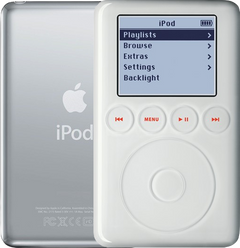
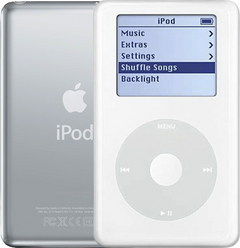
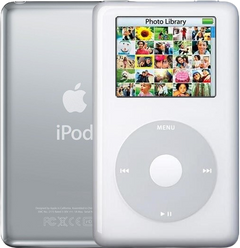
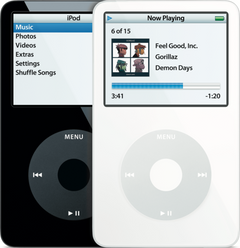
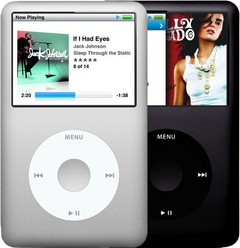
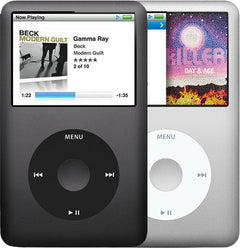


Representative photo. You receive the part named above.
Is this the right part?
For the iPod Classic 7th Gen 160GBModel A1238
Doing it yourself?
iPod Classic 6th/7th Gen battery replacement guide ›iPod Classic 7G — Replacement Battery (160GB)
For the iPod Classic 7th Gen 160GB
New · Model A1238
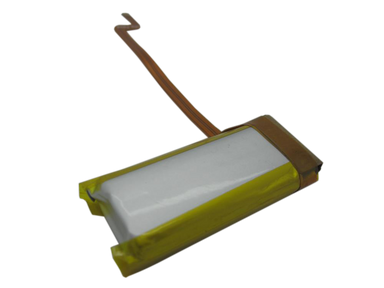
$43.90
Sold out
Not for sale right now
We are not selling this part at the moment.
- Condition: new replacement part
- 1-year limited warranty · 30-day returns from delivery
- Free pry tool in the box
- Completed repairs aren't refundable. If a part we fitted fails within a year, we repair it again.
- US shipping is about $6 to $9 by USPS Ground Advantage; free on orders of $200 or moreYou pay the postage to mail your iPod to us, or add our box and prepaid label. Shipping back to you is about $6 to $9 at checkout; free on orders of $200 or more
Questions about this part? Chat with us or email sales@imods.com.
Not sure what's wrong? Get your free repair quotePart details
About this part
Overview
Replacement rechargeable battery for iPod Classic 7G. Use it for poor runtime, swelling, or power loss after cable and power-source checks, while remembering that bad storage or board faults can imitate battery trouble.
Fitment snapshot
What Is Included
A swollen battery is worn out and no longer safe: stop charging it and replace it.
What this part might fix
Help pages, step by step, for problems this part might fix:
Most likely fixed by this part
Can also be the cause
- Won't turn on: worn-out or empty battery
- Got wet: battery damaged by water
- Keeps turning off: worn-out battery
- Stuck on Apple logo: battery too weak to spin up the hard drive
- Overheating: failing battery
- Broken screen: swollen battery
- Clicking noise: battery too weak to spin up the hard drive
- Skipping songs: battery too weak to spin up the hard drive
- Black screen: worn-out or empty battery
- Not working after a repair: the new battery itself
Fit and specs
Specifications & Fitment
Part Details
| Detail | Value |
|---|---|
| Model Number | A1238 |
| EMC | EMC 2173 |
| Condition | New replacement battery |
| Capacity (Original) | 580 mAh |
| Chemistry | Li-Ion |
| Voltage (Nominal) | 3.7V |
| Charge Voltage | 4.2V |
| Shutoff Voltage | 2.7V |
| Connector | ZIF brown latch ribbon |
| Soldering Required | No |
| OEM Part | 616-0229 |
Compatible Variants
| Order Number | Capacity | Color | Case | Compatible | Notes |
|---|---|---|---|---|---|
| MB147LL/A | 80GB | Black | thin | Yes— compatible | Same thin-Classic part class; unit is the 2007 thin 80GB Classic — sold under the iPod Classic 6th Generation pages |
| MB565LL/A | 120GB | Black | thin | Yes— compatible | Same thin-Classic part class; unit is the Late-2008 thin 120GB Classic — sold under the iPod Classic 6th Generation pages |
| MC297LL/A | 160GB | Black | thin | Yes | — |
| MC293LL/A | 160GB | Silver | thin | Yes | — |
| MB150LL/A | 160GB | Black | thick | No— thick-case 2007 160GB part set | The 2007 thick 160GB rear case, battery, hard drive, HDD cable, bumpers and headphone jack are not compatible with thin models; sold under the iPod Classic 6th Generation pages |
| MB145LL/A | 160GB | Silver | thick | No— thick-case 2007 160GB part set | The 2007 thick 160GB rear case, battery, hard drive, HDD cable, bumpers and headphone jack are not compatible with thin models; sold under the iPod Classic 6th Generation pages |
Install and repair
Step-by-step guide
iPod Classic 6th/7th Gen battery replacement
Tools: Plastic opening picks (two or three), Thin metal opening tool, Tweezers, Plastic spudger, Isopropyl alcohol (optional), Anti-static wrist strap or mat, Soft cloth, Charger, Thin work gloves (optional)
- Switch it off and lock itUnplug any cable. Hold Play/Pause for about two seconds until the screen goes dark. Slide the Hold switch to locked, then press a button: the screen should stay dark. Now it can't wake up while you work.
- Open a gap in one long sideLay the iPod on the cloth. Work a plastic pick into the joint where the aluminum front meets the steel back, partway along one long side, then put a second pick in at least 4 cm (1.5 in) further along to hold the gap open.
Install Overview
Rather not open it? Choose We Fix It above: mail your iPod in and we fit it. Turnaround is typically 1–3 business days on our bench. 1-year limited warranty.
Before You Start
Stop charging and avoid puncturing, bending, or compressing the cell if the battery is swollen, hot, leaking, or visibly damaged.
Questions
Frequently Asked Questions
Do I need to solder?
No, this installation does not require soldering. Difficulty: Very Difficult. Estimated time: 30 minutes - 2 hours.
How do I know if this battery needs replacement?
Symptoms that can point to this battery include: Won't Charge, Won't Turn On, Battery Drain, Swollen Battery. A swollen cell is the one you can see: on this model the pack lies behind the display, so a swollen cell shows as a screen that has lifted or bowed away from the case, a dark blot spreading across the display, or a case that no longer sits flat on a table. Stop charging it, and never press it back down.
Can storage trouble look like a bad battery?
Yes. A clicking hard drive, a red X or a restore that fails points to the hard drive, not the battery: hold the iPod to your ear for unusual clicking and run the drive scan in Diagnostic Mode.
What should I check before replacing this battery?
Inspect the battery connector and nearby ribbon cables before ordering another battery. Look for corrosion, torn flex material, or a connector that no longer clamps the battery lead cleanly. This battery helps only when the battery itself remains the isolated failure after seating checks. Check disturbed connectors first when the symptom appeared immediately after service.
Is this an iPod Classic?
Apple sold this model as iPod classic (Late 2009). '7th Generation' is common repair-market shorthand for the thin 160GB A1238 model, not an official Apple product name.
The screen only shows www.apple.com/support/iPod — what is that?
A screen pointing at Apple's iPod support page is a storage error, not a message from us — the iPod could not start from its own drive. On the 6th/7th Gen it shows as a red X, which means the iPod cannot use its hard drive: almost always the drive itself, much more rarely its cable. Charge it on a wall adapter for half an hour first, because a flat cell can stall a boot the same way; if the screen comes back on a full charge, the battery is not your answer and the hard drive is. A restore erases everything on the iPod, songs included, so copy off anything that exists only on it first.
Thin or thick — which battery does my A1238 take?
This late-2009 160GB takes the thin pack; the thick 2007 160GB (also A1238) takes the thick one; this page is the late-2009 thin 160GB (MC293LL/A silver, MC297LL/A black).
Supporting checks, not proof: Apple's original figures are 140 g and 10.5 mm deep. A replaced case, drive or battery changes the weight, so on a modified unit check Settings > About (it shows the model), or look at the board and the fitted pack.
Go by the code printed on the part and the listing: the thin replacement here is 616-0229. Capacity in mAh is a supplier specification, not a fit test: the same figure is sold in thin and thick packs. With the original hard drive still fitted, the standard thin cell is the fit; the higher-capacity custom pack is for flash-storage builds.
The thick 2007 160GB Classic and the thick iPod Video take a different pack (616-0232): see their pages.
The battery connector broke off the board — can I just run it on the cable?
Owners describe it as: the battery cable or its connector came off the logic board during a repair, and the question is whether the iPod can still be used plugged in.
Owners disagree — some report a 12V FireWire-type supply runs it, one owner of this model reports it did not; treat cable-only running as unreliable.
Once the socket has left the board, no battery fixes it: our fix is a new logic board (see the logic-board page). Rather than solder on an inferior aftermarket part (a third-party port, latch or chip), we fit an original Apple logic board to ensure the highest quality repair.
Prevention, for the next time the case is open: lift the brown lock tab straight up and pull the ribbon straight out. The connector is frail and breaks if it is shifted sideways.
Free diagnostic
Broken iPod? We can help.
Mail us your iPod and we will test it and send you a free repair quote. If you don't like our price, we will ship your iPod back at our expense.
How mail-in repair works
Order the free diagnostic
Choose your iPod. Add our shipping box and prepaid label if you need one.
Mail us your iPod
Pack it with your work order. No printer? Put a note in the box with your name, return address, email, iMods order number and what is wrong.
Approve your quote
We test it and email your free repair quote. Most repairs are finished within 1 to 3 business days after you approve the quote.