
Sound & headphones
iPod one ear not working
Music in one ear only, or one side of the headphones silent? Pick your model to see the free checks first, then the likely causes and what each fix costs.
What exactly happens?
Which iPod do you have?
Most common causes, by model
Also searched as only plays in one ear · only playing in one ear · not working in one ear · only one ear works · headphones not working in one ear · sound in one ear only · only one side working · left earbud not working · headphones only one side works · sound only works in one ear · only one ear working · only working in one ear · right earphone doesn't work
Push the plug in all the way (Apple's check), wiggle it in the jack and try another pair of headphones. If it still plays in one ear only, the headphone jack or its cable is worn: a new headphone jack fixes it.
Free checks first
- Push the headphone plug in all the way.
- Wiggle the headphone plug while it is in the jack. If that doesn't fix it, try another pair of headphones. If that fails too, the headphone jack or its cable is the likely fault.
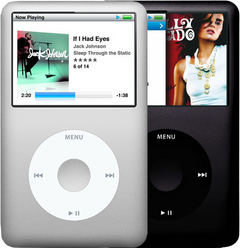
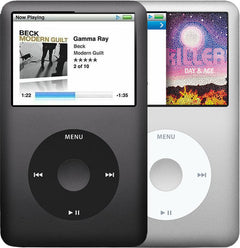
iPod Classic (A1238) only plays in one eariPod Classic 6th Gen (A1238) only plays in one eariPod Classic 7th Gen (A1238) only plays in one ear
-
Most likely
Worn or damaged headphone jack
A worn or damaged headphone jack cuts the sound out, crackles, or plays in one ear only, often when you move the plug. A new headphone jack fixes it.
Free check first Move the plug gently while a song plays: if the sound cuts out or crackles, the jack is worn.
Replacement Headphone Jack
Step-by-step guide iPod Classic 6th/7th Gen headphone jack and Hold switch replacement (13 steps)
More causes on this page, depending on what happens
- Headphone jack cable not fully in, or its latch openStarted after a repair or part swap
- Faulty replacement headphone jackStarted after a repair or part swap
- A connector not seated after the repairStarted after a repair or part swap
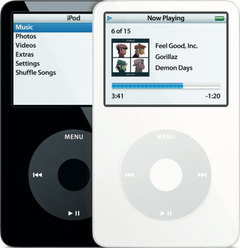
iPod Video (A1136) only plays in one eariPod Video 5th Gen (A1136) only plays in one ear
-
Most likely
Worn or damaged headphone jack
A worn or damaged headphone jack cuts the sound out, crackles, or plays in one ear only, often when you move the plug. A new headphone jack fixes it.
Free check first Move the plug gently while a song plays: if the sound cuts out or crackles, the jack is worn.
Step-by-step guide iPod Video 5th Gen headphone jack and Hold switch replacement (13 steps)
More causes on this page, depending on what happens
- Headphone jack cable not fully in, or its latch openStarted after a repair or part swap
- Faulty replacement headphone jackStarted after a repair or part swap
- A connector not seated after the repairStarted after a repair or part swap
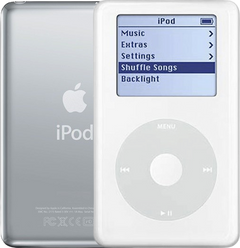
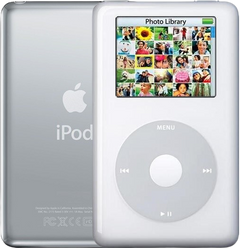
iPod 4th Gen or iPod Photo (A1059 and A1099) only plays in one eariPod 4th Gen (A1059) only plays in one eariPod Photo (A1099) only plays in one ear
-
Most likely
Worn or damaged headphone jack
A worn, damaged or corroded headphone jack cuts the sound out, crackles, or plays in one ear only, often when you move the plug. On the 4th Gen and Photo, one ear or crackling is the headphone jack board itself; its flex cable is the suspect when the iPod sticks on Hold. A new headphone jack fixes it.
Free check first Move the plug gently while a song plays: if the sound cuts out or crackles, the jack is worn.
Step-by-step guide iPod 4th Gen and iPod Photo headphone jack replacement (11 steps)
-
Next most likely
Headphone jack flex cable
On the 4th Gen and Photo the headphone jack connects to the logic board through a thin flex cable. A cable that is cracked, or not fully in at either end, can keep the iPod stuck on Hold or cut the sound; for one ear or crackling, the jack board itself is the more likely fault.
Free check first If the iPod was opened, check that the flex cable is fully in and its latch is closed.
Headphone Jack Flex Cable
Headphone Jack Flex Cable
Step-by-step guide iPod 4th Gen and iPod Photo headphone jack replacement (11 steps)
More causes on this page, depending on what happens
- Headphone jack cable not fully in, or its latch openStarted after a repair or part swap
- Faulty replacement headphone jackStarted after a repair or part swap
- A connector not seated after the repairStarted after a repair or part swap
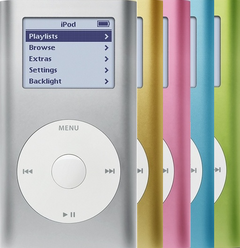
iPod Mini (A1051) only plays in one eariPod Mini 1st Gen (A1051) only plays in one eariPod Mini 2nd Gen (A1051) only plays in one ear
-
Most likely
Worn or damaged headphone jack
A worn or damaged headphone jack cuts the sound out, crackles, or plays in one ear only, often when you move the plug. A new headphone jack fixes it.
Free check first Move the plug gently while a song plays: if the sound cuts out or crackles, the jack is worn.
Headphone Jack / Hold Switch Assembly
Headphone Jack / Hold Switch Assembly
Step-by-step guide iPod Mini 1st/2nd Gen headphone jack and Hold switch replacement (12 steps)
More causes on this page, depending on what happens
- Headphone jack board not pressed fully onto the logic boardStarted after a repair or part swap
- Faulty replacement headphone jackStarted after a repair or part swap
- A connector not seated after the repairStarted after a repair or part swap
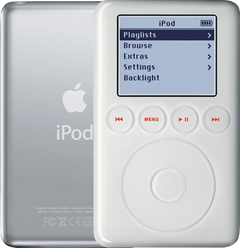
iPod 3rd Gen (A1040) only plays in one eariPod 3rd Gen (A1040) only plays in one ear
-
Most likely
Worn or damaged headphone jack
A worn or damaged headphone jack cuts the sound out, crackles, or plays in one ear only, often when you move the plug. A new headphone jack fixes it.
Free check first Move the plug gently while a song plays: if the sound cuts out or crackles, the jack is worn.
Step-by-step guide iPod 3rd Gen headphone jack and Hold switch replacement (12 steps)
More causes on this page, depending on what happens
- Headphone jack cable not fully in, or its latch openStarted after a repair or part swap
- Faulty replacement headphone jackStarted after a repair or part swap
- A connector not seated after the repairStarted after a repair or part swap
Started after a repair or part swap
One ear stopped working after the iPod was opened or a part was swapped.
iPod Classic 6th and 7th GeniPod Classic 6th GeniPod Classic 7th Gen
-
Most likely
Headphone jack cable not fully in, or its latch open
After the iPod has been opened, a headphone jack cable that isn't pushed fully in, or its latch left open, stops the headphone jack, and the Hold switch on it, from working.
Free check first Open it again, push the headphone jack cable fully in and close its latch.
-
Next most likely
Faulty replacement headphone jack
If the sound still comes from one ear only after a new headphone jack was fitted, the replacement jack is likely faulty.
Replacement Headphone Jack
Step-by-step guide iPod Classic 6th/7th Gen headphone jack and Hold switch replacement (13 steps)
-
Also possible
A connector not seated after the repair
After a battery or part swap, a connector that is not fully seated can leave the iPod dead or half-working. We can also look at it: the free diagnostic finds the issue and whether it can be fixed without new parts.
Free check first Open it again and push every connector you touched fully back in.
iPod Video 5th GeniPod Video 5th Gen
-
Most likely
Headphone jack cable not fully in, or its latch open
After the iPod has been opened, a headphone jack cable that isn't pushed fully in, or its latch left open, stops the headphone jack, and the Hold switch on it, from working.
Free check first Open it again, push the headphone jack cable fully in and close its latch.
-
Next most likely
Faulty replacement headphone jack
If the sound still comes from one ear only after a new headphone jack was fitted, the replacement jack is likely faulty.
Step-by-step guide iPod Video 5th Gen headphone jack and Hold switch replacement (13 steps)
-
Also possible
A connector not seated after the repair
After a battery or part swap, a connector that is not fully seated can leave the iPod dead or half-working. We can also look at it: the free diagnostic finds the issue and whether it can be fixed without new parts.
Free check first Open it again and push every connector you touched fully back in.
iPod 4th Gen and iPod PhotoiPod 4th GeniPod Photo
-
Most likely
Headphone jack cable not fully in, or its latch open
After the iPod has been opened, a headphone jack cable that isn't pushed fully in, or its latch left open, stops the headphone jack, and the Hold switch on it, from working.
Free check first Open it again, push the headphone jack cable fully in and close its latch.
-
Next most likely
Faulty replacement headphone jack
If the sound still comes from one ear only after a new headphone jack was fitted, the replacement jack is likely faulty.
Step-by-step guide iPod 4th Gen and iPod Photo headphone jack replacement (11 steps)
-
Also possible
A connector not seated after the repair
After a battery or part swap, a connector that is not fully seated can leave the iPod dead or half-working. We can also look at it: the free diagnostic finds the issue and whether it can be fixed without new parts.
Free check first Open it again and push every connector you touched fully back in.
iPod Mini 1st and 2nd GeniPod Mini 1st GeniPod Mini 2nd Gen
-
Most likely
Headphone jack board not pressed fully onto the logic board
On the Mini the headphone jack and the Hold switch sit on a small board that plugs straight onto the logic board, with no cable or latch. After the iPod has been opened, a jack board that isn't pressed fully onto its connector stops the headphone jack, and the Hold switch on it, from working. If the jack board's connector has torn off the logic board, our fix is a new logic board. Rather than solder on an inferior aftermarket part (a third-party connector), we fit an original Apple logic board to ensure the highest quality repair.
Free check first Open it again and press the headphone jack board fully onto its connector on the logic board.
-
Next most likely
Faulty replacement headphone jack
If the sound still comes from one ear only after a new headphone jack was fitted, the replacement jack is likely faulty.
Headphone Jack / Hold Switch Assembly
Headphone Jack / Hold Switch Assembly
Step-by-step guide iPod Mini 1st/2nd Gen headphone jack and Hold switch replacement (12 steps)
-
Also possible
A connector not seated after the repair
After a battery or part swap, a connector that is not fully seated can leave the iPod dead or half-working. We can also look at it: the free diagnostic finds the issue and whether it can be fixed without new parts.
Free check first Open it again and push every connector you touched fully back in.
iPod 3rd GeniPod 3rd Gen
-
Most likely
Headphone jack cable not fully in, or its latch open
After the iPod has been opened, a headphone jack cable that isn't pushed fully in, or its latch left open, stops the headphone jack, and the Hold switch on it, from working.
Free check first Open it again, push the headphone jack cable fully in and close its latch.
-
Next most likely
Faulty replacement headphone jack
If the sound still comes from one ear only after a new headphone jack was fitted, the replacement jack is likely faulty.
Step-by-step guide iPod 3rd Gen headphone jack and Hold switch replacement (12 steps)
-
Also possible
A connector not seated after the repair
After a battery or part swap, a connector that is not fully seated can leave the iPod dead or half-working. We can also look at it: the free diagnostic finds the issue and whether it can be fixed without new parts.
Free check first Open it again and push every connector you touched fully back in.
Not sure — free diagnostic
Mail us your iPod and we test it and send you a free repair quote. If you don't like the price, we ship it back at our expense.
Free
Which iPod do you have?
The page shows the causes for the iPod you pick.
Not sure which one? Identify your iPod