


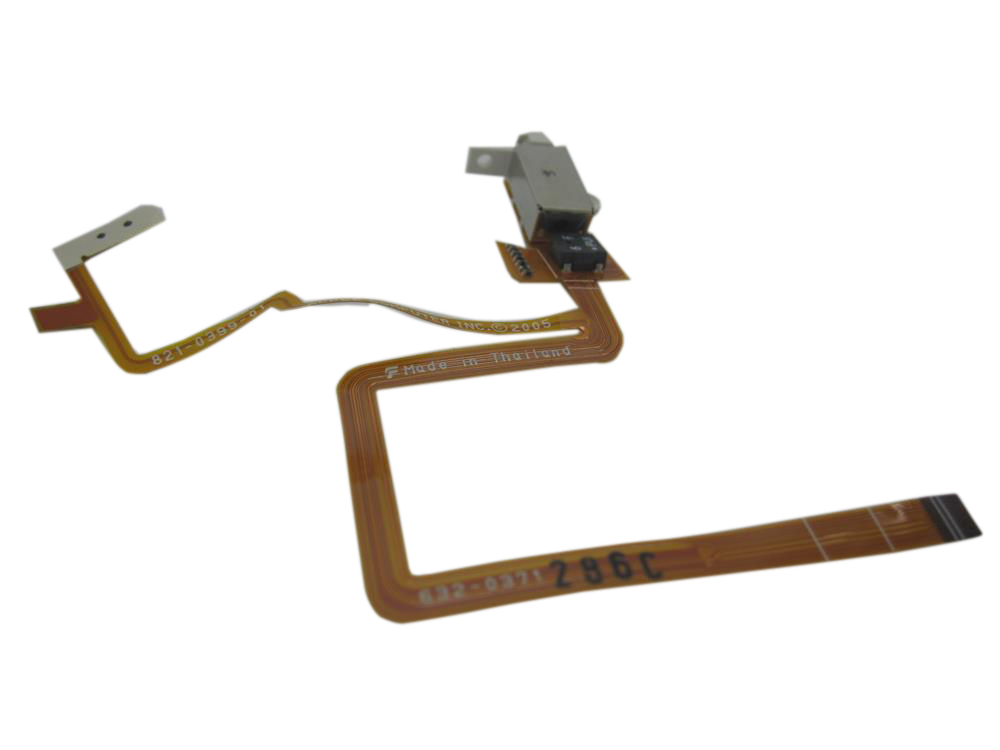
Representative photo. Pick the exact part beside it.
iPod Video 5th Gen Headphone Jack and Hold Switch Replacement
Model A1136
From $13.95
Signs the headphone jack is done on the iPod Video 5th Gen
One ear not working
A worn or damaged headphone jack cuts the sound out, crackles, or plays in one ear only, often when you move the plug. A new headphone jack fixes it.
Hold switch not working
The Hold switch is part of the headphone jack assembly. If it is broken, stuck, or leaves the iPod locked with the switch off, a new headphone jack assembly fixes it.
Won't play music
A worn headphone jack can pause songs on its own: these models pause when the plug loses contact. A new headphone jack fixes it.
Buy the headphone jack with a free pry tool, or mail your iPod in and we fit it: most repairs are finished within 3 to 5 business days, with a 1-year limited warranty.
Headphone jack help for the iPod Video 5th Gen
Signs the headphone jack is done
-
Sound in one ear only
One channel is quiet or dead with headphones that work fine elsewhere.
-
Crackles or cuts out when the plug moves
Audio comes and goes as the cable is wiggled, or the plug has to be held at an angle.
-
Hold switch dead
On most models the Hold switch is part of the headphone jack assembly, so a new assembly fixes a broken one. Stuck on lock: on the 4th Gen and Photo, check the headphone jack cable first (often just not pushed fully in); on the 3rd Gen, a torn or unseated headphone jack cable, or the Hold slider out of line with its switch on the logic board.
Free diagnostic
Broken iPod? We can help.
Mail us your iPod and we will test it and send you a free repair quote. If you don't like our price, we will ship your iPod back at our expense.
How mail-in repair works
Order the free diagnostic
Choose your iPod. Add our shipping box and prepaid label if you need one.
Mail us your iPod
Pack it with your work order. No printer? Put a note in the box with your name, return address, email, order number and what is wrong.
Approve your quote
We test it and email your free repair quote. Most repairs are finished within 3 to 5 business days after you approve the quote.