
Wheel, buttons & Hold
iPod click wheel not working
Click wheel not responding, not scrolling, or stuck? Pick what happens and your model to see the free checks first, then the likely causes and what each fix costs.
What exactly happens?
Which iPod do you have?
Most common causes, by model
Also searched as wheel not working · scroll wheel not working · click wheel not responding · wheel not responding · clickwheel not working
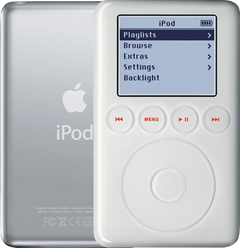
Apple's checks first: the Hold switch off, then reset it on a table without touching the wheel. If the wheel still doesn't respond, check the click wheel cable first, then the click wheel itself; if a new click wheel doesn't help, the logic board. On the 3rd Gen (touch wheel): the touch wheel cable, then the front panel, then the logic board.
Free checks first
- Put the Hold switch firmly in the unlocked position. A locked iPod ignores every button.
- Using an iPod Remote? Its own Hold switch must be off too: Apple says the iPod's and the remote's Hold switches work separately.
- A lock icon at the top of the screen means the Hold switch is on: slide it to the unlocked position.
- 3rd Gen: if a lock shows on the screen and the wheel does nothing, it is most likely a torn or unseated headphone jack cable (stuck on Hold even with the switch off).
- Reset it: press and hold Menu and the center (Select) button for 8 seconds, or until the Apple logo appears. If that fails, put the iPod on a table and press the center button without touching the wheel.
- Reset the 3rd Gen: hold Menu and Play/Pause until the Apple logo appears.
iPod Classic (A1238) click wheel not workingiPod Classic 6th Gen (A1238) click wheel not workingiPod Classic 7th Gen (A1238) click wheel not working
Most likely: Click wheel cable not fully inNext: Click wheel · 1 more cause
-
Most likely
Click wheel cable not fully in
The click wheel connects to the logic board by a ribbon cable. When the wheel doesn't respond, check that cable first: it may not be fully in its connector, or its latch may be open.
Free check first Open the iPod and check that the click wheel cable is fully in and its latch is closed.
-
Next most likely
Click wheel
Menu, Play/Pause, Next and Previous are small switches on the logic board, read through the click wheel and its cable. When the wheel or one or more of these buttons stop working, a new click wheel is the usual fix. The Classic 6th/7th Gen click wheel doesn't swap with the 5th Gen's.
Free check first If the iPod was opened, check that the click wheel cable is fully in and its latch is closed.
Replacement Click Wheel
For the iPod Classic 6th Gen
Black · White · Custom color
Replacement Click Wheel
For the iPod Classic 7th Gen
Black · White · Custom color
Step-by-step guide iPod Classic 6th/7th Gen click wheel and center button replacement (15 steps)
-
Also possible
Logic board
When a new click wheel doesn't fix the controls, the logic board is the likely fault.
Replacement Logic Board
For the iPod Classic 6th Gen
2007 · Late 2008
Replacement Logic Board
For the iPod Classic 7th Gen
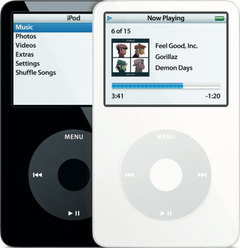
iPod Video (A1136) click wheel not workingiPod Video 5th Gen (A1136) click wheel not working
Most likely: Click wheel cable not fully inNext: Click wheel · 1 more cause
-
Most likely
Click wheel cable not fully in
The click wheel connects to the logic board by a ribbon cable. When the wheel doesn't respond, check that cable first: it may not be fully in its connector, or its latch may be open.
Free check first Open the iPod and check that the click wheel cable is fully in and its latch is closed.
-
Next most likely
Click wheel
Menu, Play/Pause, Next and Previous are small switches on the logic board, read through the click wheel and its cable. When the wheel or one or more of these buttons stop working, a new click wheel is the usual fix. The 5th Gen click wheel looks like the Classic's but doesn't swap with the 6th/7th Gen.
Free check first If the iPod was opened, check that the click wheel cable is fully in and its latch is closed.
Replacement Click Wheel
Black · White · Custom color
Step-by-step guide iPod Video 5th Gen click wheel and center button replacement (20 steps)
-
Also possible
Logic board
When a new click wheel doesn't fix the controls, the logic board is the likely fault.
Replacement Logic Board
30GB 5G · 30GB 5.5G Enhanced · 60GB 5G · 80GB 5.5G Enhanced
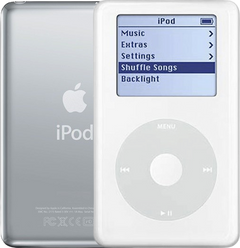
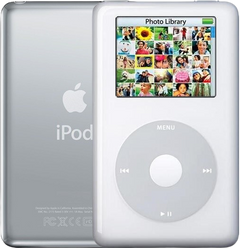
iPod 4th Gen or iPod Photo (A1059 and A1099) click wheel not workingiPod 4th Gen (A1059) click wheel not workingiPod Photo (A1099) click wheel not working
Most likely: Click wheel cable not fully inNext: Swollen battery · 2 more causes
-
Most likely
Click wheel cable not fully in
The click wheel connects to the logic board by a ribbon cable. When the wheel doesn't respond, check that cable first: it may not be fully in its connector, or its latch may be open.
Free check first Open the iPod and check that the click wheel cable is fully in and its latch is closed.
-
Next most likely
Swollen battery
A battery that swells is worn out and no longer safe, and the case almost never bulges, so a flat case doesn't rule it out. On the 4th Gen and Photo it pushes up under the click wheel, so the center button stops working, and the wheel can scroll by itself or stop responding. Stop charging it and replace the battery.
Free check first Unplug it first. If it is extremely hot or smells, don't try to remove the battery. Open the iPod and look at the battery: if it is swollen, stop charging it and replace it. Never press on, bend or pierce a swollen battery; tape the old battery's terminals or bag it and take it to a battery drop-off, never the trash or a recycling bin.
Replacement Battery (All Capacities)
For the iPod 4th Gen
Step-by-step guide iPod 4th Gen and iPod Photo battery replacement (13 steps)
-
Also possible
Click wheel
Menu, Play/Pause, Next and Previous are part of the click wheel. When the wheel or one or more of these buttons stop working, a new click wheel is the usual fix.
Free check first If the iPod was opened, check that the click wheel cable is fully in and its latch is closed.
Step-by-step guide iPod 4th Gen and iPod Photo click wheel and center button replacement (17 steps)
-
Also possible
Logic board
When a new click wheel doesn't fix the controls, the logic board is the likely fault.
Replacement Logic Board
For the iPod Photo
Late 2004 to early 2005 · Mid-2005
iPod Mini (A1051) click wheel not workingiPod Mini 1st Gen (A1051) click wheel not workingiPod Mini 2nd Gen (A1051) click wheel not working
Most likely: Click wheel cable not fully inNext: Click wheel · 1 more cause
-
Most likely
Click wheel cable not fully in
The click wheel connects to the logic board by a ribbon cable. When the wheel doesn't respond, check that cable first: its plug may not be pressed fully onto its connector (on the Mini it has no latch).
Free check first Open the iPod and check that the click wheel cable's plug is pressed fully onto its connector (it has no latch).
-
Next most likely
Click wheel
Menu, Play/Pause, Next and Previous are part of the click wheel. When the wheel or one or more of these buttons stop working, a new click wheel is the usual fix. The Mini 1st and 2nd Gen click wheels look the same but don't swap: order the one for your model.
Free check first If the iPod was opened, check that the click wheel cable's plug is pressed fully onto its connector (it has no latch).
Replacement Click Wheel (632-0246-A)
For the iPod Mini 1st Gen
Replacement Click Wheel
For the iPod Mini 2nd Gen
Blue · Green · Pink · Silver
Step-by-step guide iPod Mini 1st/2nd Gen click wheel and center button replacement (13 steps)
-
Also possible
Logic board
When a new click wheel doesn't fix the controls, the logic board is the likely fault.
iPod 3rd Gen (A1040) touch wheel not workingiPod 3rd Gen (A1040) touch wheel not working
Most likely: Touch wheel cableNext: Front panel (touch wheel and buttons) · 1 more cause
-
Most likely
Touch wheel cable
On the 3rd Gen the touch wheel and the four buttons above it connect to the logic board through the touch wheel cable. A damaged or loose cable stops the wheel, the buttons, or both.
Free check first If the iPod was opened, check that the touch wheel cable is fully in.
Touch Wheel Ribbon Cable
-
Next most likely
Front panel (touch wheel and buttons)
On the 3rd Gen the touch wheel and the four buttons are part of the front panel. If a good cable does not help, a new front panel is the fix.
Replacement Front Panel with Touch Wheel (White)
-
Also possible
Logic board
If a new touch wheel cable and front panel don't fix it, the logic board is the likely fault.
Replacement Logic Board
More causes on this page, depending on what happens
8 causes, listed by what happens to your iPod
- Click wheel out of alignment inside the housingClick wheel stuck · iPod Mini only
- Click wheel cable not seated after the repairStarted after a repair or part swap · not on the iPod 3rd Gen
- A connector not seated after the repairStarted after a repair or part swap
- Wrong click wheelStarted after a repair or part swap · iPod Classic and iPod Video only
- Click wheel ribbon torn in a board or screen swapStarted after a repair or part swap · iPod 4th Gen and iPod Photo only
- Click wheel cable damaged in the repairStarted after a repair or part swap · iPod Mini only
- Click wheel from the other Mini generationStarted after a repair or part swap · iPod Mini only
- Touch wheel cable not seated after the repairStarted after a repair or part swap · iPod 3rd Gen only
Click wheel stuck
Also searched as wheel stuck
The wheel feels jammed or won't click. On the 4th Gen and Photo the first suspect is a swollen battery pressing up behind the click wheel. Nothing shows from the outside, so open it and look at the battery, or send it for the free diagnostic. Otherwise the click wheel.
iPod Classic 6th and 7th GeniPod Classic 6th GeniPod Classic 7th Gen
Most likely: Click wheel
-
Most likely
Click wheel
Menu, Play/Pause, Next and Previous are small switches on the logic board, read through the click wheel and its cable. When the wheel or one or more of these buttons stop working, a new click wheel is the usual fix. The Classic 6th/7th Gen click wheel doesn't swap with the 5th Gen's.
Free check first If the iPod was opened, check that the click wheel cable is fully in and its latch is closed.
Replacement Click Wheel
For the iPod Classic 6th Gen
Black · White · Custom color
Replacement Click Wheel
For the iPod Classic 7th Gen
Black · White · Custom color
Step-by-step guide iPod Classic 6th/7th Gen click wheel and center button replacement (15 steps)
iPod Video 5th GeniPod Video 5th Gen
Most likely: Click wheel
-
Most likely
Click wheel
Menu, Play/Pause, Next and Previous are small switches on the logic board, read through the click wheel and its cable. When the wheel or one or more of these buttons stop working, a new click wheel is the usual fix. The 5th Gen click wheel looks like the Classic's but doesn't swap with the 6th/7th Gen.
Free check first If the iPod was opened, check that the click wheel cable is fully in and its latch is closed.
Replacement Click Wheel
Black · White · Custom color
Step-by-step guide iPod Video 5th Gen click wheel and center button replacement (20 steps)
iPod 4th Gen and iPod PhotoiPod 4th GeniPod Photo
Most likely: Swollen batteryNext: Click wheel
-
Most likely
Swollen battery
A battery that swells is worn out and no longer safe, and the case almost never bulges, so a flat case doesn't rule it out. On the 4th Gen and Photo it pushes up under the click wheel, so the center button stops working, and the wheel can scroll by itself or stop responding. Stop charging it and replace the battery.
Free check first Unplug it first. If it is extremely hot or smells, don't try to remove the battery. Open the iPod and look at the battery: if it is swollen, stop charging it and replace it. Never press on, bend or pierce a swollen battery; tape the old battery's terminals or bag it and take it to a battery drop-off, never the trash or a recycling bin.
Replacement Battery (All Capacities)
For the iPod 4th Gen
Step-by-step guide iPod 4th Gen and iPod Photo battery replacement (13 steps)
-
Next most likely
Click wheel
Menu, Play/Pause, Next and Previous are part of the click wheel. When the wheel or one or more of these buttons stop working, a new click wheel is the usual fix.
Free check first If the iPod was opened, check that the click wheel cable is fully in and its latch is closed.
Step-by-step guide iPod 4th Gen and iPod Photo click wheel and center button replacement (17 steps)
iPod Mini 1st and 2nd GeniPod Mini 1st GeniPod Mini 2nd Gen
Most likely: Click wheel out of alignment inside the housingNext: Click wheel
-
Most likely
Click wheel out of alignment inside the housing
On the Mini a stuck center button is often the click wheel sitting out of alignment inside the housing.
Free check first While gently pressing down on the click wheel, move it just a little so it settles back into place.
-
Next most likely
Click wheel
Menu, Play/Pause, Next and Previous are part of the click wheel. When the wheel or one or more of these buttons stop working, a new click wheel is the usual fix. The Mini 1st and 2nd Gen click wheels look the same but don't swap: order the one for your model.
Free check first If the iPod was opened, check that the click wheel cable's plug is pressed fully onto its connector (it has no latch).
Replacement Click Wheel (632-0246-A)
For the iPod Mini 1st Gen
Replacement Click Wheel
For the iPod Mini 2nd Gen
Blue · Green · Pink · Silver
Step-by-step guide iPod Mini 1st/2nd Gen click wheel and center button replacement (13 steps)
iPod 3rd GeniPod 3rd Gen
Free diagnostic: we tell you what it needs before any work
Not sure what is causing it on this model? Send it for a free diagnostic and we tell you what it needs before any work. Free diagnosticFree diagnostic for the iPod 3rd Gen
Started after a repair or part swap
The click wheel stopped working after the iPod was opened or a part was swapped.
iPod Classic 6th and 7th GeniPod Classic 6th GeniPod Classic 7th Gen
Most likely: Click wheel cable not seated after the repairNext: A connector not seated after the repair · 1 more cause
-
Most likely
Click wheel cable not seated after the repair
After the iPod has been opened, the click wheel cable is easy to leave half-seated, and then the center button or the whole wheel stops working.
Free check first Open it again, push the click wheel cable fully into its connector and make sure the latch is closed.
-
Next most likely
A connector not seated after the repair
After a battery or part swap, a connector that is not fully seated can leave the iPod dead or half-working. We can also look at it: the free diagnostic finds the issue and whether it can be fixed without new parts.
Free check first Open it again and push every connector you touched fully back in.
-
Also possible
Wrong click wheel
A 6th/7th Gen click wheel and an iPod Video click wheel look alike and plug into each other's iPod, but they don't work there.
Free check first Fit the click wheel for your model.
Replacement Click Wheel
For the iPod Classic 6th Gen
Black · White · Custom color
Replacement Click Wheel
For the iPod Classic 7th Gen
Black · White · Custom color
Step-by-step guide iPod Classic 6th/7th Gen click wheel and center button replacement (15 steps)
iPod Video 5th GeniPod Video 5th Gen
Most likely: Click wheel cable not seated after the repairNext: A connector not seated after the repair · 1 more cause
-
Most likely
Click wheel cable not seated after the repair
After the iPod has been opened, the click wheel cable is easy to leave half-seated, and then the center button or the whole wheel stops working.
Free check first Open it again, push the click wheel cable fully into its connector and make sure the latch is closed.
-
Next most likely
A connector not seated after the repair
After a battery or part swap, a connector that is not fully seated can leave the iPod dead or half-working. We can also look at it: the free diagnostic finds the issue and whether it can be fixed without new parts.
Free check first Open it again and push every connector you touched fully back in.
-
Also possible
Wrong click wheel
A 6th/7th Gen click wheel and an iPod Video click wheel look alike and plug into each other's iPod, but they don't work there.
Free check first Fit the click wheel for your model.
Replacement Click Wheel
Black · White · Custom color
Step-by-step guide iPod Video 5th Gen click wheel and center button replacement (20 steps)
iPod 4th Gen and iPod PhotoiPod 4th GeniPod Photo
Most likely: Click wheel cable not seated after the repairNext: A connector not seated after the repair · 1 more cause
-
Most likely
Click wheel cable not seated after the repair
After the iPod has been opened, the click wheel cable is easy to leave half-seated, and then the center button or the whole wheel stops working.
Free check first Open it again, push the click wheel cable fully into its connector and make sure the latch is closed.
-
Next most likely
A connector not seated after the repair
After a battery or part swap, a connector that is not fully seated can leave the iPod dead or half-working. We can also look at it: the free diagnostic finds the issue and whether it can be fixed without new parts.
Free check first Open it again and push every connector you touched fully back in.
-
Also possible
Click wheel ribbon torn in a board or screen swap
After a logic board or screen replacement, a dead click wheel can be a click wheel ribbon torn while it was being unplugged from the logic board connector.
Free check first Open it and look at the click wheel ribbon for a tear.
Step-by-step guide iPod 4th Gen and iPod Photo click wheel and center button replacement (17 steps)
iPod Mini 1st and 2nd GeniPod Mini 1st GeniPod Mini 2nd Gen
Most likely: Click wheel cable damaged in the repairNext: Click wheel cable not seated after the repair · 2 more causes
-
Most likely
Click wheel cable damaged in the repair
On the Mini this problem often starts after a repair: the click wheel cable is easily damaged when the iPod is taken apart. A damaged cable means a new click wheel.
Free check first Look at the click wheel cable for tears or creases.
Replacement Click Wheel (632-0246-A)
For the iPod Mini 1st Gen
Replacement Click Wheel
For the iPod Mini 2nd Gen
Blue · Green · Pink · Silver
Step-by-step guide iPod Mini 1st/2nd Gen click wheel and center button replacement (13 steps)
-
Next most likely
Click wheel cable not seated after the repair
After the iPod has been opened, the click wheel cable is easy to leave half-seated, and then the center button or the whole wheel stops working.
Free check first Open it again and press the click wheel cable's plug fully onto its connector (it has no latch).
-
Also possible
A connector not seated after the repair
After a battery or part swap, a connector that is not fully seated can leave the iPod dead or half-working. We can also look at it: the free diagnostic finds the issue and whether it can be fixed without new parts.
Free check first Open it again and push every connector you touched fully back in.
-
Also possible
Click wheel from the other Mini generation
Mini 1st and 2nd Gen click wheels look identical but don't work in each other's iPod. Check the generation and fit the right one.
Free check first Lettering in a color other than gray means a 2nd Gen wheel, and the part number on the wheel's cable tells the two apart.
Replacement Click Wheel (632-0246-A)
For the iPod Mini 1st Gen
Replacement Click Wheel
For the iPod Mini 2nd Gen
Blue · Green · Pink · Silver
Step-by-step guide iPod Mini 1st/2nd Gen click wheel and center button replacement (13 steps)
iPod 3rd GeniPod 3rd Gen
Most likely: Touch wheel cable not seated after the repairNext: A connector not seated after the repair
-
Most likely
Touch wheel cable not seated after the repair
After the iPod has been opened, the touch wheel cable is easy to leave half-seated, and then the center button, the touch wheel or the buttons stop working.
Free check first Open it again and push the touch wheel cable fully into its connector.
-
Next most likely
A connector not seated after the repair
After a battery or part swap, a connector that is not fully seated can leave the iPod dead or half-working. We can also look at it: the free diagnostic finds the issue and whether it can be fixed without new parts.
Free check first Open it again and push every connector you touched fully back in.
Not sure — free diagnostic
Mail us your iPod and we test it and send you a free repair quote. If you don't like the price, we ship it back at our expense.
Free
Which iPod do you have?
The page shows the causes for the iPod you pick.
Not sure which one? Identify your iPod