
Power & battery
iPod overheating
Getting hot while it charges or plays? Pick what happens and your model to see the likely causes and what to do.
What exactly happens?
Which iPod do you have?
Most common causes, by model
Also searched as getting hot · gets hot · get hot
Some warmth is normal while it charges or plays. An iPod that gets too hot most often has a logic board fault; a failing or swollen battery can do it too. Unplug it and let it cool down first.
Free checks first
- A sweet, metallic or acetone smell can be gas escaping a swelling battery: unplug it and stop using it.
- Keep it out of the heat, such as a hot car: Apple says it works between 0 and 35 °C (32 to 95 °F).
- On the 4th Gen, the Photo and the 5th, 6th and 7th Gen, if it has been overheating for a while, the foam pad on the hard drive shows dark or melted spots when you open it.
iPod Classic (A1238) overheatingiPod Classic 6th Gen (A1238) overheatingiPod Classic 7th Gen (A1238) overheating
Most likely: Logic board faultNext: Failing battery · 1 more cause
-
Most likely
Logic board fault
An iPod that gets too hot most often has a fault on the logic board. Often a chip or another small part has also come loose from the board and rattles inside. We fix it by replacing the logic board.
Free check first Unplug it, then tilt it gently and listen for a rattle inside.
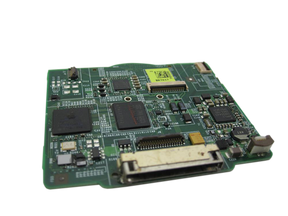
Replacement Logic Board
For the iPod Classic 6th Gen
2007 · Late 2008
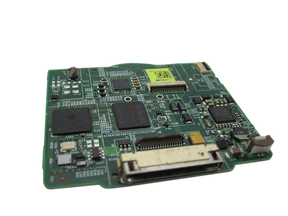
Replacement Logic Board
For the iPod Classic 7th Gen
-
Next most likely
Failing battery
A failing battery can also make it hot while it charges or plays. Unplug it and let it cool down; if it gets hot again, replace the battery.
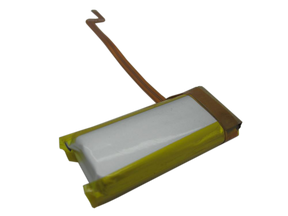
Replacement Battery
For the iPod Classic 6th Gen
Thin · Thick
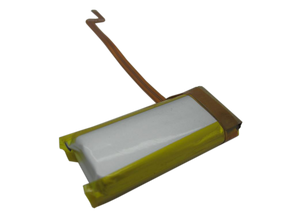
Replacement Battery (160GB)
For the iPod Classic 7th Gen
Step-by-step guide iPod Classic 6th/7th Gen battery replacement (13 steps)
-
Also possible
Swollen battery
A battery that swells is worn out and no longer safe. On the 6th and 7th Gen the battery sits behind the screen: swelling can leave dark pressure marks or spots on the screen or make it lift or bow, and the case can bulge, usually at the top. In some cases the front and back panel separate at the seam, and light from the backlight can sometimes be seen shining through it. An open seam on its own is often bent metal tabs or railing inside the inner back panel. Stop charging it and replace the battery.
Free check first Unplug it first. If it is extremely hot or smells, don't try to remove the battery. Open the iPod and look at the battery: if it is swollen, stop charging it and replace it. Never press on, bend or pierce a swollen battery; tape the old battery's terminals or bag it and take it to a battery drop-off, never the trash or a recycling bin.
Replacement Battery
For the iPod Classic 6th Gen
Thin · Thick
Replacement Battery (160GB)
For the iPod Classic 7th Gen
Step-by-step guide iPod Classic 6th/7th Gen battery replacement (13 steps)
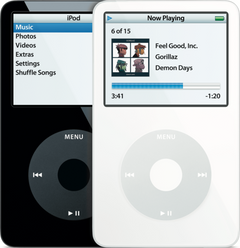
iPod Video (A1136) overheatingiPod Video 5th Gen (A1136) overheating
Most likely: Logic board faultNext: Failing battery · 1 more cause
-
Most likely
Logic board fault
An iPod that gets too hot most often has a fault on the logic board. Often a chip or another small part has also come loose from the board and rattles inside. On the iPod Video that loose part can be a small coil (an inductor) near the charging port: it is part of the board's power supply, so without it the iPod may not turn on or charge. We fix it by replacing the logic board.
Free check first Unplug it, then tilt it gently and listen for a rattle inside.
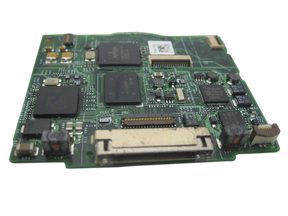
Replacement Logic Board
30GB 5G · 30GB 5.5G Enhanced · 60GB 5G · 80GB 5.5G Enhanced
-
Next most likely
Failing battery
A failing battery can also make it hot while it charges or plays. Unplug it and let it cool down; if it gets hot again, replace the battery.
Step-by-step guide iPod Video 5th Gen battery replacement (10 steps)
-
Also possible
Swollen battery
A battery that swells is worn out and no longer safe. On the iPod Video the battery sits behind the screen: swelling can leave dark pressure marks or spots on the screen, make it lift or bow or even crack it, and the case can bulge, usually at the top. In some cases the front and back panel separate at the seam, and light from the backlight can sometimes be seen shining through it. An open seam on its own is often bent metal tabs or railing inside the inner back panel. Stop charging it and replace the battery.
Free check first Unplug it first. If it is extremely hot or smells, don't try to remove the battery. Open the iPod and look at the battery: if it is swollen, stop charging it and replace it. Never press on, bend or pierce a swollen battery; tape the old battery's terminals or bag it and take it to a battery drop-off, never the trash or a recycling bin.
Step-by-step guide iPod Video 5th Gen battery replacement (10 steps)
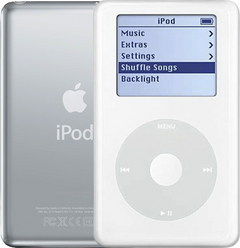
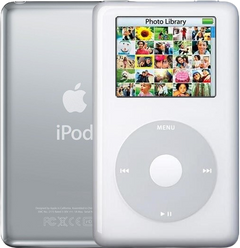
iPod 4th Gen or iPod Photo (A1059 and A1099) overheatingiPod 4th Gen (A1059) overheatingiPod Photo (A1099) overheating
Most likely: Logic board faultNext: Failing battery · 1 more cause
-
Most likely
Logic board fault
An iPod that gets too hot most often has a fault on the logic board. Often a chip or another small part has also come loose from the board and rattles inside. We fix it by replacing the logic board.
Free check first Unplug it, then tilt it gently and listen for a rattle inside.
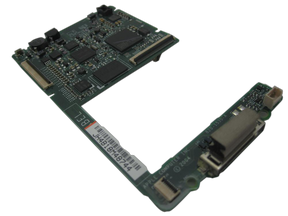
Replacement Logic Board
For the iPod 4th Gen
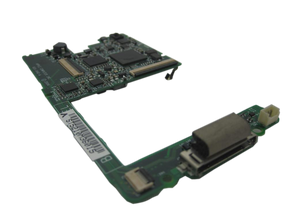
Replacement Logic Board
For the iPod Photo
Late 2004 to early 2005 · Mid-2005
-
Next most likely
Failing battery
A failing battery can also make it hot while it charges or plays. Unplug it and let it cool down; if it gets hot again, replace the battery.
Replacement Battery (All Capacities)
For the iPod 4th Gen
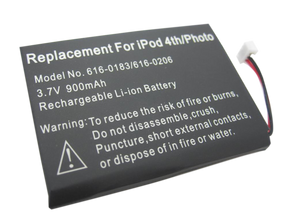
Replacement Battery
For the iPod Photo
Step-by-step guide iPod 4th Gen and iPod Photo battery replacement (13 steps)
-
Also possible
Swollen battery
A battery that swells is worn out and no longer safe, and the case almost never bulges, so a flat case doesn't rule it out. On the 4th Gen and Photo it pushes up under the click wheel, so the center button stops working, and the wheel can scroll by itself or stop responding. Stop charging it and replace the battery.
Free check first Unplug it first. If it is extremely hot or smells, don't try to remove the battery. Open the iPod and look at the battery: if it is swollen, stop charging it and replace it. Never press on, bend or pierce a swollen battery; tape the old battery's terminals or bag it and take it to a battery drop-off, never the trash or a recycling bin.
Replacement Battery (All Capacities)
For the iPod 4th Gen
Replacement Battery
For the iPod Photo
Step-by-step guide iPod 4th Gen and iPod Photo battery replacement (13 steps)
iPod Mini (A1051) overheatingiPod Mini 1st Gen (A1051) overheatingiPod Mini 2nd Gen (A1051) overheating
Most likely: Logic board faultNext: Failing battery · 1 more cause
-
Most likely
Logic board fault
An iPod that gets too hot most often has a fault on the logic board. Often a chip or another small part has also come loose from the board and rattles inside. We fix it by replacing the logic board.
Free check first Unplug it, then tilt it gently and listen for a rattle inside.
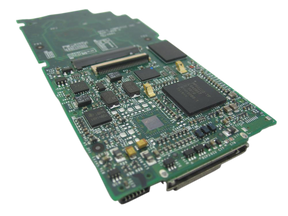
Replacement Logic Board
For the iPod Mini 1st Gen
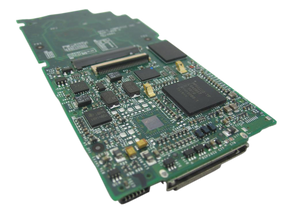
Replacement Logic Board
For the iPod Mini 2nd Gen
-
Next most likely
Failing battery
A failing battery can also make it hot while it charges or plays. Unplug it and let it cool down; if it gets hot again, replace the battery.
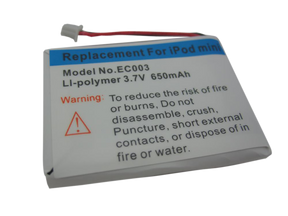
Replacement Battery
For the iPod Mini 1st Gen
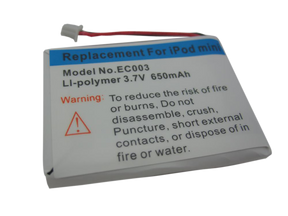
Replacement Battery
For the iPod Mini 2nd Gen
Step-by-step guide iPod Mini 1st/2nd Gen battery replacement (12 steps)
-
Also possible
Swollen battery
A battery that swells is worn out and no longer safe, and the case almost never bulges, so a flat case doesn't rule it out. On the Mini it can press on the screen and leave pressure spots, which usually fade after a new battery. Stop charging it and replace the battery.
Free check first Unplug it first. If it is extremely hot or smells, don't try to remove the battery. Open the iPod and look at the battery: if it is swollen, stop charging it and replace it. Never press on, bend or pierce a swollen battery; tape the old battery's terminals or bag it and take it to a battery drop-off, never the trash or a recycling bin.
Replacement Battery
For the iPod Mini 1st Gen
Replacement Battery
For the iPod Mini 2nd Gen
Step-by-step guide iPod Mini 1st/2nd Gen battery replacement (12 steps)
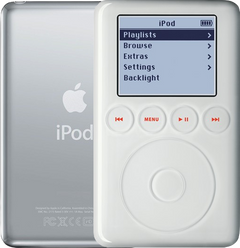
iPod 3rd Gen (A1040) overheatingiPod 3rd Gen (A1040) overheating
Most likely: Logic board faultNext: Failing battery · 1 more cause
-
Most likely
Logic board fault
An iPod that gets too hot most often has a fault on the logic board. Often a chip or another small part has also come loose from the board and rattles inside. We fix it by replacing the logic board.
Free check first Unplug it, then tilt it gently and listen for a rattle inside.
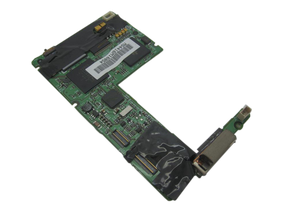
Replacement Logic Board
-
Next most likely
Failing battery
A failing battery can also make it hot while it charges or plays. Unplug it and let it cool down; if it gets hot again, replace the battery.
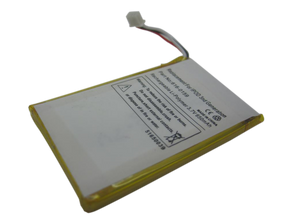
Replacement Battery (All Capacities)
Step-by-step guide iPod 3rd Gen battery replacement (14 steps)
-
Also possible
Swollen battery
A battery that swells is worn out and no longer safe, and the case almost never bulges, so a flat case doesn't rule it out. Stop charging it and replace the battery.
Free check first Unplug it first. If it is extremely hot or smells, don't try to remove the battery. Open the iPod and look at the battery: if it is swollen, stop charging it and replace it. Never press on, bend or pierce a swollen battery; tape the old battery's terminals or bag it and take it to a battery drop-off, never the trash or a recycling bin.
Replacement Battery (All Capacities)
Step-by-step guide iPod 3rd Gen battery replacement (14 steps)
More causes on this page, depending on what happens
1 cause, listed by what happens to your iPod
- A cable or part pinched after the repairStarted after a repair or part swap
Started after a repair or part swap
It started getting hot after the iPod was opened.
iPod Classic 6th and 7th GeniPod Classic 6th GeniPod Classic 7th Gen
Most likely: A cable or part pinched after the repair
-
Most likely
A cable or part pinched after the repair
After the iPod has been opened, a pinched cable or a part pressing on the board can short and make it hot. Open it again and check that every cable and part sits flat in its place.
Free check first Unplug it and let it cool before you open it.
iPod Video 5th GeniPod Video 5th Gen
Most likely: A cable or part pinched after the repair
-
Most likely
A cable or part pinched after the repair
After the iPod has been opened, a pinched cable or a part pressing on the board can short and make it hot. Open it again and check that every cable and part sits flat in its place.
Free check first Unplug it and let it cool before you open it.
iPod 4th Gen and iPod PhotoiPod 4th GeniPod Photo
Most likely: A cable or part pinched after the repair
-
Most likely
A cable or part pinched after the repair
After the iPod has been opened, a pinched cable or a part pressing on the board can short and make it hot. Open it again and check that every cable and part sits flat in its place.
Free check first Unplug it and let it cool before you open it.
iPod Mini 1st and 2nd GeniPod Mini 1st GeniPod Mini 2nd Gen
Most likely: A cable or part pinched after the repair
-
Most likely
A cable or part pinched after the repair
After the iPod has been opened, a pinched cable or a part pressing on the board can short and make it hot. Open it again and check that every cable and part sits flat in its place.
Free check first Unplug it and let it cool before you open it.
iPod 3rd GeniPod 3rd Gen
Most likely: A cable or part pinched after the repair
-
Most likely
A cable or part pinched after the repair
After the iPod has been opened, a pinched cable or a part pressing on the board can short and make it hot. Open it again and check that every cable and part sits flat in its place.
Free check first Unplug it and let it cool before you open it.
Not sure — free diagnostic
Mail us your iPod and we test it and send you a free repair quote. If you don't like the price, we ship it back at our expense.
Free
Which iPod do you have?
The page shows the causes for the iPod you pick.
Not sure which one? Identify your iPod