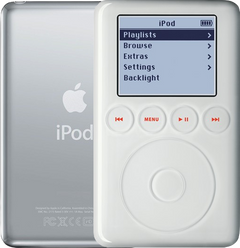
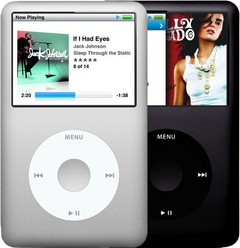
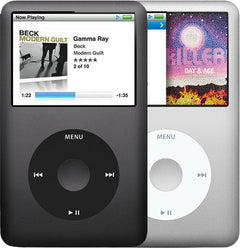
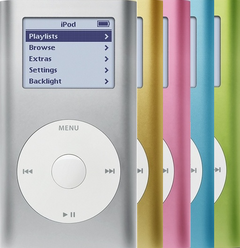


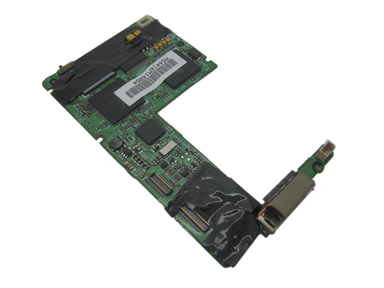
Representative photo. You receive the part named above.
Is this the right part?
For the iPod 3rd GenModel A1040
Doing it yourself?
iPod 3rd Gen logic board replacement guide ›iPod 3G — Replacement Logic Board
For the iPod 3rd Gen
Used (Apple Original) · Model A1040
$65.90
Sold out
Not for sale right now
We are not selling this part at the moment.
- Used (Apple Original). Tested: installed in a working iPod and checked before it ships.
- 1-year limited warranty · 30-day returns from delivery
- Free pry tool in the box
- Completed repairs aren't refundable. If a part we fitted fails within a year, we repair it again.
- US shipping is about $6 to $9 by USPS Ground Advantage; free on orders of $200 or moreYou pay the postage to mail your iPod to us, or add our box and prepaid label. Shipping back to you is about $6 to $9 at checkout; free on orders of $200 or more
Questions about this part? Chat with us or email sales@imods.com.
Not sure what's wrong? Get your free repair quotePart details
About this part
Overview
Replacement logic board for iPod 3rd Generation A1040, commonly searched as iPod 3G. Use it only after FireWire power, battery, the hard drive and its 50-pin ribbon, the touch wheel and button row, the headphone jack and Hold, and the dock connector have been checked and point back to the board. Fitment cue: confirm the four separate touch buttons above the wheel.
Fitment snapshot
What Is Included
What this part might fix
Help pages, step by step, for problems this part might fix:
Most likely fixed by this part
Can also be the cause
- Not showing up in iTunes: damaged dock connector
- Won't charge: damaged charging port
- Keeps turning off
- Black screen
- Headphone jack not working
- Buttons not working
- White screen
- No sound
- Please wait, very low battery: damaged charging port
- Lines on screen
- Center button not working
- Touch wheel not working
- Volume too low or stuck
- Backlight not working
- Static noise
- Flash mod problems
- Stuck in disk mode
- Won't sync: damaged dock connector
- Won't restore
- Won't hold a charge: logic board draining the battery
- Dropped
- Not working after a repair: damaged charging port
Fit and specs
Specifications & Fitment
Part Details
| Detail | Value |
|---|---|
| Model Number | A1040 |
| EMC | EMC 1961 |
| Condition | Used — factory original Apple part. Normal cosmetic wear expected. |
| Apple model / EMC | A1040 / EMC 1961 |
| Board markings |
820-1430-A (earlier production) and 820-1559-A (later production) — both established for this model. Match the number printed on your own board. |
| Charging | FireWire power through the 30-pin dock connector |
| Controls | Touch wheel plus four separate touch-sensitive buttons |
| Storage connector family | 1.8-inch Toshiba 50-pin IDE/ATA drive on a ribbon cable to the board |
| Audio codec | Wolfson WM8731 (WM8731/L family) |
| Charger IC | Linear Tech LTC1733 on the FireWire input |
| CPU | Dual ARM7TDMI, 90 MHz |
| PMU | NXP PCF50605HN |
| RAM | 32 MB |
| SoC | PortalPlayer PP5002 |
Compatible Variants
| Order Number | Capacity | Color | Case | Compatible | Notes |
|---|---|---|---|---|---|
| M8976LL/A | 10GB | White | thin | Yes | — |
| M8946LL/A | 15GB | White | thin | Yes | — |
| M9460LL/A | 15GB | White | thin | Yes | — |
| M9244LL/A | 20GB | White | thin | Yes | — |
| M8948LL/A | 30GB | White | thick | Yes | — |
| M9245LL/A | 40GB | White | thick | Yes | — |
Install and repair
Step-by-step guide
iPod 3rd Gen logic board replacement
Tools: Plastic opening tools (two), Spudger, T6 Torx screwdriver, Anti-static wrist strap and mat, Soft cloth, A FireWire charger you know works
- Unplug it, switch it off, lock itUnplug any cable, then switch the iPod off: press and hold Play/Pause. Slide the Hold switch to locked, so the orange shows, and lay it face up on the cloth.
- Free the clipsAngle a plastic opening tool toward the steel back and work it into the seam near the middle of a long side. Release the clips from the middle toward each end, then down the other long side, then the two on the bottom edge. Our opening guide covers every move.
Install Overview
Rather not open it? Choose We Fix It above: mail your iPod in and we fit it. Turnaround is typically 1–3 business days on our bench. 1-year limited warranty.
This is a no-solder logic-board replacement, but it is still a connector-fragile 3G case-opening job.
Before You Start
Charge and test from known-good FireWire power before calling a no-charge or no-power symptom a board failure.
The 3G case opens from the side clips, and the headphone-jack ribbon still connects the rear panel to the front half.
Pull connector housings straight up. Do not pull on the battery, headphone, display, storage, or touch-wheel ribbon itself.
Disconnect the orange touch-wheel cable, then remove the 6 black T6 Torx screws securing the board.
The plastic Hold slider must mate with the small board switch nub before the case closes.
Questions
Common Questions
Why is my iPod 3rd Generation not charging?
If the search is iPod 3rd generation not charging or iPod 3rd gen won't charge, start with the charging rule: this generation charges from FireWire power, not from USB power. USB can sync it, but no USB charging is normal 3G behavior. Use known-good FireWire power and check the battery, the dock connector and the battery connector before blaming the board.
Is this the same as an iPod Classic 3rd Generation logic board?
Yes: 'iPod Classic 3rd Generation' is search shorthand for this board; Apple's name for the model predates the Classic branding. Confirm A1040, four touch-sensitive buttons above the wheel, order number, and removed board marking.
Will 820-1430-A work in place of 820-1559-A?
We cannot promise that it will. Both markings are established 3G boards and sellers list them together for every capacity, but no source we can stand behind reports swapping one for the other in a working unit, and we have not tested it. Read the number on the board you take out and match it. If you are offered the other marking, ask the seller what unit it came out of rather than treating the two as one part.
What is an iPod 3G logic board or motherboard?
It is the main circuit board inside the iPod 3rd Generation. It carries power, dock, storage, controls, display and audio, so many symptoms can touch it, but most symptoms still need connected parts and cables ruled out first.
What tools and steps are involved?
Replacing the board needs no soldering. Tools: a plastic pry opening tool or a thin metal spudger, and a T6 Torx screwdriver. The sensitive moments are opening the case, disconnecting the headphone, battery, storage, display, and orange touch-wheel cables, removing the 6 black T6 screws, and aligning the Hold switch on reassembly.
Free diagnostic
Broken iPod? We can help.
Mail us your iPod and we will test it and send you a free repair quote. If you don't like our price, we will ship your iPod back at our expense.
How mail-in repair works
Order the free diagnostic
Choose your iPod. Add our shipping box and prepaid label if you need one.
Mail us your iPod
Pack it with your work order. No printer? Put a note in the box with your name, return address, email, iMods order number and what is wrong.
Approve your quote
We test it and email your free repair quote. Most repairs are finished within 1 to 3 business days after you approve the quote.