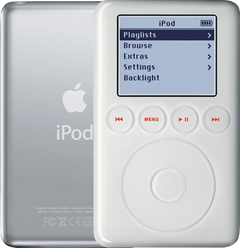
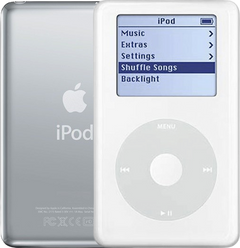
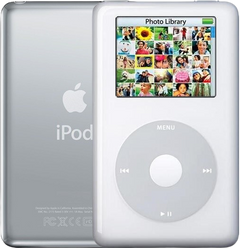
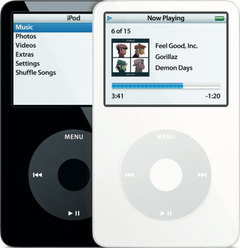

Wheel, buttons & Hold
iPod hold switch not working
Hold switch stuck or broken, or the iPod stays locked with the switch off? Pick what happens and your model to see the free checks first, then the likely causes and what each fix costs.
What exactly happens?
Which iPod do you have?
Most common causes, by model
Also searched as hold switch · hold button · hold button not working · hold switch repair
The Hold switch locks every button: slide it firmly to the unlocked position (Apple). The Hold switch is part of the headphone jack assembly, so a broken or stuck switch is fixed with a new headphone jack assembly. On the 4th Gen and Photo a faulty headphone jack cable can also keep it locked: check the cable first there.
Free checks first
- Put the Hold switch firmly in the unlocked position. A locked iPod ignores every button.
- Using an iPod Remote? Its own Hold switch must be off too: Apple says the iPod's and the remote's Hold switches work separately.
- A lock icon at the top of the screen means the Hold switch is on: slide it to the unlocked position.
- On the 3rd Gen, a lock on the screen with dead controls is most likely a torn or unseated headphone jack cable (it is stuck on Hold even with the switch off): probably the most common damage to this model when the case is opened too hard, pried at the wrong seam or the cable is pulled out of its plug.
- Reset it: press and hold Menu and the center (Select) button for 8 seconds, or until the Apple logo appears. If that fails, put the iPod on a table and press the center button without touching the wheel.
- Reset the 3rd Gen: hold Menu and Play/Pause until the Apple logo appears.
iPod Classic (A1238) Hold switch not workingiPod Classic 6th Gen (A1238) Hold switch not workingiPod Classic 7th Gen (A1238) Hold switch not working
-
Most likely
Broken Hold switch
The Hold switch is part of the headphone jack assembly. If it is broken, stuck, or leaves the iPod locked with the switch off, a new headphone jack assembly fixes it.
Replacement Headphone Jack
Step-by-step guide iPod Classic 6th/7th Gen headphone jack and Hold switch replacement (13 steps)
More causes on this page, depending on what happens
- Failing hard driveHold switch powers off
- Loose or damaged hard drive cableHold switch powers off
- Headphone jack cable not fully in, or its latch openStarted after a repair or part swap
- A connector not seated after the repairStarted after a repair or part swap
iPod Video (A1136) Hold switch not workingiPod Video 5th Gen (A1136) Hold switch not working
-
Most likely
Broken Hold switch
The Hold switch is part of the headphone jack assembly. If it is broken, stuck, or leaves the iPod locked with the switch off, a new headphone jack assembly fixes it.
Step-by-step guide iPod Video 5th Gen headphone jack and Hold switch replacement (13 steps)
More causes on this page, depending on what happens
- Failing hard driveHold switch powers off
- Loose or damaged hard drive cableHold switch powers off
- Headphone jack cable not fully in, or its latch openStarted after a repair or part swap
- A connector not seated after the repairStarted after a repair or part swap
iPod 4th Gen or iPod Photo (A1059 and A1099) Hold switch not workingiPod 4th Gen (A1059) Hold switch not workingiPod Photo (A1099) Hold switch not working
-
Most likely
Headphone jack cable keeping it locked
A faulty headphone jack cable can keep the iPod locked, so the click wheel cannot wake it. The cable doesn't have to be damaged: it may just not be snapped fully into the logic board or pushed fully into the headphone jack board. It easily comes out when the case is first opened, for example in a battery swap.
Free check first Put the Hold switch firmly in the unlocked position and look for a lock symbol at the top of the screen. If it still shows, the headphone jack cable is likely loose or faulty: open the iPod and push it fully back into the logic board and the headphone jack board before buying a new cable.
Headphone Jack Flex Cable
Headphone Jack Flex Cable
Step-by-step guide iPod 4th Gen and iPod Photo headphone jack replacement (11 steps)
-
Next most likely
Broken Hold switch
The Hold switch is part of the headphone jack assembly. If it is broken, stuck, or leaves the iPod locked with the switch off, a new headphone jack assembly fixes it. On the 4th Gen and iPod Photo the Hold switch sits on its own board (the headphone jack board), with its slider on a plastic bracket.
Step-by-step guide iPod 4th Gen and iPod Photo headphone jack replacement (11 steps)
More causes on this page, depending on what happens
- Loose or damaged hard drive cableHold switch powers off
- Failing hard driveHold switch powers off
- Headphone jack cable not fully in, or its latch openStarted after a repair or part swap
- A connector not seated after the repairStarted after a repair or part swap
iPod Mini (A1051) Hold switch not workingiPod Mini 1st Gen (A1051) Hold switch not workingiPod Mini 2nd Gen (A1051) Hold switch not working
-
Most likely
Broken Hold switch
On the Mini the Hold switch sits on the small headphone jack board. If it is broken, stuck, or leaves the iPod locked with the switch off, a new headphone jack board fixes it.
Headphone Jack / Hold Switch Assembly
Headphone Jack / Hold Switch Assembly
Step-by-step guide iPod Mini 1st/2nd Gen headphone jack and Hold switch replacement (12 steps)
More causes on this page, depending on what happens
- Logic boardHold switch powers off
- Failed microdrive (the Mini's hard drive)Hold switch powers off
- Loose or damaged hard drive cableHold switch powers off
- Headphone jack board not pressed fully onto the logic boardStarted after a repair or part swap
- A connector not seated after the repairStarted after a repair or part swap
iPod 3rd Gen (A1040) Hold switch not workingiPod 3rd Gen (A1040) Hold switch not working
-
Most likely
Broken Hold switch
On the 3rd Gen the Hold slider sits on the headphone jack assembly and moves a small switch on the logic board. If the slider is broken or stuck, or leaves the iPod locked with the switch off, a new headphone jack assembly fixes it. After the iPod has been opened, the slider and the switch on the board must line up, or Hold stops working.
Step-by-step guide iPod 3rd Gen headphone jack and Hold switch replacement (12 steps)
More causes on this page, depending on what happens
- Failing hard driveHold switch powers off
- Loose or damaged hard drive cableHold switch powers off
- Headphone jack cable not fully in, or its latch openStarted after a repair or part swap
- A connector not seated after the repairStarted after a repair or part swap
Stuck on hold
Also searched as lock icon on iPod · lock symbol on iPod
It stays locked, or shows the lock, even with the switch off.
Free checks first
- Put the Hold switch firmly in the unlocked position. A locked iPod ignores every button.
- Using an iPod Remote? Its own Hold switch must be off too: Apple says the iPod's and the remote's Hold switches work separately.
- A lock icon at the top of the screen means the Hold switch is on: slide it to the unlocked position.
- On the 3rd Gen, a lock on the screen with dead controls is most likely a torn or unseated headphone jack cable (it is stuck on Hold even with the switch off): probably the most common damage to this model when the case is opened too hard, pried at the wrong seam or the cable is pulled out of its plug.
- Reset it: press and hold Menu and the center (Select) button for 8 seconds, or until the Apple logo appears. If that fails, put the iPod on a table and press the center button without touching the wheel.
- Reset the 3rd Gen: hold Menu and Play/Pause until the Apple logo appears.
iPod Classic 6th and 7th GeniPod Classic 6th GeniPod Classic 7th Gen
-
Most likely
Broken Hold switch
The Hold switch is part of the headphone jack assembly. If it is broken, stuck, or leaves the iPod locked with the switch off, a new headphone jack assembly fixes it.
Replacement Headphone Jack
Step-by-step guide iPod Classic 6th/7th Gen headphone jack and Hold switch replacement (13 steps)
iPod Video 5th GeniPod Video 5th Gen
-
Most likely
Broken Hold switch
The Hold switch is part of the headphone jack assembly. If it is broken, stuck, or leaves the iPod locked with the switch off, a new headphone jack assembly fixes it.
Step-by-step guide iPod Video 5th Gen headphone jack and Hold switch replacement (13 steps)
iPod 4th Gen and iPod PhotoiPod 4th GeniPod Photo
-
Most likely
Headphone jack cable keeping it locked
A faulty headphone jack cable can keep the iPod locked, so the click wheel cannot wake it. The cable doesn't have to be damaged: it may just not be snapped fully into the logic board or pushed fully into the headphone jack board. It easily comes out when the case is first opened, for example in a battery swap.
Free check first Put the Hold switch firmly in the unlocked position and look for a lock symbol at the top of the screen. If it still shows, the headphone jack cable is likely loose or faulty: open the iPod and push it fully back into the logic board and the headphone jack board before buying a new cable.
Headphone Jack Flex Cable
Headphone Jack Flex Cable
Step-by-step guide iPod 4th Gen and iPod Photo headphone jack replacement (11 steps)
-
Next most likely
Broken Hold switch
The Hold switch is part of the headphone jack assembly. If it is broken, stuck, or leaves the iPod locked with the switch off, a new headphone jack assembly fixes it. On the 4th Gen and iPod Photo the Hold switch sits on its own board (the headphone jack board), with its slider on a plastic bracket.
Step-by-step guide iPod 4th Gen and iPod Photo headphone jack replacement (11 steps)
iPod Mini 1st and 2nd GeniPod Mini 1st GeniPod Mini 2nd Gen
-
Most likely
Broken Hold switch
On the Mini the Hold switch sits on the small headphone jack board. If it is broken, stuck, or leaves the iPod locked with the switch off, a new headphone jack board fixes it.
Headphone Jack / Hold Switch Assembly
Headphone Jack / Hold Switch Assembly
Step-by-step guide iPod Mini 1st/2nd Gen headphone jack and Hold switch replacement (12 steps)
iPod 3rd GeniPod 3rd Gen
-
Most likely
Broken Hold switch
On the 3rd Gen the Hold slider sits on the headphone jack assembly and moves a small switch on the logic board. If the slider is broken or stuck, or leaves the iPod locked with the switch off, a new headphone jack assembly fixes it. After the iPod has been opened, the slider and the switch on the board must line up, or Hold stops working.
Step-by-step guide iPod 3rd Gen headphone jack and Hold switch replacement (12 steps)
Hold switch stuck
Also searched as hold button stuck
The switch won't slide, or slides without clicking into place.
iPod Classic 6th and 7th GeniPod Classic 6th GeniPod Classic 7th Gen
-
Most likely
Broken Hold switch
The Hold switch is part of the headphone jack assembly. If it is broken, stuck, or leaves the iPod locked with the switch off, a new headphone jack assembly fixes it.
Replacement Headphone Jack
Step-by-step guide iPod Classic 6th/7th Gen headphone jack and Hold switch replacement (13 steps)
iPod Video 5th GeniPod Video 5th Gen
-
Most likely
Broken Hold switch
The Hold switch is part of the headphone jack assembly. If it is broken, stuck, or leaves the iPod locked with the switch off, a new headphone jack assembly fixes it.
Step-by-step guide iPod Video 5th Gen headphone jack and Hold switch replacement (13 steps)
iPod 4th Gen and iPod PhotoiPod 4th GeniPod Photo
-
Most likely
Broken Hold switch
The Hold switch is part of the headphone jack assembly. If it is broken, stuck, or leaves the iPod locked with the switch off, a new headphone jack assembly fixes it. On the 4th Gen and iPod Photo the Hold switch sits on its own board (the headphone jack board), with its slider on a plastic bracket.
Step-by-step guide iPod 4th Gen and iPod Photo headphone jack replacement (11 steps)
iPod Mini 1st and 2nd GeniPod Mini 1st GeniPod Mini 2nd Gen
-
Most likely
Broken Hold switch
On the Mini the Hold switch sits on the small headphone jack board. If it is broken, stuck, or leaves the iPod locked with the switch off, a new headphone jack board fixes it.
Headphone Jack / Hold Switch Assembly
Headphone Jack / Hold Switch Assembly
Step-by-step guide iPod Mini 1st/2nd Gen headphone jack and Hold switch replacement (12 steps)
iPod 3rd GeniPod 3rd Gen
-
Most likely
Broken Hold switch
On the 3rd Gen the Hold slider sits on the headphone jack assembly and moves a small switch on the logic board. If the slider is broken or stuck, or leaves the iPod locked with the switch off, a new headphone jack assembly fixes it. After the iPod has been opened, the slider and the switch on the board must line up, or Hold stops working.
Step-by-step guide iPod 3rd Gen headphone jack and Hold switch replacement (12 steps)
Hold switch powers off
Sliding the Hold switch turns the iPod off: most likely the hard drive or its cable (on the iPod Mini, the logic board first, then the microdrive).
Free checks first
- Hold the iPod up to your ear: unusual clicking patterns are a strong sign that the hard drive is failing.
- If it still shows up on a computer, copy your music off first (before any drive test or restore).
- Check the hard drive's health in Diagnostic Mode: on a healthy drive the reallocated sectors (reallocs) and pending sectors read zero or close to it. A high number, or numbers that rise each time you check, mean the drive is failing; pending sectors are the sharper warning.
iPod Classic 6th and 7th GeniPod Classic 6th GeniPod Classic 7th Gen
-
Most likely
Failing hard drive
Repeated clicking (the click of death: click, click, whir, or grinding) or the red X usually mean the hard drive is failing. A failed drive is the ideal time for a flash upgrade: flash storage has no heads, platters or motor, so the clicking, stalling and seizing that end an old hard drive can't happen. If your old drive still reads, add our music transfer ($129) and we copy everything on it onto the new flash storage.
Flash Mod Service (installed by iMods)
Replaces the hard drive with flash memory: silent, no moving parts
Replacement Hard Drive 160GB (Late 2009)
Flash Mod Service (installed by iMods)
Replaces the hard drive with flash memory: silent, no moving parts
Step-by-step guide iPod Classic 6th/7th Gen hard drive replacement (11 steps)
-
Next most likely
Loose or damaged hard drive cable
A loose or damaged hard drive cable can make the drive click, drop out or show the red X. Unless the problem started after a repair, the cable itself is rarely the fault on the 6th and 7th Gen: if the hard drive isn't to blame, the logic board is just as likely as the cable.
Free check first Push the cable back in first; replace it only if that does not help.
Hard Drive ZIF Ribbon Cable
iPod Video 5th GeniPod Video 5th Gen
-
Most likely
Failing hard drive
Repeated clicking (the click of death: click, click, whir, or grinding) or the sad iPod face usually mean the hard drive is failing. A failed drive is the ideal time for a flash upgrade: flash storage has no heads, platters or motor, so the clicking, stalling and seizing that end an old hard drive can't happen. If your old drive still reads, add our music transfer ($129) and we copy everything on it onto the new flash storage.
Flash Mod Service (installed by iMods)
Replaces the hard drive with flash memory: silent, no moving parts
Step-by-step guide iPod Video 5th Gen hard drive replacement (14 steps)
-
Next most likely
Loose or damaged hard drive cable
A loose or damaged hard drive cable can make the drive click, drop out or show the sad iPod face. Unless the problem started after a repair, the cable itself is rarely the fault on the iPod Video: if the hard drive isn't to blame, the logic board is just as likely as the cable.
Free check first Push the cable back in first; replace it only if that does not help.
iPod 4th Gen and iPod PhotoiPod 4th GeniPod Photo
-
Most likely
Loose or damaged hard drive cable
On the 4th Gen and Photo, an iPod that seems too weak to spin up its hard drive often has a hard drive cable problem. A loose or damaged hard drive cable can make the drive click, drop out or show the sad iPod face. A cable fault sounds like click, whir; a failing drive sounds more like click, click, whir.
Free check first Clean the hard drive cable's contacts with 99% isopropyl alcohol (IPA) and re-seat it first; if that fails, it's likely a bad hard drive (our Hard Drive Repair Service is probably the best first option).
Hard Drive IDE Ribbon Cable
Hard Drive IDE Ribbon Cable
-
Next most likely
Failing hard drive
Repeated clicking (the click of death: click, click, whir, or grinding) or the sad iPod face usually mean the hard drive is failing. Flash storage is the silent alternative to a new drive. On the 4th Gen and Photo we can often fix the hard drive without replacing it, and in most cases all songs are saved.
Hard Drive Repair Service
Mail it in: we repair your drive, and in most cases your songs are saved
Hard Drive Repair Service
Mail it in: we repair your drive, and in most cases your songs are saved
Flash Mod Service (installed by iMods)
Replaces the hard drive with flash memory: silent, no moving parts
Replacement Hard Drive
20GB · 30GB · 40GB · 60GB
Flash Mod Service (installed by iMods)
Replaces the hard drive with flash memory: silent, no moving parts
Step-by-step guide iPod 4th Gen and iPod Photo hard drive replacement (12 steps)
iPod Mini 1st and 2nd GeniPod Mini 1st GeniPod Mini 2nd Gen
-
Most likely
Logic board
On the iPod Mini, an iPod that turns off when you slide the Hold switch most likely has a logic board fault; the microdrive comes next.
Replacement Logic Board
Replacement Logic Board
-
Next most likely
Failed microdrive (the Mini's hard drive)
When the Mini's tiny hard drive (the microdrive) fails, it shows the sad iPod face or a folder icon, or makes clicking noises. Replace it with a used original microdrive, or upgrade to flash: a failed drive is the ideal time for it. Flash storage has no heads, platters or motor, so the clicking, stalling and seizing that end an old hard drive can't happen. If your old drive still reads, add our music transfer ($129) and we copy everything on it onto the new flash storage.
Replacement Microdrive (4GB)
Flash Mod Service (installed by iMods)
Replaces the hard drive with flash memory: silent, no moving parts
Flash Mod Service (installed by iMods)
Replaces the hard drive with flash memory: silent, no moving parts
Step-by-step guide iPod Mini 1st/2nd Gen hard drive (Microdrive) replacement (13 steps)
-
Also possible
Loose or damaged hard drive cable
A loose or damaged hard drive cable can make the drive click, drop out or show the sad iPod face. Unless the problem started after a repair, the cable itself is rarely the fault on the Mini: if the microdrive isn't to blame, the logic board is just as likely as the cable.
Free check first Push the cable back in first; replace it only if that does not help.
Hard Drive Cable
Hard Drive Ribbon Cable
iPod 3rd GeniPod 3rd Gen
-
Most likely
Failing hard drive
Repeated clicking (the click of death: click, click, whir, or grinding) or the sad iPod face usually mean the hard drive is failing. A failed drive is the ideal time for a flash upgrade: flash storage has no heads, platters or motor, so the clicking, stalling and seizing that end an old hard drive can't happen. If your old drive still reads, add our music transfer ($129) and we copy everything on it onto the new flash storage.
Replacement Hard Drive
10GB · 15GB · 20GB · 30GB · 40GB
Flash Mod Service (installed by iMods)
Replaces the hard drive with flash memory: silent, no moving parts
Step-by-step guide iPod 3rd Gen hard drive replacement (14 steps)
-
Next most likely
Loose or damaged hard drive cable
A loose or damaged hard drive cable can make the drive click, drop out or show the sad iPod face. Unless the problem started after a repair, the cable itself is rarely the fault on the 3rd Gen: if the hard drive isn't to blame, the logic board is just as likely as the cable.
Free check first Push the cable back in first; replace it only if that does not help.
Hard Drive IDE Ribbon Cable
Started after a repair or part swap
The Hold switch stopped working after the iPod was opened or a part was swapped.
iPod Classic 6th and 7th GeniPod Classic 6th GeniPod Classic 7th Gen
-
Most likely
Headphone jack cable not fully in, or its latch open
After the iPod has been opened, a headphone jack cable that isn't pushed fully in, or its latch left open, stops the headphone jack, and the Hold switch on it, from working.
Free check first Open it again, push the headphone jack cable fully in and close its latch.
-
Next most likely
A connector not seated after the repair
After a battery or part swap, a connector that is not fully seated can leave the iPod dead or half-working. We can also look at it: the free diagnostic finds the issue and whether it can be fixed without new parts.
Free check first Open it again and push every connector you touched fully back in.
iPod Video 5th GeniPod Video 5th Gen
-
Most likely
Headphone jack cable not fully in, or its latch open
After the iPod has been opened, a headphone jack cable that isn't pushed fully in, or its latch left open, stops the headphone jack, and the Hold switch on it, from working.
Free check first Open it again, push the headphone jack cable fully in and close its latch.
-
Next most likely
A connector not seated after the repair
After a battery or part swap, a connector that is not fully seated can leave the iPod dead or half-working. We can also look at it: the free diagnostic finds the issue and whether it can be fixed without new parts.
Free check first Open it again and push every connector you touched fully back in.
iPod 4th Gen and iPod PhotoiPod 4th GeniPod Photo
-
Most likely
Headphone jack cable not fully in, or its latch open
After the iPod has been opened, a headphone jack cable that isn't pushed fully in, or its latch left open, stops the headphone jack, and the Hold switch on it, from working.
Free check first Open it again, push the headphone jack cable fully in and close its latch.
-
Next most likely
A connector not seated after the repair
After a battery or part swap, a connector that is not fully seated can leave the iPod dead or half-working. We can also look at it: the free diagnostic finds the issue and whether it can be fixed without new parts.
Free check first Open it again and push every connector you touched fully back in.
iPod Mini 1st and 2nd GeniPod Mini 1st GeniPod Mini 2nd Gen
-
Most likely
Headphone jack board not pressed fully onto the logic board
On the Mini the headphone jack and the Hold switch sit on a small board that plugs straight onto the logic board, with no cable or latch. After the iPod has been opened, a jack board that isn't pressed fully onto its connector stops the headphone jack, and the Hold switch on it, from working. If the jack board's connector has torn off the logic board, our fix is a new logic board. Rather than solder on an inferior aftermarket part (a third-party connector), we fit an original Apple logic board to ensure the highest quality repair.
Free check first Open it again and press the headphone jack board fully onto its connector on the logic board.
-
Next most likely
A connector not seated after the repair
After a battery or part swap, a connector that is not fully seated can leave the iPod dead or half-working. We can also look at it: the free diagnostic finds the issue and whether it can be fixed without new parts.
Free check first Open it again and push every connector you touched fully back in.
iPod 3rd GeniPod 3rd Gen
-
Most likely
Headphone jack cable not fully in, or its latch open
After the iPod has been opened, a headphone jack cable that isn't pushed fully in, or its latch left open, stops the headphone jack, and the Hold switch on it, from working.
Free check first Open it again, push the headphone jack cable fully in and close its latch.
-
Next most likely
A connector not seated after the repair
After a battery or part swap, a connector that is not fully seated can leave the iPod dead or half-working. We can also look at it: the free diagnostic finds the issue and whether it can be fixed without new parts.
Free check first Open it again and push every connector you touched fully back in.
Not sure — free diagnostic
Mail us your iPod and we test it and send you a free repair quote. If you don't like the price, we ship it back at our expense.
Free
Which iPod do you have?
The page shows the causes for the iPod you pick.
Not sure which one? Identify your iPod