
Repair guide · iPod Mini 1st/2nd Gen
iPod Mini 1st/2nd Gen headphone jack and Hold switch replacement
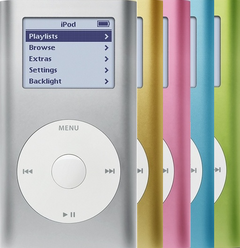
This guide covers the headphone jack of the iPod Mini 1st Gen (2004) and 2nd Gen (2005), model A1051. On the Mini the jack and the Hold switch share one small board at the top end, so the same part fixes sound that cuts out or plays in one ear and a Hold switch that is broken or stuck. One board fits both generations and every capacity. It has no cable: it presses straight onto a connector on the logic board, and the two top screws hold it to the case. That connector is the fragile point, so pry right beside it and never pull on the board.
Before you start
- Rule out the plug and the headphonesPush the plug all the way in and try another pair of headphones. If it still plays in one ear, or the sound crackles or drops out when you move the plug gently, the jack is the likely fault. A Hold switch that is broken, stuck, or leaves the iPod locked with the switch off is fixed by the same board.
- Check the battery for swellingDark or pressure spots on the screen, or a wheel that scrolls by itself, can mean the battery is swelling: stop charging it and never press on it. Replace it first (see our battery guide) rather than lifting a swollen battery aside for this job. If the iPod is very hot or smells, don't open it: unplug it, set it on a non-flammable surface away from anything that can burn, keep a container of dry sand nearby, leave it until it is cool and contact us.
- Set up a safe benchWork on a non-flammable surface with a container of dry sand within reach. If the battery smokes, sparks, hisses, pops or suddenly swells, pour all of the sand over it in one go, then get out of the room and let fresh air in. If it keeps burning or anything else catches fire, call the fire service. Don't go back for half an hour, and don't touch the iPod until then.
- Run it down and ground yourselfIf there's no sign of swelling, play it until the battery is nearly flat: a cell with little charge is much less likely to catch fire if it gets damaged. Wear an anti-static strap or work on an anti-static mat, or at least touch bare metal first, and leave the replacement board in its bag until you fit it.
Tools
- Phillips #00 screwdriverFor the two screws under the top cap, which also hold the jack board.
- Thin plastic pry toolFor the caps. Our jack board comes with one.
- SpudgerPlastic, for the click wheel plug and for lifting the jack board.
- Small snap-ring pliers or a small flat toolFor the metal bracket's corner arms.
- Hair dryerOn low, a few seconds on the top cap's glue only.
- TweezersGuide the insides back into the tube. Keep metal tips off the battery plug.
- Anti-static wrist strap or matThe logic board is bare once it is out of the tube.
- HeadphonesA pair you know works, for the test.
Step by step
New to opening this iPod? How to open the iPod Mini 1st/2nd Gen
-
Step 1: Lock it
Unplug any cable, then slide Hold on and let the screen go blank. You'll set the replacement board's switch to this same Hold side later.
-
Step 2: Top cap and two screws off
Give the glued top cap a brief burst of warm air from a hair dryer on low, aimed at the cap only, then lift it a little at a time round the seam. Take out the two Phillips #00 screws under it: they are what holds the jack board to the case. Our opening guide shows each move.
-
Step 3: Bottom cap, bracket and wheel plug off
Pry the bottom cap off at points where there are no clips, squeeze the corner arms of the metal bracket and lift it out, then lift the orange click wheel plug straight off its socket. It has no latch, so keep the tool right at the plug.
-
Step 4: Slide the insides out
From the bottom opening, push evenly on the board near the lower edge of the click wheel. Once it is partway out of the top, hold the board by its two long edges, either side of the screen, and slide it the rest of the way. Never pull on the little headphone jack board up at the top end: its plug into the logic board breaks easily. The click wheel stays in the tube.
If it binds, don't force it: a swollen battery is a common reason, and forcing can scrape tiny parts off the board. Ease off and push again evenly with a slight wiggle. If it still won't come, stop and contact us.
-
Step 5: Unplug the battery and move it aside
Turn the assembly over: the battery lies on the back of the board. Steady its socket with a fingertip, lift the small white plug straight up by its body, never by the wires. Then peel the battery gently off its small sticky pad, if it has one, with your fingers or a plastic tool, and lay it to one side. Never put anything metal under it and never bend it: a punctured cell can catch fire.
-
Step 6: Lift the old jack board off
The small jack board sits at the top end, pressed onto a connector on the logic board. Slide the spudger under it right beside that connector and lift it straight off.
Prying away from the connector, or pulling on the board, can tear the connector off the logic board. Then the fix is a replacement logic board.
-
Step 7: Set the replacement board's Hold switch
Move the Hold switch on the replacement board to the Hold side, where you set it in step 1. You'll line the top cap's slider up with it in step 12.
-
Step 8: Press the replacement board on
Line it up over the connector and press it straight down until it is fully seated. A board that is only partly on leaves both the jack and the Hold switch dead.
-
Step 9: Plug the battery back in
Line the plug up on the socket's pins and press it in with light pressure only. Lay the battery back on the board with its wires tucked in.
-
Step 10: Slide it back and refit the screws
Feed the insides back in from the top, gently, guiding with tweezers from the bottom. Hold the board by its long edges, either side of the screen, and never push or pull on the little jack board at the top end. Put the two screws back through the jack board, just snug. Press the wheel plug fully onto its socket and clip the bracket back in.
-
Step 11: Test before the caps go on
Slide Hold off first: with the top cap off, move the switch itself. Turn the iPod on (center button on a 1st Gen, any button on a 2nd Gen) and play a song through headphones. Move the plug gently: the sound shouldn't cut out or drop to one ear. Slide Hold on and off and check that the buttons lock and unlock. Try the wheel and all five buttons, since the wheel plug was off.
Connect a charger (a wall charger for a 1st Gen) to check it charges, then unplug it: it must keep running on its battery. Finish with the switch on the Hold side, to match the cap's slider.
-
Step 12: Caps back on
Fit the bottom cap with its pins lined up, so they can't cut the click wheel ribbon, then check that the top cap's slider is on the Hold side too and press the cap on. Slide Hold once more to check it. The opening guide gives three ways to make the caps stay; our parts come without adhesive.
Close it up and test
- Clear sound in both earsNo crackle or dropouts when the plug moves.
- Hold works through the capThe slider locks and unlocks the buttons.
- Everything else worksWheel, buttons and charging.
If it doesn't work afterwards
- No sound, or Hold does nothing
- If Hold does nothing through the cap, take the top cap off and check that its slider sits on the switch. If there's no sound, or Hold does nothing even when you move the switch itself, the jack board may not be fully pressed onto its connector: unplug any charger, open it again, unplug the battery, press the board home, then plug the battery back in last. Headphone jack not working
- Still one ear only
- If the sound comes from one side even with the replacement jack and another pair of headphones, the replacement jack is likely faulty. iPod only plays in one ear
- Still no sound with the replacement jack
- No sound from headphones or a speaker dock, with the jack board fully on, points to the logic board. No sound from the iPod
- It stays on Hold
- With a good switch and jack board fully on, a Mini that stays locked may be damaged where the jack board plugs into the logic board. An iPod that switches off when you slide Hold is most likely a logic board fault too, with the microdrive next. Hold switch not working
- The connector came off the board
- A replacement jack can't fix that. Our fix is a replacement logic board: an original Apple board rather than a soldered-on aftermarket connector. Free repair quote
- The wheel or buttons don't respond
- Unplug any charger, then check the click wheel plug is fully on and the metal bracket went back in. Click wheel not working
- It gets very hot or smells
- Unplug it, leave it closed on a non-flammable surface and contact us; don't open it again to look. Warmth at the bottom while it plays or charges is normal. Free repair quote
Questions
Is the Hold switch part of the headphone jack?
Yes. On the Mini both sit on one small board, so a broken Hold switch is fixed with a replacement jack board.
Do the 1st Gen and 2nd Gen take the same jack?
Yes. One board, part number 820-1597-A, fits every Mini of either generation and capacity.
Do I need to solder?
No. The board presses onto its connector; nothing is soldered.
Can you do it for me?
Yes. Choose We Fix It on the headphone jack page and mail your iPod in. We fit the board and send it back, typically in 3 to 5 business days, with a 1-year limited warranty.