
Screen
iPod scratches
Scratched screen window or scratched back? Pick what you want to fix and your model to see the replacement part and what it costs.
What exactly happens?
Which iPod do you have?
Most common causes, by model
Also searched as scratched iPod · scratch · scratch remover · scratch removal · remove scratches
Scratches on the screen are on the clear window in front of it, not on the screen itself. Light scuffs on a plastic window can be polished out with a polish made for clear plastic, though it takes several rounds and can leave fine marks of its own (toothpaste is too harsh); deep scratches need a new front: the faceplate (front panel on the 3rd and 4th Gen, glass lens on the Mini). A scratched back needs a new backplate (housing on the Mini).
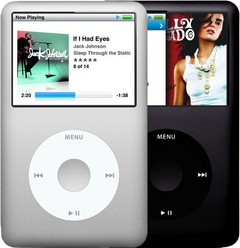
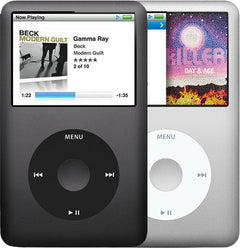
iPod Classic (A1238) scratchesiPod Classic 6th Gen (A1238) scratchesiPod Classic 7th Gen (A1238) scratches
Most likely: Cracked or scratched faceplateNext: Scratched or dented backplate
-
Most likely
Cracked or scratched faceplate
The clear window over the screen is part of the faceplate. Light scuffs on the plastic window can often be polished out. If it is cracked or deeply scratched but the picture under it is fine, a new faceplate makes the front like new.
Replacement Faceplate
For the iPod Classic 6th Gen
Black · Silver · Custom color
Replacement Faceplate
For the iPod Classic 7th Gen
Dark gray · Silver · Custom color
Step-by-step guide iPod Classic 6th/7th Gen front panel and metal frame replacement (13 steps)
-
Next most likely
Scratched or dented backplate
The polished metal back scratches and dents easily. A new backplate makes the back like new.
Free check first Check the depth before ordering: the two 160GB versions differ in depth, so note whether yours is thin or thick (the back comes in both) along with the capacity on the back.
Replacement Backplate
For the iPod Classic 6th Gen
80GB · 120GB · 160GB · Custom color, thin · Custom color, thick
Replacement Backplate
For the iPod Classic 7th Gen
160GB · Custom color
Step-by-step guide iPod Classic 6th/7th Gen back panel and dock bezel replacement (12 steps)
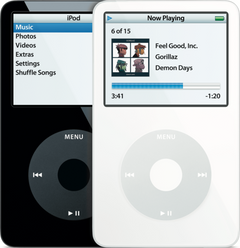
iPod Video (A1136) scratchesiPod Video 5th Gen (A1136) scratches
Most likely: Cracked or scratched faceplateNext: Scratched or dented backplate
-
Most likely
Cracked or scratched faceplate
The clear window over the screen is part of the faceplate. Light scuffs on the plastic window can often be polished out. If it is cracked or deeply scratched but the picture under it is fine, a new faceplate makes the front like new.
Replacement Faceplate
Black · White · Custom color
Step-by-step guide iPod Video 5th Gen front panel replacement (14 steps)
-
Next most likely
Scratched or dented backplate
The polished metal back scratches and dents easily. A new backplate makes the back like new.
Replacement Backplate
30GB · 60GB · 80GB · Custom color, thin · Custom color, thick
Step-by-step guide iPod Video 5th Gen back panel replacement (14 steps)
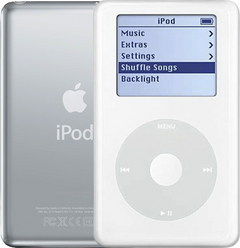
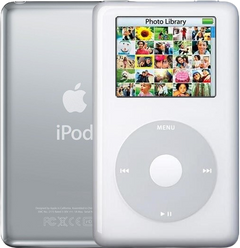
iPod 4th Gen or iPod Photo (A1059 and A1099) scratchesiPod 4th Gen (A1059) scratchesiPod Photo (A1099) scratches
Most likely: Cracked or scratched front panelNext: Cracked or scratched faceplate · 1 more cause
-
Most likely
Cracked or scratched front panel
iPod 4th Gen only
The clear window over the screen is part of the front panel. Light scuffs on the plastic window can often be polished out. If it is cracked or deeply scratched but the picture under it is fine, a new front panel makes the front like new.
Step-by-step guide iPod 4th Gen and iPod Photo front panel replacement (15 steps)
-
Next most likely
Cracked or scratched faceplate
iPod Photo only
The clear window over the screen is part of the faceplate. Light scuffs on the plastic window can often be polished out. If it is cracked or deeply scratched but the picture under it is fine, a new faceplate makes the front like new.
Step-by-step guide iPod 4th Gen and iPod Photo front panel replacement (15 steps)
-
Also possible
Scratched or dented backplate
The polished metal back scratches and dents easily. A new backplate makes the back like new.
Replacement Backplate
For the iPod 4th Gen
20GB · 40GB
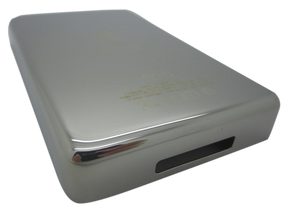
Replacement Backplate
For the iPod Photo
20GB · 30GB · 40GB · 60GB
Step-by-step guide iPod 4th Gen and iPod Photo back panel replacement (11 steps)
iPod Mini (A1051) scratchesiPod Mini 1st Gen (A1051) scratchesiPod Mini 2nd Gen (A1051) scratches
Most likely: Cracked or scratched glass lensNext: Scratched or dented housing
-
Most likely
Cracked or scratched glass lens
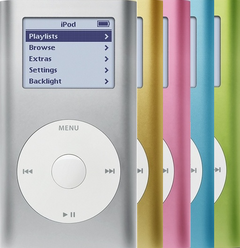
The Mini has a separate glass lens over the screen. If it is cracked or scratched but the picture under it is fine, a new glass lens fixes it.
Replacement Glass Display Lens
For the iPod Mini 1st Gen
Replacement Glass Display Lens
For the iPod Mini 2nd Gen
-
Next most likely
Scratched or dented housing
The Mini's aluminum housing is its whole outer shell. A new housing makes it like new, in an original color or a custom one.
Replacement Housing
For the iPod Mini 1st Gen
Gray · Light blue · Light green · Light pink · Custom color
Replacement Housing
For the iPod Mini 2nd Gen
Blue · Green · Pink · Silver · Custom color
Step-by-step guide iPod Mini 1st/2nd Gen housing replacement (13 steps)
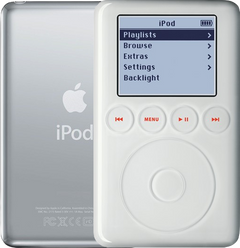
iPod 3rd Gen (A1040) scratchesiPod 3rd Gen (A1040) scratches
Most likely: Cracked or scratched front panelNext: Scratched or dented backplate
-
Most likely
Cracked or scratched front panel
The clear window over the screen is part of the front panel, which on the 3rd Gen also holds the touch wheel. Light scuffs on the plastic window can often be polished out. If it is cracked or deeply scratched but the picture under it is fine, a new front panel makes the front like new.
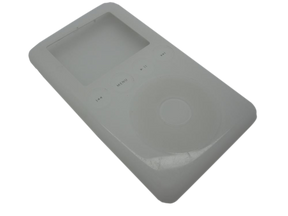
Replacement Front Panel with Touch Wheel (White)
-
Next most likely
Scratched or dented backplate
The polished metal back scratches and dents easily. A new backplate makes the back like new.
Replacement Backplate
10GB · 15GB · 20GB · 30GB · 40GB
Step-by-step guide iPod 3rd Gen back panel replacement (13 steps)
Scratched screen
Also searched as screen scratch · screen scratches · remove scratches from screen · screen scratch repair
The scratches are on the clear window in front of the screen: a new faceplate (front panel on the 3rd and 4th Gen, glass lens on the Mini) makes it clear again.
iPod Classic 6th and 7th GeniPod Classic 6th GeniPod Classic 7th Gen
Most likely: Cracked or scratched faceplate
-
Most likely
Cracked or scratched faceplate
The clear window over the screen is part of the faceplate. Light scuffs on the plastic window can often be polished out. If it is cracked or deeply scratched but the picture under it is fine, a new faceplate makes the front like new.
Replacement Faceplate
For the iPod Classic 6th Gen
Black · Silver · Custom color
Replacement Faceplate
For the iPod Classic 7th Gen
Dark gray · Silver · Custom color
Step-by-step guide iPod Classic 6th/7th Gen front panel and metal frame replacement (13 steps)
iPod Video 5th GeniPod Video 5th Gen
Most likely: Cracked or scratched faceplate
-
Most likely
Cracked or scratched faceplate
The clear window over the screen is part of the faceplate. Light scuffs on the plastic window can often be polished out. If it is cracked or deeply scratched but the picture under it is fine, a new faceplate makes the front like new.
Replacement Faceplate
Black · White · Custom color
Step-by-step guide iPod Video 5th Gen front panel replacement (14 steps)
iPod 4th Gen and iPod PhotoiPod 4th GeniPod Photo
Most likely: Cracked or scratched front panelNext: Cracked or scratched faceplate
-
Most likely
Cracked or scratched front panel
iPod 4th Gen only
The clear window over the screen is part of the front panel. Light scuffs on the plastic window can often be polished out. If it is cracked or deeply scratched but the picture under it is fine, a new front panel makes the front like new.
Step-by-step guide iPod 4th Gen and iPod Photo front panel replacement (15 steps)
-
Next most likely
Cracked or scratched faceplate
iPod Photo only
The clear window over the screen is part of the faceplate. Light scuffs on the plastic window can often be polished out. If it is cracked or deeply scratched but the picture under it is fine, a new faceplate makes the front like new.
Step-by-step guide iPod 4th Gen and iPod Photo front panel replacement (15 steps)
iPod Mini 1st and 2nd GeniPod Mini 1st GeniPod Mini 2nd Gen
Most likely: Cracked or scratched glass lens
-
Most likely
Cracked or scratched glass lens
The Mini has a separate glass lens over the screen. If it is cracked or scratched but the picture under it is fine, a new glass lens fixes it.
Replacement Glass Display Lens
For the iPod Mini 1st Gen
Replacement Glass Display Lens
For the iPod Mini 2nd Gen
iPod 3rd GeniPod 3rd Gen
Most likely: Cracked or scratched front panel
-
Most likely
Cracked or scratched front panel
The clear window over the screen is part of the front panel, which on the 3rd Gen also holds the touch wheel. Light scuffs on the plastic window can often be polished out. If it is cracked or deeply scratched but the picture under it is fine, a new front panel makes the front like new.
Replacement Front Panel with Touch Wheel (White)
Back scratches
Also searched as remove scratches from back · back scratch remover
The polished metal back scratches easily: a new backplate (on the Mini, a new housing) makes it like new.
iPod Classic 6th and 7th GeniPod Classic 6th GeniPod Classic 7th Gen
Most likely: Scratched or dented backplate
-
Most likely
Scratched or dented backplate
The polished metal back scratches and dents easily. A new backplate makes the back like new.
Free check first Check the depth before ordering: the two 160GB versions differ in depth, so note whether yours is thin or thick (the back comes in both) along with the capacity on the back.
Replacement Backplate
For the iPod Classic 6th Gen
80GB · 120GB · 160GB · Custom color, thin · Custom color, thick
Replacement Backplate
For the iPod Classic 7th Gen
160GB · Custom color
Step-by-step guide iPod Classic 6th/7th Gen back panel and dock bezel replacement (12 steps)
iPod Video 5th GeniPod Video 5th Gen
Most likely: Scratched or dented backplate
-
Most likely
Scratched or dented backplate
The polished metal back scratches and dents easily. A new backplate makes the back like new.
Replacement Backplate
30GB · 60GB · 80GB · Custom color, thin · Custom color, thick
Step-by-step guide iPod Video 5th Gen back panel replacement (14 steps)
iPod 4th Gen and iPod PhotoiPod 4th GeniPod Photo
Most likely: Scratched or dented backplate
-
Most likely
Scratched or dented backplate
The polished metal back scratches and dents easily. A new backplate makes the back like new.
Replacement Backplate
For the iPod 4th Gen
20GB · 40GB
Replacement Backplate
For the iPod Photo
20GB · 30GB · 40GB · 60GB
Step-by-step guide iPod 4th Gen and iPod Photo back panel replacement (11 steps)
iPod Mini 1st and 2nd GeniPod Mini 1st GeniPod Mini 2nd Gen
Most likely: Scratched or dented housing
-
Most likely
Scratched or dented housing
The Mini's aluminum housing is its whole outer shell. A new housing makes it like new, in an original color or a custom one.
Replacement Housing
For the iPod Mini 1st Gen
Gray · Light blue · Light green · Light pink · Custom color
Replacement Housing
For the iPod Mini 2nd Gen
Blue · Green · Pink · Silver · Custom color
Step-by-step guide iPod Mini 1st/2nd Gen housing replacement (13 steps)
iPod 3rd GeniPod 3rd Gen
Most likely: Scratched or dented backplate
-
Most likely
Scratched or dented backplate
The polished metal back scratches and dents easily. A new backplate makes the back like new.
Replacement Backplate
10GB · 15GB · 20GB · 30GB · 40GB
Step-by-step guide iPod 3rd Gen back panel replacement (13 steps)
Not sure — free diagnostic
Mail us your iPod and we test it and send you a free repair quote. If you don't like the price, we ship it back at our expense.
Free
Which iPod do you have?
The page shows the causes for the iPod you pick.
Not sure which one? Identify your iPod