
Accidents & repairs
iPod got wet
Got wet, dropped in water or went through the washing machine? Pick what happened and your model to see what to do first, then the likely damage and what each fix costs.
What exactly happens?
Which iPod do you have?
Most common causes, by model
Also searched as gets wet · water damage · water damaged iPod · water damage repair · fix a water damaged iPod · fix water damaged iPod · repair a water damaged iPod · dry a wet iPod · wet iPod drying
Act fast: unplug every cable, turn it off and slide the Hold switch to HOLD, then let it dry completely before you turn it on again (Apple). Ideally the iPod is opened right away and dried properly inside: otherwise corrosion can develop and ruin the logic board, so we recommend the free diagnostic.
Free checks first
- Unplug every cable, turn it off and slide the Hold switch to HOLD. Let it dry completely before you turn it on again.
- Don't plug it in to charge, even to see if it still works, until it is completely dry: Apple warns that charging when moisture is present can cause electric shock.
- A bag of rice won't help: it doesn't remove the residue.
- Not sure water got inside? On the iPod Classic (6th and 7th Gen), shine a light down into the headphone jack: Apple says the dot at its base, normally white, turns red or pink once liquid has got in.
iPod Classic (A1238) got wetiPod Classic 6th Gen (A1238) got wetiPod Classic 7th Gen (A1238) got wet
-
Most likely
Corrosion on the logic board
Water left inside corrodes the logic board: the iPod won't turn on, won't charge, or acts up. A logic board that corrosion has damaged beyond cleaning needs replacing.
Free check first Look for corrosion in the dock connector first (its pins can be seen without opening the iPod); inside, check where the ribbons plug into the board (hard drive, headphone jack, click wheel, screen and battery cables): their pins often corrode. With the battery disconnected, clean the board and connectors with 90% or stronger isopropyl alcohol and let it dry completely.
Replacement Logic Board
-
Next most likely
Battery damaged by water
Water can damage the battery: it no longer charges or holds a charge. A new battery fixes it.
Replacement Battery (160GB)
Step-by-step guide iPod Classic 6th/7th Gen battery replacement (13 steps)
More causes on this page, depending on what happens
- Screen has failedScreen dark after getting wet
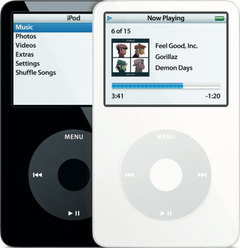
iPod Video (A1136) got wetiPod Video 5th Gen (A1136) got wet
-
Most likely
Corrosion on the logic board
Water left inside corrodes the logic board: the iPod won't turn on, won't charge, or acts up. A logic board that corrosion has damaged beyond cleaning needs replacing.
Free check first Look for corrosion in the dock connector first (its pins can be seen without opening the iPod); inside, check where the ribbons plug into the board (hard drive, headphone jack, click wheel, screen and battery cables): their pins often corrode. With the battery disconnected, clean the board and connectors with 90% or stronger isopropyl alcohol and let it dry completely.
Replacement Logic Board
30GB 5G · 30GB 5.5G Enhanced · 60GB 5G · 80GB 5.5G Enhanced
-
Next most likely
Battery damaged by water
Water can damage the battery: it no longer charges or holds a charge. A new battery fixes it.
Step-by-step guide iPod Video 5th Gen battery replacement (10 steps)
More causes on this page, depending on what happens
- Screen has failedScreen dark after getting wet
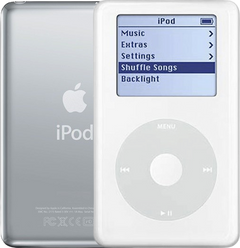
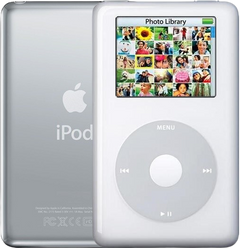
iPod 4th Gen or iPod Photo (A1059 and A1099) got wetiPod 4th Gen (A1059) got wetiPod Photo (A1099) got wet
-
Most likely
Corrosion on the logic board
Water left inside corrodes the logic board: the iPod won't turn on, won't charge, or acts up. A logic board that corrosion has damaged beyond cleaning needs replacing.
Free check first Look for corrosion in the dock connector first (its pins can be seen without opening the iPod); inside, check where the ribbons plug into the board (hard drive, headphone jack, click wheel, screen and battery cables): their pins often corrode. With the battery disconnected, clean the board and connectors with 90% or stronger isopropyl alcohol and let it dry completely.
Replacement Logic Board
Replacement Logic Board
Late 2004 to early 2005 · Mid-2005
-
Next most likely
Battery damaged by water
Water can damage the battery: it no longer charges or holds a charge. A new battery fixes it.
Replacement Battery (All Capacities)
Replacement Battery
Step-by-step guide iPod 4th Gen and iPod Photo battery replacement (13 steps)
More causes on this page, depending on what happens
- Screen has failedScreen dark after getting wet
iPod Mini (A1051) got wetiPod Mini 1st Gen (A1051) got wetiPod Mini 2nd Gen (A1051) got wet
-
Most likely
Corrosion on the logic board
Water left inside corrodes the logic board: the iPod won't turn on, won't charge, or acts up. A logic board that corrosion has damaged beyond cleaning needs replacing.
Free check first Look for corrosion in the dock connector first (its pins can be seen without opening the iPod); inside, check where the ribbons plug into the board (hard drive, click wheel, screen and battery cables) and the headphone jack board's connector: their pins often corrode. With the battery disconnected, clean the board and connectors with 90% or stronger isopropyl alcohol and let it dry completely.
Replacement Logic Board
Replacement Logic Board
-
Next most likely
Battery damaged by water
Water can damage the battery: it no longer charges or holds a charge. A new battery fixes it.
Replacement Battery
Replacement Battery
Step-by-step guide iPod Mini 1st/2nd Gen battery replacement (12 steps)
More causes on this page, depending on what happens
- Screen has failedScreen dark after getting wet
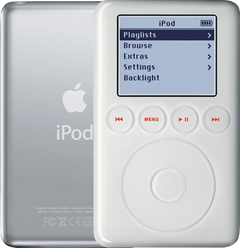
iPod 3rd Gen (A1040) got wetiPod 3rd Gen (A1040) got wet
-
Most likely
Corrosion on the logic board
Water left inside corrodes the logic board: the iPod won't turn on, won't charge, or acts up. A logic board that corrosion has damaged beyond cleaning needs replacing.
Free check first Look for corrosion in the dock connector first (its pins can be seen without opening the iPod); inside, check where the ribbons plug into the board (hard drive, headphone jack, touch wheel, screen and battery cables): their pins often corrode. With the battery disconnected, clean the board and connectors with 90% or stronger isopropyl alcohol and let it dry completely.
Replacement Logic Board
-
Next most likely
Battery damaged by water
Water can damage the battery: it no longer charges or holds a charge. A new battery fixes it.
Replacement Battery (All Capacities)
Step-by-step guide iPod 3rd Gen battery replacement (14 steps)
More causes on this page, depending on what happens
- Screen has failedScreen dark after getting wet
Dropped in water
Also searched as fell in water · i dropped my iPod in water · fell in toilet · dropped in toilet · fell into water
It fell into water: a sink, a toilet, a pool or a drink.
Free checks first
- Unplug every cable, turn it off and slide the Hold switch to HOLD. Let it dry completely before you turn it on again.
- Don't plug it in to charge, even to see if it still works, until it is completely dry: Apple warns that charging when moisture is present can cause electric shock.
iPod Classic 6th and 7th GeniPod Classic 6th GeniPod Classic 7th Gen
-
Most likely
Corrosion on the logic board
Water left inside corrodes the logic board: the iPod won't turn on, won't charge, or acts up. A logic board that corrosion has damaged beyond cleaning needs replacing.
Free check first Look for corrosion in the dock connector first (its pins can be seen without opening the iPod); inside, check where the ribbons plug into the board (hard drive, headphone jack, click wheel, screen and battery cables): their pins often corrode. With the battery disconnected, clean the board and connectors with 90% or stronger isopropyl alcohol and let it dry completely.
Replacement Logic Board
-
Next most likely
Battery damaged by water
Water can damage the battery: it no longer charges or holds a charge. A new battery fixes it.
Replacement Battery (160GB)
Step-by-step guide iPod Classic 6th/7th Gen battery replacement (13 steps)
iPod Video 5th GeniPod Video 5th Gen
-
Most likely
Corrosion on the logic board
Water left inside corrodes the logic board: the iPod won't turn on, won't charge, or acts up. A logic board that corrosion has damaged beyond cleaning needs replacing.
Free check first Look for corrosion in the dock connector first (its pins can be seen without opening the iPod); inside, check where the ribbons plug into the board (hard drive, headphone jack, click wheel, screen and battery cables): their pins often corrode. With the battery disconnected, clean the board and connectors with 90% or stronger isopropyl alcohol and let it dry completely.
Replacement Logic Board
30GB 5G · 30GB 5.5G Enhanced · 60GB 5G · 80GB 5.5G Enhanced
-
Next most likely
Battery damaged by water
Water can damage the battery: it no longer charges or holds a charge. A new battery fixes it.
Step-by-step guide iPod Video 5th Gen battery replacement (10 steps)
iPod 4th Gen and iPod PhotoiPod 4th GeniPod Photo
-
Most likely
Corrosion on the logic board
Water left inside corrodes the logic board: the iPod won't turn on, won't charge, or acts up. A logic board that corrosion has damaged beyond cleaning needs replacing.
Free check first Look for corrosion in the dock connector first (its pins can be seen without opening the iPod); inside, check where the ribbons plug into the board (hard drive, headphone jack, click wheel, screen and battery cables): their pins often corrode. With the battery disconnected, clean the board and connectors with 90% or stronger isopropyl alcohol and let it dry completely.
Replacement Logic Board
Replacement Logic Board
Late 2004 to early 2005 · Mid-2005
-
Next most likely
Battery damaged by water
Water can damage the battery: it no longer charges or holds a charge. A new battery fixes it.
Replacement Battery (All Capacities)
Replacement Battery
Step-by-step guide iPod 4th Gen and iPod Photo battery replacement (13 steps)
iPod Mini 1st and 2nd GeniPod Mini 1st GeniPod Mini 2nd Gen
-
Most likely
Corrosion on the logic board
Water left inside corrodes the logic board: the iPod won't turn on, won't charge, or acts up. A logic board that corrosion has damaged beyond cleaning needs replacing.
Free check first Look for corrosion in the dock connector first (its pins can be seen without opening the iPod); inside, check where the ribbons plug into the board (hard drive, click wheel, screen and battery cables) and the headphone jack board's connector: their pins often corrode. With the battery disconnected, clean the board and connectors with 90% or stronger isopropyl alcohol and let it dry completely.
Replacement Logic Board
Replacement Logic Board
-
Next most likely
Battery damaged by water
Water can damage the battery: it no longer charges or holds a charge. A new battery fixes it.
Replacement Battery
Replacement Battery
Step-by-step guide iPod Mini 1st/2nd Gen battery replacement (12 steps)
iPod 3rd GeniPod 3rd Gen
-
Most likely
Corrosion on the logic board
Water left inside corrodes the logic board: the iPod won't turn on, won't charge, or acts up. A logic board that corrosion has damaged beyond cleaning needs replacing.
Free check first Look for corrosion in the dock connector first (its pins can be seen without opening the iPod); inside, check where the ribbons plug into the board (hard drive, headphone jack, touch wheel, screen and battery cables): their pins often corrode. With the battery disconnected, clean the board and connectors with 90% or stronger isopropyl alcohol and let it dry completely.
Replacement Logic Board
-
Next most likely
Battery damaged by water
Water can damage the battery: it no longer charges or holds a charge. A new battery fixes it.
Replacement Battery (All Capacities)
Step-by-step guide iPod 3rd Gen battery replacement (14 steps)
Went through washing machine
Also searched as washing machine · washed in washing machine · in washing machine · got washed in washing machine · in washer · washer machine · washer
It went through the washing machine.
Free checks first
- Unplug every cable, turn it off and slide the Hold switch to HOLD. Let it dry completely before you turn it on again.
- Don't plug it in to charge, even to see if it still works, until it is completely dry: Apple warns that charging when moisture is present can cause electric shock.
iPod Classic 6th and 7th GeniPod Classic 6th GeniPod Classic 7th Gen
-
Most likely
Corrosion on the logic board
Water left inside corrodes the logic board: the iPod won't turn on, won't charge, or acts up. A logic board that corrosion has damaged beyond cleaning needs replacing.
Free check first Look for corrosion in the dock connector first (its pins can be seen without opening the iPod); inside, check where the ribbons plug into the board (hard drive, headphone jack, click wheel, screen and battery cables): their pins often corrode. With the battery disconnected, clean the board and connectors with 90% or stronger isopropyl alcohol and let it dry completely.
Replacement Logic Board
-
Next most likely
Battery damaged by water
Water can damage the battery: it no longer charges or holds a charge. A new battery fixes it.
Replacement Battery (160GB)
Step-by-step guide iPod Classic 6th/7th Gen battery replacement (13 steps)
iPod Video 5th GeniPod Video 5th Gen
-
Most likely
Corrosion on the logic board
Water left inside corrodes the logic board: the iPod won't turn on, won't charge, or acts up. A logic board that corrosion has damaged beyond cleaning needs replacing.
Free check first Look for corrosion in the dock connector first (its pins can be seen without opening the iPod); inside, check where the ribbons plug into the board (hard drive, headphone jack, click wheel, screen and battery cables): their pins often corrode. With the battery disconnected, clean the board and connectors with 90% or stronger isopropyl alcohol and let it dry completely.
Replacement Logic Board
30GB 5G · 30GB 5.5G Enhanced · 60GB 5G · 80GB 5.5G Enhanced
-
Next most likely
Battery damaged by water
Water can damage the battery: it no longer charges or holds a charge. A new battery fixes it.
Step-by-step guide iPod Video 5th Gen battery replacement (10 steps)
iPod 4th Gen and iPod PhotoiPod 4th GeniPod Photo
-
Most likely
Corrosion on the logic board
Water left inside corrodes the logic board: the iPod won't turn on, won't charge, or acts up. A logic board that corrosion has damaged beyond cleaning needs replacing.
Free check first Look for corrosion in the dock connector first (its pins can be seen without opening the iPod); inside, check where the ribbons plug into the board (hard drive, headphone jack, click wheel, screen and battery cables): their pins often corrode. With the battery disconnected, clean the board and connectors with 90% or stronger isopropyl alcohol and let it dry completely.
Replacement Logic Board
Replacement Logic Board
Late 2004 to early 2005 · Mid-2005
-
Next most likely
Battery damaged by water
Water can damage the battery: it no longer charges or holds a charge. A new battery fixes it.
Replacement Battery (All Capacities)
Replacement Battery
Step-by-step guide iPod 4th Gen and iPod Photo battery replacement (13 steps)
iPod Mini 1st and 2nd GeniPod Mini 1st GeniPod Mini 2nd Gen
-
Most likely
Corrosion on the logic board
Water left inside corrodes the logic board: the iPod won't turn on, won't charge, or acts up. A logic board that corrosion has damaged beyond cleaning needs replacing.
Free check first Look for corrosion in the dock connector first (its pins can be seen without opening the iPod); inside, check where the ribbons plug into the board (hard drive, click wheel, screen and battery cables) and the headphone jack board's connector: their pins often corrode. With the battery disconnected, clean the board and connectors with 90% or stronger isopropyl alcohol and let it dry completely.
Replacement Logic Board
Replacement Logic Board
-
Next most likely
Battery damaged by water
Water can damage the battery: it no longer charges or holds a charge. A new battery fixes it.
Replacement Battery
Replacement Battery
Step-by-step guide iPod Mini 1st/2nd Gen battery replacement (12 steps)
iPod 3rd GeniPod 3rd Gen
-
Most likely
Corrosion on the logic board
Water left inside corrodes the logic board: the iPod won't turn on, won't charge, or acts up. A logic board that corrosion has damaged beyond cleaning needs replacing.
Free check first Look for corrosion in the dock connector first (its pins can be seen without opening the iPod); inside, check where the ribbons plug into the board (hard drive, headphone jack, touch wheel, screen and battery cables): their pins often corrode. With the battery disconnected, clean the board and connectors with 90% or stronger isopropyl alcohol and let it dry completely.
Replacement Logic Board
-
Next most likely
Battery damaged by water
Water can damage the battery: it no longer charges or holds a charge. A new battery fixes it.
Replacement Battery (All Capacities)
Step-by-step guide iPod 3rd Gen battery replacement (14 steps)
Got wet and won't turn on
If it stopped working when it got wet, the logic board is the most likely fault (corrosion).
Free checks first
- Unplug every cable, turn it off and slide the Hold switch to HOLD. Let it dry completely before you turn it on again.
- Don't plug it in to charge, even to see if it still works, until it is completely dry: Apple warns that charging when moisture is present can cause electric shock.
iPod Classic 6th and 7th GeniPod Classic 6th GeniPod Classic 7th Gen
-
Most likely
Corrosion on the logic board
Water left inside corrodes the logic board: the iPod won't turn on, won't charge, or acts up. A logic board that corrosion has damaged beyond cleaning needs replacing.
Free check first Look for corrosion in the dock connector first (its pins can be seen without opening the iPod); inside, check where the ribbons plug into the board (hard drive, headphone jack, click wheel, screen and battery cables): their pins often corrode. With the battery disconnected, clean the board and connectors with 90% or stronger isopropyl alcohol and let it dry completely.
Replacement Logic Board
-
Next most likely
Battery damaged by water
Water can damage the battery: it no longer charges or holds a charge. A new battery fixes it.
Replacement Battery (160GB)
Step-by-step guide iPod Classic 6th/7th Gen battery replacement (13 steps)
iPod Video 5th GeniPod Video 5th Gen
-
Most likely
Corrosion on the logic board
Water left inside corrodes the logic board: the iPod won't turn on, won't charge, or acts up. A logic board that corrosion has damaged beyond cleaning needs replacing.
Free check first Look for corrosion in the dock connector first (its pins can be seen without opening the iPod); inside, check where the ribbons plug into the board (hard drive, headphone jack, click wheel, screen and battery cables): their pins often corrode. With the battery disconnected, clean the board and connectors with 90% or stronger isopropyl alcohol and let it dry completely.
Replacement Logic Board
30GB 5G · 30GB 5.5G Enhanced · 60GB 5G · 80GB 5.5G Enhanced
-
Next most likely
Battery damaged by water
Water can damage the battery: it no longer charges or holds a charge. A new battery fixes it.
Step-by-step guide iPod Video 5th Gen battery replacement (10 steps)
iPod 4th Gen and iPod PhotoiPod 4th GeniPod Photo
-
Most likely
Corrosion on the logic board
Water left inside corrodes the logic board: the iPod won't turn on, won't charge, or acts up. A logic board that corrosion has damaged beyond cleaning needs replacing.
Free check first Look for corrosion in the dock connector first (its pins can be seen without opening the iPod); inside, check where the ribbons plug into the board (hard drive, headphone jack, click wheel, screen and battery cables): their pins often corrode. With the battery disconnected, clean the board and connectors with 90% or stronger isopropyl alcohol and let it dry completely.
Replacement Logic Board
Replacement Logic Board
Late 2004 to early 2005 · Mid-2005
-
Next most likely
Battery damaged by water
Water can damage the battery: it no longer charges or holds a charge. A new battery fixes it.
Replacement Battery (All Capacities)
Replacement Battery
Step-by-step guide iPod 4th Gen and iPod Photo battery replacement (13 steps)
iPod Mini 1st and 2nd GeniPod Mini 1st GeniPod Mini 2nd Gen
-
Most likely
Corrosion on the logic board
Water left inside corrodes the logic board: the iPod won't turn on, won't charge, or acts up. A logic board that corrosion has damaged beyond cleaning needs replacing.
Free check first Look for corrosion in the dock connector first (its pins can be seen without opening the iPod); inside, check where the ribbons plug into the board (hard drive, click wheel, screen and battery cables) and the headphone jack board's connector: their pins often corrode. With the battery disconnected, clean the board and connectors with 90% or stronger isopropyl alcohol and let it dry completely.
Replacement Logic Board
Replacement Logic Board
-
Next most likely
Battery damaged by water
Water can damage the battery: it no longer charges or holds a charge. A new battery fixes it.
Replacement Battery
Replacement Battery
Step-by-step guide iPod Mini 1st/2nd Gen battery replacement (12 steps)
iPod 3rd GeniPod 3rd Gen
-
Most likely
Corrosion on the logic board
Water left inside corrodes the logic board: the iPod won't turn on, won't charge, or acts up. A logic board that corrosion has damaged beyond cleaning needs replacing.
Free check first Look for corrosion in the dock connector first (its pins can be seen without opening the iPod); inside, check where the ribbons plug into the board (hard drive, headphone jack, touch wheel, screen and battery cables): their pins often corrode. With the battery disconnected, clean the board and connectors with 90% or stronger isopropyl alcohol and let it dry completely.
Replacement Logic Board
-
Next most likely
Battery damaged by water
Water can damage the battery: it no longer charges or holds a charge. A new battery fixes it.
Replacement Battery (All Capacities)
Step-by-step guide iPod 3rd Gen battery replacement (14 steps)
Screen dark after getting wet
The screen stays dark after it got wet: most likely the logic board, but the screen itself is possible.
Free checks first
- Unplug every cable, turn it off and slide the Hold switch to HOLD. Let it dry completely before you turn it on again.
- Don't plug it in to charge, even to see if it still works, until it is completely dry: Apple warns that charging when moisture is present can cause electric shock.
iPod Classic 6th and 7th GeniPod Classic 6th GeniPod Classic 7th Gen
-
Most likely
Corrosion on the logic board
Water left inside corrodes the logic board: the iPod won't turn on, won't charge, or acts up. A logic board that corrosion has damaged beyond cleaning needs replacing.
Free check first Look for corrosion in the dock connector first (its pins can be seen without opening the iPod); inside, check where the ribbons plug into the board (hard drive, headphone jack, click wheel, screen and battery cables): their pins often corrode. With the battery disconnected, clean the board and connectors with 90% or stronger isopropyl alcohol and let it dry completely.
Replacement Logic Board
-
Next most likely
Screen has failed
If the iPod still plays music or shows up on a computer but the screen stays dark, the screen has failed or is not properly connected to the logic board.
Replacement Screen (LCD Display)
Replacement LCD Screen
Step-by-step guide iPod Classic 6th/7th Gen screen replacement (14 steps)
iPod Video 5th GeniPod Video 5th Gen
-
Most likely
Corrosion on the logic board
Water left inside corrodes the logic board: the iPod won't turn on, won't charge, or acts up. A logic board that corrosion has damaged beyond cleaning needs replacing.
Free check first Look for corrosion in the dock connector first (its pins can be seen without opening the iPod); inside, check where the ribbons plug into the board (hard drive, headphone jack, click wheel, screen and battery cables): their pins often corrode. With the battery disconnected, clean the board and connectors with 90% or stronger isopropyl alcohol and let it dry completely.
Replacement Logic Board
30GB 5G · 30GB 5.5G Enhanced · 60GB 5G · 80GB 5.5G Enhanced
-
Next most likely
Screen has failed
If the iPod still plays music or shows up on a computer but the screen stays dark, the screen has failed or is not properly connected to the logic board.
Step-by-step guide iPod Video 5th Gen screen replacement (16 steps)
iPod 4th Gen and iPod PhotoiPod 4th GeniPod Photo
-
Most likely
Corrosion on the logic board
Water left inside corrodes the logic board: the iPod won't turn on, won't charge, or acts up. A logic board that corrosion has damaged beyond cleaning needs replacing.
Free check first Look for corrosion in the dock connector first (its pins can be seen without opening the iPod); inside, check where the ribbons plug into the board (hard drive, headphone jack, click wheel, screen and battery cables): their pins often corrode. With the battery disconnected, clean the board and connectors with 90% or stronger isopropyl alcohol and let it dry completely.
Replacement Logic Board
Replacement Logic Board
Late 2004 to early 2005 · Mid-2005
-
Next most likely
Screen has failed
If the iPod still plays music or shows up on a computer but the screen stays dark, the screen has failed or is not properly connected to the logic board.
Replacement LCD Screen (2" Grayscale)
Replacement LCD Screen
Late 2004 to early 2005 · Mid-2005
Step-by-step guide iPod 4th Gen and iPod Photo screen replacement (16 steps)
iPod Mini 1st and 2nd GeniPod Mini 1st GeniPod Mini 2nd Gen
-
Most likely
Corrosion on the logic board
Water left inside corrodes the logic board: the iPod won't turn on, won't charge, or acts up. A logic board that corrosion has damaged beyond cleaning needs replacing.
Free check first Look for corrosion in the dock connector first (its pins can be seen without opening the iPod); inside, check where the ribbons plug into the board (hard drive, click wheel, screen and battery cables) and the headphone jack board's connector: their pins often corrode. With the battery disconnected, clean the board and connectors with 90% or stronger isopropyl alcohol and let it dry completely.
Replacement Logic Board
Replacement Logic Board
-
Next most likely
Screen has failed
If the iPod still plays music or shows up on a computer but the screen stays dark, the screen has failed or is not properly connected to the logic board.
Replacement LCD Screen (1.67" Grayscale)
Replacement LCD Screen (1.67" Grayscale)
Step-by-step guide iPod Mini 1st/2nd Gen screen replacement (14 steps)
iPod 3rd GeniPod 3rd Gen
-
Most likely
Corrosion on the logic board
Water left inside corrodes the logic board: the iPod won't turn on, won't charge, or acts up. A logic board that corrosion has damaged beyond cleaning needs replacing.
Free check first Look for corrosion in the dock connector first (its pins can be seen without opening the iPod); inside, check where the ribbons plug into the board (hard drive, headphone jack, touch wheel, screen and battery cables): their pins often corrode. With the battery disconnected, clean the board and connectors with 90% or stronger isopropyl alcohol and let it dry completely.
Replacement Logic Board
-
Next most likely
Screen has failed
If the iPod still plays music or shows up on a computer but the screen stays dark, the screen has failed or is not properly connected to the logic board.
Replacement LCD Screen (2" Monochrome)
Step-by-step guide iPod 3rd Gen screen replacement (16 steps)
Not sure — free diagnostic
Mail us your iPod and we test it and send you a free repair quote. If you don't like the price, we ship it back at our expense.
Free
Questions
Is the iPod Classic waterproof?
No. Apple's guides for these iPods say not to use them in or near water, in the rain or near a washbasin, and to keep drinks and other liquids away from them. If yours got wet, start with the steps above.
Can a water-damaged iPod be fixed?
It depends on how far the corrosion has got. Water left inside corrodes the logic board first, and it can also damage the battery so it no longer charges or holds a charge. The logic board needs replacing only if it still fails after cleaning, or the corrosion has eaten into it. That is why the iPod should ideally be opened and dried right away. We recommend the free diagnostic.
Which iPod do you have?
The page shows the causes for the iPod you pick.
Not sure which one? Identify your iPod