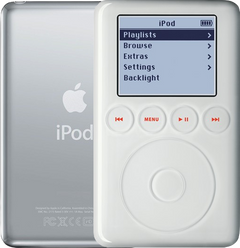
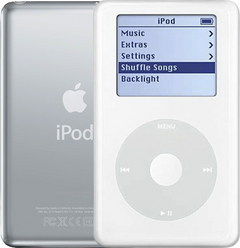
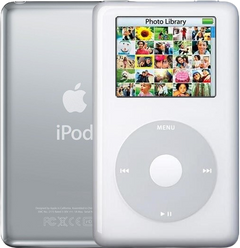
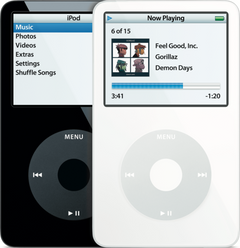
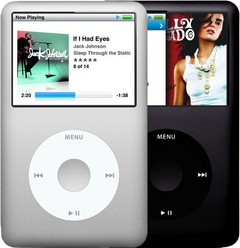
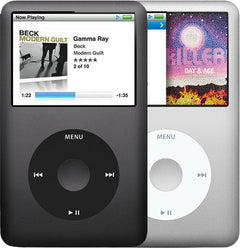
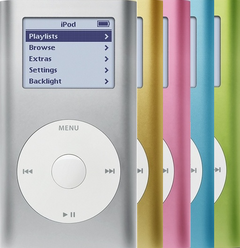


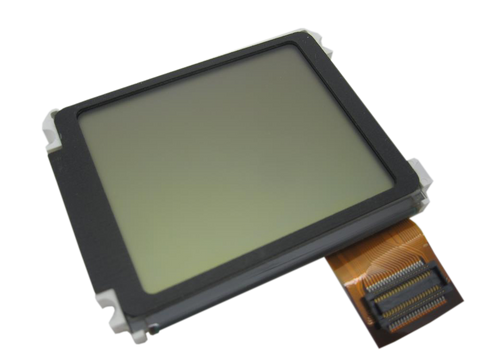
Representative photo. You receive the part named above.
Is this the right part?
For the iPod 3rd GenModel A1040
Doing it yourself?
iPod 3rd Gen hard drive replacement guide ›iPod 3G — Hard Drive IDE Ribbon Cable
For the iPod 3rd Gen
Used (Apple Original) · Model A1040

$27.90
Sold out
Not for sale right now
We are not selling this part at the moment.
- Used (Apple Original). Tested: installed in a working iPod and checked before it ships.
- 1-year limited warranty · 30-day returns from delivery
- Free pry tool in the box
- Completed repairs aren't refundable. If a part we fitted fails within a year, we repair it again.
- US shipping is about $6 to $9 by USPS Ground Advantage; free on orders of $200 or moreYou pay the postage to mail your iPod to us, or add our box and prepaid label. Shipping back to you is about $6 to $9 at checkout; free on orders of $200 or more
Questions about this part? Chat with us or email sales@imods.com.
Not sure what's wrong? Get your free repair quotePart details
About this part
Overview
Replacement internal cable for iPod 3G. Use it when the ribbon is creased, loose, or failing at the connector before blaming the whole attached assembly.
Fitment snapshot
What Is Included
What this part might fix
Help pages, step by step, for problems this part might fix:
Fit and specs
Specifications & Fitment
Part Details
| Detail | Value |
|---|---|
| Model Number | A1040 |
| EMC | EMC 1961 |
| Condition | Used — factory original Apple part. Normal cosmetic wear expected. |
| Interface | Parallel ATA (IDE) ribbon; 50-pin Toshiba MCD-D50 storage connector |
| Type | Flat ribbon cable |
Compatible Variants
| Order Number | Capacity | Color | Case | Compatible | Notes |
|---|---|---|---|---|---|
| M8976LL/A | 10GB | White | thin | Yes | — |
| M8946LL/A | 15GB | White | thin | Yes | — |
| M9460LL/A | 15GB | White | thin | Yes | — |
| M9244LL/A | 20GB | White | thin | Yes | — |
| M8948LL/A | 30GB | White | thick | Yes | — |
| M9245LL/A | 40GB | White | thick | Yes | — |
Install and repair
Step-by-step guide
iPod 3rd Gen hard drive replacement
Tools: Plastic opening tools (two), Plastic spudger, Anti-static wrist strap or mat, Soft cloth, FireWire charger, A computer with iTunes or the Finder
- Unplug it, switch it off, lock itUnplug any cable, then switch the iPod off: press and hold Play/Pause. Slide the Hold switch to locked, so the orange shows, and lay it face up on the cloth.
- Free the clipsAngle a plastic opening tool toward the steel back and work it into the seam near the middle of a long side. Release the clips from the middle toward each end, then down the other long side, then the two on the bottom edge. Our opening guide covers every move.
Install Overview
Rather not open it? Choose We Fix It above: mail your iPod in and we fit it. Turnaround is typically 1–3 business days on our bench. 1-year limited warranty.
Questions
Frequently Asked Questions
Restore & sync
Does a USB dock cable charge this iPod?
No. The 3rd generation charges over FireWire only. A USB dock cable fits the 30-pin port and syncs perfectly well, but Apple’s own user guide for this iPod says plainly: "You can’t charge iPod using USB." Use a FireWire wall adapter, a computer FireWire port, or the FireWire side of Apple’s combination cable — and note Apple’s own warning not to plug that cable’s USB and FireWire ends into the same computer at the same time. An iPod that seems dead on USB is very often only flat.
How do I reset this iPod, and how do I put it in Disk Mode?
Reset: slide Hold on and then off, then hold Menu + Play/Pause until the Apple logo appears. Disk Mode: do that reset, and as the logo appears hold Previous + Next until the Disk Mode screen shows. To leave Disk Mode, reset it again: Menu + Play/Pause until the Apple logo appears. This is a touch-wheel iPod, so the Menu + Select reset and the Center + Play/Pause Disk Mode that later click-wheel iPods use do nothing here.
Choosing and fitting this cable
Is 632-0219-A this cable?
No. 632-0219-A is the 3rd generation's touch-wheel and four-button flex, which belongs to the front panel, not to the storage. This drive ribbon carries no printed Apple number of its own, so identify it by shape: a flat orange ribbon running from the logic board to the 50-pin connector on the drive.
How do I choose the right hard-drive cable?
There is one hard-drive cable for this model — it serves every capacity and both case depths. Identify it by shape: a flat orange ribbon running from the logic board to the 50-pin connector on the drive.
When is the cable more likely than the drive?
A cable becomes more likely when it is creased, loose, corroded, or fails after reseating, especially if known-good storage still behaves the same way. On this model the cable is rarely the fault: if the drive is not to blame, the logic board is just as likely as the cable.
Is this an iPod Classic?
Apple's 'Classic' branding started with the 6th Generation (2007). This is the iPod 3rd Generation (2003), model A1040. Apple's official name for this model is iPod (Dock Connector).
Free diagnostic
Broken iPod? We can help.
Mail us your iPod and we will test it and send you a free repair quote. If you don't like our price, we will ship your iPod back at our expense.
How mail-in repair works
Order the free diagnostic
Choose your iPod. Add our shipping box and prepaid label if you need one.
Mail us your iPod
Pack it with your work order. No printer? Put a note in the box with your name, return address, email, iMods order number and what is wrong.
Approve your quote
We test it and email your free repair quote. Most repairs are finished within 1 to 3 business days after you approve the quote.