
iPod guide
iPod Video 5th and 5.5 Generation guide
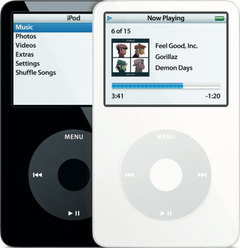
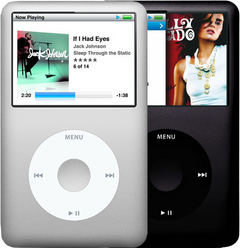
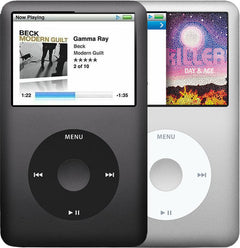
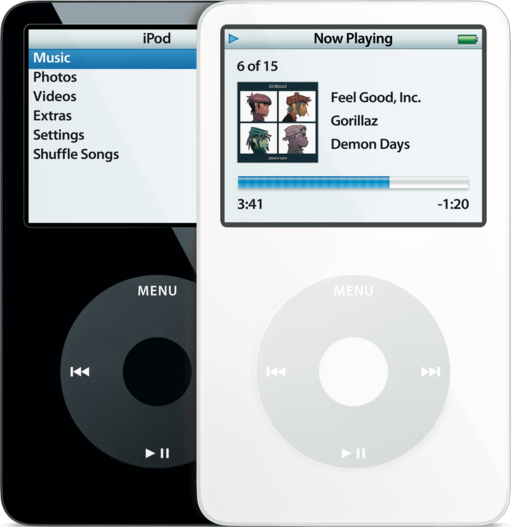
The iPod Video 5th Gen came out in October 2005 and was sold until September 2007, with a brighter Late 2006 update known as the 5.5 Gen or "Enhanced". Video playback reached a full-size iPod for the first time with this model, on a 2.5-inch color screen, and it pairs a white or black plastic front with a polished steel back, a 30GB, 60GB or 80GB hard drive inside and A1136 on the back. Owners ask most about the battery and the hard drive; headphone jack, charging port, screen and click wheel questions trail well behind.
Which one do you have?
Every iPod Video, original or Late 2006 update, has A1136 on its back, which means that number alone can't settle it. Capacity sorts most of them out; a 30GB needs a look at its menus or at Settings > About, which lists its order number.
| Detail | iPod Video 5th Gen (2005) | iPod Video 5.5 Gen "Enhanced" (Late 2006) |
|---|---|---|
| Sold | Oct 2005 to Sep 2006 (the U2 Special Edition from June 2006) | Sep 2006 to Sep 2007 (the U2 Special Edition from Sept 2006) |
| Model number | A1136 | A1136, the same as the 2005 model |
| Capacities | 30GB (thin case); 60GB (thick case) | 30GB (thin case); 80GB (thick case) |
| Order numbers | MA002LL/A white, MA146LL/A black, MA452LL/A U2 Special Edition (30GB); MA003LL/A white, MA147LL/A black (60GB) | MA444LL/A white, MA446LL/A black, MA664LL/A U2 Special Edition (30GB); MA448LL/A white, MA450LL/A black (80GB) |
| Case | Standard units: white or black plastic front, polished stainless steel back. U2 Special Edition: red click wheel on a black front, band signatures engraved on its back. 4.1 by 2.4 in; about 11 mm (0.43 in) deep and 4.8 oz for the 30GB, about 14 mm (0.55 in) and 5.5 oz for the 60GB | The same shell as the 2005 model. Standard units: white or black plastic front, polished stainless steel back. U2 Special Edition: red click wheel on a black front, band signatures engraved on its back. 0.43 in deep for the 30GB, 0.55 in for the 80GB |
| How to tell | Any 60GB. A 30GB with no Search item in the Music menu and no brightness setting; inside, its logic board reads 820-1763-A. | Any 80GB. A 30GB with a Search item in the Music menu and a brightness setting; inside, its logic board reads 820-1975-A. |
iPod Video 5th Gen (2005)
- Sold
- Oct 2005 to Sep 2006 (the U2 Special Edition from June 2006)
- Model number
- A1136
- Capacities
- 30GB (thin case); 60GB (thick case)
- Order numbers
- MA002LL/A white, MA146LL/A black, MA452LL/A U2 Special Edition (30GB); MA003LL/A white, MA147LL/A black (60GB)
- Case
- Standard units: white or black plastic front, polished stainless steel back. U2 Special Edition: red click wheel on a black front, band signatures engraved on its back. 4.1 by 2.4 in; about 11 mm (0.43 in) deep and 4.8 oz for the 30GB, about 14 mm (0.55 in) and 5.5 oz for the 60GB
- How to tell
- Any 60GB. A 30GB with no Search item in the Music menu and no brightness setting; inside, its logic board reads 820-1763-A.
iPod Video 5.5 Gen "Enhanced" (Late 2006)
- Sold
- Sep 2006 to Sep 2007 (the U2 Special Edition from Sept 2006)
- Model number
- A1136, the same as the 2005 model
- Capacities
- 30GB (thin case); 80GB (thick case)
- Order numbers
- MA444LL/A white, MA446LL/A black, MA664LL/A U2 Special Edition (30GB); MA448LL/A white, MA450LL/A black (80GB)
- Case
- The same shell as the 2005 model. Standard units: white or black plastic front, polished stainless steel back. U2 Special Edition: red click wheel on a black front, band signatures engraved on its back. 0.43 in deep for the 30GB, 0.55 in for the 80GB
- How to tell
- Any 80GB. A 30GB with a Search item in the Music menu and a brightness setting; inside, its logic board reads 820-1975-A.
A replaced back can carry the wrong engraving, so on a repaired iPod trust Settings > About. A metal front with A1238 on the back is an iPod Classic 6th/7th Gen, and a smaller 2-inch screen with a remote port beside the headphone jack is an iPod Photo.
What goes wrong, and the sign that gives it away
-
The battery runs down fast, or it only works on the charger
The sign: Not opened lately, yet it dies soon after you unplug it, runs only while plugged in, or a full charge falls far short of Apple's 14 hours of music (30GB) or 20 hours (60GB and 80GB).There's no health reading on these iPods, only a battery icon, so how long it plays is your test. A worn cell can also leave the drive clicking and retrying while it struggles to spin up; if that settles down while it sits on a charger, the battery is the likely cause. If a new battery still runs only on the charger, suspect the logic board next (see below). Fit a new one sized to your case: thin for every 30GB, thick for a 60GB or 80GB, judged by depth, since every back reads A1136.
Won't hold a chargeKeeps turning offWon't turn on"Please wait, very low battery"Clicking noiseHow to test the batteryiPod Video 5th Gen battery replacement guide
-
Swollen battery, or it gets hot
The sign: Here the cell lies behind the display, so swelling pushes toward the front: dark pressure blotches on the picture, a screen that lifts, bows or cracks, a case bulging around the top, or the seam opening between front and back, at times with backlight glowing through. Heat: if it gets hot while charging or playing and again after it has cooled, a failing battery can be the cause, but heat most often comes from the logic board, above all with a rattle inside; our free diagnostic tells which.Unplug it and stop charging; never press, bend or puncture the battery, and if the iPod feels very hot or there's a smell, leave the cell where it is instead of prying it out.Replacing the battery is the fix, and a screen the swelling has cracked needs replacing as well, while one left with dark marks may need it too. For the old cell, cover its terminals with tape or bag it up, then hand it in at a battery drop-off point, never with your household trash or the recycling. A gaping seam with nothing else wrong often comes from bent metal tabs or rails in the inner back, not a swollen cell. An iPod coming back after long storage is best charged the first time where you can watch it, on an ordinary USB port.
OverheatingWon't hold a chargeBroken or cracked screeniPod Video 5th Gen battery replacement guide
-
Won't charge, or the computer can't see it
The sign: A different cable and charger change nothing, and a look into the charging port at the bottom shows corrosion, dirt, or bent or broken pins.On this iPod the logic board carries the charging port, soldered on and never sold alone, so instead of soldering in an aftermarket port, we replace the board with an original one made by Apple. Pins that look clean, plus a new battery and a charger you trust that still don't charge it, point to the charging circuit on the board, with the same fix. Charges, but no computer sees it? Connect it directly, with no hub, through a different USB cable (FireWire only charges this iPod, it never syncs); if the drive, the drive cable and every latch check out, the board comes next.
Won't charge"Please wait, very low battery"Not showing up in iTunesWon't synciPod Video 5th Gen logic board replacement guide
-
Clicking, the sad face, or a folder icon
The sign: Top up the battery first, since a weak one can click and bring up the sad face as well; then put the iPod to your ear: click-click-whir or grinding strongly suggests the hard drive is failing. On a charged iPod the sad iPod face almost always means the drive or its cable, and a folder icon that keeps returning most likely means the drive.For a firmer answer, use Diagnostic Mode (reset, then hold Center and Previous the moment the Apple logo appears): a high count of pending or reallocated sectors, or a count that grows every time you check, means the drive is going. If it was opened just before the trouble, reseat the drive ribbon and shut each latch first; otherwise that ribbon is seldom at fault on this model, and with a healthy drive the board is an equal suspect. A replacement hard drive arrives blank and must be restored before it plays; until then it can stay in Disk Mode or report "No music". Restoring wipes everything, songs included, so save your music while a computer can still read the iPod. Our flash mod, which ends drive failures for good, comes back fitted, restored and tested, but holds no music unless you add our music transfer.
Clicking noiseSad iPod faceFolder iconStuck in Disk ModeSays "No music"Not showing up in iTunesStuck on the Apple logoiPod Video 5th Gen hard drive replacement guide
-
Frozen or stuck at the Apple logo
The sign: With the Hold switch off and the battery charged, no clicking and no sad face, a reset sorts it out: press Menu and Center at once and keep holding; after roughly 6 to 8 seconds the Apple logo appears.If the freezes come back, a restore is the next step, and it wipes everything, songs included, so first save your music if a computer still lists the iPod. Some restore errors are the connection's fault, not the iPod's: use a port built into the computer rather than a hub or keyboard, swap the cable, and look at any security software on the machine. A failed restore, or a fault that returns afterwards, points to the hard drive.
-
Skips or restarts on a flash-modded iPod, or a few songs won't play
The sign: On a flash-modded iPod holding a huge library, it restarts without warning, crashes on long playlists, crawls through menus or keeps the Apple logo lit. When just a handful of songs, always the same ones, skip or won't play, suspect those files.On a flash-modded iPod Video, how many songs it can manage depends on its built-in memory, 32MB on a 30GB and 64MB on a 60GB or 80GB, not on the size of the card. To trim the library, start Disk Mode (reset, then keep Center and Play/Pause held while it restarts), plug it into the computer and delete some songs. Songs that always fail on their own are damaged: remove them from the iPod, then sync fresh copies. WMA files never play on these iPods at all. If nothing plays at all and each song stays at 0:00, suspect the logic board (see the logic board fault below).
Skipping songsWon't play musicStatic or cracklingFlash mod problems
-
The screen is dark, but the iPod still plays
The sign: Music plays or a computer sees it, but nothing lights up. Hold a flashlight close: if the menu shows faintly, the backlight is gone; if there's nothing at all, it's the screen or its cable.Light and panel come as one part here, so a dead backlight and a dead screen both mean a new screen, and a damaged screen cable often explains a failed light. After a drop or a repair, a screen cable that's partly out of its socket, or held by an open latch, gives the same dark screen; reseating it costs no part, though the iPod must be opened. If a second screen known to work stays dark too, look at the logic board.
Black screenBacklight not workingiPod Video 5th Gen screen replacement guide
-
Lines, spots or a white screen
The sign: Dead pixels, black lines or inky spots that never move, on a screen sitting flat in a case with no bulge, point to the LCD itself. If the lines shift or change when you squeeze the case, a loose or faulty screen cable is the more likely cause. A white picture with the backlight on and no visible damage can be that cable as well.A damaged LCD needs a new screen, and an inky spot can grow over time. After a drop or a repair, make sure that cable is pushed home and latched. Should a replacement screen give the same lines or white picture, look at the logic board. A screen from an iPod Classic 6th/7th Gen looks the same and plugs in but won't work in this iPod; the 2005 and Late 2006 iPod Video screens fit each other both ways.
Lines on the screenWhite screenBroken or cracked screenDroppediPod Video 5th Gen screen replacement guide
-
Cracked or scratched window
The sign: The picture beneath the crack or scratch looks normal: the clear window belongs to the faceplate, not the screen.Swap in a new faceplate for a window that is cracked or badly scratched; light scuffs in the plastic often polish out. Any iPod Video faceplate suits any iPod Video, from either year and in either depth, and only the color changes. Fronts made for an iPod Classic 6th/7th Gen don't fit.
Broken or cracked screenScratchesiPod Video 5th Gen front panel replacement guide
-
Scratched or dented back
The sign: The marks are on the polished steel back only; the front and the picture are fine.Mirror-polished steel marks and dents easily, and heavy wear is normal on a used iPod Video. A replacement back has to be your case's depth, thin on a 30GB, thick on a 60GB or 80GB (those two differ only in engraving). It arrives as an empty shell, so the battery, headphone jack assembly and dock bezel move over from the old one; on the standard engraved backs you can add the option that arrives with jack and battery in place. A U2 edition can take a standard thin back, but the band signatures are lost.
-
The click wheel or buttons don't respond
The sign: Wheel, center and all four buttons quit together, or come and go, while the Hold switch is off.Usually a new click wheel cures that. If just one of Menu, Previous, Next or Play/Pause has died, remember those buttons are logic board switches that the wheel only presses, so let our free diagnostic tell whether the wheel or the board is to blame. Every wheel suits every 5th and 5.5 Gen, whatever the color, while a 6th/7th Gen wheel looks alike and even plugs in but won't work here. If someone opened the iPod lately, push the wheel ribbon right in and shut its latch. A new wheel that makes no difference means looking at the logic board next.
Click wheel not workingButtons not workingiPod Video 5th Gen click wheel and center button replacement guide
-
The center button sinks, sticks or won't click
The sign: Only the center button feels wrong: it sinks, sticks or has lost its click, while the wheel and the other buttons still work.Beneath the cap is a little rubber dome that hardly ever tears; it just slips out of place. Opening the iPod and settling the dome back where it belongs fixes it with no new part, and a new center cap won't.
Center button not workingiPod Video 5th Gen click wheel and center button replacement guide
-
The center button clicks, yet does nothing
The sign: The button clicks as it should, but the press has no effect, even after a restart (keep Center and Menu down a few seconds).There are no electronics in the cap, so replacing it can't help, and a fresh wheel or wheel cable seldom does either. If it started just after the iPod was opened, reseat the wheel ribbon and shut its latch; otherwise expect to need a logic board.
Center button not workingiPod Video 5th Gen logic board replacement guide
-
Sound cuts out, plays in one ear, or it's stuck on Hold
The sign: Wiggle the plug gently mid-song: crackling, dropouts, one-ear sound or songs pausing on their own, with any headphones, while a dock or speaker on the bottom connector plays normally, mean the jack is worn. Stuck on Hold with the switch set to off means the Hold switch.Jack and Hold switch are a single flex part, so one replacement covers both; buy the depth that matches your case (thin for the 30GB, thick for a 60GB or 80GB), as the two don't swap. Fitted to this iPod, a 6th/7th Gen jack passes sound and Hold but drops TV out through the headphone socket. After the case has been open, check the jack's cable is pushed in and latched. Sound in one ear only right after a new jack usually means that jack is faulty; still on Hold when the switch and its cable are fine suggests damage on the board where the jack cable connects. If headphones work but one car kit or dock doesn't, check that the accessory lists your iPod model.
Headphone jack not workingOnly plays in one earStatic or cracklingHold switch not workingiPod Video jack and Hold problemsSkipping songsCar or dock troubleiPod Video 5th Gen headphone jack and Hold switch replacement guide
-
No sound at all, even from a dock
The sign: Silence in headphones and silence from a dock or speaker on the bottom connector as well. In some cases, pressing the case at its bottom-right corner (under and right of the wheel) brings sound back briefly.Both outputs silent at once most likely means the board's audio IC chip has failed, not the jack: the solder joints under that chip crack, so we swap the logic board for a replacement. A new jack that changes nothing says the same. The ticking you hear from the click wheel proves nothing here, since a small beeper on the board makes it, apart from the music circuit. If the sound is only quiet and a lock shows beside the volume bar, the volume is capped by a limit you can lift under Settings > Volume Limit.
No soundHeadphone jack not workingVolume too lowStatic or cracklingiPod Video 5th Gen logic board replacement guide
-
Dead even on the charger, or other logic board signs
The sign: No sign of life after half an hour on a charger (a deeply drained battery may take that long to wake), with the Hold switch off, clean pins in the charging port and a reset (Menu and Center) that brings nothing. A rattle when you tilt it, heat or a strange smell point the same way.If it feels hot or smells odd, unplug it, then keep it unplugged.In rare cases, Apple says, a day with no power at all, then reconnecting and a reset, brings it back. On this iPod the rattle can be a tiny coil, an inductor beside the charging port, that a drop or a clumsy repair broke loose; it belongs to the power circuit on the board, and without it the iPod may neither start nor charge. A beep during startup (when Diagnostic Mode or an alarm isn't the reason), shutting down with a sound battery and drive, or a new battery that empties while the iPod sits idle, once that battery is ruled out, also point to the board, and so does an iPod where nothing plays and every song sits at 0:00. The replacement we fit is an original Apple board: any of the four boards suits any iPod Video if its memory matches yours, though the stock 80GB drive works only with the 80GB Late 2006 board.
Won't turn onOverheatingDroppedKeeps turning offClicking noiseWon't hold a chargeiPod Video 5th Gen logic board replacement guide
-
It got wet
The sign: Since it got wet, it refuses to start, to charge or to hold a charge, or it behaves oddly. Peer into the charging port: you can spot corroded pins there without opening anything.Water can ruin the battery, and it eats at the logic board, often at the sockets where the ribbons plug in. With the battery disconnected from the board, the board and its connectors can be cleaned using isopropyl alcohol of 90% or more, then left until fully dry; a board too corroded to clean needs replacing. The fix is usually a new battery, a logic board or both (a screen left dark while it still plays needs its own replacement), and our free diagnostic tells which.
-
It stopped working after a repair or a knock
The sign: It went wrong straight after the case was opened, or after a hard knock, whatever the symptom.Should it run hot once repaired, unplug it and wait for it to cool, then reopen it and look for a squashed cable or a part pushing against the board.After a repair, check the connectors first: one not pressed fully home, or a latch left up, can leave it dead or half-working, so open it again and seat each one. A knock can loosen the battery or drive cable too, but an iPod that is dead after a drop, above all with a rattle or heat, most likely needs a new logic board (see above). If it dies the instant it comes off the charger, the battery cable may just be disconnected. A battery connector torn from the board, or a board damaged by static or a tool that slipped, needs a new logic board, and a brand-new part, battery included, can itself be faulty.
Not working after a repairDroppedKeeps turning offOverheatingHow to open an iPod Video 5th Gen guide
Repair guides
- iPod Video 5th Gen battery replacementModerate · 10 steps
- iPod Video 5th Gen hard drive replacementModerate · 14 steps
- iPod Video 5th Gen headphone jack and Hold switch replacementModerate · 13 steps
- iPod Video 5th Gen screen replacementModerate · 16 steps
- iPod Video 5th Gen click wheel and center button replacementDifficult · 20 steps
- iPod Video 5th Gen logic board replacementDifficult · 21 steps
- iPod Video 5th Gen back panel replacementModerate · 14 steps
- iPod Video 5th Gen front panel replacementModerate · 14 steps
- How to open an iPod Video 5th GenModerate · 12 steps
Parts and prices
- BatteryThin suits every 30GB, U2 included; thick suits a 60GB or 80GB. Judge by depth (thick runs roughly 3 mm deeper), or by the number on the old cell: 616-0229 thin, 616-0232 thick. Thick won't fit a thin case.
- Hard driveArrives blank. A thin 30GB takes only the 5 mm 30GB drive, and the 80GB drive runs only on the 80GB Late 2006 board.
- Hard drive cableThe Toshiba cable and the Hitachi one never swap: match the drive going in (MK label = Toshiba, HT = Hitachi). Ours are Toshiba drives, so when the old drive's label begins HT, add the Toshiba cable. On a Hitachi-drive iPod, our flash mod includes the Toshiba cable at no extra charge.
- Hard drive bumpersThin ones hold the 5 mm 30GB drive, thick ones the 8 mm drives (60GB, 80GB): pick them by the drive inside.
- Screen (backlight included)The 2005 panel and the brighter Late 2006 (Enhanced) panel each fit any iPod Video.
- Click wheelAny wheel fits any 5th or 5.5 Gen. Black and white are used Apple originals, custom colors new; the center button is sold apart, and the red U2 wheel isn't sold on its own.
- Center buttonThe cap holds no electronics, so it won't fix a press that does nothing. Every cap fits every iPod Video.
- Headphone jack and Hold switchOne part for both. Thin for the 30GB, thick for the 60GB and 80GB; the two don't swap.
- Logic board (charging port included)Any of the four swaps in if the memory matches (32MB on a 30GB, 64MB on a 60GB or 80GB); a stock 80GB drive needs the Late 2006 80GB board.
- Faceplate (clear window included)Any faceplate fits any iPod Video, whatever its year or case depth.
- BackplateMatch your case depth: thin for a 30GB, thick for a 60GB or 80GB.
- Metal frameworkFits every iPod Video; frames from a 6th/7th Gen don't.
- Dock connector bezelThe plastic trim around the charging port, not the port itself.
- Screw setThe screws inside differ in length; a Phillips #00 driver fits them.
Every part comes as "You fix it" (part only) or "We fix it" (we install it). Prices are today's.
Upgrades
Flash mod service
We remove the hard drive and fit a memory card on an adapter where it sat, so there's no motor or platter left that could click, stall or seize, and our limited warranty on the work runs one year. A 30GB can have 128GB or 256GB, and a 60GB or 80GB anything from 128GB to 1TB, whether it is a 2005 model or a Late 2006 one. With half the memory, a 30GB manages fewer songs: roughly 20,000, against roughly 50,000 for a 60GB or 80GB, going by the adapter maker's own estimates. Every card is tested before it goes in, flash keeps working in cold that would stall a hard drive, and an iPod with the less common Hitachi drive gets the Toshiba cable flash needs, free. We do the fitting ourselves and sell no kits. It ends drive faults only: a worn battery, the screen, the wheel, sound or the charging port each need their own repair. Flash starts out empty, so back your music up, or add our music transfer to copy it across if the old drive still reads. Only a flash build leaves room for the 2000mAh extended-life battery, which we fit only as part of a flash build.
Questions
When did the iPod Video 5th Gen come out?
Apple launched it on October 12, 2005, as a 30GB and a 60GB. On September 12, 2006 the Late 2006 update arrived, known as the 5.5 Gen or "Enhanced", with a 30GB and an 80GB, and the originals were dropped that day. The U2 Special Editions followed in June 2006 (2005 hardware) and September 2006 (Late 2006 hardware). Sales ended on September 5, 2007, when the iPod Classic 6th Gen took over.
What iPod is model A1136?
A1136 means an iPod Video: every 2005 and Late 2006 unit has it, U2 editions too, so it can't separate the two (capacity, the menus or the order number shown in Settings > About can). Plenty of owners call it a classic, yet Apple's classic name began only with the 2007 6th Gen. A metal front with A1238 on the back is an iPod Classic 6th/7th Gen; be aware that Apple's own identification page wrongly lists A1238 for the 5th Gen.
What is the difference between the 5th Gen and the 5.5 Gen (Enhanced)?
The Enhanced version added a brightness setting on a screen Apple called up to 60 percent brighter, a Search function, new earphones, higher-resolution video support and an 80GB instead of the 60GB, all at lower launch prices. Apple's battery figures went up for video (3.5 hours on the 30GB, 6.5 on the 80GB, against 2 and 3) while music time didn't change. Gapless playback and games came in a software update that the 2005 model got as well. The case is identical, and most parts swap between the two.
What bitrate and formats can the iPod 5.5 Gen play?
Both versions play MP3 and AAC (protected iTunes Store files too) at bitrates from 16 up to 320 kbps, plus variable-bitrate MP3, Apple Lossless, AIFF, WAV and Audible (formats 2, 3, 4). There's no WMA support, and FLAC must first become Apple Lossless. For video, the 5.5 Gen takes H.264 at as much as 1.5 Mbps and 640 by 480, and MPEG-4 at 640 by 480, though its own screen shows 320 by 240; the 2005 model stops at 768 kbps H.264 at 320 by 240, or 2.5 Mbps MPEG-4 at 480 by 480. On a 30GB, lossless files can pause now and then.
Do parts swap between the 5th Gen and the 5.5 Gen?
Most do. Screens fit either way (the Late 2006 one is brighter), and any click wheel, center cap or faceplate fits any iPod Video. The four logic boards swap too if the memory matches, though the stock 80GB drive needs a Late 2006 80GB board. Depth is what decides the rest: batteries, headphone jacks, backs and drives are thin for the 30GB and thick for the 60GB or 80GB, whichever year the iPod is from. Screens, wheels, boards, frames and fronts from an iPod Classic 6th/7th Gen don't work here.
Will I lose my music in a repair?
Most repairs leave your songs alone: they're stored on the drive, which a battery swap doesn't even unplug. Two jobs differ: a drive or flash job replaces the drive itself, and after a logic board swap expect a restore, which wipes everything, songs included. Before either, save your music to a computer while one still recognizes the iPod. With a flash mod we can copy it over for you as an add-on if the old drive still reads, and refund that charge if it doesn't.
Is my iPod Video worth repairing?
Apple doesn't service this iPod any more, but we still repair it. When the logic board works (the screen lights, the wheel responds and charging works), most other repairs are worth doing, and a flash mod revives one whose drive has died. Our free diagnostic answers it for your iPod: we test it and email a quote you're free to turn down, and if you do, we send it back at our expense. Parts and labor are covered by a 1-year limited warranty.
How long does the iPod Video battery last?
New, it was rated by Apple for as long as 14 hours of music on a 30GB and 20 hours on a 60GB or 80GB, the same for both versions. Apple rated video at 2 hours (30GB) or 3 (60GB) on the 2005 model, and 3.5 or 6.5 hours on the Late 2006 30GB and 80GB. Charging fully takes about 4 hours, with roughly 2 to reach 80%. There's no battery-health screen, so one that runs out well short of those figures most likely needs a new battery.
Can a bigger battery or hard drive go in?
Not as a simple swap. A larger battery only fits in the space flash storage leaves, and the 2000mAh extended-life battery goes in only as part of a flash build we do. A thin 30GB case holds nothing thicker than a 5 mm drive; moving to an 8 mm drive means the thick back, battery, jack assembly and drive bumpers as well, plus a Late 2006 80GB board for an 80GB drive. An 80GB drive does fit a 60GB's thick case, but the 2005 board won't run it.