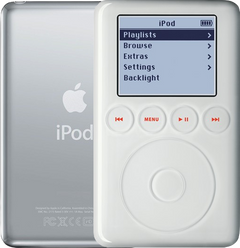
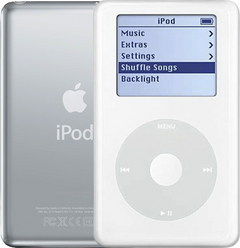
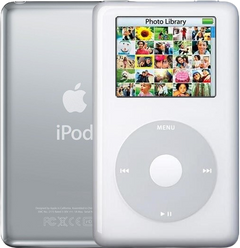
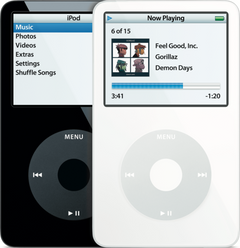

Backplate
for the iPod 3rd Gen A1040
- 1-year limited warranty
Is this the right part?
For the iPod 3rd Gen 20GBModel A1040
Also for the iPod 3rd Gen: 10GB (White) $21.95 · 15GB (White) $60.95 · 30GB (White) $21.95 · 40GB (White) $21.95 · See all
Doing it yourself?
iPod 3rd Gen back panel replacement guide ›iPod 3G — Replacement Rear Panel (20GB — White)
For the iPod 3rd Gen 20GB
Used (Apple Original) · Model A1040
$21.95
Also for the iPod 3rd Gen: 10GB (White) $21.95 · 15GB (White) $60.95 · 30GB (White) $21.95 · 40GB (White) $21.95 · See all
Sold out
Not for sale right now
We are not selling this part at the moment.
- Used (Apple Original). Tested: installed in a working iPod and checked before it ships.
- 1-year limited warranty · 30-day returns from delivery
- Free pry tool in the box
- Completed repairs aren't refundable. If a part we fitted fails within a year, we repair it again.
Questions about this part? Chat with us or email sales@imods.com.
Not sure what's wrong? Get your free repair quotePart details
About this part
Overview
Replacement rear panel for the Thin iPod 3G case — 0.62 in (about 16 mm) deep, the depth used by the 10GB, 15GB, and 20GB models. Case depth is the fitment decision here, not the engraved capacity: a shell swapped by a previous owner carries whatever number was on it, so measure the iPod before you choose. Use this part to restore fit, finish, color, case alignment, or visible damage rather than to fix an internal electronics fault.
Fitment snapshot
What Is Included
What is not in the box. The panel arrives bare. It does not come with the headphone-jack and Hold-switch assembly, the three silver Phillips screws that hold that assembly to the rear panel, a battery, a hard drive, or a screwdriver. Those parts come off your own iPod and go onto this panel, so keep the old one until the swap is finished and everything has been transferred. If your headphone-jack and Hold assembly is itself damaged, it is sold separately as the Headphone Jack / Hold Switch Assembly (Thin - 10/15/20GB), and loose fasteners are sold as the iPod 3rd Generation screw set.
Fit and specs
Specifications & Fitment
Part Details
| Detail | Value |
|---|---|
| Model Number | A1040 |
| EMC | EMC 1961 |
| Condition | Used — factory original Apple part. Normal cosmetic wear expected. |
| Material | Chrome stainless steel |
| Finish | Bare polished (mirror) steel. It is not painted or coated white — the white on an iPod 3G is the plastic front panel. |
| Case depth | 0.62 in / thin case |
| Whole-iPod weight at this depth | 5.6 oz (about 159 g) |
| Capacities at this depth | 10GB, 15GB, 20GB |
Compatible Variants
| Order Number | Capacity | Color | Case | Compatible | Notes |
|---|---|---|---|---|---|
| M8976LL/A | 10GB | White | thin | Yes— capacity engraving mismatch | Physically fits the same case depth; rear capacity engraving will not match the original. |
| M8946LL/A | 15GB | White | thin | Yes— capacity engraving mismatch | Physically fits the same case depth; rear capacity engraving will not match the original. |
| M9460LL/A | 15GB | White | thin | Yes— capacity engraving mismatch | Physically fits the same case depth; rear capacity engraving will not match the original. |
| M9244LL/A | 20GB | White | thin | Yes— stock match | Stock match |
| M8948LL/A | 30GB | White | thick | No— wrong case depth | Wrong case depth — choose the matching thin or thick iPod 3rd Generation backplate. Use Replacement Rear Panel (30GB — White) instead. |
| M9245LL/A | 40GB | White | thick | No— wrong case depth | Wrong case depth — choose the matching thin or thick iPod 3rd Generation backplate. Use Replacement Rear Panel (40GB — White) instead. |
Install and repair
Step-by-step guide
iPod 3rd Gen back panel replacement
Tools: Plastic opening tools (two), Plastic spudger, Phillips #00 screwdriver, Anti-static wrist strap or mat, Soft cloth, FireWire charger and headphones
- Unplug it, switch it off, lock itUnplug any cable, then switch the iPod off: press and hold Play/Pause. Slide the Hold switch to locked, so the orange shows, and lay it face up on the cloth.
- Free the clipsAngle a plastic opening tool toward the steel back and work it into the seam near the middle of a long side. Release the clips from the middle toward each end, then down the other long side, then the two on the bottom edge. Our opening guide covers every move.
Install Overview
Rather not open it? Choose We Fix It above: mail your iPod in and we fit it. Turnaround is typically 1–3 business days on our bench. 1-year limited warranty.
Before You Start
The assembly is screwed to the rear panel with three silver Phillips screws and connects to the logic board by an orange ribbon. It has to move from the old panel to this one, and on reassembly the plastic Hold slider must line up with the small switch on the board or Hold will read wrongly afterwards.
Questions
Frequently Asked Questions
How do I tell a thin case from a thick one before I order?
Measure the closed iPod across its thickness, or put it on a kitchen scale. The thin case is 0.62 in (about 16 mm) and 5.6 oz (about 159 g) complete; the thick case is 0.73 in (about 18.5 mm) and 6.2 oz (about 176 g). The gap is about a tenth of an inch, which is easy to feel side by side and easy to read on any ruler with millimeters. Two things can move the weight — a replaced battery or a flash conversion — so treat depth as the decisive reading and weight as the confirmation.
Should I choose by capacity or by thin/thick case?
By case depth. Depth decides whether the panel physically fits; the capacity engraving only decides whether the finished iPod reads correctly on the back. If a previous owner has already swapped the shell — which is common on a twenty-year-old iPod — the engraving is telling you about a panel, not about the machine, and following it will send you to the wrong depth.
How do I know this backplate is the right one?
Confirm case depth thin (0.62 in / about 16 mm) first, then match capacity 20GB, then check the order number in the fitment table before ordering.
Is the rear panel itself white?
No. White describes the iPod — its plastic front panel — and it is how the listing is named. The rear panel is bare polished stainless steel, the same mirror finish Apple shipped, and it is the same color on every capacity.
Will this fix charging, audio, storage, or screen problems?
No. A backplate is passive rear housing. Use it for dented, scratched, bent, missing, or custom rear-case work, not as an electronics diagnosis.
Can I fit an iPod Classic rear panel to make this iPod thinner?
No. The later full-size iPods are a different family with a different shell size and a different clip pattern, and their rear panels do not attach to a 3rd Generation front panel. The two depths on this page are the only rear panels this iPod takes, and swapping between them does not work either: the thick case is built around a taller hard drive that will not fit inside a thin shell.
Does the panel arrive with the headphone-jack and Hold assembly fitted?
No — it arrives bare. The headphone-jack and Hold-switch assembly, its three silver Phillips screws, the battery and the drive all transfer from your own iPod. Plan the job as a transfer, not a drop-in, and keep the old panel until everything has moved across.
Is this an iPod Classic?
Apple's 'Classic' branding started with the 6th Generation (2007). This is the iPod 3rd Generation (2003), model A1040. Apple's official name for this model is iPod (Dock Connector).
Free diagnostic
Broken iPod? We can help.
Mail us your iPod and we will test it and send you a free repair quote. If you don't like our price, we will ship your iPod back at our expense.
How mail-in repair works
Order the free diagnostic
Choose your iPod. Add our shipping box and prepaid label if you need one.
Mail us your iPod
Pack it with your work order. No printer? Put a note in the box with your name, return address, email, order number and what is wrong.
Approve your quote
We test it and email your free repair quote. Most repairs are finished within 1 to 3 business days after you approve the quote.