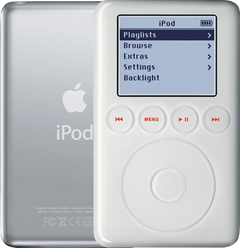
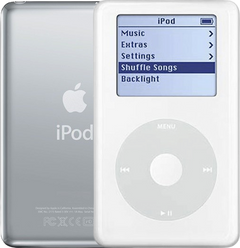
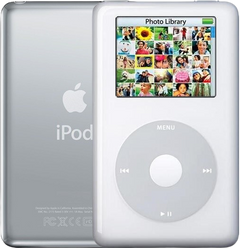

Screw set
for the iPod 3rd Gen A1040
- 1-year limited warranty
Is this the right part?
For the iPod 3rd GenModel A1040
Doing it yourself?
How to open the iPod 3rd Gen guide ›iPod 3G — Replacement Screw Set
For the iPod 3rd Gen
Used (Apple Original) · Model A1040
$4.95
Sold out
Not for sale right now
We are not selling this part at the moment.
- Used (Apple Original). Tested: installed in a working iPod and checked before it ships.
- 1-year limited warranty · 30-day returns from delivery
- Free pry tool in the box
- Completed repairs aren't refundable. If a part we fitted fails within a year, we repair it again.
Questions about this part? Chat with us or email sales@imods.com.
Not sure what's wrong? Get your free repair quotePart details
About this part
Overview
Replacement screw hardware for iPod 3G. Use it when original screws are missing, stripped, damaged, or lost during service. This part does not fix electronics, storage, audio, display, or control faults. This iPod takes two screw types, not one — black T6 Torx inside, and three silver Phillips on the headphone-jack assembly — so check which ones you are short of before ordering.
Fitment snapshot
What Is Included
What is not in the box. No screwdriver of either type — not the T6 Torx, not the Phillips #00. No adhesive, no drive bumpers or foam, no headphone-jack and Hold assembly, no battery, and no case parts. The pry tool supplied with this listing opens the case; it does not turn a screw. If a screw location on your iPod has stripped its thread rather than its head, a new screw will not hold, and that is a housing problem rather than a fastener one.
A note on counts. We do not print a screw count on this page, because the published figures for a complete iPod 3G set do not agree with one another and the contents of a bag are a shop fact rather than a research result. Order it for the screw types described below, and tell us if a location you need is short.
Fit and specs
Specifications & Fitment
Part Details
| Detail | Value |
|---|---|
| Model Number | A1040 |
| EMC | EMC 1961 |
| Condition | Used — factory original Apple part. Normal cosmetic wear expected. |
| Screw types on this model | Black T6 Torx (logic board to front panel) and silver Phillips (headphone-jack and Hold assembly to rear panel) |
| Drivers required | T6 Torx screwdriver and Phillips #00 screwdriver. Neither is included. |
| Case depth | Not a fitment factor for fasteners — thin and thick alike |
Compatible Variants
The Color column below describes the iPod, not the screws: the 3rd Generation was sold with a white plastic front and a bare stainless-steel back, and the fasteners are plain metal.
| Order Number | Capacity | Color | Case | Compatible | Notes |
|---|---|---|---|---|---|
| M8976LL/A | 10GB | White | thin | Yes | — |
| M8946LL/A | 15GB | White | thin | Yes | — |
| M9460LL/A | 15GB | White | thin | Yes | — |
| M9244LL/A | 20GB | White | thin | Yes | — |
| M8948LL/A | 30GB | White | thick | Yes | — |
| M9245LL/A | 40GB | White | thick | Yes | — |
Install and repair
Step-by-step guide
How to open the iPod 3rd Gen
Tools: Plastic opening tools (two), Plastic spudger, T6 Torx screwdriver, Phillips #00 screwdriver, Anti-static wrist strap or mat, Soft cloth, FireWire charger
- Unplug it, switch it off, lock itUnplug any cable, then switch the iPod off: press and hold Play/Pause. Slide the Hold switch to locked, so the orange shows, and lay it face up on the cloth.
- Find the spot to beginThe clips run along the two long sides. Press inward on the edge of the steel back along one long side, near the middle, and feel along it: usually one place gives a little more than the rest. Begin there. If the tool won't go in at first, a thumbnail can open the first sliver of a gap.
Install Overview
Rather not open it? Choose We Fix It above: mail your iPod in and we fit it. Turnaround is typically 1–3 business days on our bench. 1-year limited warranty.
Before You Start
A T6 Torx screwdriver turns the black internal screws and a Phillips #00 screwdriver turns the three silver ones. Using the wrong driver is how a screw head rounds off, which is why many buyers arrive on this page in the first place.
Questions
Frequently Asked Questions
What tools do I need to install these screws?
Two drivers, not one. The iPod 3rd Generation uses black T6 Torx screws to hold the logic board to the front panel and three silver Phillips screws to hold the headphone-jack and Hold assembly to the rear panel, so a T6 Torx screwdriver alone will not finish the job and neither will a Phillips alone. Our own disassembly guides for this model list a Phillips #00 screwdriver among the common tools. No screwdriver is included with the screw set.
What is in the box, and what is not?
In the box: the replacement screw set for the iPod 3rd Generation, one plastic pry tool, and a 1-year limited warranty. Not in the box: any screwdriver, adhesive, drive bumpers or foam, the headphone-jack and Hold assembly, a battery, or any case part. We do not print a screw count, because published figures for a complete 3G set disagree and what is in the bag is a shop fact rather than a research result.
Does the same set fit a thin and a thick iPod 3G?
Our fitment table lists every 3rd Generation order number as a fit — the thin 10GB, 15GB and 20GB cases and the thick 30GB and 40GB cases alike. Case depth splits the rear panel, the headphone-jack assembly and the drive bumpers; it does not split the fasteners.
Will a screw set fix electronics symptoms?
No. Screws are passive fasteners for reassembly. Diagnose power, storage, audio, display, and control faults separately.
My screw spins and never tightens — will a new one help?
Usually not. If the screw turns freely without drawing down, the thread in the housing has stripped rather than the screw, and a fresh fastener will do the same thing. The part carrying that thread is what has to be replaced.
Is this an iPod Classic?
Apple's 'Classic' branding started with the 6th Generation (2007). This is the iPod 3rd Generation (2003), model A1040. Apple's official name for this model is iPod (Dock Connector).
Free diagnostic
Broken iPod? We can help.
Mail us your iPod and we will test it and send you a free repair quote. If you don't like our price, we will ship your iPod back at our expense.
How mail-in repair works
Order the free diagnostic
Choose your iPod. Add our shipping box and prepaid label if you need one.
Mail us your iPod
Pack it with your work order. No printer? Put a note in the box with your name, return address, email, order number and what is wrong.
Approve your quote
We test it and email your free repair quote. Most repairs are finished within 1 to 3 business days after you approve the quote.