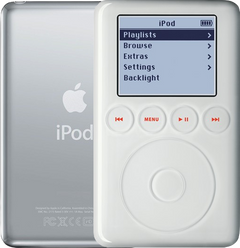
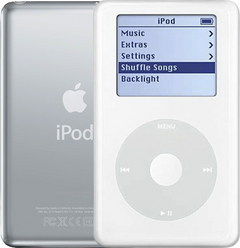
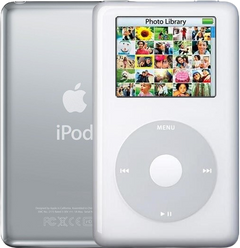
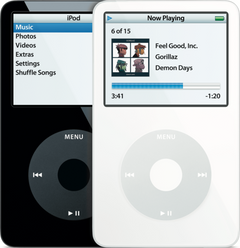
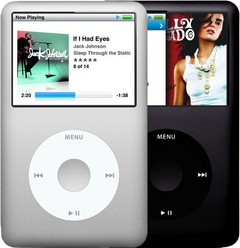
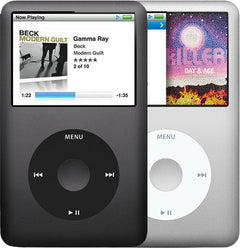


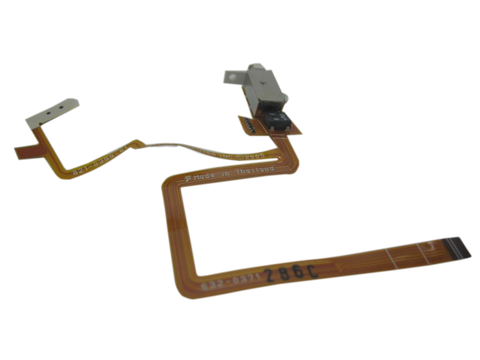
Representative photo. You receive the part named above.
Is this the right part?
For the iPod Video 5th Gen 60/80GB (thick case)Model A1136
Also for the iPod Video 5th Gen: Thin (30GB) $13.95 · See all
Doing it yourself?
iPod Video 5th Gen headphone jack and Hold switch replacement guide ›iPod Video 5G — Replacement Headphone Jack and Hold Switch (Thick - 60/80GB)
For the iPod Video 5th Gen 60/80GB (thick case)
Used (Apple Original) · Model A1136
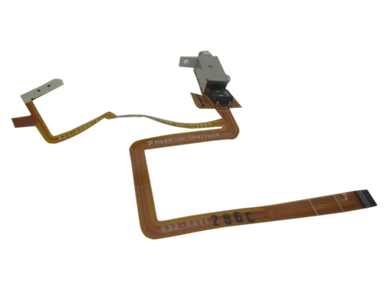
$15.95
Also for the iPod Video 5th Gen: Thin (30GB) $13.95 · See all
Sold out
Not for sale right now
We are not selling this part at the moment.
- Used (Apple Original). Tested: installed in a working iPod and checked before it ships.
- 1-year limited warranty · 30-day returns from delivery
- Free pry tool in the box
- Completed repairs aren't refundable. If a part we fitted fails within a year, we repair it again.
Questions about this part? Chat with us or email sales@imods.com.
Not sure what's wrong? Get your free repair quotePart details
About this part
Overview
Replacement headphone jack assembly for iPod Video 5G. Use it for damaged audio-output hardware, channel issues, or the Hold switch, which is part of this headphone jack assembly.
Fitment snapshot
What Is Included
Included
Before You Discard The Original
Some replacement assemblies include the white plastic Hold switch slider preassembled. Others may require transferring the slider from your original assembly. Check the replacement part before discarding your original.
What this part might fix
Help pages, step by step, for problems this part might fix:
Most likely fixed by this part
- Headphone jack not working
- No sound
- One ear not working
- Hold switch not working
- iPod Video headphone jack and Hold switch
- Volume too low or stuck
- Static noise
Can also be the cause
- Won't play music: worn headphone jack pausing songs
- Buttons not working: broken Hold switch
Fit and specs
Specifications & Fitment
Part Details
| Detail | Value |
|---|---|
| Model Number | A1136 |
| EMC | EMC 2065 |
| Condition | Used — factory original Apple part. Normal cosmetic wear expected. |
| Assembly | Headphone jack / Hold switch assembly |
| Part Identifiers |
632-0373, 821-0400-01, 821-0400
|
Compatible Variants
| Order Number | Capacity | Color | Case | Compatible | Notes |
|---|---|---|---|---|---|
| MA147LL/A | 60GB | Black | thick | Yes | — |
| MA003LL/A | 60GB | White | thick | Yes | — |
| MA450LL/A | 80GB | Black | thick | Yes | — |
| MA448LL/A | 80GB | White | thick | Yes | — |
| MA146LL/A | 30GB | Black | thin (0.43 in) | No— wrong case depth | 30GB thin models - use the thin headphone jack & Hold switch assembly instead. Use Replacement Headphone Jack & Hold Switch (Thin - 30GB) instead. |
| MA446LL/A | 30GB | Black | thin (0.43 in) | No— wrong case depth | 30GB thin models - use the thin headphone jack & Hold switch assembly instead. Use Replacement Headphone Jack & Hold Switch (Thin - 30GB) instead. |
| MA452LL/A | 30GB | U2 Special | thin (0.43 in) | No— wrong case depth | Thick part: it does not fit the thin case. |
| MA664LL/A | 30GB | U2 Special | thin (0.43 in) | No— wrong case depth | Thick part: it does not fit the thin case. |
| MA002LL/A | 30GB | White | thin (0.43 in) | No— wrong case depth | 30GB thin models - use the thin headphone jack & Hold switch assembly instead. Use Replacement Headphone Jack & Hold Switch (Thin - 30GB) instead. |
| MA444LL/A | 30GB | White | thin (0.43 in) | No— wrong case depth | 30GB thin models - use the thin headphone jack & Hold switch assembly instead. Use Replacement Headphone Jack & Hold Switch (Thin - 30GB) instead. |
Install and repair
Step-by-step guide
iPod Video 5th Gen headphone jack and Hold switch replacement
Tools: Plastic opening tools (two or three), Thin plastic picks, Angled tweezers or a small plastic tool, Plastic spudger, Phillips #00 screwdriver, Small dish for screws, Anti-static wrist strap or mat, Soft cloth, Headphones and a speaker dock or line-out cable
- Open the caseUnplug any cable, then switch the iPod off and slide Hold to locked. Free the clips with plastic tools: both long sides, then the top (shallow beside the Hold switch, where the screen sits close), then the bottom. Raise the back only about an inch: two ribbons still join the halves. Our guide to opening the iPod Video covers this in detail.
- Unplug the batteryFind the battery's orange ribbon where it plugs into the logic board toward the bottom end. Raise its small brown latch straight up by 1 to 2 mm, evenly at both ends, and slide the ribbon out.
Install Overview
Rather not open it? Choose We Fix It above: mail your iPod in and we fit it. Turnaround is typically 1–3 business days on our bench. 1-year limited warranty.
Questions
Frequently Asked Questions
I replaced the headphone jack and still have no sound. Should I buy another one?
Not until you have tested both outputs. If both headphone and dock audio are silent, that is the clear sign of the audio IC chip on the logic board (in some cases pressing the lower-right corner brings the sound back for a moment, from the chip's cracked solder joints); we fix it by replacing the logic board, not another jack.
Does the Hold switch come with this part?
Yes. This is the combined headphone jack and Hold switch flex assembly. Match thin versus thick case depth before ordering because the assemblies do not interchange.
Is this for an A1238 iPod Classic?
This listing is for iPod Video A1136 5G / 5.5G Enhanced models. Order the thick headphone-jack and Hold assembly listed for your own Video build. The later 6th/7th Gen iPod Classic is a different family with its own pages: a 6th/7th Gen jack fitted to an iPod Video of the same depth handles sound and Hold but loses TV out through the headphone jack, so order this Video assembly; one owner also reports a thick Video assembly working in a thick Classic, a single account rather than a promise.
How does dock line-out help diagnose headphone audio?
Use dock line-out as a comparison test. Dock output working with failed headphone output points toward the headphone/hold ribbon or jack contacts. Headphones and dock both silent points away from the jack and toward the logic board.
Could the headphone/hold ribbon be causing this symptom?
Yes. If audio or Hold behavior changed after the iPod was opened, inspect and reseat the headphone/hold ribbon and its board latch before ordering a second part.
Which thin or thick headphone/hold assembly fits this iPod?
Match the assembly to capacity and case thickness before using audio or Hold symptoms to choose a part. This part is the right choice for thick 60 GB / 80 GB fitment. Check variant fit before replacing another audio or input part.
Free diagnostic
Broken iPod? We can help.
Mail us your iPod and we will test it and send you a free repair quote. If you don't like our price, we will ship your iPod back at our expense.
How mail-in repair works
Order the free diagnostic
Choose your iPod. Add our shipping box and prepaid label if you need one.
Mail us your iPod
Pack it with your work order. No printer? Put a note in the box with your name, return address, email, order number and what is wrong.
Approve your quote
We test it and email your free repair quote. Most repairs are finished within 1 to 3 business days after you approve the quote.