
Drive insulators
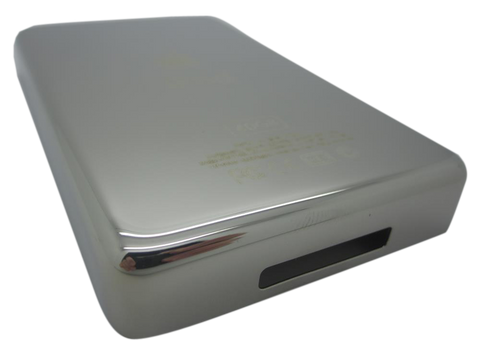
for the iPod Photo A1099
- 1-year limited warranty
Is this the right part?
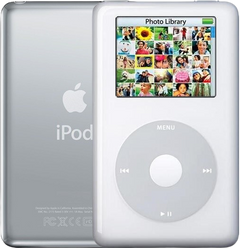
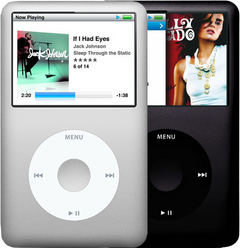
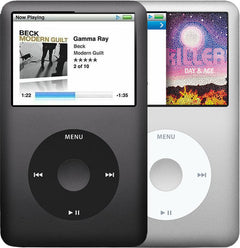
For the iPod Photo (thick case)Model A1099
Also for the iPod Photo: Thin $3.95
Doing it yourself?
iPod 4th Gen and iPod Photo hard drive replacement guide ›iPod Photo (4th Generation) — Hard Drive Rubber Insulators (Thick)
For the iPod Photo (thick case)
Used (Apple Original) · Model A1099
$3.95
Also for the iPod Photo: Thin $3.95
Sold out
Not for sale right now
We are not selling this part at the moment.
- Used (Apple Original). Tested: installed in a working iPod and checked before it ships.
- 1-year limited warranty · 30-day returns from delivery
- Free pry tool in the box
- Completed repairs aren't refundable. If a part we fitted fails within a year, we repair it again.
Questions about this part? Chat with us or email sales@imods.com.
Not sure what's wrong? Get your free repair quotePart details
About this part
Overview
Internal rubber drive-support insulators that cushion the 1.8-inch hard drive — replace when pads are missing, hardened, or torn. They do not fix storage, electronics, or any exterior fit/finish.
Fitment snapshot
What Is Included
Included
Fit and specs
Specifications & Fitment
Also known as iPod with color display (Apple's official name after June 2005).
Part Details
| Detail | Value |
|---|---|
| Model Number | A1099 |
| EMC | EMC 2022 |
| Condition | Used — factory original Apple part. Normal cosmetic wear expected. |
Compatible Variants
| Order Number | Capacity | Color | Case | Compatible | Notes |
|---|---|---|---|---|---|
| M9585LL/A | 40GB | White | thick | Yes | — |
| M9586LL/A | 60GB | White | thick | Yes | — |
| M9830LL/A | 60GB | White | thick | Yes | — |
| PS493AA | 60GB | White (HP) | thick | Yes— compatible | Stock match |
| MA127LL/A | 20GB | Black/Red (U2) | thin | No— wrong case depth | Thick-case part is not compatible with 20GB/30GB thin iPod Photo variants. Use Hard Drive Rubber Insulators (Thin) instead. |
| MA079LL/A | 20GB | White | thin | No— wrong case depth | Thick-case part is not compatible with 20GB/30GB thin iPod Photo variants. Use Hard Drive Rubber Insulators (Thin) instead. |
| MA215LL/A | 20GB | White (Harry Potter Collector's Edition) | thin | No— wrong case depth | Thick-case part is not compatible with 20GB/30GB thin iPod Photo variants. Use Hard Drive Rubber Insulators (Thin) instead. |
| M9829LL/A | 30GB | White | thin | No— wrong case depth | Thick-case part is not compatible with 20GB/30GB thin iPod Photo variants. Use Hard Drive Rubber Insulators (Thin) instead. |
| PS492AA | 30GB | White (HP) | thin | No— wrong case depth | Thick-case part is not compatible with 20GB/30GB thin iPod Photo variants. Use Hard Drive Rubber Insulators (Thin) instead. |
Install and repair
Step-by-step guide
iPod 4th Gen and iPod Photo hard drive replacement
Tools: Plastic opening tools, one wide and one thin, Plastic spudger, T6 Torx screwdriver, 99% isopropyl alcohol, Anti-static wrist strap or mat, Soft cloth, Computer with iTunes or the Finder, and a wall charger
- Unplug it, switch it off and lock HoldDisconnect any cable, charger or computer first. Switch the iPod off by holding Play/Pause until the screen goes dark, then slide the Hold switch to locked, so its orange bar shows.
- Release the case clipsOur opening guide has the detail. In short: with the screen up and the dock connector toward you, start on the right-hand long side with the wide plastic tool, its edge tilted toward the steel back, and free the five tabs on that side. Then the two clips beside the dock connector (lightly past the thin steel there), the five tabs on the left-hand side, and the top edge.
Install Overview
Rather not open it? Choose We Fix It above: mail your iPod in and we fit it. Turnaround is typically 1–3 business days on our bench. 1-year limited warranty.
Questions
Frequently Asked Questions
Will this fix internal electronics symptoms?
No. This is an internal support part that cushions or holds hardware in place. Diagnose power, storage, audio, screen, and control faults separately.
Is this an iPod Classic?
Apple's 'Classic' branding started with the 6th Generation (2007). This is the color-screen iPod photo / iPod with color display generation, not a Classic-branded model.
Free diagnostic
Broken iPod? We can help.
Mail us your iPod and we will test it and send you a free repair quote. If you don't like our price, we will ship your iPod back at our expense.
How mail-in repair works
Order the free diagnostic
Choose your iPod. Add our shipping box and prepaid label if you need one.
Mail us your iPod
Pack it with your work order. No printer? Put a note in the box with your name, return address, email, order number and what is wrong.
Approve your quote
We test it and email your free repair quote. Most repairs are finished within 1 to 3 business days after you approve the quote.