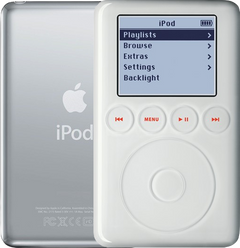
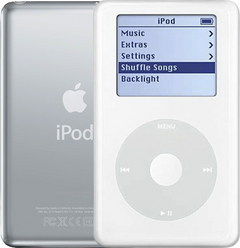
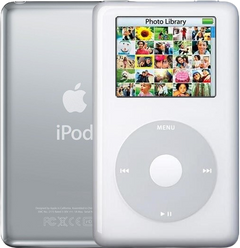
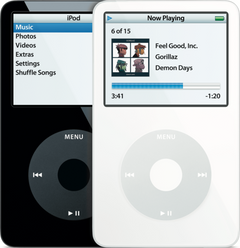
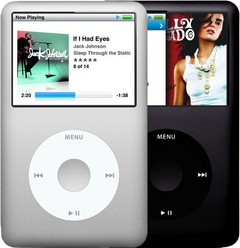
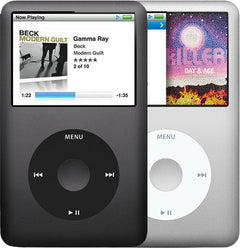


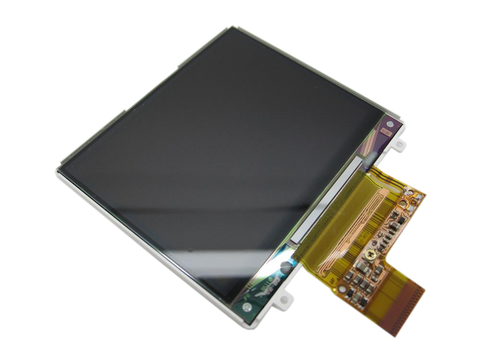
Representative photo. You receive the part named above.
Is this the right part?
For the iPod Classic 6th Gen 120GBModel A1238
Also for the iPod Classic 6th Gen: 2007 (80GB and 160GB) $135.95 · See all
Doing it yourself?
iPod Classic 6th/7th Gen logic board replacement guide ›iPod Classic 6G — Factory Original Logic Board (Late 2008 120GB / 6.5G)
For the iPod Classic 6th Gen 120GB
Used (Apple Original) · Model A1238

$150.95
Also for the iPod Classic 6th Gen: 2007 (80GB and 160GB) $135.95 · See all
Sold out
Not for sale right now
We are not selling this part at the moment.
- Used (Apple Original). Tested: installed in a working iPod and checked before it ships.
- 1-year limited warranty · 30-day returns from delivery
- Free pry tool in the box
- Completed repairs aren't refundable. If a part we fitted fails within a year, we repair it again.
Questions about this part? Chat with us or email sales@imods.com.
Not sure what's wrong? Get your free repair quotePart details
About this part
Overview
Replacement logic board for iPod Classic 6G. It ties together power, storage, connection, display, audio, and controls, so use it after the easier connected parts, cables, and connectors have been checked. Also called the motherboard.
Fitment snapshot
What Is Included
What this part might fix
Help pages, step by step, for problems this part might fix:
Most likely fixed by this part
Can also be the cause
- Not showing up in iTunes: damaged dock connector
- Won't charge: damaged charging port
- Keeps turning off
- Black screen
- Headphone jack not working
- Buttons not working
- White screen
- No sound
- Please wait, very low battery: damaged charging port
- Lines on screen
- Click wheel not working
- Volume too low or stuck
- Backlight not working
- Static noise
- Flash mod problems
- Stuck in disk mode
- Won't sync: damaged dock connector
- Won't restore
- Won't hold a charge: logic board draining the battery
- Dropped
- Not working after a repair: damaged charging port
Fit and specs
Specifications & Fitment
Part Details
| Detail | Value |
|---|---|
| Model Number | A1238 |
| EMC | EMC 2173 |
| Condition | Used — factory original Apple part. Normal cosmetic wear expected. |
| Board family | 820-2437-A |
| Release family | late-2008 6.5G |
| Capacity | 120GB thin |
Compatible Variants
| Order Number | Capacity | Color | Case | Compatible | Notes |
|---|---|---|---|---|---|
| MB147LL/A | 80GB | Black | thin (0.41 in) | Yes— fits (2007/2008 boards interchange) | 2007 and Late-2008 boards interchange across the 80GB, 120GB, and thick 160GB models. Capacity/firmware pairing follows the installed drive. |
| MB029LL/A | 80GB | Silver | thin (0.41 in) | Yes— fits (2007/2008 boards interchange) | 2007 and Late-2008 boards interchange across the 80GB, 120GB, and thick 160GB models. Capacity/firmware pairing follows the installed drive. |
| MB565LL/A | 120GB | Black | thin (0.41 in) | Yes | — |
| MB562LL/A | 120GB | Silver | thin (0.41 in) | Yes | — |
| MB150LL/A | 160GB | Black | thick (0.53 in) | Yes— fits (2007/2008 boards interchange) | 2007 and Late-2008 boards interchange across the 80GB, 120GB, and thick 160GB models. Capacity/firmware pairing follows the installed drive. |
| MB145LL/A | 160GB | Silver | thick (0.53 in) | Yes— fits (2007/2008 boards interchange) | 2007 and Late-2008 boards interchange across the 80GB, 120GB, and thick 160GB models. Capacity/firmware pairing follows the installed drive. |
| MC297LL/A | 160GB (Late 2009) | Black | thin | No— thin-2009 stock drive needs its own Late-2009 board | The Late 2009 thin 160GB (MC293LL/A / MC297LL/A) uses its own logic board; this Late 2008 120GB board is not a fit. See the iPod Classic 7th Generation (Late 2009) pages. |
| MC293LL/A | 160GB (Late 2009) | Silver | thin | No— thin-2009 stock drive needs its own Late-2009 board | The Late 2009 thin 160GB (MC293LL/A / MC297LL/A) uses its own logic board; this Late 2008 120GB board is not a fit. See the iPod Classic 7th Generation (Late 2009) pages. |
Install and repair
Step-by-step guide
iPod Classic 6th/7th Gen logic board replacement
Tools: Plastic opening picks (two or three), Thin metal opening tool, Phillips #00 screwdriver, Plastic spudger and tweezers, Anti-static wrist strap and mat, Small dish or marked paper, Soft, clean cloth and an air blower, Charger, headphones you know work and a computer
- Open the caseUnplug any cable. Switch the iPod off (hold Play/Pause until the screen goes dark) and slide Hold to locked. Open it as our opening guide shows: plastic picks keep the seam open along one long side while the tip of a thin metal tool pushes each clip in toward the front panel, rocking on the steel back's rim. Free both long sides, then the one clip in the middle of the top edge, between the Hold switch and the headphone jack. Leave the bottom edge clipped: it is the hinge.
- Unplug the battery firstPart the top ends a little, no further: the battery ribbon and the headphone ribbon still join the two halves. Now and then the drive comes away stuck to the back half, or the battery plug pops out as the case opens, so check for both, and ease a stuck drive back down into the front half.
Install Overview
Rather not open it? Choose We Fix It above: mail your iPod in and we fit it. Turnaround is typically 1–3 business days on our bench. 1-year limited warranty.
Questions
Frequently Asked Questions
What iPod Classic 6th Generation models does this fit?
This Factory Original Logic Board (Late 2008 120GB / 6.5G) is the original-match board for MB562LL/A (120GB Silver) and MB565LL/A (120GB Black). Because the 2007 and Late-2008 boards interchange, it also fits MB029LL/A (80GB Silver), MB147LL/A (80GB Black), MB145LL/A (160GB Silver) and MB150LL/A (160GB Black) — see Compatible Variants. It is not the board for the Late-2009 thin 160GB (MC293LL/A / MC297LL/A).
Do I need to solder?
No, this installation does not require soldering. Difficulty: Very Difficult. Estimated time: 1 - 2 hours.
How do I know if this factory original logic board needs replacement?
Consider the logic board only after power, storage, cable, display, audio, and control checks isolate a board fault.
What else should I replace at the same time?
Replace a battery only when its condition, fit or power checks call for it; opening the iPod is not itself a reason to buy one. Choose flash storage only if you want a conversion and have confirmed the board, firmware, adapter and case arrangement. Match the storage ribbon to the installed drive: thin ZIF for our flash builds, including in a thick shell; 821-0546 CE-ATA for the original thick 160GB mechanical drive.
Power or charging trouble: is it the logic board or the battery?
Test with a known-good charger and cable first: if it starts on the charger but dies unplugged, the battery is the likely cause; if it is dead even on a known-good charger and cable, the logic board is more likely. If the symptom began after a repair, check the battery connector and the nearby flex cables before replacing another part.
What should I check after liquid exposure?
Unplug every cable, turn the iPod off and slide the Hold switch on before anything else — do not keep trying to charge it. Open it, disconnect the battery, and inspect the logic board and every connector for white or green residue; clean with high-percentage isopropyl alcohol and a soft brush, keep the hard drive out of any liquid, let everything dry fully, and only then reconnect power and test with a known-good battery (lithium cells react badly to moisture). Corrosion that survives cleaning is board-level work; liquid visibly inside the display glass never comes out and means a new panel.
Why is there no menu click or beep?
Check the Clicker setting first (Settings > Clicker). A beeping noise that is not an alarm, often heard as the iPod boots to the main menu, most likely means a faulty logic board. No sound from the headphones is a separate fault.
Free diagnostic
Broken iPod? We can help.
Mail us your iPod and we will test it and send you a free repair quote. If you don't like our price, we will ship your iPod back at our expense.
How mail-in repair works
Order the free diagnostic
Choose your iPod. Add our shipping box and prepaid label if you need one.
Mail us your iPod
Pack it with your work order. No printer? Put a note in the box with your name, return address, email, order number and what is wrong.
Approve your quote
We test it and email your free repair quote. Most repairs are finished within 1 to 3 business days after you approve the quote.