
Quick fixes
Check iPod battery health
These iPods show a battery icon, not a percentage or a battery health reading. Pick what you want to check and your iPod.
Quick answer
- If it charges but turns off as soon as you unplug it, the battery may need replacing.
What do you want to do?
Which iPod do you have?
Step by step
Also searched as battery health · battery health check · check battery life · battery checker
There is no battery health screen. A worn battery shows itself: the iPod runs out much sooner than it used to, or turns off as soon as you unplug it.
- Charge it fully, unplug it and play music: note how long it plays before the battery runs out.From our repair bench
- iPod 3rd GenOn the 3rd Gen, charge from a FireWire charger or a 6-pin FireWire port on a computer that is on and awake: its USB cable syncs but never charges it.
- If it charges but turns off as soon as you unplug it, the battery may need replacing.
Steps from Apple's own iPod guides and support pages.
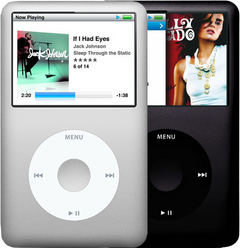
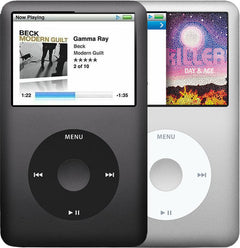
iPod Classic (A1238)iPod Classic 6th Gen (A1238)iPod Classic 7th Gen (A1238)
-
Most likely
Worn-out battery
An old battery wears out: it no longer takes or holds a full charge, empties fast, or dies as soon as you unplug it. A new battery is the usual fix.
Free check first Charge it fully, then unplug it: if it empties much faster than it used to, or dies as soon as it is unplugged, the battery is most likely worn out.
Replacement Battery
For the iPod Classic 6th Gen
Thin · Thick
Replacement Battery (160GB)
For the iPod Classic 7th Gen
Step-by-step guide iPod Classic 6th/7th Gen battery replacement (13 steps)
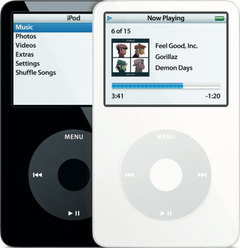
iPod Video (A1136)iPod Video 5th Gen (A1136)
-
Most likely
Worn-out battery
An old battery wears out: it no longer takes or holds a full charge, empties fast, or dies as soon as you unplug it. A new battery is the usual fix.
Free check first Charge it fully, then unplug it: if it empties much faster than it used to, or dies as soon as it is unplugged, the battery is most likely worn out.
Step-by-step guide iPod Video 5th Gen battery replacement (10 steps)
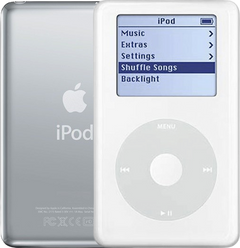
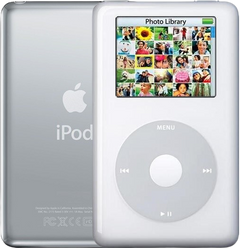
iPod 4th Gen or iPod Photo (A1059 and A1099)iPod 4th Gen (A1059)iPod Photo (A1099)
-
Most likely
Worn-out battery
An old battery wears out: it no longer takes or holds a full charge, empties fast, or dies as soon as you unplug it. A new battery is the usual fix.
Free check first Charge it fully, then unplug it: if it empties much faster than it used to, or dies as soon as it is unplugged, the battery is most likely worn out.
Replacement Battery (All Capacities)
For the iPod 4th Gen
Step-by-step guide iPod 4th Gen and iPod Photo battery replacement (13 steps)
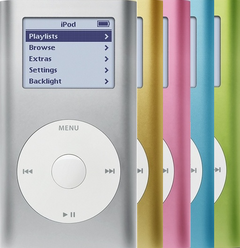
iPod Mini (A1051)iPod Mini 1st Gen (A1051)iPod Mini 2nd Gen (A1051)
-
Most likely
Worn-out battery
An old battery wears out: it no longer takes or holds a full charge, empties fast, or dies as soon as you unplug it. A new battery is the usual fix.
Free check first Charge it fully, then unplug it: if it empties much faster than it used to, or dies as soon as it is unplugged, the battery is most likely worn out.
Step-by-step guide iPod Mini 1st/2nd Gen battery replacement (12 steps)
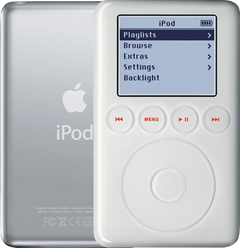
iPod 3rd Gen (A1040)iPod 3rd Gen (A1040)
-
Most likely
Worn-out battery
An old battery wears out: it no longer takes or holds a full charge, empties fast, or dies as soon as you unplug it. A new battery is the usual fix.
Free check first Charge it fully from a FireWire charger or a 6-pin FireWire port on a computer that is on and awake: its USB cable syncs but never charges it. Then unplug it: if it empties much faster than it used to, or dies as soon as it is unplugged, the battery is most likely worn out.
Replacement Battery (All Capacities)
Step-by-step guide iPod 3rd Gen battery replacement (14 steps)
Show battery percentage
Also searched as battery percentage · check battery level · see battery percentage · turn battery percentage on iPod
These iPods have no battery percentage setting. The battery icon at the top right shows about how much charge is left.
- iPod ClassicThe battery icon at the top right shows roughly how much charge is left: under 20%, about half or full. On power it shows a lightning bolt while charging and a plug when full.
- iPod Video, iPod 4th Gen, iPod Photo, iPod Mini and iPod 3rd GenThe battery icon at the top right shows about how much charge is left.
Steps from Apple's own iPod guides and support pages.
Still not working — free diagnostic
Mail us your iPod and we test it and send you a free repair quote. If you don't like the price, we ship it back at our expense.
Free
Which iPod do you have?
The page shows the causes for the iPod you pick.
Not sure which one? Identify your iPod