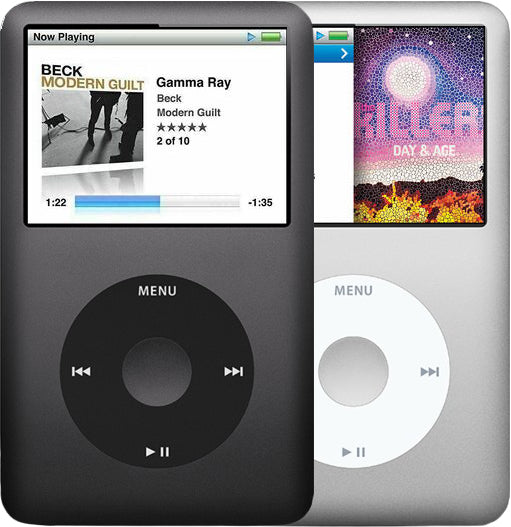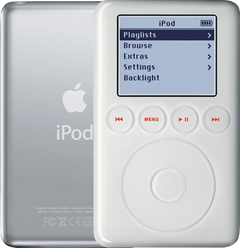
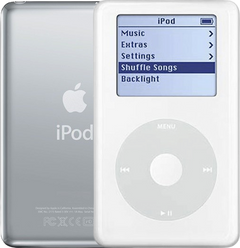
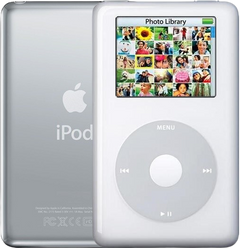
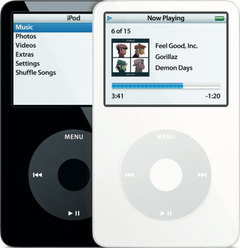
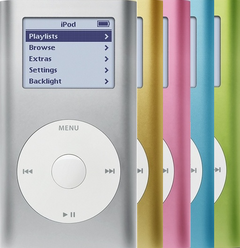


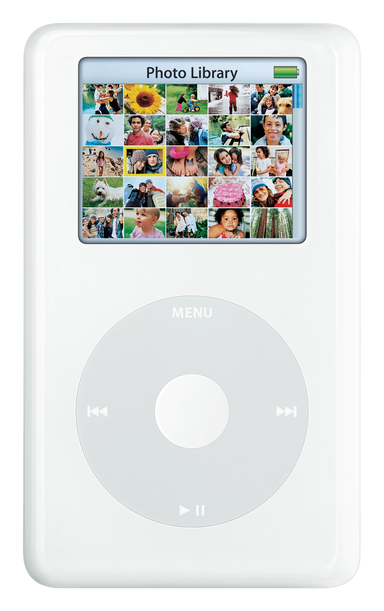
Illustration of this model in White. Your unit may vary.
Refurbished iPod Photo (4th Generation) HP Invent Edition — 60GB White
Model A1099 · Order number PS493AA
$312.95
- Used (Apple Original)
- 60GB hard drive
- New battery
- Tested by iMods
- 1-year limited warranty
Sold out
Not for sale right now
We are not selling this iPod at the moment.
- Apple original iPod, tested by iMods
- 1-year limited warranty · 30-day returns from delivery
- Built after you order: ships in 1 to 3 business days. Free US shipping on orders of $200 or more.
Questions about this iPod? Chat with us or email sales@imods.com.
Ships as the iPod only.
Your iPod
This iPod
What you get with this iPod
What we did
- Tested before sale: controls, display, sync and audio
- New battery fitted
- Original 60GB hard drive, tested during restore and sync
- Original Apple case with normal signs of use
In the box
In the box: the iPod only, no cables. The 1-year limited warranty is our own cover on this iPod and runs from the date of delivery.
Versions
How to identify the iPod Photo (4th Generation): model and order numbers
| Order number | Listing | Price |
|---|---|---|
| — | Refurbished iPod Photo (4th Generation) — Flash-Storage Modded | From $240.95 |
| M9830LL/A | Refurbished iPod Photo (4th Generation) — 60GB White (M9830LL/A) | From $125.95 |
| M9586LL/A | Refurbished iPod Photo (4th Generation) — 60GB White (M9586LL/A) | From $125.95 |
| PS493AA | This listing | From $312.95 |
| M9585LL/A | Refurbished iPod Photo (4th Generation) — 40GB White (M9585LL/A) | From $137.95 |
| M9829LL/A | Refurbished iPod Photo (4th Generation) — 30GB White (M9829LL/A) | From $125.95 |
| PS492AA | Refurbished iPod Photo (4th Generation) HP Invent Edition — 30GB White (PS492AA) | From $137.95 |
| MA079LL/A | Refurbished iPod Photo (4th Generation) — 20GB White (MA079LL/A) | From $112.95 |
| MA127LL/A | Refurbished iPod Photo (4th Generation) — 20GB U2 Color Edition (MA127LL/A) | From $347.95 |
Setup and reset
How to reset, turn off and restore the iPod Photo (4th Generation)
Reset: slide Hold on and off, then hold Menu and the center button until the Apple logo appears. It keeps your music and files; some settings may reset.
Something wrong with an iPod like this? Parts and free repair quote
iPod details
About this iPod
Overview
Refurbished iPod Photo (4th Generation) — inspected, function-tested, and ready to play. Confirm the exact capacity, color, and order number on this listing before you buy.
Model snapshot
About This iPod
The iPod Photo represented Apple's first step toward making the iPod a multimedia device rather than just a music player. Announced October 26, 2004, its 2-inch, 220x176 pixel, 65,536-color LCD was the first color display in the iPod line, capable of showing album art, photo slideshows, and TV output through Apple's AV cable (bundled at retail only with the 2004 launch models; sold separately afterward).
About This Variant
HP-branded 60GB iPod Photo from around April 2005 at about US$449. Same hardware as Apple's October 2004 60GB (M9586LL/A), with an HP logo on the back; HP ended its iPod sales in fall 2005, and service history runs through HP rather than Apple. The announcement came on July 29, 2005.
| Detail | Value |
|---|---|
| Released | Around April 2005 |
| Discontinued | HP announced on July 29, 2005 that it would stop shipping HP-branded iPods; sales wound down that autumn |
| Original Price | Approx. US$449 |
| This Listing | PS493AA |
What the HP badge changes — and what it does not
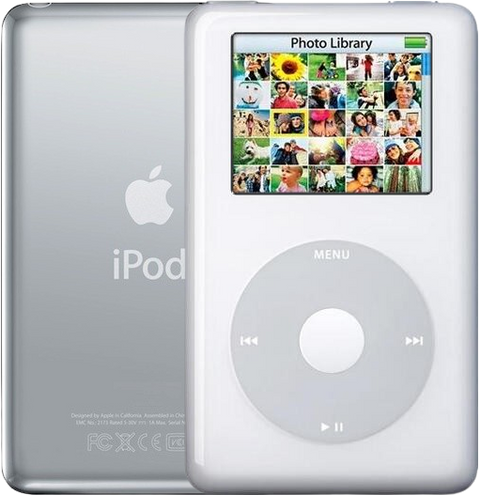
This is a genuine HP-branded 60GB color-display iPod, ordered as PS493AA and cataloged by HP as MP7002. Hewlett-Packard did not build a different player: Apple made these for HP under a deal announced in January 2004, and the reference works describe the two as identical but for the badge — an HP logo added below the Apple logo on the back, and a retail box in HP’s house style.
What the badge changes: the marking on the back, the HP order number and box, and scarcity — far fewer of these were sold than the plain Apple units. What it does not change: the hardware. It is the same A1099 iPod with the same 2-inch color screen, the same Click Wheel, the same 30-pin dock connector and the same 1.8-inch drive bay, so the parts we list for the Apple 60GB fit this one, with one exception: the Mid-2005 Color Display screen needs the Mid-2005 logic board (this one takes the Late 2004 / Early 2005 screen, which either board runs), and it restores and syncs in exactly the same way. What no longer applies: in 2005 an HP-badged iPod had to go to an HP service center rather than an Apple Genius Bar. That routing ended with the program and is history, not a limitation on this unit — the cover that applies here is our own 1-year limited warranty.
What Changed
- Display: 2-inch 220x176 color LCD with 65,536 colors replacing the 160x128 monochrome LCD — the first color display in the iPod line
- Photo Support: JPEG, BMP, GIF, TIFF, PNG and — on a Mac — PSD photo viewing; TV output through Apple's AV cable (a 2004 launch-box item, later sold separately) for photo slideshows with music
- Interface: Same Click Wheel interface but with color UI elements and album art display during playback
What's Included
- Refurbished iPod
- 1-year limited warranty
Ships as the iPod only — no cable, wall charger, or headphones are included. A restore that stops at a picture of a plug must finish on a wall charger (Apple's A1070 power adapter is the ideal choice; a generic charger may not give the right voltage).
Model and specs
Exact Model Identification
| Detail | Value |
|---|---|
| Order Number | PS493AA |
| Apple Model Number | A1099 |
| Capacity | 60GB |
| Color | White (HP-branded) |
| EMC | EMC 2022 |
Every variant in this generation shares the Apple model number A1099 — the order number is what identifies the exact unit. The order number is not engraved on the case: the back carries the model number (A1099), the EMC number and the serial number.
Two different 60GB white iPods exist here, on different board and screen families: the M9830's later board runs either screen, but the M9586's earlier board stays black with the later screen. M9586LL/A is the October 2004 launch unit (US$599, sold with the full retail bundle) and it is built on the earlier logic-board and screen family. M9830LL/A is the February 2005 replacement (US$449, dropping to US$399 on June 28, 2005), sold with a slimmed-down box — the dock and the AV cable became separate purchases — and it is the 60GB unit that Apple's optional iPod Camera Connector supports. It uses the later board and screen family. Read the order number on the box or your receipt before ordering a screen, a logic board or a whole unit: the capacity alone will not tell you which one you have.
Specifications
| Specification | Value |
|---|---|
| Processor | Dual ARM7TDMI, 80 MHz |
| RAM | 32 MB |
| Storage | 60GB Toshiba 1.8" IDE HDD |
| Display | 2" Color TFT 220x176 |
| Audio CODEC | Wolfson WM8975 |
| Battery (Original) | Li-Ion, Apple-rated 15 hours music / 5 hours photo slideshow (616-0206 family) |
| Battery Life (Music) | 15 hours |
| Battery Life (Photo Slideshow) | 5 hours (Apple’s rating is “without video out”) |
| Case Depth | Thick |
| Order Number | PS493AA |
| Revision | HP Invent Edition |
| Model Number | A1099 |
Compatibility
Sync it with iTunes on a Windows PC, or with the Finder on a Mac (macOS Catalina and later). Step by step: How to put music on an iPod.
Flash storage
Prefer flash storage instead of the hard drive? Pick a flash size under Storage capacity above: we fit it and test the iPod before it ships.
Questions
Buyer FAQ
What should I check when it arrives?
Confirm the capacity, color and Apple model number against Exact Model Identification (the order number is on the box or receipt, not on the iPod). Then test charging, sync/restore, controls, audio, hold switch, display, and several full tracks before loading your library. Two sequences are worth knowing before you need them: to reset, hold Menu + Select until the Apple logo appears; for Disk Mode, reset and then hold Select + Play/Pause. This iPod has no Volume Limit setting in its menus — Apple added that to later models — so there is no volume lock to hunt for. This listing is for 60GB, White (HP-branded), PS493AA.
Does this work with my Mac or PC?
On a Windows PC use iTunes for Windows — often the simplest way to restore it. On a Mac with macOS Catalina or later sync in the Finder (iTunes on older Macs); if a current Mac will not see the iPod, fall back to an older Mac or a Windows PC.
How long does the battery last on a used one?
Runtime depends on battery age, capacity, storage type, and backlight use. For scale, Apple rated this iPod at up to 15 hours of music and up to 5 hours of photo slideshows without video out from a full charge, and put a full charge at about 5 hours. A new replacement cell in the 616-0206 family is fitted before the iPod ships, unless the listing says otherwise. It is the standard new 750 mAh pack, or the new extended-life 1,200 mAh pack if you pick it under Battery above. A flash build draws less power than the original hard drive, so it plays longer on a charge.
What is different about this exact variant?
HP-branded 60GB iPod Photo from around April 2005 at about US$449. Same hardware as Apple's October 2004 60GB (M9586LL/A), with an HP logo on the back. It takes the Late 2004 / Early 2005 screen; either logic board fits it (the Mid-2005 board runs its screen), but the Mid-2005 Color Display screen needs the Mid-2005 board. HP ended its iPod sales in fall 2005, and service history runs through HP rather than Apple. The announcement came on July 29, 2005. Identify it by capacity 60GB, color White (HP-branded), or order number PS493AA.
Should I buy stock or Flash-Storage Modded?
Choose stock if you want the original hard-drive experience and the lowest complexity. Choose a flash build if you want solid-state storage, lower power draw and no spinning drive. On this generation the flash build uses a single-card IDE-to-SD adapter in place of the 1.8-inch hard drive; our ready-built flash iPods name the installed capacity you are choosing, and our flash mod service fits one in an iPod you already own (installed by mail).
Will it work with my car's USB port?
Sometimes, and it is the car that decides. Owners report modern car USB ports answering "unsupported version", or doing nothing at all, with this iPod — one names an iPod photo on software 1.2.1 refused by a 2009 car. This iPod syncs and charges over USB with a computer, so a car port that refuses it is an accessory-support limit in the car, not a fault in the iPod, and there is no software update that bridges it: this model's software ended at 1.2.1. What does work: the car's aux input with a headphone cable, or a dock/line-out cable into aux, and a USB wall adapter or the car's 12V socket for charging. If you are buying for a specific car, check that car's iPod support before you plan on the USB port.
More questions, answered step by step:
Refurbished and custom
Your music. Your kind of iPod.
Pick your iPod, then its color, storage and battery. On the iPod Video 5th Gen and the iPod Classic 6th and 7th Gen you can also choose a new case in your colors and, with flash storage, the 2000mAh extended-life battery. Every iPod we sell is cleaned, tested, fitted with a new battery and covered by a 1-year limited warranty.
Want a silent iPod? Choose flash storage: it has no moving parts to wear out, and it goes up to 1TB on the 60GB and 80GB iPod Video 5th Gen and the iPod Classic 7th Gen.