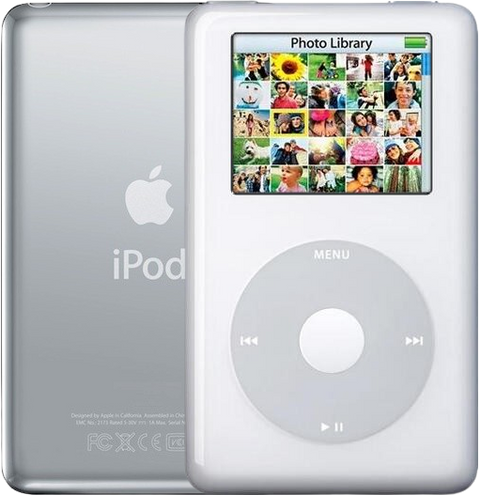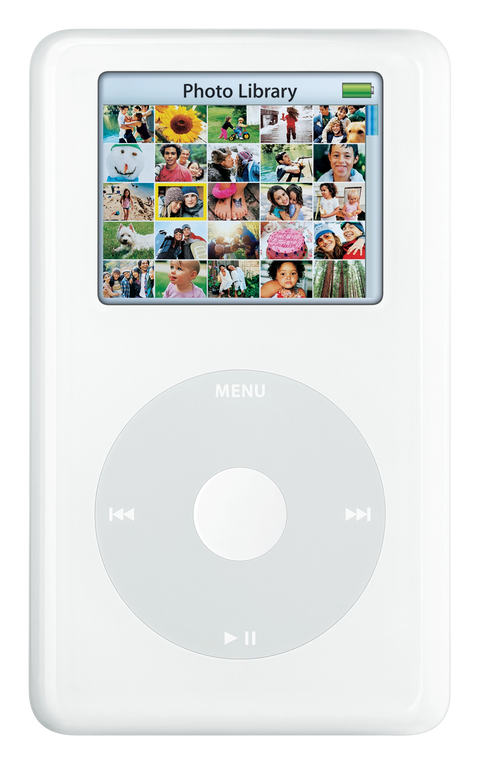
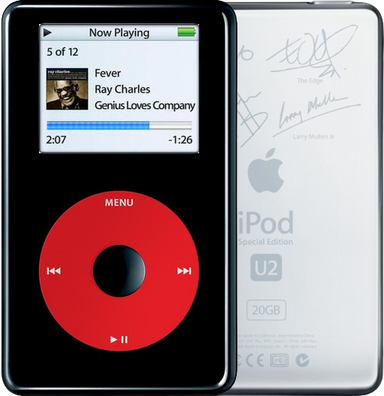
Used iPod Photo (A1099), 20GB U2 Color Edition, MA127LL/A

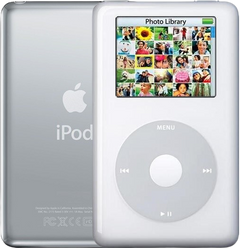
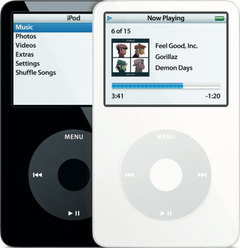
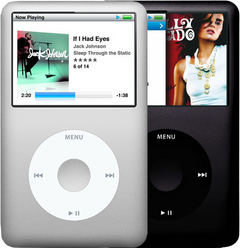
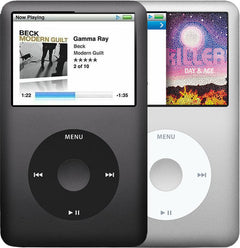
Representative photo of this model. Your unit may vary.

Refurbished iPod Photo (4th Generation) — 20GB U2 Color Edition

Model A1099 · Order number MA127LL/A
Used iPod Photo (A1099), 20GB U2 Color Edition, MA127LL/A

$347.95

Storage

  • Apple original iPod, tested by iMods
  • 1-year limited warranty · 30-day returns from delivery
  • Built after you order: ships in 3 to 5 business days. Free US shipping on orders of $200 or more.

Ships as the iPod only.

Your iPod

This iPod

What you get with this iPod

What we did

  • Tested before sale: controls, display, sync and audio
  • New battery fitted
  • Original 20GB hard drive, tested during restore and sync
  • Original Apple case with normal signs of use

In the box

In the box: the iPod only, no cables. The 1-year limited warranty is our own cover on this iPod and runs from the date of delivery.

Versions

How to identify the iPod Photo (4th Generation): model and order numbers

Setup and reset

How to reset, turn off and restore the iPod Photo (4th Generation)

Reset: slide Hold on and off, then hold Menu and the center button until the Apple logo appears. It keeps your music and files; some settings may reset.

Something wrong with an iPod like this? Parts and free repair quote

iPod details

About this iPod

Overview

Refurbished iPod 20GB

Refurbished iPod Photo (4th Generation) — inspected, function-tested, and ready to play. Confirm the exact capacity, color, and order number on this listing before you buy.

Model snapshot

ModeliPod Photo (4th Generation)
Order numberMA127LL/A
Capacity20GB
IntroducedJune 28, 2005

Match capacity, color, generation, and order-number family before choosing a complete working iPod.

Product Overview

This refurbished iPod Photo (4th Generation) 20GB Black/Red is a complete working iPod listing for buyers comparing model, capacity, and condition.

Use the identification table below to confirm the exact configuration and order-number record.

Choose Your Option

20GB / White / MA079LL/A Used iPod Photo (4th Generation) — 20GB White (MA079LL/A) Capacity: 20GB · Color: White · Case: thin View this option →
20GB / Black-Red U2 / MA127LL/A Used iPod Photo (4th Generation) — 20GB U2 Color Edition (MA127LL/A) Capacity: 20GB · Color: Black/Red · Case: thin · Variant: U2 color edition

U2 color edition: black front, red Click Wheel, engraved signatures, 2-inch color screen. Same hardware as the 20GB White MA079LL/A.

You're viewing this option
30GB / White / M9829LL/A Used iPod Photo (4th Generation) — 30GB White (M9829LL/A) Capacity: 30GB · Color: White · Case: thin View this option → 30GB / White (HP-branded) / PS492AA Used iPod Photo (4th Generation) HP Invent Edition — 30GB White (HP-branded) (PS492AA) Capacity: 30GB · Color: White (HP-branded) · Case: thin View this option → 40GB / White / M9585LL/A Used iPod Photo (4th Generation) — 40GB White (M9585LL/A) Capacity: 40GB · Color: White · Case: thick View this option → 60GB / White / M9586LL/A Used iPod Photo (4th Generation) — 60GB White (M9586LL/A) Capacity: 60GB · Color: White · Case: thick · Variant: October 2004 launch View this option → 60GB / White / M9830LL/A Used iPod Photo (4th Generation) — 60GB White (M9830LL/A) Capacity: 60GB · Color: White · Case: thick · Variant: February 2005 revision, Camera Connector support View this option → 60GB / White (HP-branded) / PS493AA Used iPod Photo (4th Generation) HP Invent Edition — 60GB White (HP-branded) (PS493AA) Capacity: 60GB · Color: White (HP-branded) · Case: thick View this option → Flash-modded / White / flash adapter Used iPod Photo (4th Generation) — Flash-Storage Modded Capacity: varies by build · Case: thin or thick View this option →

About This iPod

The iPod Photo represented Apple's first step toward making the iPod a multimedia device rather than just a music player. Announced October 26, 2004, its 2-inch, 220x176 pixel, 65,536-color LCD was the first color display in the iPod line, capable of showing album art, photo slideshows, and TV output through Apple's AV cable (bundled at retail only with the 2004 launch models; sold separately afterward).

About This Variant

The U2 edition of the color-display 20GB iPod, released June 28, 2005 at US$329 alongside the “iPod with color display” rebrand — black front, red Click Wheel, and the band's signatures engraved on the chrome back. Hardware is identical to the 20GB White MA079LL/A (A1099, 2-inch color screen), so it plays music and shows photos but does not play video. The color-screen U2 is scarcer than the 2004 monochrome U2 and is bought almost entirely as a collector piece. What the U2 badge changes is cosmetic and what came in the box: the black front, the red Click Wheel and the band’s signatures laser-etched into the stainless back, and at retail an exclusive poster and a US$50 coupon towards a downloadable U2 box set. What it does not change is the hardware — the same A1099 board, the same 2-inch color screen, the same drive bay, the same parts. Anything we list for the 20GB white MA079LL/A fits this iPod, with the one exception you can see: a white front panel or a white Click Wheel will not match.

Detail Value
Color-display lineup date June 28, 2005
Discontinued October 12, 2005
Original Price US$329
This Listing MA127LL/A

What Changed

  • Display: 2-inch 220x176 color LCD with 65,536 colors replacing the 160x128 monochrome LCD — the first color display in the iPod line
  • Photo Support: JPEG, BMP, GIF, TIFF, PNG and — on a Mac — PSD photo viewing; TV output through Apple's AV cable (a 2004 launch-box item, later sold separately) for photo slideshows with music
  • Interface: Same Click Wheel interface but with color UI elements and album art display during playback

What Refurbished Means

A refurbished iPod is a complete used iPod that has been inspected, cleaned, tested, and prepared for resale; it is not a sealed-new Apple retail unit.

Area What this listing means
Inspection Function-tested complete iPod with model, controls, display, sync, and audio checked before sale.
Battery A replacement battery is installed unless the listing states otherwise.
Battery Age These iPods are about 21 years old. Original batteries are well beyond their design life.
Storage Storage is tested during restore/sync checks. Unless flash-modded, the original 1.8-inch mechanical hard drive is a 20+ year-old part; treat remaining drive life as unknown.
Cosmetics Cosmetic condition is listing-specific and may vary by shell, backplate, screen lens, and engraving wear.

What's Included

Ships as the iPod only — no cable, wall charger, or headphones are included.

The 1-year limited warranty above is our own cover on this unit and runs from your purchase. The original 2004–05 manufacturer warranty expired long ago and does not apply.

Fitting is not part of this listing. This is a complete, assembled, tested iPod; where we offer fitting on a component, it is a separate choice you make when you order and is never folded into a price.

Model and specs

Exact Model Identification

Detail Value
Order Number MA127LL/A
Apple Model Number A1099
Capacity 20GB
Color Black/Red
EMC EMC 2022

Every variant in this generation shares the Apple model number A1099 — the order number is what identifies the exact unit. The order number is not engraved on the case: the back carries the model number (A1099), the EMC number and the serial number.

All Available Variants

Order Number Capacity Color Case Released Original Price Refurb
M9585LL/A 40GB White Thick October 2004 US$499 View refurb
M9586LL/A 60GB White Thick October 2004 US$599 View refurb
M9829LL/A 30GB White Thin February 2005 US$349 View refurb
M9830LL/A 60GB White Thick February 2005 US$449 (US$399 from June 28, 2005) View refurb
PS492AA 30GB White (HP-branded) Thin ~April 2005 ~US$349 View refurb
PS493AA 60GB White (HP-branded) Thick ~April 2005 ~US$449 View refurb
MA079LL/A 20GB White Thin June 2005 US$299 View refurb
MA127LL/A 20GB Black/Red (U2 Special Edition) Thin June 2005 US$329 This page

Two different 60GB white iPods exist here, and they are not interchangeable. M9586LL/A is the October 2004 launch unit (US$599, sold with the full retail bundle) and it is built on the earlier logic-board and screen family. M9830LL/A is the February 2005 replacement (US$449, dropping to US$399 on June 28, 2005), sold with a slimmed-down box — the dock and the AV cable became separate purchases — and it is the 60GB unit that Apple's optional iPod Camera Connector supports. It uses the later board and screen family. Read the order number engraved on the back before ordering a screen, a logic board or a whole unit: the capacity alone will not tell you which one you have.

Specifications

Specification Value
Processor Photo logic platform (dual ARM7TDMI, 80 MHz)
RAM 32 MB
Storage 20GB Toshiba 1.8" IDE HDD
Display 2" Color TFT 220x176
Audio CODEC Wolfson WM8975
Battery (Original) Li-Ion, Apple-rated 15 hours music / 5 hours photo slideshow (616-0206 family)
Battery Life (Music) 15 hours
Battery Life (Photo Slideshow) 5 hours (Apple’s rating is “without video out”)
Case Depth Thin
Model Number A1099
Order Number MA127LL/A
Revision June 2005 U2 color edition

Compatibility

Modern Sync Notes

  • Broad compatibility: works with all popular Windows versions — Windows XP, Windows 7, Windows 8, Windows 10, and Windows 11 — as well as Macs. The iPod shipped with iTunes 4.7; on a current machine the tool is iTunes for Windows, or the newer Apple Devices app, and Finder on recent macOS.
  • macOS: macOS Sequoia 15.4 and later can break native iPod recognition for some owners; if Finder or Apple Music does not see the iPod, use Windows iTunes or an older Mac for restore and sync.
  • Windows: iTunes for Windows, or the newer Apple Devices app, is the restore and sync route on current Windows. There are no separate drivers to chase. An older iTunes build is only needed if you want click-wheel games; music syncs from current builds.
  • Streaming: These iPods do not provide native Spotify, Apple Music streaming, Wi-Fi, or Bluetooth.

Original System Requirements

  • Minimum Mac OS: Mac OS X 10.2.8 or later over FireWire; syncing over USB 2.0 needs Mac OS X 10.3.4 or later
  • Host Port: High-power USB 2.0 or FireWire 400 (IEEE 1394)
  • Windows: Windows 2000 Service Pack 4; Windows XP Service Pack 2 or later

Photo Sync Requirements

  • Mac: iPhoto 4.0.3 or later
  • Windows: Adobe Photoshop Album 1.0 or later, or Adobe Photoshop Elements 3.0 or later, or My Pictures folder

Known OS Compatibility Issues

  • macOS Sequoia 15.x: Legacy iPod recognition may be unreliable on newer macOS releases; 32-bit iTunes unavailable. Workaround: Use Windows standalone iTunes or an older Mac with a known-good iPod sync path.

Rockbox

Status: Supported

Build: IPOD_COLOR

Stable port. Target name is 'ipodcolor' (not 'ipodphoto').

iTunes Compatibility

  • Minimum: iTunes 4.7
  • Recommended: iTunes 12.6.5
  • Note: iTunes 4.7 shipped with the iPod Photo (October 2004). Photo sync required iPhoto 4.0.3+ on Mac.iTunes 12.6.5.3 is the last build for click-wheel games and Store access; newer iTunes builds can still sync music to click-wheel iPods.

Flash Storage Upgrade

A stock refurbished iPod can keep its original storage style, but many buyers choose flash storage when they want a quieter, lower-power player with fewer moving parts. See the 128GB Flash Mod Kit (IDE flash adapter + 128GB SD Card Included) page for the DIY kit, capacity options, and card guidance.

Topic Buyer Guidance
Why buyers upgrade No moving parts, silent operation, lower power draw, improved battery life, and room for higher-capacity libraries.
Maximum confirmed capacity The DIY kit is sold as a 128GB configuration, and 256GB on a single SDXC card is the largest capacity the adapter maker lists as confirmed for this model. Our ready-built flash iPods are offered at higher installed capacities too — the flash-mod listing names the capacity you are choosing. This iPod has no 128GB addressing ceiling; that limit belongs to the 6th-generation iPod classic, not to this generation.
Format requirement SDXC cards (64GB+) must be pre-formatted to FAT32 — default exFAT not supported by original firmware. A flash iPod bought ready-built from us arrives already formatted and restored; this matters if you later change the card yourself.
Rockbox Rockbox is supported (IPOD_COLOR); Stable port. Target name is 'ipodcolor' (not 'ipodphoto').

Other Models to Consider

Compare refurbished iPods across the other model families, or jump to flash mods for this generation:

Setup and care

Charging & Connection

This iPod syncs and charges over USB or FireWire through the 30-pin dock connector. A real wall adapter is what revives a deeply discharged battery or finishes a restore: a FireWire wall adapter is the surest route, an iPod-era USB wall adapter works for some owners and not for others, and a modern phone charger or a computer USB port often does not.

Everyday charging and syncing over USB is a different matter and works normally — Apple’s own specification sheet for this iPod lists charging over FireWire and charging over USB 2.0 side by side. Apple rated a full charge at about 5 hours, with roughly 80% of the charge reached in about 3.

Battery Safety & Shipping

⚠️ Lithium-Ion / Li-Po Battery Safety. This product contains (or is) a rechargeable lithium-ion/lithium-polymer battery. Charge only with a compatible charger and unplug once fully charged. Avoid charging or storing in direct sunlight or other high-heat environments. Stop using and stop charging immediately if the battery swells, bulges, gets unusually hot, hisses, smokes, or leaks. Do not puncture, crush, bend, short-circuit, or try to "deflate" a swollen cell, and never press a lifted front panel or a bulging case back down — it can rupture the cell. On this iPod the pack lies behind the Click Wheel, not behind the screen, so a swelling cell usually shows itself as a center button that has gone stiff or stopped clicking while the ring around it still works, or as a front panel that no longer sits flush against the metal back. Stop using it and see the battery page. If electrolyte contacts your eyes, flush with clean water for 15 minutes without rubbing and seek medical care; on skin, wash with water and soap. Battery service should be done by a trained technician. Recycle through an electronics or universal-waste recycler, not household trash.

Shipping. A refurbished iPod shipped with its battery installed is handled as lithium-ion batteries contained in equipment (UN3481); a loose replacement cell is handled as a lithium-ion battery (UN3480). Carrier, packaging, and destination restrictions can vary, so follow the current checkout and shipping instructions for the offered route.

Restore & sync

Every restore on this iPod ends the same way, whether you are setting it up fresh or recovering it after a stall. Copy anything you want to keep off the iPod first — a restore erases it — then restore with iTunes for Windows, or the newer Apple Devices app, on a PC (Finder on recent macOS).

Restore & sync: what is the wall-outlet-and-plug picture?

Owners describe it as a picture of a plug and a wall outlet that the iPod will not move past. It is not a fault. In Apple's words, as quoted in the repair record: "This icon appears on the screen during an update or restore that occurs when iPod is connected to the computer via a low or no-power connector. This can include some USB ports and 4-pin FireWire ports. When this appears, disconnect iPod from the computer and connect it to the power adapter." The install finishes on wall power and the iPod restarts on its own. A real wall adapter is what finishes a restore: a FireWire wall adapter is the surest route, an iPod-era USB wall adapter works for some owners and not for others, and a modern phone charger or a computer USB port often does not. Copy anything you want to keep off the iPod first — a restore erases it.

Restore & sync: my restore ended in a sad face or a wall-plug loop

One owner describes it exactly: a fresh restore on a just-bought used iPod, the software asks partway through for a power adapter, a phone's USB charger goes on instead of an iPod-era one, and the unit then loops sad-iPod and wall-outlet pictures. The restore is unfinished, not necessarily broken. A real wall adapter is what finishes a restore: a FireWire wall adapter is the surest route, an iPod-era USB wall adapter works for some owners and not for others, and a modern phone charger or a computer USB port often does not. Give it a proper wall-power session, then run the restore again from the start — copy anything you want to keep off the iPod first, because a restore erases it. If the sad face survives a finished restore, test the drive next: enter disk mode and listen for spin-up.

Restore & sync: songs skip part-way through

One owner describes every song playing about half a minute, stuttering, then hopping to the next track. Work software first. Reset with Menu + Select and try again; if it persists, copy anything you want to keep off the iPod — a restore erases it — then restore with iTunes for Windows, or the newer Apple Devices app (Finder on recent macOS) and re-sync the music fresh rather than restoring from a backup, so a damaged library file is not put straight back. If clean songs still skip after that, suspect the drive: one owner's skipping was cured by a drive replacement, and a reviewer of this model at launch recorded occasional unexplained pauses when loading new songs, so a single stutter is not proof on its own.

Questions

Buyer FAQ

How is this different from the 2004 U2 iPod?

There are two U2 click-wheel iPods: the October 2004 monochrome U2 (M9787LL/A, grayscale screen) and this June 2005 color-display U2 (MA127LL/A, 2-inch color screen, US$329 at launch). Both have the black front, red Click Wheel, and signature-engraved chrome back; this is the later, color-screen version.

How do I confirm this is the color-display U2?

Check the order number MA127LL/A and the color screen. The shared model number A1099 appears on every iPod Photo / color-display unit, so the order number is what identifies this exact edition. The order number is not engraved on the case: the back carries the model number (A1099), the EMC number and the serial number.

What should I check when it arrives?

Confirm the order number, capacity, color and Apple model number against Exact Model Identification — this listing is for 20GB, Black/Red, MA127LL/A. Then test charging, sync/restore, controls, audio, hold switch, display, and several full tracks before loading your library. Two sequences are worth knowing before you need them: to reset, hold Menu + Select until the Apple logo appears; for Disk Mode, reset and then hold Select + Play/Pause. This iPod has no Volume Limit setting in its menus — Apple added that to later models — so there is no volume lock to hunt for. On a collector unit, look as well at the signature engraving and the red Click Wheel, since those are what you are paying the premium for.

How long does the battery last on a used one?

Runtime depends on battery age, capacity, storage type, and backlight use. For scale, Apple rated this iPod at up to 15 hours of music and up to 5 hours of photo slideshows without video out from a full charge, and put a full charge at about 5 hours. A new replacement cell in the 616-0206 family is fitted before the iPod ships, unless the listing says otherwise. We do not quote a milliamp-hour number for it, because published capacities for this model’s replacement cells contradict one another — the battery page explains why to shop by the part number rather than by an mAh claim. A flash build draws less power than the original hard drive, so it will generally run longer on the same cell.

Will it work with my car's USB port?

Sometimes, and it is the car that decides. Owners report modern car USB ports answering "unsupported version", or doing nothing at all, with this iPod — one names an iPod photo on software 1.2.1 refused by a 2009 car. This iPod syncs and charges over USB with a computer, so a car port that refuses it is an accessory-support limit in the car, not a fault in the iPod, and there is no software update that bridges it: this model's software ended at 1.2.1. What does work: the car's aux input with a headphone cable, or a dock/line-out cable into aux, and a USB wall adapter or the car's 12V socket for charging. If you are buying for a specific car, check that car's iPod support before you plan on the USB port.

Search terms

Why people land on this part

Common Names & Search Terms

Buyers find this iPod using these names and phrases:

Product Names

u2 ipod color, ipod u2 color display, ipod photo u2, ipod u2 special edition color, ipod photo refurbished, ipod photo for sale, ipod with color display, ipod color, ipod classic 4th generation photo, vintage ipod photo a1099, M9585LL/A, M9586LL/A, M9829LL/A, M9830LL/A, MA079LL/A, MA127LL/A, PS492AA, PS493AA

What Buyers Are Looking For

best ipod for photos, ipod for car stereo, offline music player 2026, ipod for large music library, ipod for audiophile, ipod wolfson dac, best sounding ipod, best ipod to mod

Collector & Enthusiast Terms

hp invent ipod, rarest ipod photo, ipod photo sealed

Compatibility Questions

rockbox ipod color, iPod flash mod photo, ipod photo itunes, ipod photo work with modern mac

Refurbished and custom

Your music. Your kind of iPod.

Pick your iPod, then its color, storage and battery. On the iPod Video 5th Gen and the iPod Classic 6th and 7th Gen you can also choose a new case in your colors and, with flash storage, the 2000mAh extended-life battery. Every iPod we sell is cleaned, tested, fitted with a new battery and covered by a 1-year limited warranty.

Want a silent iPod? Choose flash storage: it has no moving parts to wear out, and it goes up to 1TB on the iPod Video 5th Gen and the iPod Classic 7th Gen.
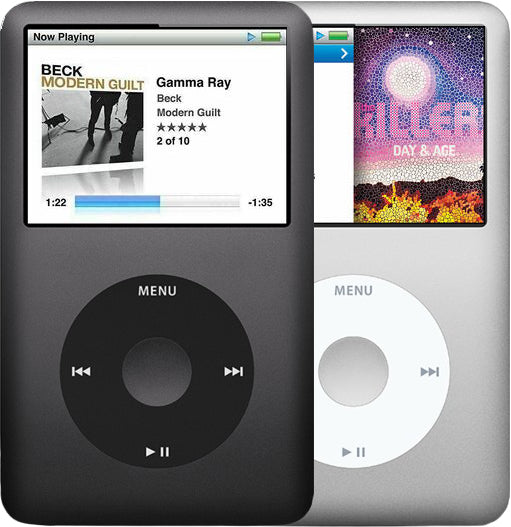
iPod Classic 7th Gen, representative photo
Representative photo of this model. Your unit may vary.