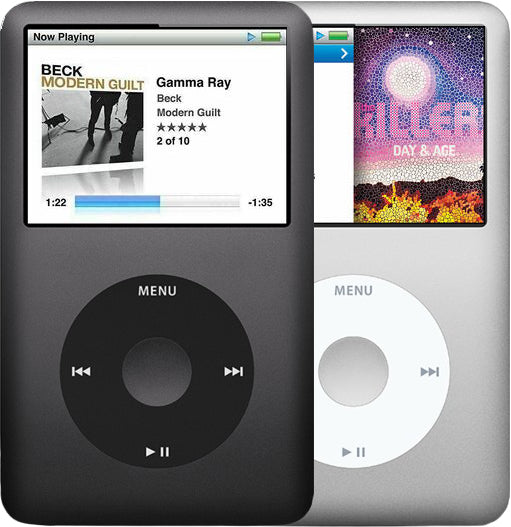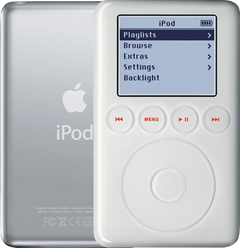
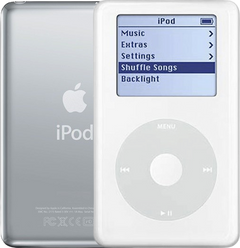
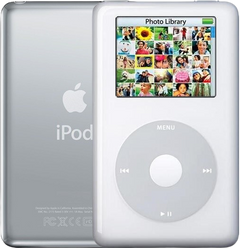
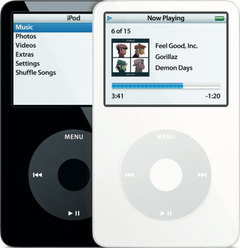
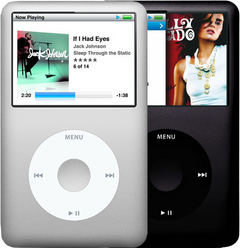
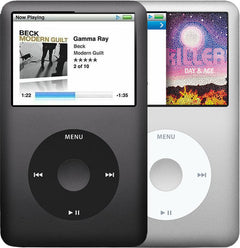


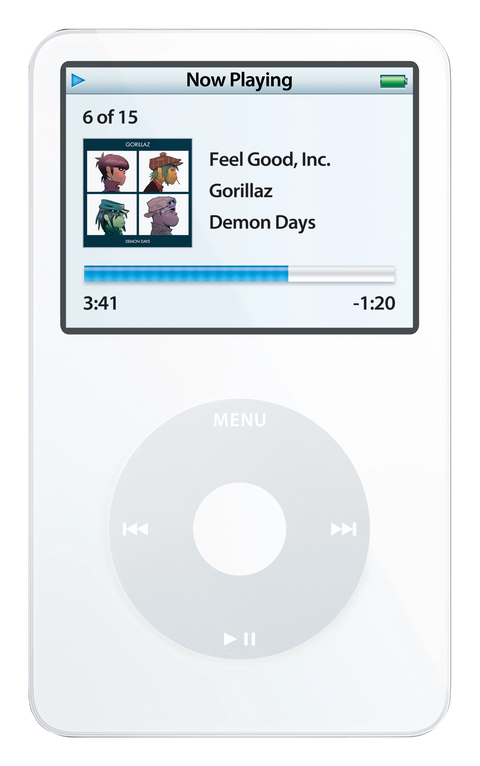
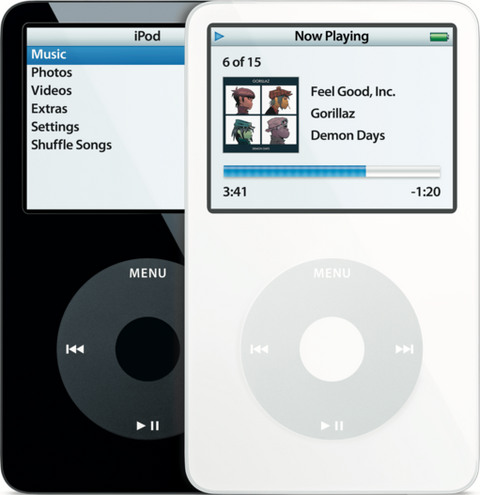
Illustration of this model in White. Your unit may vary.
Refurbished iPod Video 5.5G Enhanced 80GB White
Model A1136 · Order number MA448LL/A · Thick case

$247.95
- Used (Apple Original)
- 80GB hard drive
- New battery
- Tested by iMods
- 1-year limited warranty
Sold out
Not for sale right now
We are not selling this iPod at the moment.
- Apple original iPod, tested by iMods
- 1-year limited warranty · 30-day returns from delivery
- Built after you order: ships in 1 to 3 business days. Free US shipping on orders of $200 or more.
Questions about this iPod? Chat with us or email sales@imods.com.
In the box: the iPod and one USB charge/sync cable. No wall charger or headphones.
Your iPod
This iPod
What you get with this iPod
What we did
- Tested before sale: controls, display, sync and audio
- New battery fitted
- Original 80GB hard drive, tested during restore and sync
- Original Apple case with normal signs of use
In the box
In the box: the iPod and one USB charge/sync cable. No wall charger or headphones. The 1-year limited warranty is our own cover on this iPod and runs from the date of delivery.
Versions
How to identify the iPod Video 5th Generation: model and order numbers
| Order number | Listing | Price |
|---|---|---|
| MA002LL/A | Refurbished iPod Video 5G 30GB White (MA002LL/A) | From $196.95 |
| MA448LL/A | This listing | From $247.95 |
| — | Refurbished iPod Video 5th Generation — Flash-Storage Modded | From $286.95 |
| MA450LL/A | Refurbished iPod Video 5.5G Enhanced 80GB Black (MA450LL/A) | From $247.95 |
| MA444LL/A | Refurbished iPod Video 5.5G Enhanced 30GB White (MA444LL/A) | From $216.95 |
| MA446LL/A | Refurbished iPod Video 5.5G Enhanced 30GB Black (MA446LL/A) | From $216.95 |
| MA003LL/A | Refurbished iPod Video 5G 60GB White (MA003LL/A) | From $216.95 |
| MA147LL/A | Refurbished iPod Video 5G 60GB Black (MA147LL/A) | From $216.95 |
| MA146LL/A | Refurbished iPod Video 5G 30GB Black (MA146LL/A) | From $196.95 |
Setup and reset
How to reset, turn off and restore the iPod Video 5th Generation
Reset: slide Hold on and off, then hold Menu and the center button until the Apple logo appears. It keeps your music and files; some settings may reset.
Something wrong with an iPod like this? Parts and free repair quote
iPod details
About this iPod
Overview
Refurbished iPod Video 5G — inspected, function-tested, and ready to play. Confirm the exact capacity, color, and order number on this listing before you buy.
Model snapshot
About This iPod
Apple unveiled the fifth-generation iPod on October 12, 2005 — the first full-size iPod to play video. Steve Jobs said: 'The new iPod is the best music player ever — it's 30 percent thinner and has 50 percent more storage than its predecessor — yet it sells for the same price and plays stunning video on its 2.5-inch color screen.' That same day, Apple launched iTunes 6 with paid video downloads including Lost, Desperate Housewives, and Pixar shorts.
The 5G launched in 30GB ($299) and 60GB ($399), in white or black — the first standard full-size iPod available in black. On September 12, 2006, Apple refreshed it into the 'Enhanced' model (the community calls it '5.5G'), cutting prices to 30GB ($249) and 80GB ($349), adding a brighter display, search, gapless playback, and improved video decoding. Apple's own name: 'Fifth Generation iPod (Late 2006).'
About This Variant
MA448LL/A is the September 2006 Enhanced 80GB in white. "Enhanced" is Apple's Late 2006 revision of the same A1136 hardware, and it is a real difference you can see: Apple described it as "a 60 percent brighter and more vibrant 2.5-inch color display", added Search and Quick Scroll on the iPod itself, raised video playback to 640 by 480, and paired it with gapless playback in iTunes 7. The case, the Click Wheel and the thick 80GB build are otherwise the original 5th generation's.
What is inside. Thick case, 64 MB of memory, 80GB Toshiba MK8010GAH HDD, and the 850 mAh-class 616-0232 thick pack — a new replacement cell goes in before it ships. Apple rated this build at up to 20 hours of music and up to 6.5 hours of video; a twenty-year-old iPod with a fresh cell will not always match a factory figure.
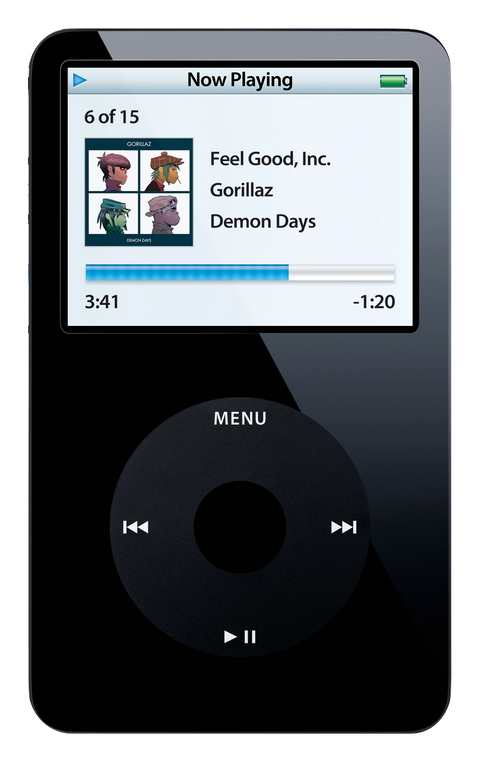
How it differs from the black listing. Only the color. MA450LL/A is the same 80GB 2006 Enhanced unit in black — same case depth, same memory, same drive, same battery, same ratings. The black front shows scratches and swirls more readily than the white one; that is the whole of the difference between the two pages.
How it differs from the 2005 original 60GB. In this color that is MA003LL/A (white); MA147LL/A (black) is its own twin. It is the plain 2005 unit without the brighter panel or Search, and it is the cheaper listing here. Apple never made an 80GB original, so the closest 2005 unit is the 60GB. Both read A1136 on the back, so the order number is the only thing that tells them apart before you switch the iPod on.
| Detail | Value |
|---|---|
| Released | September 12, 2006 |
| Discontinued | September 5, 2007 |
| Original Price | US$349 |
| This Listing | MA448LL/A |
Why the Enhanced listings cost more here
Apple's 2006 price cut is history — in our shop the Enhanced listings are the dearer ones, not the cheaper ones. These are the units buyers ask for by name. The brighter panel and the on-device Search are the two things owners of the 2005 iPod notice immediately, and 80GB is the largest capacity Apple ever fitted to this body. If the brighter panel and Search do not matter to you, the plain fifth generation in 60GB plays exactly the same music through exactly the same Wolfson audio circuit for less.
What Changed
- Video Playback: First iPod with video playback. The 2005 original took H.264 at 320×240 up to 768 Kbps and MPEG-4 at 480×480 up to 2.5 Mbps; this Late 2006 Enhanced build raised both to 640×480 — H.264 up to 1.5 Mbps, MPEG-4 up to 2.5 Mbps
- Display: 2.5-inch QVGA (320×240) color LCD with a white LED backlight, replacing the Photo's 2.0-inch 220×176 65K-color display
- Industrial Design: Thinner profile despite larger display area; maintained signature Click Wheel interface
- Video Output: Composite video via headphone jack; composite and S-Video via dock connector — no authentication chip required
- Processor: Dual ARM7TDMI at 80 MHz + Broadcom BCM2722 VideoCore II coprocessor for hardware video decoding
How This Compares
Why buyers choose this generation: The 5G/5.5G is the audiophile's and modder's iPod: the Wolfson WM8758BG DAC, native Rockbox, the easiest Classic-era teardown, and flash storage up to 1TB (up to 256GB on the 30GB). It is also the most variant-rich full-size iPod: ten US order numbers across two years, two of them U2 editions, all engraved A1136. For buyers who care about sound character and tinkerability over raw capacity, this is the one.
What's Included
- Refurbished iPod
- One USB charge/sync cable
- 1-year limited warranty
Ships as the iPod plus one USB charge/sync cable. No wall charger or headphones are included.
Battery: every unit gets a new standard battery; with a flash build you can pick the 2000mAh extended-life battery instead, under Battery above. It fits flash builds only and weighs more than the standard battery, so the flash build saves less weight.
Model and specs
Exact Model Identification
| Detail | Value |
|---|---|
| Order Number | MA448LL/A |
| Apple Model Number | A1136 |
| Capacity | 80GB |
| Color | White |
| EMC | EMC 2065 |
A1136 identifies nothing on its own. Every iPod in this family — 2005 original and 2006 Enhanced, 30GB, 60GB and 80GB, black and white — is engraved A1136 on the back. The order number is what tells them apart:
- MA002LL/A (white) and MA146LL/A (black) — October 2005, 30GB, thin case, 32 MB memory.
- MA003LL/A (white) and MA147LL/A (black) — October 2005, 60GB, thick case, 64 MB memory.
- MA444LL/A (white) and MA446LL/A (black) — September 2006 Enhanced, 30GB, thin case, 32 MB memory.
- MA448LL/A (white) and MA450LL/A (black) — September 2006 Enhanced, 80GB, thick case, 64 MB memory.
- MA452LL/A and MA664LL/A — the two 30GB U2 editions.
Two short-cuts work without opening anything. A 60GB is always a 2005 original and an 80GB is always a 2006 Enhanced, because Apple never made the other combination.
Specifications
| Specification | Value |
|---|---|
| Model Number | A1136 |
| Order Number | MA448LL/A |
| Generation | Fifth generation, Late 2006 ("Enhanced", 5.5G) |
| Processor | Dual ARM7TDMI at 80 MHz with a Broadcom BCM2722 video coprocessor |
| RAM | 64 MB |
| Storage | 80GB Toshiba MK8010GAH HDD |
| Display | 2.5" Color QVGA 320x240 (the brighter Enhanced panel) |
| Audio CODEC | Wolfson WM8758BG |
| Case | Thick (4.1 x 2.4 x 0.55 inches, 5.5 oz) |
| Battery (Original) | Original: ~850 mAh Li-Ion 616-0232 (thick) / Refurbished: new replacement cell |
| Battery Life (Music) | Apple-rated up to 20 hours |
| Battery Life (Video) | Apple-rated up to 6.5 hours |
| Introduced | September 12, 2006 |
| Discontinued | September 5, 2007 |
| Original Price | US$349 |
Compatibility
Sync it with iTunes on a Windows PC, or with the Finder on a Mac (macOS Catalina and later). Step by step: How to put music on an iPod.
Flash storage
Prefer flash storage instead of the hard drive? Pick a flash size under Storage capacity above: we fit it and test the iPod before it ships.
Questions
Buyer FAQ
What's the difference between the 5G and 5.5G Enhanced?
The 5.5G 'Enhanced' (Late 2006) adds a display Apple rated as 60% brighter, a search function, gapless playback, and improved video decoding (H.264 up to 640x480 vs 320x240). It also introduced the 80GB option. Both share the same Wolfson WM8758BG DAC — the 5.5G does NOT sound different. A 60GB is always a 5G; an 80GB is always a 5.5G. At 30GB both years exist, so read the order number: MA002LL/A and MA146LL/A are 2005 originals, MA444LL/A and MA446LL/A are 2006 Enhanced.
Is 80GB enough for my library?
Apple rated the 80GB at up to 20,000 songs (128-Kbps AAC) — the largest hard drive Apple fitted to this body. It carries 64 MB of memory, so the track database indexes about 50,000 tracks rather than the ~20,000 of a 32 MB 30GB unit. If you need more room than the drive gives, our flash mod service is the way to go.
What's the deal with the Wolfson DAC?
The 5G/5.5G uses the Wolfson WM8758BG, prized by many for a warm, musical sound — especially through a line-out dock and external amp. The later Classics switched to Cirrus Logic. The debate is genuine: some measurements favor the Cirrus, some ears prefer the Wolfson. Both the 5G and 5.5G share the same DAC, so the 5.5G doesn't sound 'better' than the 5G. Treat the Wolfson as a sound-signature preference, not a measured fact.
Can I play FLAC on this?
Not in Apple's firmware. Stock supports AAC, MP3, Apple Lossless, AIFF, and WAV. Install Rockbox (stable port, IPOD_VIDEO build) to add FLAC, Ogg Vorbis, Opus, and gapless playback. Rockbox works only on an iPod set up on a Windows PC; an iPod set up on a Mac must be converted first (the easy way is to restore it in iTunes on a Windows PC), and converting erases its songs.
Is the U2 edition just cosmetic?
Yes — internally identical to the standard 30GB of the same generation. The 5G U2 (MA452LL/A) is a standard 5G; the 5.5G U2 (MA664LL/A) is a standard Enhanced. The collector appeal comes from the black front, red Click Wheel, engraved U2 signatures on a gloss-black back, and the short production run. Beware aftermarket 'U2-look' units assembled from parts listings.
Does this work with my Mac?
Yes: in the Finder on macOS Catalina or later, in iTunes on older Macs. If a recent Mac does not see the iPod, the safest paths are iTunes for Windows on a PC, an older Mac, or Rockbox for iTunes-free use.
How long does the battery last?
Apple's original ratings ran by build: the 2005 30GB up to 14 hours music and 2 hours video; the 2005 60GB up to 20 hours music and 3 hours video; the 2006 Enhanced 30GB up to 14 hours music and 3.5 hours video; the 2006 Enhanced 80GB up to 20 hours music and 6.5 hours video. This one is the 2006 Enhanced 80GB, so its figures are up to 20 hours of music and up to 6.5 hours of video. A 20-year-old original battery often delivers far less. Thin batteries are 616-0229 (580 mAh), thick are 616-0232 (~850mAh). Every refurbished unit here ships with a new replacement cell.
What should I check when it arrives?
Test both headphone channels and dock line-out; if neither gives sound, the audio IC chip on the logic board is the likely fault, which we fix by replacing the logic board. Check the Click Wheel, Hold switch, screen for dead pixels, and confirm capacity in Settings > About. For stock-drive units, listen for clicking. If it ever starts to a folder icon, start with the Won't restore help page under More questions below; a sad face means hardware (almost always the hard drive): skip the restore and send it to us for a free diagnostic. Two key sequences are worth knowing before you need them: a reset is Menu and Select — Select is the center button — held until the Apple logo, and Disk Mode is a reset followed immediately by holding Center and Play/Pause until the Disk Mode screen appears.
Restore & sync
My library vanished after an iTunes update and the only copy is on an old iPod. How do I get it back?
Owners describe it as: tens of gigabytes of ripped music disappearing from the library after an update; an old iPod turning up full of songs the current computer has no record of; individual songs starting to skip after a couple of seconds instead of playing.
These are three different jobs, and only one is a restore: recovering the computer's library from its own backup, copying music off the iPod, and erasing the iPod.
In order: before connecting an iPod that holds the only copy, turn automatic sync off. Copy the files off first — in Disk Mode, or with a desktop transfer utility; they are stored renamed in hidden folders, so expect to re-tag and to lose playlists. Only then restore or re-sync (a restore erases everything on the iPod, songs included). On Windows use iTunes for Windows.
We publish no version-specific recipe for repairing a library file. Songs that skip instead of playing: see Skipping songs under More questions below.
Windows says "Delayed Write Failed", or the device "could not be found". What now?
Owners describe it as: Windows seeing the iPod while iTunes does not, with delayed-write errors; and, after a forced eject in the middle of a glitch, both the file browser and iTunes reporting that the device cannot be found.
Start with the physical connection: the Apple cable, a port on the computer itself with no hub, and time to settle after reconnecting. On Windows use iTunes for Windows and reinstall it before blaming the iPod.
Then test properly rather than by appearance: reach Disk Mode — reset, then hold Center and Play/Pause — and check the computer can actually read and write to the iPod, not merely list it. That separates a recognition glitch from a storage fault.
Copy off anything irreplaceable, then restore from Disk Mode. Write failures that survive a clean restore belong to the storage and its ribbon cable, which the drive pages cover.
The screen goes white when it sits idle since I installed third-party firmware. Can I get it back?
One owner reports exactly this on an otherwise healthy iPod, and a restore to stock cleared it. Before undoing anything, copy off what you want to keep, and identify which bootloader is actually installed: removal instructions differ between them, and a general recipe is not a cure.
Holding Menu during start-up boots Apple's own firmware on a dual-boot build, which separates a firmware problem from a hardware one. If you want it back to standard, restore to stock from Disk Mode — a reset and restore does clear a range of software faults on this model, but a restore erases everything on the iPod, songs included, so copy off anything worth keeping first.
If the white screen survives a restore to stock, stop treating it as firmware and check the display connection: the ribbon, its lock and the connector. We are not claiming a universal cure here, or a general risk of bricking — this is one report, and the exact set-up matters.
More questions, answered step by step:
Refurbished and custom
Your music. Your kind of iPod.
Pick your iPod, then its color, storage and battery. On the iPod Video 5th Gen and the iPod Classic 6th and 7th Gen you can also choose a new case in your colors and, with flash storage, the 2000mAh extended-life battery. Every iPod we sell is cleaned, tested, fitted with a new battery and covered by a 1-year limited warranty.
Want a silent iPod? Choose flash storage: it has no moving parts to wear out, and it goes up to 1TB on the 60GB and 80GB iPod Video 5th Gen and the iPod Classic 7th Gen.