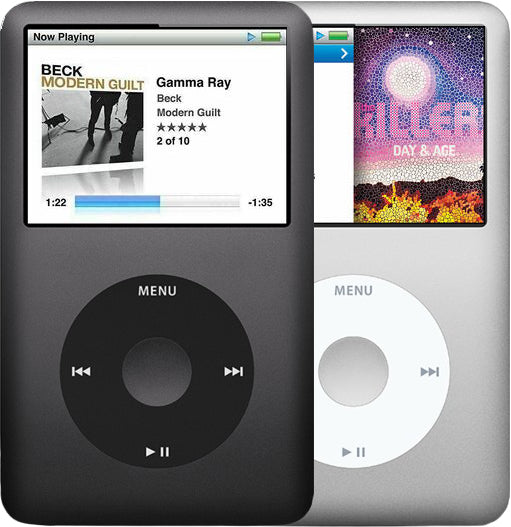
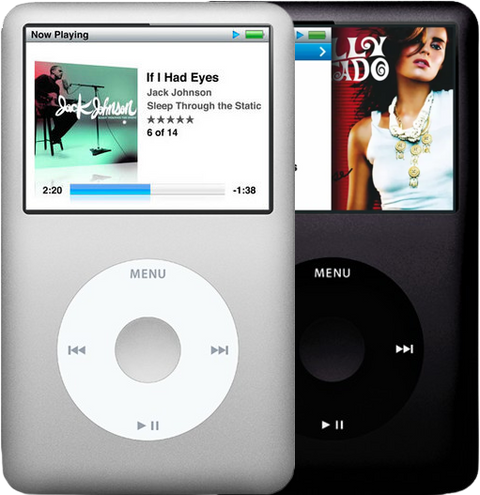
Refurbished iPod Classic 6th Gen — 128GB Flash-Storage Modded
Model A1238
$341.95
- 128GB flash
- New battery
- Tested by iMods
- 1-year limited warranty
Sold out
Not for sale right now
We are not selling this iPod at the moment.
- Apple original iPod, tested by iMods
- 1-year limited warranty · 30-day returns from delivery
- Built after you order: ships in 3 to 5 business days. Free US shipping on orders of $200 or more.
In the box: the iPod and one USB charge/sync cable. No wall charger or headphones.
Your iPod
This iPod
What you get with this iPod
What we did
- Tested before sale: controls, display, sync and audio
- New battery fitted
- 128GB flash card and adapter fitted, formatted and restored
- Original Apple case with normal signs of use
In the box
In the box: the iPod and one USB charge/sync cable. No wall charger or headphones. The 1-year limited warranty is our own cover on this iPod and runs from the date of delivery.
Versions
How to identify the iPod Classic 6th Generation: model and order numbers
| Order number | Listing | Price |
|---|---|---|
| — | This listing | From $341.95 |
| MB147LL/A | Refurbished iPod Classic 6th Gen — 80GB Black | From $231.95 |
| MB029LL/A | Refurbished iPod Classic 6th Gen — 80GB Silver | From $231.95 |
| MB150LL/A | Refurbished iPod Classic 6th Gen — 160GB Black | From $327.95 |
| MB145LL/A | Refurbished iPod Classic 6th Gen — 160GB Silver | From $327.95 |
| MB562LL/A | Refurbished iPod Classic 6th Gen — 120GB Silver | From $297.95 |
| MB565LL/A | Refurbished iPod Classic 6th Gen — 120GB Black | From $297.95 |
Setup and reset
How to reset, turn off and restore the iPod Classic 6th Generation
Reset: slide Hold on and off, then hold Menu and the center button until the Apple logo appears. It keeps your music and files; some settings may reset.
Something wrong with an iPod like this? Parts and free repair quote
iPod details
About this iPod
Overview
Refurbished iPod Classic 6G — inspected, function-tested, and ready to play. Confirm the exact capacity, color, and order number on this listing before you buy.
Model snapshot
Match capacity, color, generation, and order-number family before choosing a complete working iPod.
Product Overview
This refurbished, flash-modded iPod Classic 6th Generation is a complete working iPod listing; the installed flash capacity and donor color are stated per listing.
Use the identification table below to confirm the exact configuration.
Choose Your Option
This refurbished iPod comes in multiple configurations. Confirm capacity, color, case depth, and order number before choosing.
Refurbished iPod Classic 6th Generation with flash adapter storage mod. Samsung S5L8702 processor, Cirrus Logic CS42L55 DAC, flash storage replaces original HDD.
You're viewing this optionAbout This iPod
The 6G was a complete redesign. Apple replaced the polycarbonate plastic front of the 5th-generation iPod with an anodized aluminum faceplate — making it the first full-size iPod never offered in 'signature iPod white.' It introduced Cover Flow album browsing and a split-pane interface, and swapped the PortalPlayer processor for Samsung's S5L8702 and the Wolfson DAC for Cirrus Logic. Battery life improved dramatically — up to 30 hours of music on the 80GB and 40 hours on the 160GB.
At launch, the line comprised a thin 80GB ($249) and a thicker 160GB ($349), each in silver or black. The thick 160GB used a dual-platter Toshiba drive — the only thick-bodied iPod Classic ever made, and now the most sought-after variant among collectors. On September 9, 2008, Apple replaced both with a single thin 120GB model at $249, adding the Genius playlist feature.
The iPod Classic was quietly removed from Apple's online store on September 9, 2014. Tim Cook later explained: 'We couldn't get the parts anymore, not anywhere on Earth. It wasn't a matter of me swinging the ax, saying what can I kill today.' It remains the last click-wheel iPod and the highest-capacity dedicated music player Apple ever made.
About This Variant
This is a refurbished iPod Classic 6G with the mechanical hard drive replaced by flash storage via a flash-storage adapter and SD card — quieter, lower power draw, and no moving storage parts. It eliminates the aging HDD, the recurring failure point on these players. On stock Apple firmware, 6G models are limited to about 128GB usable; larger card totals require unsupported third-party firmware, which our builds do not use. A flash build in the thick 160GB donor uses the thin ZIF ribbon (sold separately); the 821-0546 CE-ATA cable only fits the original drive. Supplied with 128GB flash installed (flash-storage adapter + SD card).
| Detail | Value |
|---|---|
| Base iPod Released | Base iPod released September 5, 2007 / September 9, 2008 |
What Changed
- Industrial Design: Complete redesign — polycarbonate white/black plastic front replaced with anodized aluminum front panel, giving all-metal construction. Available in Silver and Black
How This Compares
Why buyers choose this generation: The 6G is the original 'iPod classic' — the first to carry the name, the first with the all-metal design, and the only generation with the thick-body 160GB collector variant. It sits at the intersection of nostalgia, capacity, and historical significance.
What Refurbished Means
A refurbished iPod is a complete used iPod that has been inspected, cleaned, tested, and prepared for resale; it is not a sealed-new Apple retail unit.
| Area | What this listing means |
|---|---|
| Inspection | Function-tested complete iPod with model, controls, display, sync, and audio checked before sale. |
| Battery | New replacement battery installed in every refurbished unit. |
| Battery Age | These iPods are about 19 years old. Original batteries are well beyond their design life. |
| Storage | Storage is tested during restore/sync checks; flash-modded units disclose the adapter path separately. |
| Cosmetics | Cosmetic condition is listing-specific and may vary by shell, backplate, screen lens, and engraving wear. |
What's Included
- Refurbished iPod
- One USB charge/sync cable
- 1-year limited warranty
Ships as the iPod plus one USB charge/sync cable. No wall charger or headphones are included.
Model and specs
Exact Model Identification
| Detail | Value |
|---|---|
| Apple Model Number | A1238 |
| Capacity | Flash (varies) |
| EMC | EMC 2173 |
The order number and Apple model number identify the original model; they do not change when a flash build replaces the original drive, so check the installed storage stated on this listing rather than the model number.
All Available Variants
| Order Number | Capacity | Color | Released | Refurb |
|---|---|---|---|---|
| MB029LL/A | 80GB | Silver | September 2007 | View refurb |
| MB147LL/A | 80GB | Black | September 2007 | View refurb |
| MB145LL/A | 160GB | Silver | September 2007 | View refurb |
| MB150LL/A | 160GB | Black | September 2007 | View refurb |
| MB562LL/A | 120GB | Silver | September 2008 | View refurb |
| MB565LL/A | 120GB | Black | September 2008 | View refurb |
Specifications
| Specification | Value |
|---|---|
| Processor | Samsung S5L8702 |
| RAM | 64 MB |
| Storage | Flash (flash-storage adapter + SD card) |
| Display | 2.5" Color QVGA 320×240 |
| Audio DAC | Cirrus Logic CS42L55 |
| Battery (Original) | Original: Matches the donor unit: ~580 mAh Li-Ion (thin donors) or ~850 mAh Li-Ion (thick 160GB donors) / Refurbished: New |
| Model Number | A1238 |
| Installed Storage | 128GB flash (flash-storage adapter + SD card); on stock Apple firmware this model uses up to about 128GB of any flash build |
| Adapter Type | flash-storage adapter |
| Restore Test | Restore-tested after flash install |
| Available Capacities | 128GB (flash-storage adapter + SD card) |
Compatibility
Modern Sync Notes
- Broad compatibility: works with all popular Windows versions — Windows XP, Windows 7, Windows 8, Windows 10, and Windows 11 — as well as Macs; any computer running iTunes 7.4 or later can sync and restore this iPod. On Macs without iTunes (macOS Catalina and later) the Finder takes over that job — see the macOS note below.
- macOS: macOS Sequoia 15.4 and later can break native iPod recognition for some owners; if Finder or Apple Music does not see the iPod, use a Windows PC (iTunes for Windows, or the newer Apple Devices app) or an older Mac for restore and sync.
- Windows: on current Windows, use iTunes for Windows, or the newer Apple Devices app. Apple describes the app's iPod support generically, so confirm it recognizes this Classic before relying on it; iTunes 12.6.5 matters only if you still sync click-wheel games (see iTunes Compatibility below).
- Streaming: These iPods do not provide native Spotify, Apple Music streaming, Wi-Fi, or Bluetooth.
Known OS Compatibility Issues
- macOS Sequoia 15.x: Legacy iPod recognition may be unreliable on newer macOS releases; 32-bit iTunes unavailable. Workaround: use a Windows PC (iTunes for Windows, or the newer Apple Devices app) or an older Mac with a known-good iPod sync path.
Rockbox
Status: Supported
Build: IPOD_6G
Stable port. Covers 80GB, 160GB, and 120GB (6.5G) variants.
iTunes Compatibility
- Minimum: iTunes 7.4
- Recommended: current iTunes for Windows, or the newer Apple Devices app; iTunes 12.6.5 only if you still sync click-wheel games
- Note: iTunes 7.4 released same day as iPod Classic 6G (September 5, 2007). Required for Cover Flow and new split-pane UI. iTunes 12.6.5 is the last version that still manages click-wheel iPod games; iTunes 12.7 and later dropped the games but still sync and restore the iPod.
Flash Storage Upgrade
This refurbished iPod already has flash storage installed — a quieter, lower-power player with no moving storage parts. The notes below explain what that means for capacity and firmware; if you would rather convert another Classic yourself, see the 128GB Flash Mod Kit (flash-storage adapter + 128GB SD Card Included) page for the DIY kit, capacity options, and card guidance.
| Topic | Buyer Guidance |
|---|---|
| Why buyers upgrade | No moving parts, silent operation, lower power draw and improved battery life. On capacity: a 128GB flash build gives the 80GB and 120GB more room than their original drives, while the thick 160GB's original drive already holds more than a 128GB flash build. |
| Maximum confirmed capacity | 128GB (flash-storage adapter + SD card) — the capacity we build and confirm on stock Apple firmware with a compatibility-checked adapter and card; larger card totals are unsupported third-party-firmware projects. |
| Firmware note | Stock Apple firmware is capped at about 128 GB usable because of LBA28 addressing; larger builds require unsupported third-party firmware. |
| Format requirement | SDXC cards (64GB+) must be pre-formatted to FAT32 — default exFAT not supported by original firmware |
| Model note | 80GB and 120GB thin models use the thin ZIF storage path. A flash build in the thick 160GB uses the thin ZIF ribbon (sold separately); the 821-0546 CE-ATA cable only fits the original drive. |
Other Models to Consider
Compare refurbished iPods across the other model families, or jump to flash mods for this generation:
- Flash mods for iPod Classic 6th Generation →
Setup and care
Battery Safety & Shipping
⚠️ Lithium-Ion / Li-Po Battery Safety. This product contains (or is) a rechargeable lithium-ion/lithium-polymer battery. Charge only with a compatible charger and unplug once fully charged. Avoid charging or storing in direct sunlight or other high-heat environments. Stop using and stop charging immediately if the battery swells, bulges, gets unusually hot, hisses, smokes, or leaks. Do not puncture, crush, bend, short-circuit, or try to "deflate" a swollen cell, and never press a lifted screen or case back down — it can rupture the cell. If electrolyte contacts your eyes, flush with clean water for 15 minutes without rubbing and seek medical care; on skin, wash with water and soap. Battery service should be done by a trained technician. Recycle through an electronics or universal-waste recycler, not household trash.
Shipping. A refurbished iPod shipped with its battery installed is handled as lithium-ion batteries contained in equipment (UN3481); a loose replacement cell is handled as a lithium-ion battery (UN3480). Carrier, packaging, and destination restrictions can vary, so follow the current checkout and shipping instructions for the offered route.
Questions
Buyer FAQ
Should I buy the 80GB, 120GB, or 160GB?
The 80GB is the most affordable entry in the thin case. The 120GB is the best all-rounder — more storage than the 80GB, same thin body, longer rated battery (36 hours), and the Genius feature. The thick 160GB is for collectors and big-library owners — it's the only thick Classic, holds up to 40,000 songs, but was only made for about one year.
Does this work with my Mac?
On older Macs it syncs through iTunes or Finder. However, macOS Sequoia 15.4 and later broke reliable iPod Classic recognition — many users report the Finder seeing the device but failing to sync or restore. The safest current path is a Windows PC with iTunes for Windows, or the newer Apple Devices app; an older Mac (pre-Sequoia); or Rockbox for iTunes-free use.
Can I use Spotify or Apple Music on it?
No. The iPod Classic has no apps, no Wi-Fi, and no Bluetooth. It plays only files synced from a computer — MP3, AAC, Apple Lossless, AIFF, and WAV. Apple Music subscription tracks cannot be synced to it. This is its appeal for many buyers: a distraction-free, subscription-free music device.
How long does the battery last on a used one?
Apple's original ratings were up to 30 hours (80GB), 36 hours (120GB), and 40 hours (thick 160GB). Every refurbished unit ships with a new replacement battery; actual runtime varies with the new cell, your settings, and how you use the iPod. The thin battery (616-0229) and thick battery (616-0232) are different parts and not interchangeable.
Should I buy stock or Flash-Storage Modded?
Buy stock if you want originality and collector value — an unmodified unit is what purists want. Buy the flash build if you want reliability — it removes the spinning hard drive, the recurring failure point on aging Classics. Note that on 6G models, stock Apple firmware limits flash storage to 128GB; larger totals need unsupported third-party firmware, which our builds do not use. This listing is our flash build; the original-drive units are separate listings (see Choose Your Option above).
What's the difference between the thin and thick 160GB?
The original 2007 thick 160GB (MB145/MB150) is 13.5mm deep with a dual-platter drive and 40-hour battery. The later thin 160GB is a different model (the '7th generation' Late 2009, MC293/MC297) at 10.5mm. They look similar but use different drives, batteries, and in some cases different logic boards. Verify by serial number or depth measurement.
Will this work in my car?
Usually, yes. The 30-pin dock connector works with many older iPod-ready car stereos, and the 3.5mm headphone jack connects to any aux input. USB/iPod-control support depends on the car stereo's age and compatibility. The Classic has no built-in Bluetooth — you'd need a 30-pin Bluetooth transmitter adapter.
What should I check when it arrives?
Confirm it powers on and holds a charge. This is a flash-storage build — there is no mechanical drive to listen to; instead confirm the reported capacity matches the listing, browse and play tracks from several albums, and run a sync session so the flash card and adapter prove out. Test the Click Wheel in all directions.
Is this a good collector piece?
The thick 160GB is the standout — a roughly one-year production run, the only thick Classic, and a unique dual-platter drive. Sealed and complete-in-box units carry premiums. The 6G is historically significant as the first 'iPod classic.' No special editions (U2, HP) exist for this generation.
Restore & sync
Anecdotal owner reports (not a guarantee or authoritative proof): the entries below collect what owners of this Classic reported and the checks that resolved them.
iTunes cannot see my iPod, or says it is corrupted and the restore fails with an error number. What now?
Owners describe it as: shows in the file explorer but never in iTunes; "corrupted, needs to be restored" then the restore fails with an error number (the 1439/50 family is the classic); the connect screen flashes then the unit powers off; the restore completes but the problem returns.
Rule the computer out first: the Apple cable in a rear USB port with no hub, a restart, then a second computer if you can — an error number that follows the computer is the computer's. On Windows use iTunes for Windows, or the newer Apple Devices app, and try a clean reinstall of it before blaming the iPod.
Corrupted and won't restore: with the iPod still connected, hold Menu + Center until it resets; iTunes should re-detect it and fetch the recovery software itself. If iTunes stays blind, Disk Mode (reset, then hold Center + Play/Pause) shows the drive to the computer's own disk tools. Any initialize, format or restore erases everything on the iPod, so copy off anything that exists only on it first.
If the errors keep coming, stop restoring and investigate the drive, its ribbon cable and power: a unit that restores but relapses within days, or always dies at the same percentage, needs the drive and cable tested (drive cards on the hard-drive pages); a red X with clicking underneath is hardware; a deeply drained battery fakes several of these symptoms, so give it an hour on a charger first. Reported by 14 owners.
My iPod demands a restore on every start — and can I use it with Windows and keep my music?
Owners describe it as: "Use iTunes to Restore" on every boot; wanting to restore without losing the music; wanting to use it with Windows and not iTunes at all; two phantom drives appear; a song freezes mid-play, then a gray Apple logo and back to the menu.
"Use iTunes to Restore" is the iPod's own software declaring itself broken: it means the iPod could not load working software from its own storage, and there is no on-device way around it. A restore always erases the iPod, so copy off anything that exists only on it first (Disk Mode file copy, or the recovery question on the hard-drive pages), then judge the hardware by whether the message comes back.
Windows-first use is supported: restoring on a Windows PC with iTunes for Windows, or the newer Apple Devices app formats the iPod for Windows and it syncs there from then on; a Mac-formatted iPod must be restored once on the PC to convert (and the reverse), so restore on the computer you intend to sync with. Third-party library managers load music day to day for many owners, but they sit on Apple's device format and do not replace the restore when the software breaks.
Phantom double drives and half-recognized states usually clear with a full restore from Disk Mode. Songs that freeze mid-play then drop back to the menu: back up, restore, reload; if the same albums break again, have the drive tested.
Where do I download the software for my Classic? You don't: there is no separate download — the restore tool fetches the correct software for the model and installs it during the restore. If a restore cannot fetch it, update the tool and try again from another port or computer. Reported by 11 owners.
Songs are listed but will not play, or most skip although they play fine on the computer. Is the drive bad?
Owners describe it as: titles listed but nothing plays; most songs skip as if corrupted yet play fine in iTunes on the computer; after a factory reset the library won't load back on.
Reset first: slide Hold on and off, then hold Menu + Center until the Apple logo — the playback engine wedges, and this clears it surprisingly often. Still skipping: copy off anything that exists only on the iPod, then restore from the computer and re-sync. The copies on the iPod are the casualty; your originals in the library are fine.
Library won't reload after the restore: check the sync settings did not flip to "sync only checked songs" with everything unchecked, and let the first sync finish before judging.
If mass skipping returns after a clean restore and reload, investigate the storage and its connection — the drive and its ribbon cable (drive cards on the hard-drive pages) — before reloading a third time. Reported by 6 owners.
Music will not land on the iPod, I want the music from the iPod onto a new computer, or I want to wipe a used unit. How?
Owners describe it as: the laptop says "synchronized" but the iPod plays nothing; songs visible in iTunes never land on the device; wanting the songs from the iPod onto a new computer; wanting to wipe a second-hand unit; deleted songs with a third-party tool and now nothing plays.
Songs not landing: if "Sync only checked songs" is enabled, only ticked titles copy — it is easy to untick one mid-click — so check them, or switch to manually managed music and drag and drop. Purchased content that refuses to sync: authorize the computer first.
iPod to a new computer: with automatic sync the iPod pairs with one library at a time, and iTunes copies only purchases back. Owners use desktop transfer utilities, or copy the hidden media folders off in Disk Mode and re-tag (the files are stored renamed).
Wiping a used unit: copy off anything you want to keep, then connect, select the iPod and Restore — it erases everything and reinstalls the software. A third-party tool that mangled the device database leaves a library that lists but won't play: same restore, then reload from a healthy library. Keep one master copy of the library on a computer; the iPod is a player, not a backup. Reported by 6 owners.
I fitted a new drive — where does the software come from? And my dropped iPod boot-loops; will a restore erase everything?
Owners describe it as: new drive installed and wondering where the firmware comes from; dropped it, laggy, then a boot loop; a restore offer that would delete everything; wanting to "copy firmware" from a working iPod to a dead one.
Software is never copied between iPods. After any drive swap: enter Disk Mode (reset, then hold Center + Play/Pause), connect, and let the restore download and install it — a blank new drive shows a red X until that restore, which is expected.
Boot loop after a drop: suspect the storage path first. Run the boot-time diagnostics (reset, then hold Previous + Center) and read the drive tests; a ribbon cable knocked loose in a drop does the same thing (drive cards on the hard-drive pages).
The "restore will delete everything" dilemma: yes, it will, every time. The only non-destructive path is copying files off first in Disk Mode — a restore never preserves content. Reported by 3 owners.
How do I wipe everything, clear a forgotten screen-lock combination, or deal with a lost account?
Owners describe it as: wanting everything cleared off; locked with a forgotten combination; the old email or account that managed it is gone.
Wipe: copy off anything you want to keep, connect, select the iPod in iTunes (on Windows: iTunes for Windows, or the newer Apple Devices app) and Restore. Turn off automatic sync first if you don't want the old library flowing straight back on.
Forgotten screen-lock combination: connecting to the original sync computer clears it on eject; without that computer, a Restore clears it — and erases the iPod.
Lost account or email: a Classic carries no account lock the way modern devices do. No account sign-in is needed to read its files in Disk Mode or to clear the screen lock; after a restore it simply starts fresh with whatever library you sync next. Reported by 2 owners.
What Owners Report
Anecdotal owner reports (not a guarantee or authoritative proof): the entries below collect what owners of this Classic reported and the checks that resolved them.
Flash and SSD conversions: what actually works
Symptoms. Dead drive and deciding between another mechanical drive and flash; SSD upgrade that worked then quit; SSD reads half its size after a board swap; which cards/adapters to trust.
An SD/microSD adapter on the thin ZIF ribbon is the mainstream route. A flash build in the thick 160GB uses the thin ZIF ribbon (sold separately); the 821-0546 CE-ATA cable only fits the original drive.
On stock Apple firmware this model uses up to about 128GB of any flash build; a bigger card's excess is unavailable — also why an SSD "shrinks" after a board swap: on an older board a 256GB SSD still reports about 128GB, so match the board generation to the build. The later thin Classic is a different platform with its own drives, cables and storage rules — see its own pages.
Caution. Counterfeit cards are the top conversion killer — a card sold as 128GB that is secretly 8–32GB restores fine, then corrupts as the library grows; run a full-card write test. Reported by 5 owners.
Flash conversion misbehaving: recovery loops and phantom corruption
Symptoms. Goes into recovery mode every time it's unplugged; diagnostics can't detect the storage after a drop; freshly converted unit reports corruption again.
- Recovery mode on unplug: try a different, known-genuine card. If it behaves, the original is fake or failing; if nothing behaves, reseat the adapter, then the ribbon cable.
- Storage undetected on a computer: a volume with no drive letter never shows in the file explorer even when the hardware is fine.
- Corruption on a fresh build: run a full-card write test, confirm the restore finished, and keep the library within the usable stock-firmware capacity (about 128GB here) — a bigger card's excess is unavailable, not corrupting.
Fix. A genuine card and a seated adapter settle most of it; what remains is usually the ribbon cable.
Community signal. Reported by 3 owners.
You May Also Want
Choose the thin or thick battery by your iPod's case depth before ordering.
Related: 128GB Flash Mod Kit (flash-storage adapter + 128GB SD Card Included)Want the DIY route instead? The flash mod kit page covers doing the conversion yourself.
Related: Hard drive options (80GB / 120GB thin or 160GB thick)Choose the drive by capacity and case depth before ordering.
Search terms
Why people land on this part
Common Names & Search Terms
Buyers find this iPod using these names and phrases:
Product Names
ipod classic 6th generation refurbished, ipod classic 80gb refurbished, ipod classic 120gb refurbished, ipod classic 160gb refurbished, ipod classic 80gb silver, ipod classic 80gb black, ipod classic 120gb silver, ipod classic 120gb black, ipod classic 160gb thick, MB029LL/A, MB147LL/A, MB145LL/A, MB150LL/A, MB562LL/A, MB565LL/A, ipod classic A1238 refurbished, iPod classic flash adapter refurbished, used iPod classic 6th generation
Comparisons People Make
ipod classic 80gb vs 120gb, ipod classic 120gb vs 160gb, ipod classic 6th vs 7th generation, ipod classic thick vs thin 160gb, ipod classic 5.5 vs 6th gen, which ipod classic should I buy
What Buyers Are Looking For
best ipod for car stereo, ipod for large music library, offline music player, dedicated music player no streaming, ipod classic for audiophile, ipod classic for road trips
Collector & Enthusiast Terms
ipod classic sealed in box, rarest ipod classic, ipod classic 160gb thick collector, last ipod classic value
Compatibility Questions
ipod classic work with mac sequoia, ipod classic itunes windows 11, ipod classic itunes alternative, rockbox ipod classic, ipod classic spotify
Refurbished and custom
Your music. Your kind of iPod.
Pick your iPod, then its color, storage and battery. On the iPod Video 5th Gen and the iPod Classic 6th and 7th Gen you can also choose a new case in your colors and, with flash storage, the 2000mAh extended-life battery. Every iPod we sell is cleaned, tested, fitted with a new battery and covered by a 1-year limited warranty.
Want a silent iPod? Choose flash storage: it has no moving parts to wear out, and it goes up to 1TB on the iPod Video 5th Gen and the iPod Classic 7th Gen.