iPod 3G — Replacement Rear Panel (15GB — White)
iPod 3G — Replacement Rear Panel (15GB — White)
Used (Apple Original) · Model A1040
$60.95
Also for the iPod 3rd Gen: 10GB (White) $21.95 · 20GB (White) $21.95 · 30GB (White) $21.95 · 40GB (White) $21.95 · See all
Sold out
Not for sale right now
We are not selling this part at the moment.
- Used (Apple Original). Tested: installed in a working iPod and checked before it ships.
- 1-year limited warranty · 30-day returns from delivery
- Free pry tool in the box
- Completed repairs aren't refundable. If a part we fitted fails within a year, we repair it again.
Part details
About this part
Overview
Replacement rear panel for the Thin iPod 3G case — 0.62 in (about 16 mm) deep, the depth used by the 10GB, 15GB, and 20GB models. Case depth is the fitment decision here, not the engraved capacity: a shell swapped by a previous owner carries whatever number was on it, so measure the iPod before you choose. Use this part to restore fit, finish, color, case alignment, or visible damage rather than to fix an internal electronics fault.
Fitment snapshot
Match thickness, color, generation, and nearby hardware before ordering cosmetic or housing parts.
Product Overview
Choose this backplate listing to restore the visible fit, finish, or mounting hardware on the iPod 3rd Generation.
Start with depth, not with the engraving. The iPod 3rd Generation was built in two case depths and they are not interchangeable: the 0.62 in (about 16 mm) thin case (10GB, 15GB, 20GB) and the other depth listed below. This listing is the thin panel. Measure your iPod across the closed case, or weigh it, before ordering — the number laser-etched on the back is only a label, and a shell fitted by a previous owner can carry the wrong one.
Use the Compatible Variants table below to confirm capacity, color, case, or order-number fitment.
This is a fit-and-finish part, so choose it by physical damage, color, case thickness, and missing hardware rather than by an electrical symptom.
Choose Your Option
This part comes in multiple variants. Confirm your iPod's capacity, case depth, and order number before ordering. The 10GB, 15GB and 20GB listings are the thin case; the 30GB and 40GB listings are the thick case. Panels within one depth interchange physically and differ only in the engraving; panels across the two depths do not interchange at all.
Choose this backplate by case depth first — this is the thin case, 0.62 in (about 16 mm) deep. The 15GB engraving is the stock marking for that depth.
You're viewing this optionWhat Is Included
Condition: Used factory-original part. Quantity and exclusions: The listed part, set, pair, or configuration above is supplied with exactly one plastic pry tool. No other parts, tools, adhesives, or materials are included unless they are explicitly listed above.
What is not in the box. The panel arrives bare. It does not come with the headphone-jack and Hold-switch assembly, the three silver Phillips screws that hold that assembly to the rear panel, a battery, a hard drive, or a screwdriver. Those parts come off your own iPod and go onto this panel, so keep the old one until the swap is finished and everything has been transferred. If your headphone-jack and Hold assembly is itself damaged, it is sold separately as the Headphone Jack / Hold Switch Assembly (Thin - 10/15/20GB), and loose fasteners are sold as the iPod 3rd Generation screw set.
Quick Buying Check
Buy this when
- You have measured or weighed the iPod and it is the thin case — 0.62 in (about 16 mm) deep, 5.6 oz (about 159 g) complete.
- The original 15GB thin rear panel is scratched, dented, bent, missing, loose, or cosmetically worn.
- You need the thin 0.62 in A1040 rear case with the 15GB capacity engraving.
- The model, rear engraving, capacity, and order number match this listing.
Diagnose first when
- Confirm the case thickness before ordering: thin. This is the check that decides fit.
- Confirm the capacity match before ordering: 15GB. This decides only the engraving.
- Confirm the color variant before ordering: White. White is the front panel and the badge on the listing; the rear panel itself is bare polished stainless steel.
Do not buy for
- Do not use this part for: Different capacity engraving when you want a stock-looking 15GB backplate.
- Do not use this part for: a charging, audio, storage, display, or control fault. The rear panel is passive metal and is in none of those paths.
Dents, bends, and deep scratches
The 3G rear panel is polished stainless steel, not plastic: it dents, bends and scratches rather than cracking or going brittle. Replace it when the metal is deformed, gouged, or no longer closes flush at the seam. Cracked or broken plastic on this iPod is the white front panel, which is a different part.
Other Symptoms That May Involve This Part
None of these is a rear-panel fault. They are the symptoms buyers most often arrive with, so here is what each one means and where it is actually fixed.
| Symptom | What it means & what to check |
|---|---|
| folder icon | A folder with an exclamation mark means the iPod cannot find its storage — the drive, its ribbon cable, or the software on it. This is a storage-path symptom. Check the hard drive, hard-drive cable, and flash-mod storage path. |
| sad ipod | A sad-face iPod icon is the same message in the older style: it cannot use its hard drive. This is a storage-path symptom. Check the hard drive, hard-drive cable, and flash-mod storage path. |
| clicking drive | Repeated clicking from inside the case is the hard drive itself, not the shell around it. Copy anything you still want off the iPod first, then look at the drive and its cable. |
Fit and specs
Specifications & Fitment
Part Details
| Detail | Value |
|---|---|
| Model Number | A1040 |
| EMC | EMC 1961 |
| Condition | Used — factory original Apple part. Normal cosmetic wear expected. |
| Material | Chrome stainless steel |
| Finish | Bare polished (mirror) steel. It is not painted or coated white — the white on an iPod 3G is the plastic front panel. |
| Case depth | 0.62 in / thin case |
| Whole-iPod weight at this depth | 5.6 oz (about 159 g) |
| Capacities at this depth | 10GB, 15GB, 20GB |
Compatible Variants
| Order Number | Capacity | Color | Case | Compatible | Notes |
|---|---|---|---|---|---|
| M8976LL/A | 10GB | White | thin | Yes— capacity engraving mismatch | Owner-verified: Physically fits the same case depth; rear capacity engraving will not match the original. |
| M8946LL/A | 15GB | White | thin | Yes— stock match | Stock match |
| M9460LL/A | 15GB | White | thin | Yes— stock match | Stock match |
| M9244LL/A | 20GB | White | thin | Yes— capacity engraving mismatch | Owner-verified: Physically fits the same case depth; rear capacity engraving will not match the original. |
| M8948LL/A | 30GB | White | thick | No— wrong case depth | Owner-verified: Wrong case depth — choose the matching thin or thick iPod 3rd Generation backplate. Use Replacement Rear Panel (30GB — White) instead. |
| M9245LL/A | 40GB | White | thick | No— wrong case depth | Owner-verified: Wrong case depth — choose the matching thin or thick iPod 3rd Generation backplate. Use Replacement Rear Panel (40GB — White) instead. |
Install and repair
Install Overview
Before You Start
Confirm the model, the case depth and the variant before opening the iPod. If it is frozen, reset it the way this generation resets: slide Hold on and then off, then hold Menu + Play/Pause until the Apple logo appears. This is a touch-wheel iPod, one generation before the click wheel, so Menu + Play/Pause is its reset — the Menu + Select combination belongs to the later click-wheel iPods and is not the reset on this model. Then set Hold to locked (orange bar visible) before opening.
Treat case opening as the highest handling risk. Work around the seams gently and stop if the shell, clips, or internal stack resist.
Do not pull the halves apart or side-load board sockets. Reseat nearby ribbons and connectors before blaming a replacement rear panel.
The assembly is screwed to the rear panel with three silver Phillips screws and connects to the logic board by an orange ribbon. It has to move from the old panel to this one, and on reassembly the plastic Hold slider must line up with the small switch on the board or Hold will read wrongly afterwards.
Confirm thickness, color, screw points, and nearby hardware alignment before pressing the case fully closed.
Disassembly Guide
Disassembly guide summary: iPod 3rd Generation Rear Panel Replacement.
Show all 8 installation steps
Before you open the iPod, confirm that the hold switch is in the locked setting. The orange bar should be showing, indicating hold is active.
Move an opening pick as far as possible into the gap between the plastic front and the metal back panel, on the right edge of the iPod. You may have to rock the pick back and forth to move it in farther. With the opening pick, lever up against the plastic front panel and release 5 retaining tabs. Slide the pick along the iPod edge and keep levering gently until the remaining retaining tabs release. In this step, after all five tabs along the right edge are free, the case should open easily.
The iPod case is now open, but do not separate the two halves yet. An orange ribbon cable still connects the headphone jack to the logic board. With the dock connector at the top, open the case like a book and set the rear panel beside the iPod front half.
With a plastic tool or your fingernails, carefully detach the orange headphone jack cable. Make sure to draw straight up on the connector, not the cable itself. The headphone jack connector is unusually tall. When levering, keep the lower plastic connector body attached to the ribbon cable. Lever between the connector and socket, not between the connector halves.
Take out the 3 silver Philips screws securing the headphone jack to the back panel.
Guide a spudger beneath the orange headphone jack cable, then lever the cable up from the rear panel.
Grasp the headphone jack board and raise it out of the iPod. During reassembly, confirm that the plastic hold switch mechanism lines up with the logic board hold switch. The board switch is a small black nub that fits into the slot on the hold switch mechanism.
Only the rear panel remains.
Product-specific placement, reassembly, and check
- Prepare and access. Confirm the exact model and listing fit first. Use the existing steps as a disassembly guide, gather the specified tools, disconnect power where applicable, and keep screws and cable positions organized.
- Place Replacement Rear Panel (15GB — White). Transfer only the components required by the existing access steps, then align the listed cosmetic or structural part with its clips, openings, and edges.
- Reassemble without force. Reverse only the access steps needed for this repair, keep cables clear of case edges and screw posts, and close clips in stages.
- Validate before final closure. Before final closure, confirm an even fit and verify that buttons, switches, ports, display, and wheel movement remain unobstructed.
Stop condition: Stop if a connector, latch, screw, clip, housing edge, or the replacement part resists normal alignment. Recheck model fit, orientation, cable routing, and trapped hardware instead of forcing it.
After This Repair
| Check | What to do |
|---|---|
| Check rear fit | Confirm the rear housing sits flush, matches the intended capacity and case depth, and does not pinch transferred hardware. |
| Check the Hold switch | Slide Hold on and off and watch the orange bar and the lock indicator. If Hold no longer reports correctly, the plastic slider on the transferred assembly is not sitting on the board switch — reopen and realign it rather than forcing the case. |
| Watch nearby parts | Reopen if the case bows, rattles, or puts pressure on the battery, storage, display, or control stack. |
Troubleshooting
Cosmetic Failure Signs — When to Replace
This rear panel is a cosmetic part — it does not change how the iPod plays, charges, or syncs. Replace it when the damage is physical:
| Symptom | What it means & what to check |
|---|---|
| Dents and bent corners | Drop damage that keeps the polished back from sitting flush at the case seam. |
| Deep scratches and gouges | Hairline swirls are normal wear on a polished back; replace when scratches are deep enough to catch a fingernail. |
| Worn or unwanted engraving | A previous owner's engraving, or capacity text that no longer matches the build, reads wrong on an otherwise clean unit. |
| Loose fit after an earlier opening | A bent rim or clip from previous service keeps the seam from closing cleanly. |
| Corrosion or pitting | Dull spots, rust-colored freckles, or pitting in the plating, usually after damp storage. Steel corrodes where it is scratched, so this often follows the scratches rather than arriving on its own. |
Not every buyer here is fixing damage: matching the original white finish after another repair, restoring a gift or keepsake iPod to clean condition, and finishing a refreshed shell while the case is already open are just as common.
Do Not Buy This Rear Panel Yet If...
| Situation | Start here instead |
|---|---|
| Variant or capacity does not match this listing | Match your capacity or case depth to the correct listing: Replacement Rear Panel (30GB — White), Replacement Rear Panel (40GB — White). |
| Your rear case is engraved with a different capacity and you want the stock look | Use the backplate listing engraved with your capacity; capacity also tracks case depth (thin or thick), so match both. |
| The back will not sit flat, or the case has started to lift at the seam | Check the battery before you order a panel. A pack that has swelled pushes the two halves apart from the inside, and a new shell will not hold a swollen cell down — closing a case onto one is unsafe. This panel is the answer only when the metal itself is dented, bent, or gouged. |
| Liquid, corrosion, or board-side damage changes the diagnosis | Use this rear panel only when the visible fit, finish, or physical damage matches. |
| You see a folder icon, clicking noise, or restore failure | A folder with an exclamation mark means the iPod cannot find its storage — the drive, its ribbon cable, or the software on it. Check the drive or flash media, storage cable, adapter seating, formatting, and restore path before replacing any part. |
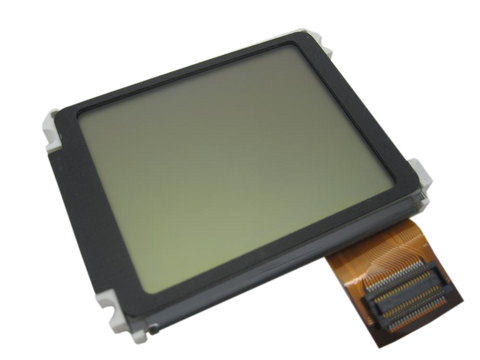
| A symptom points to a different part | Start with battery for power/runtime symptoms; hard-drive cable for folder, clicking, or restore symptoms; LCD screen for display-only symptoms; headphone jack for audio or Hold-switch symptoms — order the assembly for your own case depth, because the thin and thick versions are not interchangeable; touch-wheel cable for touch-wheel or control symptoms; logic board for board-side damage or multi-system symptoms before buying this part. |
Worth Knowing
- Thin rear panel fits 10GB, 15GB, and 20GB models only.
- The thick case exists because of the hard drive, not the battery. The 30GB and 40GB units were built around a taller dual-platter drive; the 10GB, 15GB and 20GB units use the shorter single-platter type. The battery pack is the same in both depths, which is why a thick shell buys no extra runtime.
- Stock 15GB fitment is M8946LL/A and M9460LL/A. The other capacities engraved on thin panels share the case depth exactly and differ only in what is written on the back.
- Chrome finish — prone to scratching. Common cosmetic replacement.
- Four separate touch-sensitive buttons in a row above the wheel, plus a 30-pin dock connector, identify this generation from the outside. A shell fitted by a previous owner can make the engraving disagree with what is actually inside, so check the hardware as well as the label.
Questions
Frequently Asked Questions
How do I tell a thin case from a thick one before I order?
Measure the closed iPod across its thickness, or put it on a kitchen scale. The thin case is 0.62 in (about 16 mm) and 5.6 oz (about 159 g) complete; the thick case is 0.73 in (about 18.5 mm) and 6.2 oz (about 176 g). The gap is about a tenth of an inch, which is easy to feel side by side and easy to read on any ruler with millimeters. Two things can move the weight — a replaced battery or a flash conversion — so treat depth as the decisive reading and weight as the confirmation.
Should I choose by capacity or by thin/thick case?
By case depth. Depth decides whether the panel physically fits; the capacity engraving only decides whether the finished iPod reads correctly on the back. If a previous owner has already swapped the shell — which is common on a twenty-year-old iPod — the engraving is telling you about a panel, not about the machine, and following it will send you to the wrong depth.
How do I know this backplate is the right one?
Confirm case depth thin (0.62 in / about 16 mm) first, then match capacity 15GB and color White, then check the order number in the fitment table before ordering.
Is the rear panel itself white?
No. White describes the iPod — its plastic front panel — and it is how the listing is named. The rear panel is bare polished stainless steel, the same mirror finish Apple shipped, and it is the same color on every capacity.
Will this fix charging, audio, storage, or screen problems?
No. A backplate is passive rear housing. Use it for dented, scratched, bent, missing, or custom rear-case work, not as an electronics diagnosis.
Can I fit an iPod Classic rear panel to make this iPod thinner?
No. The later full-size iPods are a different family with a different shell size and a different clip pattern, and their rear panels do not attach to a 3rd Generation front panel. The two depths on this page are the only rear panels this iPod takes, and swapping between them does not work either: the thick case is built around a taller hard drive that will not fit inside a thin shell.
Does the panel arrive with the headphone-jack and Hold assembly fitted?
No — it arrives bare. The headphone-jack and Hold-switch assembly, its three silver Phillips screws, the battery and the drive all transfer from your own iPod. Plan the job as a transfer, not a drop-in, and keep the old panel until everything has moved across.
Is this an iPod Classic?
Apple's 'Classic' branding started with the 6th Generation (2007). This is the iPod 3rd Generation (2003), model A1040. Apple's official name for this model is iPod (Dock Connector).
How do I confirm this is the right exterior part?
Match the exact iPod 3rd Generation model, visible part shape, color or finish goal, and any capacity or case-depth note before ordering Replacement Rear Panel (15GB — White).
You May Also Want
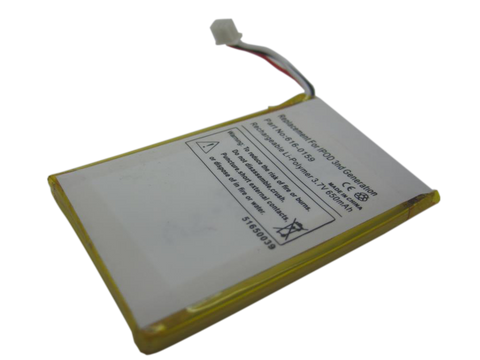
Rear panel removal is required for battery replacement — do both at once.
Related: Flash Mod Service (installed by iMods)Flash storage replaces the mechanical drive: we fit it by mail.
Related: Headphone Jack / Hold Switch Assembly (Thin - 10/15/20GB)The assembly that screws to this panel, in the matching case depth — replace it while the case is open if the jack or the Hold slider is damaged.
Search terms
Why people land on this part
Some buyers search for "ipod classic 3rd generation backplate", "iPod (Dock Connector) rear panel", or "iPod with Dock Connector"; confirm the checks above point to this same part before ordering.
Also searched as: Won't Restore or works only plugged, iPod 3rd generation 15GB white backplate replacement, iPod 3rd Generation 15GB white rear case, iPod 3rd Generation 15GB white back cover, iPod 3rd Generation 15GB white rear housing, iPod third generation 15GB white rear panel repair service, iPod third generation 15GB white rear panel replacement guide, iPod third generation replacement 15GB white rear panel kit, backplate 15GB replacement, iPod 3rd Generation Rear Panel, charging indicator, White Screen, won't charge after replacing the battery, Won't Restore, Won't Sync, works only plugged, x clicking drive.
Free diagnostic
Broken iPod? We can help.
Mail us your iPod and we will test it and send you a free repair quote. If you don't like our price, we will ship your iPod back at our expense.
How mail-in repair works
Order the free diagnostic
Choose your iPod. Add our shipping box and prepaid label if you need one.
Mail us your iPod
Pack it with your work order. No printer? Put a note in the box with your name, return address, email, order number and what is wrong.
Approve your quote
We test it and email your free repair quote. Most repairs are finished within 3 to 5 business days after you approve the quote.