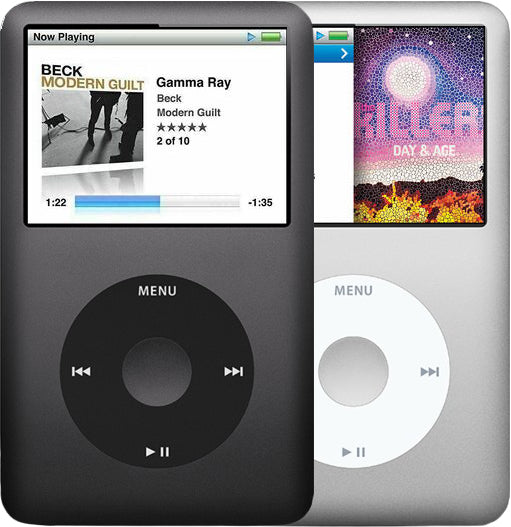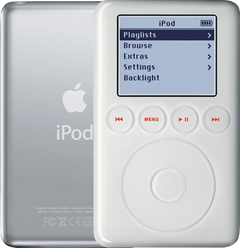
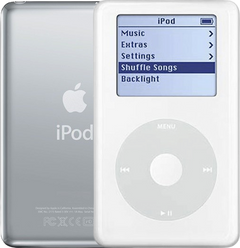
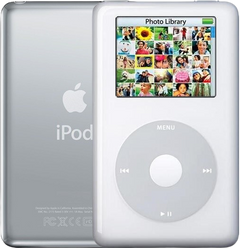
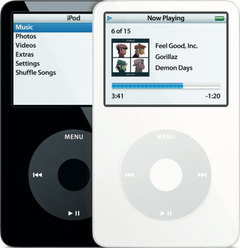


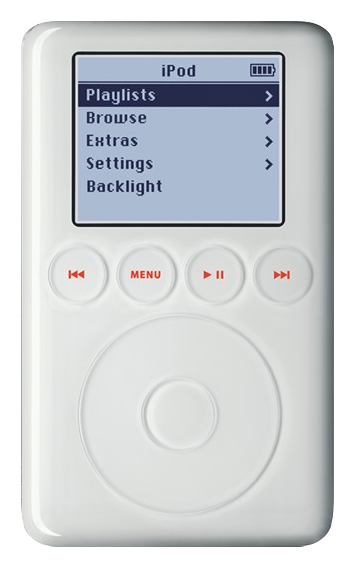
Illustration of this model in White. Your unit may vary.
Refurbished iPod 3rd Gen — 15GB White
Model A1040
$87.95
- Used (Apple Original)
- 15GB hard drive
- New battery
- Tested by iMods
- 1-year limited warranty
Sold out
Not for sale right now
We are not selling this iPod at the moment.
- Apple original iPod, tested by iMods
- 1-year limited warranty · 30-day returns from delivery
- Built after you order: ships in 3 to 5 business days. Free US shipping on orders of $200 or more.
Questions about this iPod? Chat with us or email sales@imods.com.
In the box: the iPod only, no cables.
To charge it you need a dock-connector-to-FireWire cable and a FireWire power adapter or a powered FireWire port. It does not charge from USB.
Your iPod
This iPod
What you get with this iPod
What we did
- Tested before sale: controls, display, sync and audio
- New battery fitted
- Original 15GB hard drive, tested during restore and sync
- Original Apple case with normal signs of use
In the box
In the box: the iPod only, no cables. The 1-year limited warranty is our own cover on this iPod and runs from the date of delivery.
Versions
How to identify the iPod 3rd Generation: model and order numbers
| Order number | Listing | Price |
|---|---|---|
| — | Refurbished iPod 3rd Gen — 20GB White | From $106.95 |
| — | Refurbished iPod 3rd Gen — 40GB White | From $143.95 |
| M9460LL/A | Refurbished iPod 3rd Gen — 15GB White (M9460LL/A) | From $87.95 |
| — | Refurbished iPod 3rd Gen — 30GB White | From $131.95 |
| — | This listing | From $87.95 |
| — | Refurbished iPod 3rd Gen — 10GB White | From $106.95 |
Setup and reset
How to reset, turn off and restore the iPod 3rd Generation
Reset: slide Hold on and off, then hold Menu and Play/Pause until the Apple logo appears. It keeps your music and files; some settings may reset.
Something wrong with an iPod like this? Parts and free repair quote
iPod details
About this iPod
Overview
Refurbished iPod 3G — inspected, function-tested, and ready to play. Confirm the exact capacity, color, and order number on this listing before you buy.
Model snapshot
About This iPod
The iPod 3rd Generation was a complete redesign — the most dramatic visual change in the iPod line up to that point. Announced on April 28, 2003, it introduced the iconic 30-pin Dock Connector that would become Apple's standard connector for nearly a decade (through 2012's Lightning transition). The 30-pin port replaced the FireWire jack and enabled a massive third-party accessory ecosystem.
The 3G also introduced touch-sensitive buttons arranged in a row between the screen and the touch wheel, replacing the physical buttons around the wheel. This all-touch interface was elegant but polarizing — many users found the lack of tactile feedback frustrating, and Apple would reverse course with the Click Wheel in the next generation. The backlit red-glowing button row remains one of the most distinctive iPod design elements.
This was the first iPod to support USB 2.0 alongside FireWire, which was critical for Windows adoption since many PCs lacked FireWire ports. The unified Mac/Windows model eliminated separate SKUs. iTunes 4.0 launched alongside this iPod, introducing the iTunes Music Store — the 3G was thus the first iPod sold in the iTunes Store era.
The 3G marked the moment Apple began seriously pursuing the mass market, with the entry price dropping to $299 and capacity reaching 40GB by September 2003. Launched at 10GB ($299), 15GB ($399), and 30GB ($499), the lineup was revised in September 2003 to 10GB ($299), 20GB ($399), and 40GB ($499).
About This Variant
Launch-wave 15GB from April 28, 2003 at US$399, sold with the dock, wired remote, and carrying case in the original retail box. Don’t confuse it with the January 2004 15GB (M9460LL/A), which dropped to US$299 by shipping without those accessories — the iPod itself is the same. This 15GB model has a pop-culture footnote: on the May 21, 2003 "Oprah's Favorite Things" spring show, every one of the 350 audience members received this exact model — Winfrey called it "truly genius."
Whichever configuration you choose, this listing ships the iPod on its own. Apple's original retail bundles differed between these order numbers — that is history, not what arrives.
| Detail | Value |
|---|---|
| Released | April 28, 2003 |
| Discontinued | September 8, 2003 |
| Original Price | US$399 |
| This Listing | M8946LL/A |
What Changed
- Connector: FireWire port replaced by 30-pin Dock Connector — supported both FireWire and USB 2.0, and would become Apple's standard connector for nearly a decade
- Design: Complete redesign — thinner, lighter profile with rounded top/bottom edges and all-white front face
- Interface: Four navigation buttons moved from around the wheel to a row of touch-sensitive buttons between screen and wheel, backlit red/orange — the most visually distinctive iPod interface
- Platform: Unified Mac/Windows model eliminated separate SKUs. First USB 2.0 support for data transfer
- Pricing: Entry price dropped to $299 (from $399) — 10GB ($299), 15GB ($399), 30GB ($499) at launch
What's Included
- Refurbished iPod
- 1-year limited warranty
Ships as the iPod only — no cable, wall charger, or headphones are included. It charges only over FireWire (a computer FireWire port or the FireWire power adapter; USB syncs it but does not charge it), and a restore that stops at a picture of a plug must finish on the FireWire power adapter.
Model and specs
Exact Model Identification
| Detail | Value |
|---|---|
| Order Number | M8946LL/A |
| Apple Model Number | A1040 |
| Capacity | 15GB |
| Color | White |
| EMC | EMC 1961 |
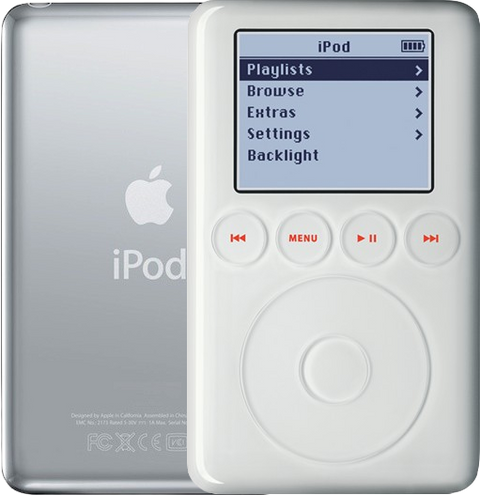
Every variant in this generation shares the Apple model number A1040 — the order number is what identifies the exact unit. The order number is not engraved on the case: the back carries the model number (A1040), the EMC number and the serial number.
Specifications
| Specification | Value |
|---|---|
| RAM | 32 MB |
| Storage | 15GB HDD |
| Display | 2" Monochrome 160x128 |
| Audio Codec | Wolfson WM8731L |
| Battery (Original) | Original: Li-Ion / Refurbished: new replacement battery (matches or slightly exceeds the original capacity) |
| Music Playback | Up to 8 hours |
| Connectivity | FireWire (Sync & Charge), USB (Sync Only) |
| Dimensions | 4.1 x 2.4 x 0.62" |
| Weight | 5.6 oz |
| Model Number | A1040 |
Compatibility
Sync it with iTunes on a Windows PC, or with the Finder on a Mac (macOS Catalina and later). Step by step: How to put music on an iPod.
Flash storage
Prefer flash storage instead of the hard drive? Pick a flash size under Storage capacity above: we fit it and test the iPod before it ships.
Questions
Buyer FAQ
Which capacity should I buy?
All 3rd Generation iPods share the same controls and features — the only functional difference is storage (the 30GB and 40GB wear the deeper case). Apple's period estimates (128-Kbps AAC): 10GB ≈ 2,500 songs, 15GB ≈ 3,700, 20GB ≈ 5,000, 30GB ≈ 7,500, 40GB ≈ 10,000. This 15GB unit holds about 3,700 songs. Most listeners' libraries fit comfortably in 15-20GB; the 30/40GB thick-case models suit big collections.
Two of these listings are 15GB — how do they differ?
They are the same iPod. M8946LL/A is the April 2003 launch 15GB, which Apple sold at US$399 with the dock, the wired remote and a carrying case in the box; M9460LL/A is the January 2004 reissue of the same 15GB hardware at US$299 without those accessories. The US$100 was the accessory bundle, not the player — same thin 0.62-inch case, same battery, same touch wheel. This listing is the M8946LL/A. Because every refurbished unit here ships as the iPod only, the historical bundle does not change what arrives; choose on the order number for your own iPod if you are matching one, or on price and condition if you are not.
Is "iPod Classic 3rd Generation" the right name, and how do I recognize one?
This is the iPod 3rd Generation, Apple model A1040. "Classic" is search wording that came later — Apple did not use it until the 6th Generation in 2007 — but it is what most people type, so we list the iPod under both. Recognize the hardware by the row of four touch-sensitive buttons in a line above the touch wheel and by the 30-pin dock connector. For case depth, stand it on edge: the 10/15/20GB build is the thin one, about 0.62 in (15.7 mm) deep and 5.6 oz, and the 30/40GB build is visibly deeper, about 0.73 in (18.5 mm) and 6.2 oz. This one is the thin build.
Does a USB dock cable charge this iPod?
No. The 3rd generation charges over FireWire only. A USB dock cable fits the 30-pin port and syncs perfectly well, but Apple’s own user guide for this iPod says plainly: "You can’t charge iPod using USB." Use a FireWire wall adapter, a computer FireWire port, or the FireWire side of Apple’s combination cable — and note Apple’s own warning not to plug that cable’s USB and FireWire ends into the same computer at the same time. An iPod that seems dead on USB is very often only flat.
It has arrived — what should I check first?
Charge it before you judge it, and charge it from FireWire: this model takes no charge at all from USB, so a unit that looks dead on a USB charger is usually just flat. Then check the Hold switch is off, run the touch wheel and the four buttons above it, listen to both headphone channels, look at the display against a plain white screen, confirm Settings > About shows 15GB (the back reads A1040), and let one sync finish. If it will not respond at all, reset it: slide Hold on and then off, then hold Menu + Play/Pause until the Apple logo appears. Anything you are not happy with, tell us inside the warranty period rather than opening the case.
What battery is in it, and how long does a charge last?
Apple rated the original battery at up to 8 hours of music. Those cells are twenty years past their design life, so a refurbished unit here gets a new replacement cell unless this listing says otherwise; it matches or slightly exceeds the iPod's original capacity and fits both the thin and the thick case. Runtime on any twenty-year-old player depends on the drive, the volume and the file format, so treat 8 hours as the original rating rather than a promise.
Restore & sync
How do I reset this iPod, and how do I put it in Disk Mode?
Reset: slide Hold on and then off, then hold Menu + Play/Pause until the Apple logo appears. Disk Mode: do that reset, and as the logo appears hold Previous + Next until the Disk Mode screen shows. To leave Disk Mode, reset it again: Menu + Play/Pause until the Apple logo appears. This is a touch-wheel iPod, so the Menu + Select reset and the Center + Play/Pause Disk Mode that later click-wheel iPods use do nothing here.
More questions, answered step by step:
Refurbished and custom
Your music. Your kind of iPod.
Pick your iPod, then its color, storage and battery. On the iPod Video 5th Gen and the iPod Classic 6th and 7th Gen you can also choose a new case in your colors and, with flash storage, the 2000mAh extended-life battery. Every iPod we sell is cleaned, tested, fitted with a new battery and covered by a 1-year limited warranty.
Want a silent iPod? Choose flash storage: it has no moving parts to wear out, and it goes up to 1TB on the 60GB and 80GB iPod Video 5th Gen and the iPod Classic 7th Gen.