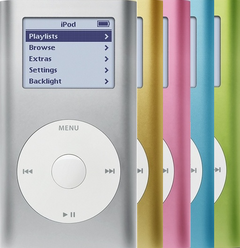


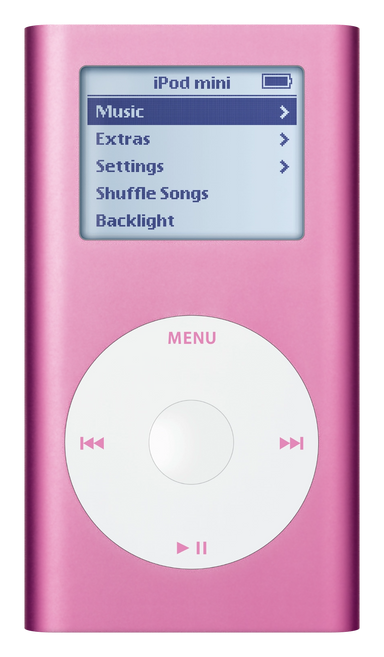
Illustration of this model in Pink. Your unit may vary.
Refurbished iPod Mini 2nd Gen — 6GB Pink
Model A1051 · Order number M9805LL/A
$168.95
- Used (Apple Original)
- 6GB hard drive
- New battery
- Tested by iMods
- 1-year limited warranty
Sold out
Not for sale right now
We are not selling this iPod at the moment.
- Apple original iPod, tested by iMods
- 1-year limited warranty · 30-day returns from delivery
- Built after you order: ships in 1 to 3 business days. Free US shipping on orders of $200 or more.
Questions about this iPod? Chat with us or email sales@imods.com.
In the box: the iPod and one USB charge/sync cable. No wall charger or headphones.
Your iPod
This iPod
What you get with this iPod
What we did
- Tested before sale: controls, display, sync and audio
- New battery fitted
- Original 6GB hard drive, tested during restore and sync
- Original Apple case with normal signs of use
In the box
In the box: the iPod and one USB charge/sync cable. No wall charger or headphones. The 1-year limited warranty is our own cover on this iPod and runs from the date of delivery.
Versions
How to identify the iPod Mini 2nd Generation: model and order numbers
| Order number | Listing | Price |
|---|---|---|
| M9805LL/A | This listing | From $168.95 |
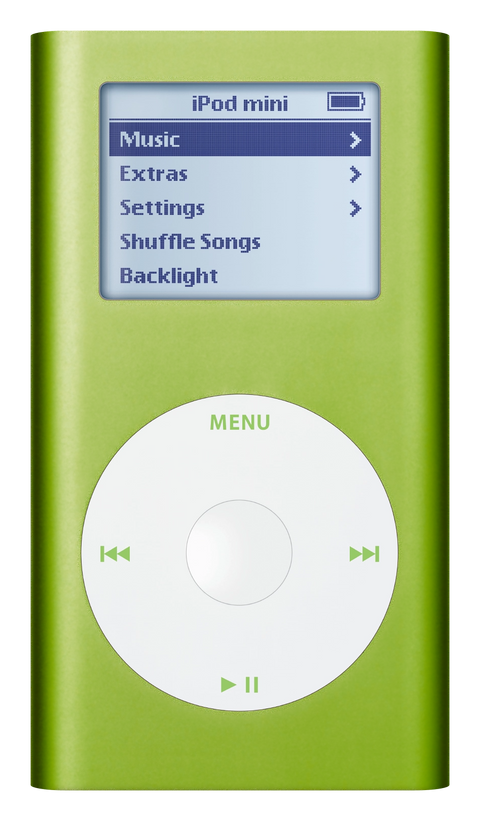
| M9807LL/A | Refurbished iPod Mini 2nd Gen — 6GB Green | From $168.95 |
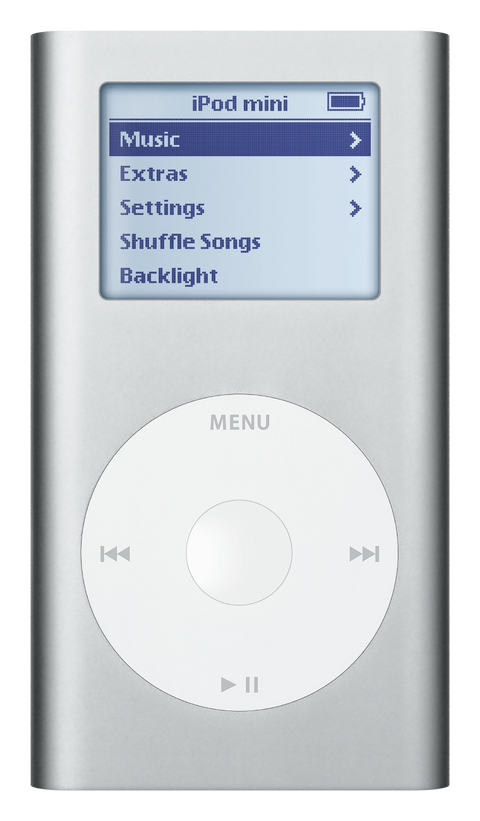
| M9801LL/A | Refurbished iPod Mini 2nd Gen — 6GB Silver | From $168.95 |
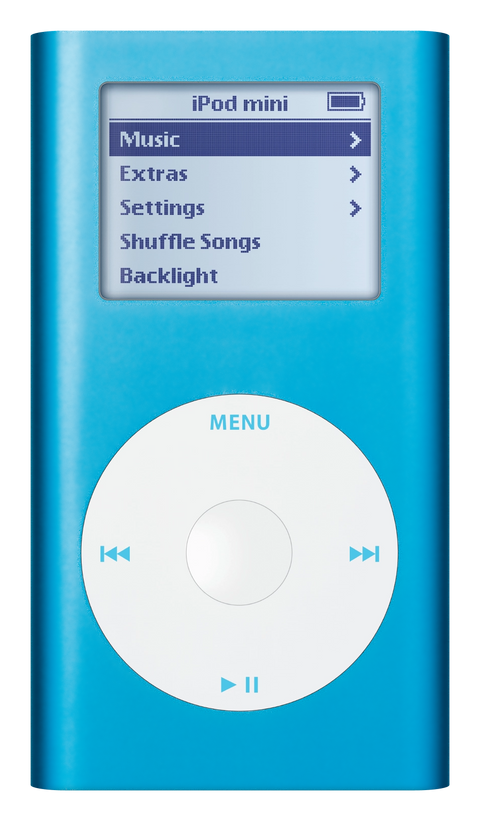
| M9803LL/A | Refurbished iPod Mini 2nd Gen — 6GB Blue | From $168.95 |
| M9800LL/A | Refurbished iPod Mini 2nd Gen — 4GB Silver | From $155.95 |
| M9804LL/A | Refurbished iPod Mini 2nd Gen — 4GB Pink | From $155.95 |
| M9806LL/A | Refurbished iPod Mini 2nd Gen — 4GB Green | From $155.95 |
| M9802LL/A | Refurbished iPod Mini 2nd Gen — 4GB Blue | From $155.95 |
Setup and reset
How to reset, turn off and restore the iPod Mini 2nd Generation
Reset: slide Hold on and off, then hold Menu and the center button until the Apple logo appears. It keeps your music and files; some settings may reset.
Something wrong with an iPod like this? Parts and free repair quote
iPod details
About this iPod
Overview
Refurbished iPod Mini 2nd Generation — inspected, function-tested, and ready to play. Confirm the exact capacity, color, and order number on this listing before you buy.
Model snapshot
About This iPod
Apple removed gold from the color palette, kept silver, and made blue, pink, and green more saturated. The Click Wheel symbols changed to match the body color — a quick way to distinguish a 2nd gen from a 1st gen. To hit $199, Apple removed the FireWire cable and AC adapter from the box.
Today the Mini 2nd Generation is beloved for its 18-hour battery, iconic aluminum design, and status as one of the easiest iPods to convert to flash storage. Its 'killed at the peak' story, combined with the distinctive colors and the flash conversions we fit, drives a strong following among collectors and daily users.
About This Variant
What this listing is. A refurbished iPod Mini 2nd Generation, 6GB in Pink, order number M9805LL/A. Apple gave both mini generations the same model number, A1051, so A1051 on its own does not tell you which mini you are looking at: the order number does, and so does the size engraved on the back panel — this generation engraves it, the first generation engraves nothing there.
What is inside. The 6GB original Microdrive on the mini's CompactFlash Type II interface, holding about 1,500 songs at Apple's 128-Kbps AAC estimate; the 1.67" grayscale display; the Click Wheel, with its text color-matched to the case as this generation always was; and a replacement battery installed unless this listing states otherwise. The capacity lives on the drive, not on the board, so a 6GB and a 4GB mini are the same iPod with a different drive in them.
How it differs from the other seven. Within 6GB the color is the only difference: the 6GB Silver, 6GB Blue and 6GB Green pages are this same iPod in a different anodized finish — same board, same display, same drive size, same battery, same box. The one difference that changes what you get is capacity — 4GB holds about 1,000 songs and 6GB about 1,500 on Apple's own estimate — and the 4GB unit in this color is the 4GB Pink. Nothing else differs between a 4GB and a 6GB mini: board, display, Click Wheel, battery, drive cable and software are the same.
| Detail | Value |
|---|---|
| Released | February 23, 2005 |
| Discontinued | September 7, 2005 |
| Original Price | US$249 |
| This Listing | M9805LL/A |
What Changed
- Storage: Added 6GB option ($249) alongside 4GB ($199) — first time a Mini offered a capacity choice
- Pricing: 4GB dropped from $249 to $199 — lowest-priced iPod mini to date. New 6GB took the $249 price point
- Colors: Gold dropped; remaining Blue, Pink, and Green received brighter, more saturated anodized finishes. Silver unchanged
How This Compares
Why buyers choose this generation: The Mini 2nd Generation is the 'best original Mini' for daily use: it keeps the beloved aluminum body and Click Wheel, adds the 6GB option, dramatically improves battery life, and is one of the easiest iPods to convert to flash storage. Its 7-month production run and 'killed at the peak' story give it genuine collector interest beyond pure nostalgia.
What's Included
- Refurbished iPod
- One USB charge/sync cable
- 1-year limited warranty
Ships as the iPod plus one USB charge/sync cable. No wall charger or headphones are included.
Model and specs
Exact Model Identification
| Detail | Value |
|---|---|
| Order Number | M9805LL/A |
| Apple Model Number | A1051 |
| Capacity | 6GB |
| Color | Pink |
| EMC | EMC 2044 |
A1051 is the Apple model number of both mini generations, so it identifies the family and not this iPod. The order number above does. So does the back panel: Apple documents this generation as the one where "The hard-drive size is engraved on back of the device" and where "The Click Wheel text color matches the color of the device". The first-generation mini is a separate model with its own wheel, screen and board — see its own pages.
Specifications
| Specification | Value |
|---|---|
| CPU | Dual ARM7TDMI, 80 MHz |
| RAM | 32 MB |
| Storage | 6GB Microdrive — a 1-inch drive on a CompactFlash Type II interface. Stock units carry a Hitachi Microdrive 3K6 or a Seagate ST1 depending on the unit: HMS360604D5CF00 / ST640211CF at 4 GB, HMS360606D5CF00 / ST660211CF at 6 GB. |
| Display | 1.67" Grayscale 138x110 |
| Audio Codec | Wolfson WM8731 |
| Battery (Original) | Original: Li-Ion, Apple-rated 18 hours music. Refurbished: a new replacement pack. Apple never published a capacity for this battery; replacement packs are labeled anywhere from 400 to 650 mAh under the EC003 / EC007 codes — treat the label as a label, and treat far higher numbers as relabels. |
| Music Playback | Up to 18 hours — Apple's original rating for a new battery, not a promise for a 21-year-old iPod |
| Connectivity | USB (Sync & Charge), FireWire (Sync & Charge) |
| Dimensions | 3.6 x 2.0 x 0.5" |
| Weight | 3.6 oz (102 g) |
| Model Number | A1051 |
| Original Price | US$249 |
Compatibility
Sync it with iTunes on a Windows PC, or with the Finder on a Mac (macOS Catalina and later). Step by step: How to put music on an iPod.
Flash storage
Prefer flash storage instead of the microdrive? Pick a flash size under Storage capacity above: we fit it and test the iPod before it ships.
Questions
Buyer FAQ
Should I buy 4GB or 6GB?
4GB holds about 1,000 songs; 6GB holds about 1,500 (Apple's 128-Kbps AAC estimate). If you pick a flash build under Storage capacity above, stock capacity matters less — buy on color and condition. If you want the original experience, 6GB gives 50% more room for $50 more at original retail, and 6GB units are slightly scarcer. This listing is the 6GB (M9805LL/A); the same color in 4GB is the 4GB Pink. To read a mini you already own: this generation has its capacity engraved on the back, and the order number settles it too — M9800LL/A, M9802LL/A, M9804LL/A and M9806LL/A are the 4GB units, M9801LL/A, M9803LL/A, M9805LL/A and M9807LL/A the 6GB ones, so an even final digit means 4GB and an odd one means 6GB.
What's the difference between the 1st and 2nd gen Mini?
The 2nd gen more than doubled rated battery life (8 to 18 hours), added a 6GB option, dropped gold, used more saturated colors, and color-matched the Click Wheel text to the body. It also dropped the price to $199. The 1st gen's edges are the exclusive gold color and the in-box FireWire cable and AC adapter.
How do I tell if my Mini is 1st or 2nd gen?
Both are model A1051. Quick tells: the 2nd gen has capacity engraved on the back and Click Wheel text matching the body color. The first-generation mini has no capacity engraving, and it has gray inset wheel text on every color; on this generation the wheel text matches the case color. A 6GB engraving points to a 2nd Gen while the original housing is fitted; check the click wheel text color and Settings > About to be sure.
Does this work with my Mac or PC?
On Windows, use iTunes for Windows — Apple's stated minimum for this iPod is iTunes 4.7. On a Mac, sync in the Finder (macOS Catalina or later) or in iTunes (older Macs); if a recent Mac does not see the iPod, use a Windows PC or an older Mac. The Mini charges and syncs over both USB 2.0 and FireWire 400.
How long does the battery last?
Apple rated the 2nd gen at up to 18 hours when new. These are 20+ year old devices — original batteries are well past useful life. Refurbished units ship with a new replacement battery unless this listing says otherwise. Apple's own guide gives about four hours for a full charge. A flash build plays longer on a charge than the same iPod on its microdrive.
Can I flash mod a Mini 2nd Generation?
Yes — as our flash mod service, fitted by mail, or ready-built: pick 128GB or 256GB under Storage capacity above, both on Apple's own software and both built and tested in our shop.
Can I use Spotify or Apple Music on it?
No streaming apps run on the iPod mini. It plays only local files synced from a computer. Apple Music subscription tracks cannot be synced. For additional format support (FLAC, Ogg), install Rockbox (IPOD_MINI2G build).
Can I use an iPod mini in my car?
Yes — three common routes: a 3.5mm aux cable from the headphone jack, a 30-pin adapter for dock-connector car kits, or an FM transmitter where there is no aux input. The Mini has no built-in Bluetooth, but a small Bluetooth transmitter in the headphone jack adds wireless audio to modern cars.
It has arrived — what should I check first?
Charge it first: connect it to a computer's high-power USB 2.0 port or to a USB charger and look for the lightning bolt in the battery icon — Apple's guide gives about four hours for a full charge, and most keyboard and hub ports do not supply enough power. Then check that the Hold switch is off, scroll and click the wheel, listen to both headphone channels, look at the display against a plain white screen, confirm the back says 6GB, and connect it and let a sync finish. If it will not respond, reset it: toggle the Hold switch on and off, then press and hold Menu + Select for at least 6 seconds until the Apple logo appears — that is Apple's own sequence for this iPod. Guides that say Menu + Play describe the older, pre-click-wheel iPods. Finally, look for a black or dark spot on the screen (the mini's battery sits behind it; a flat case doesn't rule swelling out), and tell us rather than pressing anything back down.
Restore & sync
What those screens mean. A folder with an exclamation mark means the iPod cannot find its storage — the microdrive, its ribbon cable, or the software on it; a restore can fix the software (a restore erases everything on the iPod, songs included, so copy off anything worth keeping first), but it often means the microdrive, especially after a failed restore. A sad-face iPod icon is a different screen: it almost always means the microdrive itself. A screen pointing at Apple's iPod support page is a storage error, not a message from us.
My Windows PC does not see the iPod. What do I check?
The iPod can be invisible to Windows: nothing appears in iTunes and nothing shows in the file manager when the cable goes in. When no computer sees it, the microdrive is the most common culprit (hold the iPod to your ear for unusual clicking), then the sync cable; the checks below are free.
Strip the USB bus back to basics: disconnect other USB devices (printers, cameras, flash drives) and try the iPod on each port in turn — a single dead port is common on older machines. Swap in a second known-good cable if you have one, and make sure it seats firmly at both ends. Look at the dock connector itself: dust, lint or corrosion across the pins breaks the connection before software gets a say.
Then the computer side: restart it, bring Windows and the sync software up to date — on Windows that is iTunes for Windows — and in Device Manager, under Universal Serial Bus controllers, enable a device entry that shows a disabled marker, or uninstall and reinstall the entry to force Windows to re-detect the hardware. If a recent Mac does not see the iPod, an older Mac or a Windows PC is the more predictable sync host.
Test the iPod's own side with Disk Mode: reset by holding Menu + Select, then the moment the unit restarts hold Select + Play until the Disk Mode screen shows. A unit that mounts in Disk Mode but not in a normal boot moves the suspicion from the cable toward software or the drive. This generation syncs and charges over USB 2.0, with FireWire 400 as the second supported interface, so if the same iPod and cable work on another computer the iPod side is proven.
Bent or corroded pins are on the 30-pin port itself, which is part of the logic board on this model — the metal bracket only locates it; a damaged port is a logic-board or mail-in repair.
More questions, answered step by step:
Refurbished and custom
Your music. Your kind of iPod.
Pick your iPod, then its color, storage and battery. On the iPod Video 5th Gen and the iPod Classic 6th and 7th Gen you can also choose a new case in your colors and, with flash storage, the 2000mAh extended-life battery. Every iPod we sell is cleaned, tested, fitted with a new battery and covered by a 1-year limited warranty.
Want a silent iPod? Choose flash storage: it has no moving parts to wear out, and it goes up to 1TB on the 60GB and 80GB iPod Video 5th Gen and the iPod Classic 7th Gen.