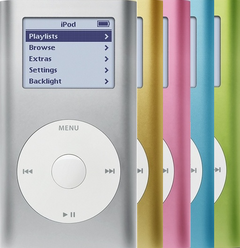


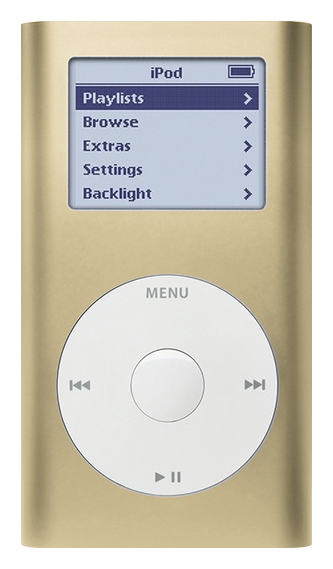
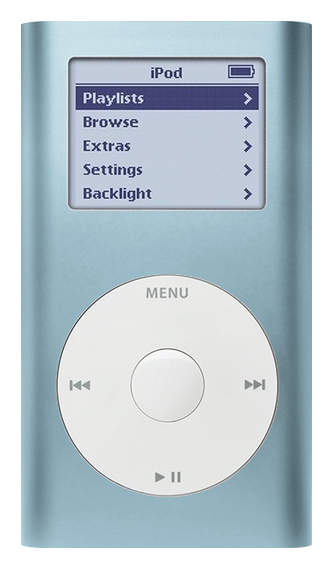
Illustration of this model in Gold. Your unit may vary.
Refurbished iPod Mini 1st Gen — 4GB Gold
Model A1051 · Order number M9437LL/A
$133.95
- Used (Apple Original)
- 4GB hard drive
- New battery
- Tested by iMods
- 1-year limited warranty
Sold out
Not for sale right now
We are not selling this iPod at the moment.
- Apple original iPod, tested by iMods
- 1-year limited warranty · 30-day returns from delivery
- Built after you order: ships in 3 to 5 business days. Free US shipping on orders of $200 or more.
Questions about this iPod? Chat with us or email sales@imods.com.
In the box: the iPod only, no cables.
Your iPod
This iPod
What you get with this iPod
What we did
- Tested before sale: controls, display, sync and audio
- New battery fitted
- Original 4GB hard drive, tested during restore and sync
- Original Apple case with normal signs of use
In the box
In the box: the iPod only, no cables. The 1-year limited warranty is our own cover on this iPod and runs from the date of delivery.
Versions
How to identify the iPod Mini 1st Generation: model and order numbers
| Order number | Listing | Price |
|---|---|---|
| M9160LL/A | Refurbished iPod Mini 1st Gen — 4GB Silver | From $133.95 |
| M9435LL/A | Refurbished iPod Mini 1st Gen — 4GB Pink | From $133.95 |
| M9434LL/A | Refurbished iPod Mini 1st Gen — 4GB Green | From $133.95 |
| M9437LL/A | This listing | From $133.95 |
| M9436LL/A | Refurbished iPod Mini 1st Gen — 4GB Blue | From $133.95 |
Setup and reset
How to reset, turn off and restore the iPod Mini 1st Generation
Reset: slide Hold on and off, then hold Menu and the center button until the Apple logo appears. It keeps your music and files; some settings may reset.
Something wrong with an iPod like this? Parts and free repair quote
iPod details
About this iPod
Overview
Refurbished iPod Mini 1G — inspected, function-tested, and ready to play. Confirm the exact capacity, color, and order number on this listing before you buy.
Model snapshot
About This iPod
Apple introduced the iPod mini on January 6, 2004 at Macworld Expo San Francisco — a smaller, color-forward iPod with a new integrated Click Wheel. Steve Jobs positioned it against a wave of sub-$250 flash players: 4GB capacity ('up to 1,000 songs') for $249, in five anodized aluminum colors. Apple also announced iLife '04 with GarageBand, a 15GB full-size iPod at $299, and a Xserve G5 that same day.
The mini was the first iPod with the Click Wheel — moving the Menu, Play/Pause, Previous, and Next controls into the touch-sensitive scroll ring itself, developed with Synaptics. Jobs told Newsweek the wheel 'was developed out of necessity for the Mini, because there wasn't enough room. But the minute we experienced it we just thought, My God, why didn't we think of this sooner?' The Click Wheel later moved to the full-size 4th-gen iPod and every subsequent click-wheel model.
Demand massively outstripped supply. Apple consumed nearly all the world's 1-inch Hitachi Microdrives, delaying the international rollout from February to July 24, 2004. The mini rode Apple's 'Silhouette' ad campaign — dancing black silhouettes against vivid colors — and became one of the most popular electronics of 2004.
About This Variant
What this listing is. A refurbished iPod Mini 1st Generation, 4GB in Gold, order number M9437LL/A. Apple gave both mini generations the same model number, A1051, so A1051 on its own does not say which mini you are looking at: the order number does, and so does the back panel — the first generation engraves no capacity there, and its Click Wheel symbols are gray on every color.
What is inside. The 4GB Microdrive on the mini's CompactFlash Type II interface, holding about 1,000 songs at Apple's 128-Kbps AAC estimate; the 1.67" grayscale display; the Click Wheel with its gray symbols; and a replacement battery installed unless this listing states otherwise. It is internally identical to the other four colors — same board, same display, same wheel, same drive size, same battery.
Gold in particular. Gold is the color that exists only here: Apple launched the mini in five colors and dropped gold when the second generation arrived, so a gold mini is always a first-generation mini. The two generations' click wheels look identical but don't work in each other's iPod: a wheel fits the other board's connector but gives no response (nothing is damaged). Check the generation first. A shell can have been changed at some point in twenty years, so when you are identifying a mini you already own, read the back panel and the wheel symbols rather than the case color.
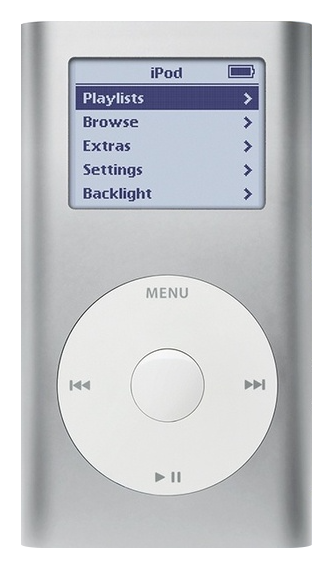
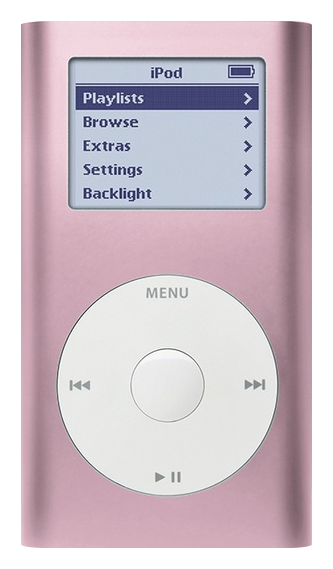
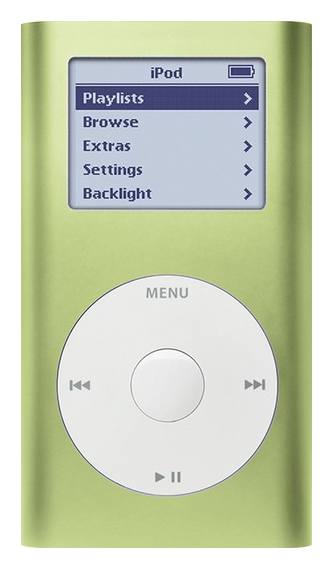
How it differs from the other four. Only in the anodised color: the 4GB Blue, 4GB Green, 4GB Pink and 4GB Silver pages are this same iPod in a different finish, at the same capacity, in the same box. There is no capacity choice to make on this generation.
| Detail | Value |
|---|---|
| Released | February 20, 2004 |
| Discontinued | February 23, 2005 |
| Original Price | US$249 |
| This Listing | M9437LL/A |
What Changed
- Form Factor: Compact anodized aluminum body at 3.6 oz — significantly smaller and lighter than the full-size iPod, designed for active and fashion-conscious users
- Colors: Available in five anodized aluminum colors: Silver, Blue, Pink, Green, Gold — first iPod with color options
- Storage: 4GB Hitachi Microdrive (CompactFlash form factor) — smaller capacity than full-size iPods but more compact
- Pricing: $249 — Apple's first 'affordable' iPod, $50 below the full-size iPod's $299 entry price
How This Compares
Compared with the previous generation: Before the Mini, Apple's entry point was the full-size 3rd-gen iPod. The Mini created a new category: smaller, lighter, colorful, and the first with the integrated Click Wheel. It was $50 less than the 15GB full-size iPod but offered 4GB — roughly 16x the capacity of comparable flash players.
What's Included
- Refurbished iPod
- 1-year limited warranty
Ships as the iPod only — no cable, wall charger, or headphones are included. A restore that stops at a picture of a plug must finish on a wall charger (Apple's A1070 power adapter is the ideal choice; a generic charger may not give the right voltage).
Model and specs
Exact Model Identification
| Detail | Value |
|---|---|
| Order Number | M9437LL/A |
| Apple Model Number | A1051 |
| Capacity | 4GB |
| Color | Gold |
| EMC | EMC 1984 |
A1051 is the Apple model number of both mini generations, so it names the family and not this iPod. The order number above does. So does the back panel: this generation has no capacity engraved there and its Click Wheel symbols are gray on every color, while the second generation engraves the size and color-matches its wheel symbols to the case. The second-generation mini is a separate model with its own wheel, screen and board — see its own pages.
Specifications
| Specification | Value |
|---|---|
| RAM | 32 MB |
| Storage | 4GB Microdrive — a 1-inch drive on a CompactFlash Type II interface |
| Display | 1.67" Grayscale 138x110 |
| Audio DAC | Wolfson WM8711 or WM8731 (varies by production run; both observed on opened units) |
| Battery (Original) | Original: Li-Ion, Apple-rated 8 hours music. Refurbished: a new replacement pack. Apple never published a capacity for this battery; replacement packs are labeled anywhere from 400 to 650 mAh under the EC003 / EC007 codes — treat the label as a label, and treat far higher numbers as relabels. |
| Music Playback | Up to 8 hours — Apple's original rating for a new battery, not a promise for a 22-year-old iPod |
| Connectivity | USB (Sync & Charge), FireWire (Sync & Charge) |
| Dimensions | 3.6 x 2.0 x 0.5" |
| Weight | 3.6 oz (102 g) |
| Model Number | A1051 |
| Charge Time | About one hour to 80% of capacity (Apple's own figure) |
| Introduced | February 20, 2004 |
Compatibility
Sync it with iTunes on a Windows PC, or with the Finder on a Mac (macOS Catalina and later). Step by step: How to put music on an iPod.
Flash storage
Prefer flash storage instead of the microdrive? Pick a flash size under Storage capacity above: we fit it and test the iPod before it ships.
Questions
Buyer FAQ
Is 4GB enough for my music library?
For a curated library, yes. Apple advertised 'up to 1,000 songs' at 128-Kbps AAC — real-world testing fit about 770-800 songs at mixed quality. That's enough for a focused playlist or workout music but not a whole collection. If you need more, pick a 128GB or 256GB flash build under Storage capacity above, both on Apple's own software.
What's the difference between 1st and 2nd gen Mini?
The 2nd gen doubled rated battery life (8 to 18 hours), added a 6GB option, dropped the price to $199, used brighter color anodizing, and color-matched the Click Wheel text to the body. It also dropped gold. Quick tell: if the Click Wheel text matches the body color or 6GB is engraved on the back, it's a 2nd gen.
Is the gold Mini rare?
Gold is the only 1st-gen-exclusive color: Apple launched the mini in silver, gold, pink, blue and green, and the second generation came in silver, pink, blue and green only. That makes gold an identification fact before it is anything else — a gold mini is always a first generation — and it is why people call it the rarest color. We do not put a market value on a color; what we can tell you is which color this listing is and what condition it is in. Working gold units are still findable.
Does this work with my Mac or PC?
On Windows, use iTunes for Windows — Apple's stated minimum for this iPod is iTunes 4.2. On a Mac, sync in the Finder (macOS Catalina or later) or in iTunes (older Macs); if a recent Mac does not see the iPod, use a Windows PC, an older Mac, or Rockbox. The Mini charges and syncs over both USB 2.0 and FireWire 400 through the 30-pin dock connector.
Can I flash mod this Mini?
Yes — as our flash mod service, fitted by mail, or ready-built: pick 128GB or 256GB under Storage capacity above, both on Apple's own software. We fit and test the card before the iPod ships.
How long does the battery last?
Apple rated the 1st-gen mini at up to 8 hours when new. These are 20+ year old devices — original batteries are well past useful life. Refurbished units ship with a new replacement battery unless this listing says otherwise. Apple never published a capacity for this battery; replacement packs are labeled anywhere from 400 to 650 mAh under the EC003 / EC007 codes — treat the label as a label, and treat far higher numbers as relabels. A flash build plays longer on a charge than the same iPod on its microdrive.
Will it work in my car?
Yes — the 3.5mm headphone jack connects to any aux input. The 30-pin dock connector works with older iPod car docks. No built-in Bluetooth; you'd need a 30-pin or 3.5mm Bluetooth transmitter adapter.
What should I check when it arrives?
Charge it first: connect it to a computer's built-in high-power USB 2.0 port or a 6-pin FireWire port and look for the lightning bolt in the battery icon — Apple gives about an hour to reach 80% of a charge. Then check that the Click Wheel responds in all directions (a common wear point on Minis). Verify the color and that it's a 1st gen (no capacity engraving on back, gray Click Wheel text). Test the headphone jack, Hold switch, and that it charges and syncs. If flash-modded, verify the reported capacity appears in Settings. If it will not respond, reset it: toggle the Hold switch on and off, then press and hold Menu + Select for at least 6 seconds until the Apple logo appears — that is Apple's own sequence for this iPod, from the iPod mini User's Guide. Guides that say Menu + Play describe the older, pre-click-wheel iPods. Finally, look for a black or dark spot on the screen (the mini's battery sits behind it; a flat case doesn't rule swelling out), and tell us rather than pressing anything back down.
Can I use Spotify or stream music?
No. The Mini has no Wi-Fi and no apps. It plays only local files synced from a computer (MP3, AAC, Apple Lossless, AIFF, WAV). Install Rockbox for additional formats like FLAC and Ogg Vorbis.
Does Rockbox work on the 1st gen Mini?
Yes — the Mini 1G is a supported Rockbox target (IPOD_MINI1G). It adds drag-and-drop file management, FLAC support, themes, and EQ. Recommended especially for flash-modded units.
Restore & sync
A restore erases the iPod, so copy anything that exists only on it first. On Windows use iTunes for Windows.
What those screens mean. A folder icon with an exclamation mark means the iPod cannot find its storage — the microdrive, its ribbon cable, or the software on it; a restore can fix the software (a restore erases everything on the iPod, songs included, so copy off anything worth keeping first), but it often means the microdrive, especially after a failed restore. A sad-face iPod icon is a different screen: it almost always means the microdrive itself.
More questions, answered step by step:
Refurbished and custom
Your music. Your kind of iPod.
Pick your iPod, then its color, storage and battery. On the iPod Video 5th Gen and the iPod Classic 6th and 7th Gen you can also choose a new case in your colors and, with flash storage, the 2000mAh extended-life battery. Every iPod we sell is cleaned, tested, fitted with a new battery and covered by a 1-year limited warranty.
Want a silent iPod? Choose flash storage: it has no moving parts to wear out, and it goes up to 1TB on the 60GB and 80GB iPod Video 5th Gen and the iPod Classic 7th Gen.