iPod Mini 2nd Generation — Replacement Top Screws (2x PH00)
iPod Mini 2nd Generation — Replacement Top Screws (2x PH00)
Used (Apple Original) · Model A1051
$4.95
Sold out
Not for sale right now
We are not selling this part at the moment.
- Used (Apple Original). Tested: installed in a working iPod and checked before it ships.
- 1-year limited warranty · 30-day returns from delivery
- Free pry tool in the box
- Completed repairs aren't refundable. If a part we fitted fails within a year, we repair it again.
Part details
About this part
Overview
Replacement screw hardware for iPod Mini 2nd Generation. Use it when original screws are missing, stripped, damaged, or lost during service. This part does not fix electronics, storage, audio, display, or control faults.
Fitment snapshot
Product Overview
Choose this screw set listing to restore the visible fit, finish, or mounting hardware on the iPod Mini 2nd Generation.
This is a fit-and-finish part, so choose it by physical damage, color, part shape, and missing hardware rather than by an electrical symptom.
What Is Included
Condition: Used factory-original part. Quantity and exclusions: The listed part, set, pair, or configuration above is supplied with exactly one plastic pry tool. No other parts, tools, adhesives, or materials are included unless they are explicitly listed above.
In the box: the two top screws and one plastic pry tool — that is the whole set. Not in the box: the PH00 driver, any other case screw, the top bezel that covers these two, adhesive for that bezel, and the headphone jack / hold switch assembly the screws hold down. Each of those is a separate part or tool.
Quick Buying Check
Buy this when
- Use this Replacement Top Screws (2x PH00) set when the original top fasteners are missing, stripped, rounded, or lost during service.
- The model, capacity, and listed order numbers match this listing.
Diagnose first when
- Use PH00 tooling for Mini top screws; do not assume Classic Torx hardware.
- The problem is an electronics symptom rather than missing or damaged fasteners.
- You have not confirmed the original screws are missing, stripped, rounded, or mismatched.
Do not buy for
- Do not use this part for: Classic Torx screw sets or full-size iPod screw routes.
- Electronics symptoms such as charging, storage, audio, display, or controls faults.
Fit and specs
Specifications & Fitment
Part Details
| Detail | Value |
|---|---|
| Model Number | A1051 |
| EMC | EMC 2044 |
| Condition | Used — factory original Apple part. Normal cosmetic wear expected. |
Compatible Variants
| Order Number | Capacity | Color | Case | Compatible | Notes |
|---|---|---|---|---|---|
| M9802LL/A | 4GB | Blue | — | Yes— compatible | Stock match |
| M9806LL/A | 4GB | Green | — | Yes— compatible | Stock match |
| M9804LL/A | 4GB | Pink | — | Yes— compatible | Stock match |
| M9800LL/A | 4GB | Silver | — | Yes— compatible | Stock match |
| M9803LL/A | 6GB | Blue | — | Yes— compatible | Stock match |
| M9807LL/A | 6GB | Green | — | Yes— compatible | Stock match |
| M9805LL/A | 6GB | Pink | — | Yes— compatible | Stock match |
| M9801LL/A | 6GB | Silver | — | Yes— compatible | Stock match |
Install and repair
Install Overview
Before You Start
Reset first: toggle the Hold switch on and off, then press and hold Menu + Select for at least 6 seconds, until the Apple logo appears. Guides that say Menu + Play describe the older, pre-click-wheel iPods. Then set Hold to locked and confirm the model and variant before opening the iPod.
Treat case opening as the highest handling risk. Work around the seams gently and stop if the shell, clips, or internal stack resist.
Do not pull the halves apart or side-load board sockets. Reseat nearby ribbons and connectors before blaming a replacement screw set.
Confirm thickness, color, screw points, and nearby hardware alignment before pressing the case fully closed.
After This Repair
| Check | What to do |
|---|---|
| Seat each screw cleanly | Confirm each screw starts straight, seats flush, and is not forced into the wrong location. |
| Close the case evenly | Check that the shell closes securely with no gaps, rattles, or pressure on nearby internal parts. |
Access Guide
Product-specific placement, reassembly, and check
- Prepare and access. Confirm the exact model and listing fit first. Use the existing steps as a disassembly guide, gather the specified tools, disconnect power where applicable, and keep screws and cable positions organized.
- Place Replacement Top Screws (2x PH00). Return each screw to its documented position, start it gently by hand, and tighten only until seated.
- Reassemble without force. Reverse only the access steps needed for this repair, keep cables clear of case edges and screw posts, and close clips in stages.
- Validate before final closure. Before final closure, confirm the assembly is secure and no screw is crossed, stripped, proud, or pressing on an internal part.
Stop condition: Stop if a connector, latch, screw, clip, housing edge, or the replacement part resists normal alignment. Recheck model fit, orientation, cable routing, and trapped hardware instead of forcing it.
Troubleshooting
Do Not Buy / Problems This Screw Set Does Not Fix
| Situation | Start here instead |
|---|---|
| Classic Torx screw sets or full-size iPod screw routes | This is a different model — check your order number and generation before ordering. |
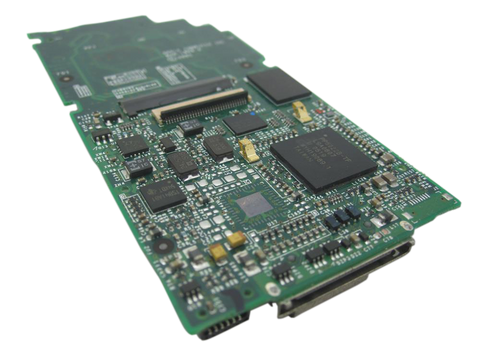
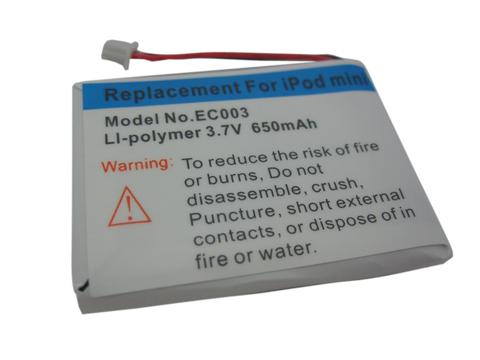
| Electronics symptoms such as charging, storage, audio, display, or controls faults | Start on the part that matches the symptom: battery for power and runtime, microdrive (4GB) or microdrive (6GB) and the hard-drive cable for storage and restore faults, headphone jack / hold switch for audio and Hold, click wheel for controls, LCD screen for display, and logic board for board-side or multi-system faults. Screws are passive fasteners and fix none of them. |
| The problem is an electronics symptom, not missing or damaged fasteners | Start with the relevant power, storage, audio, display, or control diagnosis instead of a housing part — the routes are in the row above. |
| The issue is charging, audio, storage, display, or controls rather than stripped, missing, or lost screws | Start with the microdrive, the flash mod service, or the drive cable check. |
| The case will not close flat, or a bezel keeps lifting | On this model the battery lies behind the display, so a pack that has swollen bows the internal stack, lifts the trim and can leave a dark pressure mark on the screen. No screw will pull a swollen pack flat — start on the battery page. |
| You need screws for a different iPod generation or have not confirmed the listing matches your model | Within the iPod mini family these screws fit either generation. Outside it — the full-size hard-drive iPods and the nano — the case hardware is different; confirm the exact model, capacity, connector, and case variant before ordering. |
Worth Knowing
- Replace stripped or missing top screws as a pair — this two-screw set is the complete kit for the top of the second-generation Mini's case; installation needs a PH00 Phillips driver, which is not included.
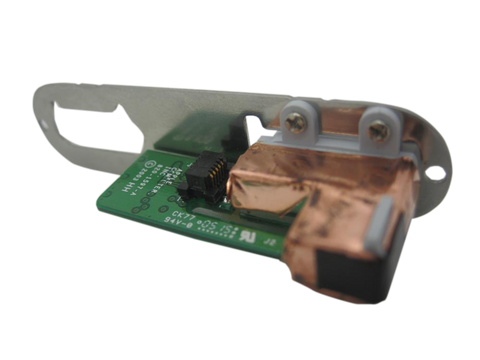
- These are the two screws that hold the headphone-jack board to the casing at the top of the aluminum tube. They are hidden under the white top bezel, which is stuck down with adhesive, so you have to lift that trim before you can see whether yours are missing or rounded.
- The two top screws fit either iPod mini generation — the same pair serves the first-generation and the second-generation mini, and they sit in the same place on both. Still generation-matched, and not to be swapped: the click wheel (its connectors are a different size), the display and the logic board.
- They are Phillips #00, not Torx. A Torx driver will not seat in a PH00 head and will round it — which is how most of these screws are lost in the first place.
Questions
Frequently Asked Questions
How do I choose the right screw set?
Match the model generation first, then confirm the fitment table and order number. Verify the screw count and driver type match your iPod before ordering.
Will a screw set fix electronics symptoms?
No. Screws are passive fasteners for reassembly. Diagnose power, storage, audio, display, and control faults separately.
What tools do I need to install these screws?
These are PH00 (Phillips #00) screws. Use a PH00 driver — a Torx driver will not seat in PH00 heads. The screwdriver is not included with the screw set.
Where are these two screws on the iPod?
At the top of the aluminum tube, under the white top bezel, holding the headphone-jack and Hold-switch board to the casing. The bezel is adhesive-backed and has to come off first — which is why these two screws are the pair most often lost or rounded during a repair.
Will these screws fit a first-generation iPod mini?
Yes. The same two top screws serve both mini generations, in the same place on either one: under the white top bezel, holding the headphone-jack and Hold-switch board to the casing. Still generation-matched, and not to be swapped: the click wheel (its connectors are a different size), the display and the logic board.
Is this for a full-size hard-drive iPod?
The iPod mini is a separate Apple product line from full-size hard-drive iPods. This is the iPod mini 2nd Generation.
You May Also Want
The white trim that covers these two screws; it is adhesive-backed and often damaged by the same opening that lost them.
Related: Headphone Jack / Hold Switch AssemblyThe board these two screws hold to the casing.
Related: Metal Dock Port BracketThe other small piece of case hardware people lose during an opening — it sits under the bottom bezel.
Search terms
Why people land on this part
Also searched as: visual liquid corrosion, water corrosion cleaning, water corrosion damage, iPod mini 2nd generation top screws replacement, iPod mini 2nd Generation screw set, iPod mini second generation top screws 2x ph00 installation, iPod mini second generation top screws 2x ph00 online, iPod mini second generation top screws 2x ph00 repair, iPod mini second generation top screws 2x ph00 price.
Free diagnostic
Broken iPod? We can help.
Mail us your iPod and we will test it and send you a free repair quote. If you don't like our price, we will ship your iPod back at our expense.
How mail-in repair works
Order the free diagnostic
Choose your iPod. Add our shipping box and prepaid label if you need one.
Mail us your iPod
Pack it with your work order. No printer? Put a note in the box with your name, return address, email, order number and what is wrong.
Approve your quote
We test it and email your free repair quote. Most repairs are finished within 3 to 5 business days after you approve the quote.