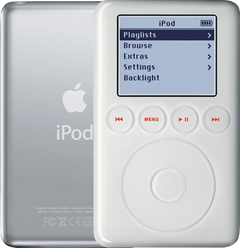
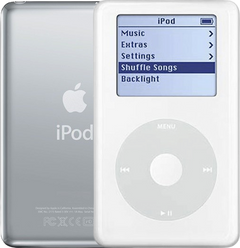
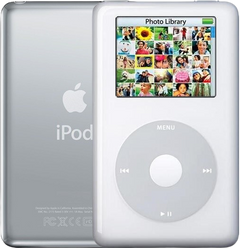
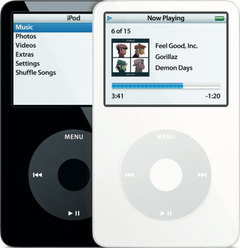
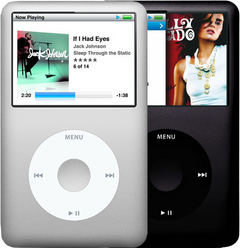
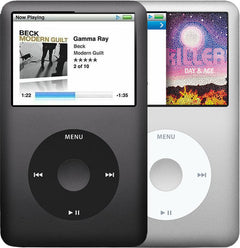
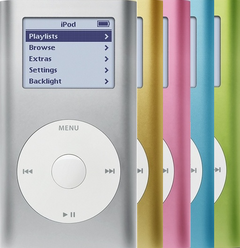
Replacement housing or trim part for iPod 4G Monochrome. Use it to restore fit, finish, color, case alignment, or visible damage rather than to fix an internal electronics fault.
Product Overview
Choose this dock bezel listing to restore the visible fit, finish, or mounting hardware on the iPod 4th Generation (Monochrome).
Use the Compatible Variants table below to confirm capacity, color, case, or order-number fitment.
This is a fit-and-finish part, so choose it by physical damage, color, case thickness, and missing hardware rather than by an electrical symptom.
What Is Included
Condition: Used factory-original part. Quantity and exclusions: The listed part, set, pair, or configuration above is supplied with exactly one plastic pry tool. No other parts, tools, adhesives, or materials are included unless they are explicitly listed above.
Quick Buying Check
Buy this when
- Use this listing when the original dock connector bezel is damaged, missing, mismatched, or physically worn; diagnose internal symptoms separately.
- The original part is cracked, scratched, dented, bent, missing, loose, or cosmetically worn.
- The model, color, case thickness, and capacity family match this listing.
Diagnose first when
- The problem is power, storage, sync, dock, audio, or display behavior rather than visible physical damage.
- The symptom started after opening the iPod and may be a disturbed internal cable or connector.
Do not buy for
- The only problem is an internal electronic symptom with no physical damage to this part.
- The issue is charging, audio, storage, display, or controls rather than fit, finish, or visible housing damage.
Specifications & Fitment
Part Details
| Detail | Value |
|---|---|
| Model Number | A1059 |
| EMC | EMC 1995 |
| Condition | Used — factory original Apple part. Normal cosmetic wear expected. |
| Part Type | Plastic dock connector bezel / trim |
Compatible Variants
| Order Number | Capacity | Color | Case | Compatible | Notes |
|---|---|---|---|---|---|
| M9787LL/A | 20GB | Black/Red (U2) | thin | Yes | — |
| M9282LL/A | 20GB | White | thin | Yes | — |
| PE435A | 20GB | White (HP) | thin | Yes | — |
| M9268LL/A | 40GB | White | thick | Yes | — |
| PE436A | 40GB | White (HP) | thick | Yes | — |
Cosmetic Failure Signs — When to Replace
This dock bezel is a cosmetic part — it does not change how the iPod plays, charges, or syncs. Replace it when the damage is physical:
| Symptom | What it means & what to check |
|---|---|
| Cracked or chipped bezel | The thin frame around the dock connector chips when the iPod is pulled off a dock at an angle. |
| Broken mounting clips | A bezel that will not stay seated after service has snapped clips behind it. |
| Color mismatch | Replacing other trim in a different color can leave the dock bezel as the odd part out. |
Not every buyer here is fixing damage: matching the original white, black/red (u2), white (hp) finish after another repair, restoring a gift or keepsake iPod to clean condition, and finishing a refreshed shell while the case is already open are just as common.
Install Overview
Before You Start
Turn Hold off, use the reset sequence for this generation, and confirm the model and variant before opening the iPod.
Treat case opening as the highest handling risk. Work around the seams gently and stop if the shell, clips, or internal stack resist.
Do not pull the halves apart or side-load board sockets. Reseat nearby ribbons and connectors before blaming a replacement dock bezel.
Confirm thickness, color, screw points, and nearby hardware alignment before pressing the case fully closed.
After This Repair
| Check | What to do |
|---|---|
| Check trim fit | Confirm the trim sits flush and the port or opening is centered before final closure. |
| Still not fitting cleanly? | Recheck case depth, screw seating, and nearby clips before forcing the trim into place. |
Worth Knowing
- Exterior plastic trim around the 30-pin dock opening; not the soldered dock connector port.
What Owners Report
These are anecdotal owner reports, not guarantees or authoritative proof that a particular part will fix a symptom. Use them as a troubleshooting starting point: confirm the symptom, run the quick checks, then match the fix.
Computer or iTunes doesn't see the iPod — cable, port, or board?
Symptoms. "Do not disconnect" flashes and then the device drops back to its menu; the device works fine on its own but the computer never registers it; a newer computer has no FireWire port to fall back on.
Quick diagnosis.
- Rule out the computer first: confirm the USB port works with another device. Then swap the 30-pin cable — cable faults dominate this lane. If the built-in diagnostics pass and cables and ports check out, suspicion moves to the iPod-side connector.
- Know what the connector is: in the repair community's teardown record the 30-pin port mounts by solder directly on the logic board, with no drop-in module swap — a genuinely worn connector means board-level service, so exhaust cable and cleaning steps first.
- FireWire-400 on modern computers needs an adapter chain, and adapter availability is a live constraint — treat any specific adapter as era-bound and verify before relying on that path.
Community signal. Reported by 2 owners.
Restore errors out to the sad face or "plug into wall"
Symptoms. A restore in iTunes asks for a power adapter partway through; a phone-charger USB brick doesn't clear the prompt; the attempt ends in a sad face; the device is invisible to the computer afterward.
Quick diagnosis / fixes.
- This is the restore-finalize handshake, not damage: the firmware waits for 12V on the FireWire power pins and holds the wall-outlet icon until it sees it. A FireWire wall adapter is the documented way to finish; a USB phone-charger brick usually is not enough, though owners report some high-power USB sources passing the check — not guaranteed, so plan on FireWire.
- After a properly finished restore, the device syncs over USB again as normal.
- If the hunch is "missing drivers": there are no separate drivers to chase — install Apple's current media software for your operating system and sync through it. Era-specific download links in old threads are stale.
Access Guide
Product-specific placement, reassembly, and check
- Prepare and access. Confirm the exact model and listing fit first. Use the existing steps as a disassembly guide, gather the specified tools, disconnect power where applicable, and keep screws and cable positions organized.
- Place Replacement Dock Connector Bezel. Align the port with the case opening, seat its board or cable connection evenly, and keep debris and nearby ribbons clear.
- Reassemble without force. Reverse only the access steps needed for this repair, keep cables clear of case edges and screw posts, and close clips in stages.
- Validate before final closure. Before final closure, test with a known-good external cable for the exact charging and sync functions this port supports.
Stop condition: Stop if a connector, latch, screw, clip, housing edge, or the replacement part resists normal alignment. Recheck model fit, orientation, cable routing, and trapped hardware instead of forcing it.
Frequently Asked Questions
How do I choose the right cosmetic part?
Match the model generation first, then confirm capacity 20GB / 40GB and color White, Black/Red (U2), White (HP), clip layout, and nearby hardware before ordering.
Is this an iPod Classic?
Apple's 'Classic' branding started with the 6th Generation (2007). This is the iPod 4th Generation (Click Wheel), the monochrome-screen model from 2004. Apple's official name for this model is iPod (Click Wheel).
Will this fix internal electronics symptoms?
No. Housing and trim parts are for fit, finish, color, alignment, or visible damage. Diagnose power, storage, audio, screen, and control faults separately.
Why people land on this part
Also searched as: iPod 4th Generation Monochrome dock bezel, iPod 4th Generation Monochrome dock trim, iPod 4th Generation Monochrome dock surround, iPod 4th Generation Monochrome port bezel, buy replacement dock bezel for ipod fourth generation monochrome, ipod fourth generation monochrome dock bezel repair service, ipod fourth generation monochrome dock bezel replacement guide, ipod fourth generation monochrome replacement dock bezel kit.
