
iPod Classic 6th Generation Parts and Repair
Model A1238 · 2007 to 2009 · 80GB, 120GB and 160GB · 37 parts and repairs
iPod Classic 6th Gen parts and mail-in repair for model A1238: the 2007 thin 80GB and thick 160GB, and the Late 2008 thin 120GB. Every part is priced alone with a free pry tool, or installed by mail. Pick a part below, or start from the symptom. Plastic front? That is an iPod Video 5th Gen.
- Parts ship with a free pry tool
- 1-year limited warranty
- Free US shipping on orders of $200 or more
You Fix It: We ship the part to you with a free pry tool and 1-year limited warranty.
We Fix It: Mail us your iPod and we will install the part, test it, and ship it back with a 1-year limited warranty.
What's wrong with it?
- Won't turn on, or won't charge
- Sad face, folder icon or red X at start
- Clicking or grinding noise
- White, blank or lined screen, still plays
- Sound in one ear only, or it crackles
- Wheel or buttons do nothing
- My computer doesn't see it
- It got wet or was droppedDon't charge it. Send it in for a free diagnostic.
- Several problems, or not sure
Try a reset first. It keeps your music and files; some settings may reset. Slide Hold on and off, then hold Menu and Select (the center button) until the Apple logo appears.
Check the Hold switch first: slide it off and on.
Silent on headphones and on a dock or car stereo too? That points to the logic board's audio, not the jack. Get your free repair quote.
All parts for the iPod Classic 6th Gen
37 parts and repairs
Not for sale right now
We are not selling iPod Classic 6th Gen parts at the moment. The fit, symptoms and repair steps on each part page stay current.
Batteries (3)
-
 80GB / 120GB Thin Battery Replacement
For the thin 80GB and 120GB case
-
 New Custom Thin 2000mAh Battery
For the thin 80GB and 120GB case
-
 160GB Thick Battery Replacement
For the thick 160GB (2007) case

Screens (1)
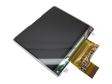
Hard drives (3)
-
 120GB Hard Drive Replacement
For the thin 80GB and 120GB case
-
 80GB Hard Drive Replacement
For the thin 80GB and 120GB case
-
 160GB Hard Drive Replacement
For the thick 160GB (2007) case


Click wheels (3)
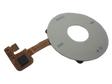
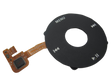
Center buttons (4)
Headphone jacks (2)
-
 Replacement Headphone Jack (Thin — 80GB / 120GB)
For the thin 80GB and 120GB case
-
 Replacement Headphone Jack (Thick — 160GB)
For the thick 160GB (2007) case
Logic boards (2)
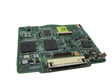
Pick the board by capacity: the 80GB and thick 160GB take the 2007 board; the 120GB takes the Late 2008 board. The Late 2009 160GB carries the same 820-2437-A number but takes its own board on the 7th Gen parts page.
-
 Factory Original Logic Board (Late 2008 120GB / 6.5G)
For the thin 80GB and 120GB case

Faceplates (3)


Backplates (5)
-
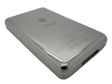 New Custom Thin Backplate
For the thin 80GB and 120GB case
-
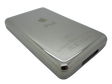 New Custom Thick Backplate
For the thick 160GB (2007) case
-
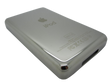 80GB Polished Stainless Steel Backplate
For the thin 80GB and 120GB case
-
 160GB Polished Stainless Steel Backplate
For the thick 160GB (2007) case
-
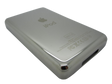 120GB Polished Stainless Steel Backplate
For the thin 80GB and 120GB case

Flash storage (1)
128GB, the most Apple's software sees on this model
Bezels (3)
More parts (7)
-
 80GB / 120GB Thin Hard Drive Cable Replacement
For the thin 80GB and 120GB case
-
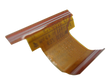 160GB Thick Hard Drive Cable Replacement
For the thick 160GB (2007) case
-
Hard Drive Rubber Insulators (Thin)
For the thin 80GB and 120GB case
-
Hard Drive Rubber Insulators (Thick)
For the thick 160GB (2007) case

Parts that differ between the thin and thick cases
| Part | Thin case: 80GB or 120GB | Thick case: 160GB (2007) |
|---|---|---|
| Battery | thin cell | thick cell |
| Hard drive | 80GB or 120GB, 5 mm | 160GB, 8 mm CE-ATA |
| Drive cable | thin ZIF cable, Toshiba-drive family | thick CE-ATA cable |
| Drive insulators | thin set | thick set |
| Headphone jack and Hold flex | thin | thick, longer flex |
| Backplate | 0.41 inch | 0.53 inch |
| Dock bezel | thin 10.5 mm | thick 13.5 mm |
Putting the 8 mm 160GB drive in a thin 80GB or 120GB? You also need the thick backplate, battery, drive cable, insulators, the longer headphone flex and a thick (13.5 mm) dock bezel. Contact us before ordering a conversion. A flash kit uses the thin ZIF cable, even in the thick case.
The iPod Classic 6th Gen at a glance
- Model A1238
- September 2007 to September 2009
- 2007: thin 80GB and thick 160GB; Late 2008: thin 120GB
- Thin case 0.41 inch, thick case 0.53 inch
- Syncs over USB; FireWire charges only
- Order numbers MB029LL/A, MB147LL/A, MB145LL/A, MB150LL/A, MB562LL/A, MB565LL/A
Before you fix it
Which version do I need?
Match the case. The 80GB and 120GB are the thin case; only the 2007 160GB is thick. A thin Late 2009 160GB is a 7th Gen. Batteries, drives, drive cables, headphone flexes, backplates, insulators and dock bezels differ; the click wheel does not.
Is it an iPod Classic or an iPod Video?
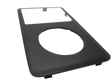
Look at the front. The iPod Classic has a metal front and reads A1238; the iPod Video 5th Gen has a plastic front and reads A1136. Screens, click wheels and boards do not cross between them. Video owners, see iPod Video parts.
Why does my iPod show a red X?
It cannot read its drive. The drive is the usual cause, but a loose drive cable, a new drive that still needs a restore, or a weak battery show the same screen. The 80GB drive page walks through the checks, or we test it free.
Will I lose my music?
Only a hard drive or flash storage repair replaces the drive, so the music on it does not carry over; back up your library first. Other repairs leave your music and data alone.
Can I upgrade the storage?
Yes, with the flash kit: silent SD storage in place of the drive, 128GB, which is the most Apple's software sees on this model. An 8 mm drive in a thin case needs the thick back, battery, drive cable, insulators, headphone flex and dock bezel.
Can you install it for me?
Yes. Choose Installed on any part, mail us your iPod, and we install the part, test it and ship it back by USPS with tracking. Installation is priced on each part's page. Most repairs are finished within 3 to 5 business days after you approve the quote.
Can you fix a worn charging port?
On the iPod Classic the 30-pin port is soldered to the logic board. Try another cable in a port on the computer itself, and clean the pins gently. A damaged port means board-level repair or a replacement board.
Is my iPod worth repairing?
Send it in for a free diagnostic: we test it and email you a repair quote. If you don't like our price, we will ship your iPod back at our expense.
Free diagnostic
Broken iPod? We can help.
Mail us your iPod and we will test it and send you a free repair quote. If you don't like our price, we will ship your iPod back at our expense.